SourceOrigin
SourceOrigin gives you one account, your Origin Account, secured by passkeys, that signs you in to SourceOrigin’s services and to any app built on it. Its sign-in service, Origin Auth (auth.sourceorigin.dev), is an OpenID Connect provider: apps register in its developer console and sign their users in with the Rust or TypeScript SDK, or any OpenID Connect library.
This documentation has two parts:
- The user guide is for people who have an Origin Account, and for people building apps that sign in with it.
- The contributor guide is for people who change SourceOrigin itself: development setup, testing, architecture, security, how to extend it, and how it is operated.
Contact
- Questions and feedback: [email protected]
- Security vulnerabilities: [email protected]. Report them privately, never in a public issue; see the security policy.
Introduction
An Origin Account signs you in with a passkey: a key your device or password manager keeps, which your fingerprint, face or PIN unlocks. There is no password to remember or leak. You can also link a GitHub or Google account to sign in with.
Your account lives at auth.sourceorigin.dev. Its settings,
at auth.sourceorigin.dev/settings, manage your passkeys, email addresses, devices,
the apps you signed in to, your notifications and your data.
Words this guide uses
-
Handle: your account’s public name, such as
alice. You sign in with it, and apps receive it. See your handle. -
Passkey: a credential bound to your account. An account can have several, one per device or password manager.
-
Session: one device signed in to your account. Settings list your devices, and you can sign any of them out.
-
App: a website or service that signs you in with your Origin Account. The first time, it asks for your consent, naming what it will receive. Apps SourceOrigin runs itself don’t ask.
-
Passkey confirmation: sensitive changes, such as removing a passkey, need you to have used your passkey in the last five minutes. If you haven’t, Origin Auth asks for it again first, even though you are signed in. See passkey confirmation.
Your account
- Creating an account with a passkey, or starting from GitHub or Google.
- Signing in and signing out.
- Sign-in methods: adding and removing passkeys, and linking GitHub or Google.
- Profile: your handle, display name and picture.
- Email addresses: adding and confirming addresses, and choosing the one apps receive.
- Devices: the browsers signed in to your account.
- Connected apps: the apps that can use your account.
- Notifications: what SourceOrigin tells you, in your inbox and by email.
- Security history: every sign-in and change, and reporting what wasn’t you.
Your data
- Recover your account if you lost every passkey.
- Undo a recovery that wasn’t you.
- Download your data: everything SourceOrigin keeps about you, in one file.
- Delete your account, and restore it within 30 days.
Building an app
Any account can register apps in the developer console, at
auth.sourceorigin.dev/developers. An app then signs its users in through OpenID
Connect, with the Rust SDK (sourceorigin-auth), the TypeScript SDK
(@sourceorigin/auth), or any OpenID Connect library:
- How sign-in works explains the concepts, and which SDK to pick.
- Registering an app covers the console, then changing an app’s settings and rotating its secret.
- Signing in with Rust, signing in with TypeScript and browser apps sign users in with the SDKs.
- Protecting an API validates access tokens.
- Developing on your machine and deploying with piqueld cover where your app runs.
- Step-up authentication asks for a fresh passkey before a sensitive action.
- Back-channel logout ends an app’s session when the user’s session at auth ends.
- Troubleshooting sign-in explains the errors your app may see.
- OpenID Connect lists the endpoints, tokens and claims.
Building with an AI coding agent? Building with coding agents explains what it can do for you, with skills to give it.
Creating an account
An Origin Account is a handle and a passkey. This page shows how to create one, with an invitation, and how to start from a GitHub or Google account instead.
Before you start
- A browser that supports passkeys, such as a recent Safari, Chrome, Firefox or Edge, with scripts allowed.
- A device or password manager that keeps passkeys: your phone or computer, a password manager, or a security key.
- An invitation link. SourceOrigin only lets people sign up with an invitation for now. To ask for one, write to [email protected].
Create an account with a passkey
- Open the invitation link you received. It opens Create your account at
auth.sourceorigin.dev/register, with the Invitation field already filled in. - Under Handle, choose your handle: 3 to 32 lowercase letters, numbers, or single hyphens between them.
- Under Passkey name, name the passkey after where it is kept, such as
iPhoneor1Password. You can rename it later. - On Android, choose where to save the passkey under Save this passkey with. Keep Passkey or security key unless you want Google Password Manager on this device.
- Select Create account with a passkey, then follow your browser’s prompt to create the passkey.
SourceOrigin creates the account, signs you in and opens your settings. Your display name starts as your handle; you can change it on the Profile tab.
An invitation works once. After it creates an account, or once it expires, it no longer works.
Create an account with GitHub or Google
You can start from a GitHub or Google account. Your Origin Account still needs a passkey: it is created only once you add one.
- Open
auth.sourceorigin.dev/loginand select GitHub or Google. - Sign in at the provider and allow SourceOrigin.
- Back on SourceOrigin, Create your account says Finish creating your account
to add GitHub sign-in (or Google). Fill in Handle and Passkey name
as above. The Invitation field is empty on this path: paste the code
from your invitation link, the part after
invitation=. Then select Create account with a passkey.
The account is created with its passkey, and GitHub or Google is linked to it, so either signs you in from then on. Your profile picture there becomes your SourceOrigin picture, when SourceOrigin can fetch it. If the provider shares your email address, SourceOrigin adds it: an address the provider hosts, such as a Gmail address, arrives confirmed, and any other gets a confirmation link first.
Finish in the same browser within 10 minutes. After that, the provider’s sign-in is forgotten and you start again.
Check that it works
Your settings open at auth.sourceorigin.dev/settings. The
Sign-in methods tab lists your passkey, and GitHub or
Google if you started with it. Next, sign in from another
device, or add a second passkey so you
can always get back in.
Troubleshooting
- The Create account button stays disabled. The page says your browser
can’t use passkeys here. Open it in a browser that supports passkeys, with
scripts allowed, over
https://. - “A valid invitation is required.” The Invitation field is empty or
wrong. Open the invitation link again rather than typing the invitation. If
you started with GitHub or Google, paste only the code after
invitation=instead: opening the link would start a new account without them. - “This invitation has expired or has already been used.” Ask for a new invitation.
- “This handle is taken. Choose another one.” Another account has it. Handles that look alike, or that belonged to another account, are refused too, and the page says which.
- The provider sends you to “Add this sign-in method?” instead. Your GitHub or Google email address belongs to an existing Origin Account. Sign in to that account with its passkey to link the provider, or select Cancel linking.
Signing in
Sign in to your Origin Account with a passkey, or with a GitHub or Google account you linked. This page also explains passkey confirmations, which sensitive changes ask for even while you are signed in.
Before you start
You need an Origin Account. If you don’t have one yet, see creating an account.
Sign in with a passkey
- Open
auth.sourceorigin.dev/login. Opening your settings, or an app that signs in with Origin Auth, while signed out brings you here too. - Select Sign in with a passkey.
- Your browser lists the passkeys it can use. Choose your account, then unlock the passkey with your fingerprint, face or PIN.
Origin Auth signs you in and goes on to where you were headed: the app, or your settings.
If your browser doesn’t list your passkey, as with a passkey on a security key or another device, sign in with your handle:
- Select Use a handle instead.
- Type your handle under Handle, then select Sign in with a passkey.
- Your browser asks for one of that account’s passkeys.
Sign in with GitHub or Google
Once you have linked GitHub or Google to your account, select GitHub or Google on the sign-in page, under or continue with, and sign in there.
An app can ask for a passkey sign-in. Its sign-in page then says This app asks you to sign in with a passkey. and offers no provider.
Sign out
In your settings, select Sign out at the bottom of the sidebar. This ends your session in this browser, and the apps you used through it may sign you out too.
An app that signs you out sends you to Ready to sign out?: select Sign out, or Keep my session to stay signed in.
To sign out a device you don’t have with you, use devices.
Passkey confirmation
Some changes need you to have used your passkey in this browser within the last five minutes, even though you are signed in:
- changing your handle,
- adding or removing a passkey,
- linking or unlinking GitHub or Google,
- adding an email address, choosing your primary address, or removing one,
- registering an app in the developer console, or changing one,
- downloading your data or deleting your account.
Signing in with a passkey counts. Signing in with GitHub or Google never does.
If you haven’t used your passkey in the last five minutes, your browser asks for it as soon as you select the change’s button, which says Waiting for your passkey… meanwhile. Once you unlock it, the change goes ahead. The confirmation lasts five minutes from then, and only in this browser: using SourceOrigin doesn’t extend it.
Renaming a passkey, changing your display name or profile picture, signing out devices and removing an app’s access need no confirmation.
Troubleshooting
- “No active account has this handle.” Check the handle’s spelling. It may have changed: you sign in with the handle the account has now.
- “This passkey was removed from your account.” Use another of your passkeys.
- “You last confirmed this session with a passkey. Use your passkey to sign in again.” This browser’s session was confirmed with a passkey, so signing in again with GitHub or Google would weaken it. Sign in with your passkey.
- “The Origin Account linked to this provider account is disabled or has no passkey.” The account can’t be signed in to. Write to [email protected].
- The passkey button stays disabled. Your browser can’t use passkeys here. Open the page in a browser that supports them, with scripts allowed.
Sign-in methods
The Sign-in methods tab of your settings, at
auth.sourceorigin.dev/settings/sign-in, lists the passkeys and the GitHub or Google
accounts that can sign in to your account. Use it to add a passkey for a new
device, tidy up old ones, and link or unlink GitHub and Google.
Before you start
You need to be signed in. Adding, removing, linking and unlinking need a passkey confirmation: your browser asks for your passkey first if you haven’t used it in the last five minutes.
Add a passkey
Keep at least two passkeys, on different devices or password managers, so losing one never locks you out.
- Under Passkeys, select Add a passkey.
- Under New passkey name, name it after where it is kept, such as
YubiKey. - On Android, choose where to save it under Save this passkey with. Google Password Manager on this device saves it with Google Password Manager; choose it only if that is available on the device. Otherwise keep Passkey or security key.
- Select Create the passkey, confirm with a passkey you already have if your browser asks, then create the new one.
The page says The passkey was added.
An account keeps at most 100 passkeys. With 100 already, SourceOrigin refuses another before your device creates it, and says so: remove one you no longer use first.
Rename a passkey
- Select Rename beside the passkey.
- Type its new name under Passkey name, then select Save name.
A name only helps you tell passkeys apart: it can be up to 80 characters.
Remove a passkey
Removing a passkey can’t be undone: it never signs in again. Removing one also signs out every device but this one.
- Select Remove beside the passkey.
- Select Confirm removal, and confirm with a passkey if your browser asks.
Your last passkey can’t be removed: its Remove button is disabled. Add another passkey first. A linked GitHub or Google account doesn’t count, since only a passkey can authorize changes to your settings.
While a recovery of your account can still be undone, only the recovery’s own passkey can be removed: the others keep their power to undo it, and their card says so.
Where the browser supports it, your password manager then forgets the removed passkey, so it stops offering it. A security key keeps its copy, which no longer works.
Link GitHub or Google
Linking lets you sign in with a GitHub or Google account you already have. It never replaces your passkeys. You can link one GitHub and one Google account.
- Under Social sign-in, select Link GitHub or Link Google.
- Sign in at the provider and allow SourceOrigin.
- Back on SourceOrigin, Add this sign-in method? asks you to confirm. Select Verify passkey and add provider, and confirm with your passkey if your browser asks.
You return to your sign-in methods, where the provider shows the email address of the account you linked, if it shares one. If your account had no confirmed email address, SourceOrigin also adds the provider’s, as when you create an account with it.
The Overview tab also offers Link GitHub or Link Google while one is not linked. Select Not now to hide that suggestion in this browser.
Unlink GitHub or Google
- Select Unlink beside the provider.
- Select Confirm unlink, and confirm with your passkey if your browser asks.
Your passkeys keep working. Unlinking signs out every device but this one, and frees the GitHub or Google account, so it can be linked to another SourceOrigin account.
Troubleshooting
- “Keep at least one passkey on your account.” You tried to remove your last passkey. Add another first.
- “The passkey request was cancelled or unavailable.” You cancelled the browser’s prompt, or the device can’t create the passkey, as when it already holds one for your account. Try again, or use another device.
- “This provider account is already linked to another Origin Account.” Unlink it from that account first, or link another GitHub or Google account.
- A provider says it is currently unavailable. SourceOrigin no longer offers sign-in with it. You can still unlink it, but not sign in with it.
Profile
The Profile tab of your settings, at auth.sourceorigin.dev/settings/profile,
holds what apps you sign in to with Origin Auth see of you: your handle, your
display name and your picture.
Before you start
You need to be signed in. Changing your handle needs a passkey confirmation; the display name and picture don’t.
Your handle
Your handle, such as @alice, is your account’s public name. You sign in with
it, and apps that read your profile receive it as your username. It isn’t
secret: anyone can check whether an account has a given handle, for example
on the sign-in page.
Handle rules
A handle is 3 to 32 characters long: lowercase letters, numbers, and single hyphens between them.
A handle can’t be taken if another account has it or had it, or if it looks
too much like one that does, such as rnary beside mary. Names SourceOrigin uses
itself, such as auth, www or sourceorigin, are reserved. The page says which
handle blocks the one you chose.
Change your handle
- Select Change beside Handle.
- Type the new handle in Change your handle.
- Select Change handle, and confirm with your passkey if your browser asks.
Your old handle stops working right away: you sign in with the new one, and links to the old one stop finding you. Apps see the new handle the next time they refresh your profile. The old handle stays reserved for you, so nobody else can take it, and you can take it back later.
You can change your handle once every 30 days, counting from when you created your account too. Until then, its Change button is disabled, and the page says when you can change it again.
Change your display name
Your display name is the name apps show for you. It can be up to 80 characters, and doesn’t need to be unique.
- Select Change beside Display name.
- Type the new name under Display name, then select Save name.
Apps see it the next time they refresh your profile.
Choose a profile picture
Apps show your picture beside your name, or your initials while you have none.
- Select Add a picture beside Picture, or Change if you have one.
- Under Picture, choose a PNG, JPEG or GIF of up to 10 MB.
- Choose the square apps show: drag the picture, or use the arrow keys, to move it, and use Zoom to zoom in.
- Select Upload picture.
Origin Auth keeps only the image, cropped to a square: nothing else in the file, such as where a photo was taken. Apps show the new picture once they refresh your profile.
To remove it, select Remove beside Picture, then Remove picture. Apps show your initials instead.
Troubleshooting
- “Your handle changed less than 30 days ago.” Wait until the date the message gives.
- “This handle looks too much like @…” or “This handle belonged to another account.” Choose another handle. See handle rules.
- The picture is refused. Use a PNG, JPEG or GIF of at most 10 MB.
Email addresses
The Email addresses tab of your settings, at
auth.sourceorigin.dev/settings/emails, lists your addresses. Origin Auth sends security
notices to your primary address, and apps you allow to see your email address
receive it.
Before you start
You need to be signed in. Adding an address, choosing your primary one and removing one need a passkey confirmation.
Add an address
- Select Add an address.
- Type the address under Email address.
- Select Send a confirmation link, and confirm with your passkey if your browser asks.
The page says We sent a confirmation link. Open it to confirm the address. The address shows Waiting for confirmation until you do.
An account can have up to 10 addresses.
Confirm an address
- Open the email from SourceOrigin, titled Confirm your email address for your Origin Account, and open its link.
- On Confirm your email address, select Confirm this address.
The page says Address confirmed. The link works once, for 24 hours, on any device: you don’t need to be signed in. If you are signed in to a different Origin Account in that browser, the page refuses, so you never confirm an address for someone else’s account. The email names the account the address joins: confirm only if it is yours.
Your first confirmed address becomes your primary address.
If the link expired, select Resend link beside the address.
Choose your primary address
- Select Make primary beside a confirmed address.
- Confirm with your passkey if your browser asks.
The page says Your primary address changed. We told your previous one. Origin Auth sends security notices to the new address from then on.
Remove an address
- Select Remove beside the address.
- Select Confirm removal, and confirm with your passkey if your browser asks.
SourceOrigin tells a confirmed address that it was removed. You can’t remove your primary address while another confirmed address could replace it: make that one primary first.
What apps receive
An app that asks for your email address, and that you allow, receives your primary address, marked as confirmed. It never receives your other addresses, or one you haven’t confirmed. Apps see a new primary address the next time they refresh your profile.
Without a confirmed address, apps receive none.
Troubleshooting
- “This address is already used by another Origin Account.” Another account confirmed it first. An address belongs to one account at a time.
- “Too many verification emails were sent recently. Please try again later.” SourceOrigin limits how many confirmation emails it sends in an hour. Wait, then select Resend link.
- “This verification link is invalid, has expired or was already used.” Select Resend link beside the address for a new one.
- “This link adds the address to an Origin Account other than the one you are signed in to.” Sign out first if the address is meant for the other account.
- “Make another address your primary address before removing this one.” See choose your primary address.
Devices
The Devices tab of your settings, at auth.sourceorigin.dev/settings/sessions,
lists every browser signed in to your account. Use it to sign out a device you
lost, sold or no longer use.
Before you start
You need to be signed in. Signing devices out needs no passkey confirmation.
Read the list
Each device shows:
- its browser and system, such as Firefox on Windows, marked This device for the browser you are using,
- how it signed in: Passkey, Social sign-in, or both,
- the network address of its last activity, and when that was, such as Active 2 hours ago,
- the day it signed in.
A device stays signed in for 30 days at most, then signs in again.
Sign out a device
Select Sign out beside the device. The page says The device was signed out.
Signing a device out also ends the access of the apps you signed in to through it: they can’t refresh it, and those that listen for it are told to sign you out. An app’s access token keeps working until it expires, within five minutes, and an app that keeps its own session may keep you signed in until it next checks with Origin Auth.
To sign out everywhere but here, select Sign out of all other devices at the top of the page. The page says Your other devices were signed out.
To sign out the device you are using, select Sign out at the bottom of the sidebar. See signing in.
If you don’t recognize a device
- Sign it out.
- Open your security history to see what it did, and report anything that wasn’t you.
Removing a passkey or unlinking GitHub or Google also signs out every other device, so a device that used it can’t stay signed in. See sign-in methods.
Connected apps
The Connected apps tab of your settings, at auth.sourceorigin.dev/settings/apps,
lists the apps you signed in to with Origin Auth that keep access to your account,
and what each can see. Remove any you no longer use.
Before you start
You need to be signed in. Removing an app’s access needs no passkey confirmation.
How an app gets access
The first time an app signs you in, Origin Auth asks Continue to the app, names the site it sends you back to, and lists what the app will receive:
- Your account identifier,
- Your username, display name and profile picture: your profile,
- Your verified email address: your primary address,
- Access your account while you’re away, for an app that keeps working when you aren’t using it.
An app never sees your passkeys, and can’t change your account. An app that another Origin Account registered is marked Unverified app, registered by the handle of whoever registered it: SourceOrigin hasn’t checked who runs it, so continue only if you trust it.
Select Continue to allow it, or Cancel to refuse. Once you allow it, the app doesn’t ask again unless it asks for more. To sign in to the app with another account, select Not you? Switch account.
Apps that SourceOrigin makes don’t ask: they are marked Made by SourceOrigin.
Read the list
Each app shows what it Sees, and whether it Can use your account while you’re away or Can use your account only while you’re signed in to it.
Remove an app’s access
- Select Remove access beside the app.
- Select Remove access again to confirm.
The page says The app no longer has access to your account. The app can no longer refresh its access, and needs your approval again before it signs you in. Access it already has can last up to 5 minutes.
An app made by SourceOrigin gets its access back, without asking, the next time you sign in to it.
Removing an app’s access doesn’t sign out your devices: other apps share them. To sign a device out, see devices.
Notifications
SourceOrigin tells you when something important happens to your account. Each
notice goes to your inbox, the Notifications tab of your settings at
auth.sourceorigin.dev/settings/notifications, and is emailed to you.
Before you start
You need to be signed in to read your inbox. To receive the emails, you need a confirmed email address.
What SourceOrigin tells you
- Your primary email address changed, or an address was removed.
- SourceOrigin support changed your handle or display name, or removed your profile picture. When you change these yourself, SourceOrigin doesn’t tell you: you already know.
- SourceOrigin support secured your account, or someone used a recovery link to add a passkey, or a recovery was undone.
- Your account was disabled, enabled again, scheduled for deletion or restored.
- SourceOrigin sent an announcement, such as news of a security incident or a change to its privacy policy, to every account or to yours.
- If you administer Origin Auth, an alert about the service was raised, such as a broken audit chain. Its subject starts with Alert:.
Read your inbox
The sidebar’s Notifications tab shows how many are unread, and the Overview says You have an unread notification while one is.
- Open Notifications. The newest come first, with unread ones in bold.
- Select one to open it. Opening it from SourceOrigin, a bookmark or the address bar marks it read. A link to it on another website, such as your webmail, doesn’t.
A notification’s page says what happened and shows its entry in your security history, with This wasn’t me if you can report it. An alert concerns the service rather than your account, so it has no entry, and See the alerts opens the admin dashboard’s Alerts tab. Select Mark as unread to keep it in mind for later.
To mark every notification read, select Mark all as read in the inbox. Show older notifications pages back through the rest.
Emails
Each notification is also emailed, in one of two categories:
- Security: everything about your account itself. You always receive these, so nobody can hide one from you.
- Announcements: news from SourceOrigin, such as a new feature. You receive these by default, and can turn them off.
If you administer Origin Auth, you always receive alerts by email too, like Security notifications.
Some announcements are essential: a security incident, or a change to the privacy policy or terms. You receive those by email even with announcements turned off. Either way, every announcement stays in your inbox.
The email says what the inbox says and links to the notification’s page; an announcement’s email links your inbox.
- A change of primary address is emailed to the address that stopped being primary, and a removed address is told at that address.
- A recovery that adds a passkey, or support securing your account, is emailed to every confirmed address.
- Everything else goes to your primary address.
SourceOrigin’s emails carry no tracking and no remote images.
Turn announcement emails off
From your settings:
- Open Notifications, then select Email preferences at the top of the page.
- Select Turn off beside Announcements.
From an announcement’s email, select Stop receiving announcements by email at its end, then Stop announcement emails on the page it opens. Your mail app may also offer an Unsubscribe button beside the sender, which does the same in one click.
Email preferences then says Not emailed beside Announcements, and your security history lists Announcements: emails turned off. Turn them back on with Turn on, in the same place.
Troubleshooting
- No emails arrive. Check that you have a confirmed primary email address, and look in your spam folder. The inbox keeps every notice either way.
- You still received an announcement. It was essential, or its email had already left when you turned announcements off.
- The unsubscribe page says “This link doesn’t work”. The link was cut off or changed. Open it from the email again, or turn announcements off in your settings.
- A notification you don’t recognize. Open it, then follow its advice. If it wasn’t you, report the entry with This wasn’t me, or write to [email protected].
Security history
The Security history tab of your settings, at
auth.sourceorigin.dev/settings/history, lists every sign-in and change to your
account. Read it to check that everything was you, and report anything that
wasn’t.
Before you start
You need to be signed in.
Read your history
Entries are grouped by day, newest first, with times in UTC. Each says what happened, such as Signed in with a passkey or Passkey “YubiKey” added, then:
- the browser and system it came from, and its network address,
- the app it went through, as App: and the app’s name,
- who did it, when it wasn’t you: By a SourceOrigin administrator or By a SourceOrigin operator, with the reason they gave, By an app, or Automatically by SourceOrigin.
Entries that need a look, such as a report, a recovery or a change made by SourceOrigin support, are marked with a warning dot.
The browser and network address are kept for 90 days. After that, the entry says Device details erased.
Show older activity pages back through the rest. The Overview tab shows the newest entries under Recent security activity.
Report activity that wasn’t you
Report an entry when you didn’t do it: a sign-in you don’t recognize, or a change you didn’t make.
- Select This wasn’t me beside the entry.
- Under Secure your account?, select Sign out everywhere else.
SourceOrigin then:
- signs out every device but the one you are using,
- ends the access of every app you use with Origin Auth, including on this device, so they ask you to sign in again once their access token expires, within five minutes, or when they next check with Origin Auth.
Your passkeys keep working. The page says Your account is secured.
If the entry added something, a passkey, a GitHub or Google sign-in, or an email address, the page then offers to remove it, such as Remove passkey “YubiKey”. Select it, and confirm with your passkey if your browser asks.
Only what was done while signed in to your account can be reported, and not every entry of it, such as your own reports: the button shows where you can. For a change SourceOrigin support made, write to [email protected] instead.
A notification’s page also shows its entry, with This wasn’t me where you can report it.
If someone else has your account
Reporting signs out other devices, but a passkey they added keeps working until you remove it. After reporting:
- Remove any passkey you don’t recognize on sign-in methods, and unlink any GitHub or Google account that isn’t yours.
- Remove any email address that isn’t yours on email addresses.
- Check connected apps for apps you didn’t allow.
If you can’t sign in any more, or need help, write to [email protected]. To report a vulnerability in SourceOrigin, write to [email protected].
Recover your account
If you lost every passkey of your account, SourceOrigin support can help you add a new one. This page explains how to ask, and what happens once support starts the recovery.
Before you start
- If you still have one passkey, you don’t need a recovery. Sign in with it, then add a new passkey in Sign-in methods.
- You need access to your account’s primary email address: support emails the recovery link there.
Ask support
Email [email protected] with your handle, and say that you lost every passkey.
Support then checks that you own the account. They confirm your request through a channel that existed before you asked, and may ask you questions about your account. Support never accepts these as proof:
- an email from the account’s own address, which may be the one someone else took over,
- a message from a GitHub or Google account linked to it,
- anything public about the account, such as its handle.
This can take some time. It is what stops someone else from recovering your account by pretending to be you.
Add your new passkey
When support starts the recovery, every device is signed out of your account, and email addresses you hadn’t confirmed are removed. Support emails a link to your primary email address, with the subject “Recover your Origin Account”. If your account has no confirmed address, support gives you the link through the channel they confirmed.
- Open the link from the email. It works once, for 24 hours.
- Select Continue. The page names your account and says until when the link works.
- Enter a Passkey name, such as the name of your device.
- Select Create a passkey, then follow your device’s steps.
You are signed in, and your settings say “Your account is recovered. Your new passkey signs you in.”
The first 15 days
For 15 days after you used the link, your new passkey signs you in, but it gives no passkey confirmation. So, until then, you can’t:
- add or remove a passkey,
- link or unlink GitHub or Google sign-in,
- add or remove an email address, or change the primary one,
- change your handle,
- register or change apps in the developer console,
- download your data or delete your account,
- use apps that ask for a passkey confirmation.
You can still use your account and sign in to other apps. Your settings show, until the date it ends, that the passkey the recovery added can’t confirm changes.
These 15 days protect you if the link reached someone else: they could use the account, but not keep a way into it, and you could undo the recovery with a passkey you had before.
After 15 days, your new passkey works like any other. Add a second passkey then, so you can always get back in.
“Was this you?”
While a recovery can be undone, every settings and developer console page asks “Your account was recovered on <date>. Was this you?”. Before the link is used, it says “SourceOrigin support started a recovery of your account on <date>” instead.
- Select Yes, it was me to hide the question in this browser.
- Select No, undo it if you didn’t recover your account. See undo a recovery.
Signing in to an app asks the same question. Select Yes, continue to go on to the app.
If someone else had your account
If someone else got into your account, for example with your stolen phone, support may secure it before recovering it. Because this takes away your own way to undo the recovery, support asks for stronger proof first. They:
- sign every device out,
- remove every passkey, except those you tell them are yours,
- unlink GitHub and Google sign-in,
- withdraw every app’s access to your account.
Every confirmed email address of the account receives “SourceOrigin support secured your account”. Support then gives you the recovery link themselves, through the channel they confirmed, rather than emailing it. Undoing this recovery later doesn’t bring back what support removed.
Troubleshooting
- “This recovery link no longer works.” The link was used, expired after 24 hours, or was cancelled. Ask support for a new one.
- “This link is incomplete.” Open the link again from the email, without changing it.
- “Opening this link needs scripts allowed.” Allow JavaScript for auth.sourceorigin.dev, then open the link again.
- You lost the new passkey within the 15 days. It can’t add a second passkey yet, so contact support. They can undo the recovery and start another.
Undo a recovery
If SourceOrigin support recovered your account and it wasn’t you, undo the recovery with a passkey you had before it. Undoing takes back the passkey the recovery added, and signs everyone out. You can undo a recovery for 15 days after its link was used, or cancel it before.
Before you start
You need a passkey your account had before the recovery. The passkey the recovery added can’t undo it. Without an older passkey, see no passkey from before.
The notices you receive
A recovery tells you in several ways:
- “Recover your Origin Account”, sent to your primary email address when support starts the recovery. It holds the recovery link, and a second link to cancel the recovery if you still have a passkey.
- “A recovery added a passkey to your account”, sent to every confirmed email address of the account once the link is used. It links to the page that undoes the recovery.
- “SourceOrigin support secured your account”, sent to every confirmed address when support removed your other ways to sign in first. It links to the undo page only if support kept one of your passkeys.
- “Was this you?”, asked on every settings and developer console page, and when you sign in to an app with your account.
The second and third notices also appear in your settings, under Notifications.
Undo it
- Open the undo link from one of the emails, or select No, undo it where
your account asks “Was this you?”. Before the recovery link is used, the
question offers No, cancel it instead. Signed in, you can also open
auth.sourceorigin.dev/recover/undo. - If the page asks, select Continue. It then says what the recovery did, until when it can be undone, and what undoing takes back.
- Select Undo it with a passkey, or Cancel it with a passkey before the link is used.
- Use a passkey you had before the recovery.
You are signed in with that passkey, and your settings say “The recovery is undone.” The undo page works even when you are signed out, so whoever used the link can’t stop you by signing you out.
What undoing takes back
Undoing a recovery whose link was used:
- removes the passkey the recovery added,
- signs every device out,
- withdraws every app’s access to your account. Each app asks for your consent again the next time you sign in to it.
Cancelling a recovery whose link wasn’t used yet makes the link stop working.
Undoing doesn’t reach everything. Whoever used the link could, during those days, change your display name or profile picture, and use apps that don’t ask for a passkey confirmation. Undoing doesn’t revert any of this, and an app may keep them signed in on its own side. Check your Security history in your settings, and each app you use.
No passkey from before
If you have no passkey from before the recovery, the undo page says “You have no passkey from before this recovery, so only SourceOrigin support can undo it.”
Email [email protected]. Support checks that you own the account, with evidence from before the recovery, as they do for a recovery. A request sent from the account itself while it is being recovered doesn’t count: it may come from whoever used the link. Support can then undo the recovery, and start a new one for you.
While a recovery can be undone, nobody can remove the passkeys your account had before it, not even support. That keeps your ability to undo it.
Troubleshooting
- “There’s nothing to undo.” The recovery was already undone or cancelled, or its 15 days ended, or the link is wrong. After the 15 days, contact support.
- “Use a passkey you had before this recovery to undo it, or ask SourceOrigin support.” You used the passkey the recovery added. Use an older one.
- “Your account is disabled, so you’re not signed in.” The undo worked, but your account is disabled. Contact support to enable it.
- Your account is scheduled for deletion. Restore it first, by signing in with a passkey you had before (see delete your account), then undo the recovery.
- An older passkey was stolen. You can’t remove it while the recovery can be undone. Contact support, who can undo the recovery and secure your account.
Download your data
You can download everything SourceOrigin keeps about your account, in one JSON file, from your settings.
Before you start
You need one of your account’s passkeys: downloading needs a passkey confirmation. A passkey added by a recovery can’t download your data during its first 15 days.
Download it
- In your settings, open Your data.
- Select Download your data.
- If Origin Auth asks, confirm with your passkey.
Your browser saves a file named sourceorigin-account-<handle>-<date>.json. The
download is recorded in your Security history, as “Account data
downloaded”.
What the file holds
- your profile: account ID, handle, display name, and when the account was created,
- your profile picture,
- every handle the account holds or held, with their dates,
- your email addresses, confirmed or not,
- your passkeys: their names, when they were added and last used, and whether they sync between devices,
- the GitHub or Google accounts linked to it,
- the devices signed in to your account, with their IP addresses,
- the apps you gave access to, with what each may read, and their access grants,
- the apps you registered in the developer console,
- the recoveries support started for your account,
- your security history and your notifications, with which kinds of notifications you receive by email,
- whether you are an administrator, and your sign-ins to the admin dashboard.
What it doesn’t hold
- Secrets. It holds no passkey keys, no tokens and no recovery links.
- What apps keep. Apps you signed in to keep their own records of you. Ask each app for its data.
Only you can download your data. SourceOrigin support can’t download it for you.
Delete your account
You can delete your Origin Account from your settings. It stops working at once, and is deleted for good 30 days later. Until then, you can restore it.
Before you start
- You need one of your account’s passkeys: deleting needs a passkey confirmation.
- Download your data first if you want to keep a copy. Once the account is deleted for good, nobody can get it back.
- The apps you registered in the developer console are deleted with your account.
Delete it
Deleting signs every device out at once, and after 30 days it can’t be undone.
- In your settings, open Your data.
- Under Delete your account, select Delete account.
- Type your handle in Type your handle, <handle>, to confirm.
- Select Delete my account.
- If Origin Auth asks, confirm with your passkey.
The page says “Your account is scheduled for deletion”, with the date it will be deleted for good.
What happens right away
- Every device is signed out. Signing in with a passkey only offers to restore the account.
- Apps can no longer sign you in with it or refresh their access. An access token an app already holds keeps working until it expires, within five minutes, and an app that keeps its own session may keep you signed in to it until it next checks with Origin Auth.
- A recovery link support sent you stops working.
- Your primary email address receives “Your account is scheduled for deletion”, with the date.
Restore your account
For 30 days, signing in with one of your account’s passkeys offers to restore it instead.
- Open the sign-in page, at
auth.sourceorigin.dev/login, or select Restore my account on the page that confirmed the deletion. - Sign in with your passkey. The page asks “Restore your account?” and says when the account will be deleted.
- Select Restore my account.
Your account works again, and you are signed in. Your primary email address receives “Your account was restored”. Keep it scheduled leaves the account to be deleted.
What is deleted at the end
After 30 days, SourceOrigin deletes:
- your account, with its profile, profile picture, email addresses, passkeys and linked GitHub or Google accounts,
- your devices, and every app’s access,
- the apps you registered,
- the personal details recorded with your security history, such as IP addresses and devices.
Some things stay:
- Your security events, without any personal details. What is left of them no longer names you: only IDs that point to no account.
- Your handles. Nobody else can take a handle your account held, unless SourceOrigin support releases it.
- What apps keep. Apps you signed in to keep their own records of you. Ask each app to delete them.
Deletion by SourceOrigin support
SourceOrigin support can also schedule your account’s deletion, or restore it, for example when you ask them at [email protected]. You receive the same emails, and your Security history shows the reason support gave.
Support can also delete an account at once, skipping the 30 days. That can’t be undone.
Troubleshooting
- “Type your handle exactly as shown to confirm.” The handle you typed isn’t the account’s. Type it as the form shows it.
- “This restore offer has expired.” The offer lasts five minutes after you sign in. Sign in with your passkey again.
- “A passkey added by a recovery can’t restore it.” A passkey added by a recovery can’t restore the account during its first 15 days. Use a passkey you had before, or ask support.
- You lost your passkey. Ask support to restore your account.
How sign-in works
This page covers what you need to know before you sign users in to your own app with their Origin Account, and which SDK to pick. The OpenID Connect reference has the details.
auth.sourceorigin.dev is an OpenID Connect provider
Your app sends the user to auth.sourceorigin.dev. The user signs in there with a passkey, GitHub or Google, and auth sends them back to your app with a one-time code. Your app then exchanges the code for tokens. This is OpenID Connect’s authorization code flow, with PKCE.
Any OpenID Connect library sets itself up from the issuer, https://auth.sourceorigin.dev.
It reads the endpoints from the discovery document at
https://auth.sourceorigin.dev/.well-known/openid-configuration.
Apps
An app, which OpenID Connect calls a client, is what you register in the developer console. Auth gives it a client ID. An app is one of two kinds, and its kind never changes:
- Web app with a backend. Its server keeps a client secret, and uses it to exchange codes and refresh tokens.
- Browser or native app. A single-page, mobile or desktop app can’t hide a secret, so it proves each exchange with PKCE alone.
Both kinds use PKCE (S256).
Redirect URIs
A redirect URI is the page of your app that auth sends the user back to, with the code. Auth matches it exactly, so register every one your app uses. It uses HTTPS, or HTTP on a loopback IP for a native app.
An app can also register post-logout URIs: pages auth may send the user back to after they sign out.
Scopes
Scopes say what your app asks to receive about the user:
| Scope | What the app receives |
|---|---|
openid | Sign-in itself: an ID token naming the user by a stable account ID, sub. The SDKs always request it |
profile | The user’s handle (preferred_username), display name (name), profile picture URL (picture) and profile_version, which changes whenever these do |
email | The account’s primary email address (email, with email_verified). An account without one has no email claim |
offline_access | A refresh token, if the app is allowed refresh tokens |
Apps registered in the developer console can request only these four. An API’s own
scopes, such as notes:read, are registered by SourceOrigin’s operators for the
clients they manage.
Tokens
A sign-in gives your app up to three tokens:
- The ID token says who signed in, and how: with which scopes’ claims,
acr,amrandauth_time. Your app validates it once, at sign-in. It expires after five minutes. - The access token is what your app sends to an API, as
Authorization: Bearer <token>. It is a signed JWT, and it expires after five minutes. Itsaudnames the API it is for: for an app registered in the console, that is the app’s own client ID. - The refresh token gets new access tokens without sending the user back to
auth. It comes only with
offline_access, for an app allowed refresh tokens. It works until the user’s session at auth ends, 30 days after they signed in, or until it is revoked, as when the user signs out or removes the app’s access.
A browser or native app gets a new refresh token with every refresh, and the old one stops working. A web app with a backend keeps the same one.
Consent
The first time a user signs in to your app, auth asks for their consent and lists what the app will receive. Auth remembers their answer for each scope, so a new scope asks again. Apps registered in the console are never trusted to skip that first ask, and their consent page says they are unverified, registered by your handle.
Users can remove an app’s access under Connected apps in their settings. The app then asks for consent again at its next sign-in.
Choose an SDK
| Your app | Use |
|---|---|
| A server built with axum | The Rust SDK, sourceorigin-auth: signing in with Rust |
A server that answers standard Requests with Responses: Node, Bun, Cloudflare Workers, Hono, SvelteKit | @sourceorigin/auth/server: signing in with TypeScript |
| A page with no server | @sourceorigin/auth/browser: browser apps |
| An API that accepts access tokens | Either SDK: protecting an API |
| Anything else, such as a mobile app | Any OpenID Connect library, with the issuer https://auth.sourceorigin.dev |
The server SDKs need a web app with a backend. A browser app is a browser or native app.
Registering an app
Register your app in the developer console to get the client ID, and for an app with a backend the client secret, it needs to sign users in with Origin Auth.
Before you start
- You need an Origin Account with a passkey. Registering an app asks you to confirm with it.
- Know where your app receives users after they sign in: its redirect URI,
such as
https://notes.example/auth/callback. The SDKs’ login routes serve it at/auth/callbackwhen you mount them at/auth. - Decide whether your app has a backend that can keep a secret. A server-rendered app does. A single-page, mobile or desktop app does not.
SourceOrigin’s own apps are registered by its operators, with auth-service client,
and never appear in the console: see OIDC clients.
Register an app
-
Open the developer console, at
auth.sourceorigin.dev/developers, and select New app. -
Fill in App name. Users see it on the consent screen when they sign in to your app.
-
Answer Does your app have a backend that can keep a secret?:
- Yes, a web app with a backend: your server signs users in with a client secret.
- No, it runs in the browser or on a device: your app signs users in without a secret.
You can’t change this later. Both kinds sign in with PKCE.
-
Fill in Redirect URIs, one per line.
-
If your server signs users in with the SDKs’ login routes, check
offline_accessunder Scopes, and Allow refresh tokens. The routes requestoffline_accessat every sign-in, and use refresh tokens to learn when a user’s session at Origin Auth ends. Leave the other settings as they are for now: app settings explains each one. -
Select Register app. If you haven’t used your passkey in the last five minutes, your browser asks for it first.
An app with a backend then shows Your client secret. This is the only time Origin Auth shows it: copy it into your app’s secret store or environment, then select I saved it. Origin Auth keeps only a digest of it, so a lost secret can’t be shown again; rotate it instead.
Connect your app
The app’s Overview tab shows what an OpenID Connect library needs: the Issuer, the Discovery URL, the Client ID, the Client authentication method and the Scopes. An app with a backend also gets a Rust example that signs users in with the Rust SDK. A browser app signs users in with the TypeScript SDK.
Auth chooses the client ID: c_ followed by 20 random characters.
Check that it works
Sign in to your app. Origin Auth shows the consent screen, which names your app, the host your redirect URI sends users back to, and says the app is unverified and registered by your handle. Apps registered in the console are never trusted, so users see this page at their first sign-in, and again when your app asks for a new scope.
Back in the console, Your apps lists the app with the day it was last used.
Troubleshooting
- A setting is refused. The form says what to fix beside its input. Common
refusals are a redirect URI that isn’t HTTPS, and a name containing SourceOrigin or
another well-known brand, such as Google or GitHub, even disguised
(
S0urce0r1gin). App settings lists every rule. - Signing in to your app fails with
invalid_scope, “scope includes values this client may not request”. The app asks for a scope its registration doesn’t allow, oftenoffline_access, which the SDKs’ login routes always request. Check it under Scopes on the app’s Settings tab. - There’s no New app button. An account can have 10 apps at once. Delete one to register another.
- Registering is refused for today. An account can register 20 apps a day, deleted ones included.
- An app’s page answers
404. The app was deleted, or another account registered it.
Troubleshooting covers errors your app sees while users sign in.
Changing an app’s settings
Change what your app may do, pause it, or delete it, from its Settings tab in the developer console. Each change takes effect at once, for users already signed in too.
Before you start
- You need an app you registered. Open it from Your
apps, at
auth.sourceorigin.dev/developers, then select its Settings tab. - Every change needs a passkey confirmation from the last five minutes. If yours is older, your browser asks for your passkey before the change is sent.
Change the settings
- Change the settings in the form. Settings explains each one.
- Select Save changes.
The page says Your changes were saved. A setting auth refuses is explained beside its input, and nothing is saved.
What a change does to users already signed in:
- Removing a redirect URI or a scope stops the sign-ins under way that use it, and the codes not yet exchanged. A refresh token that holds a removed scope is refused at its next use, and stops working for good.
- Turning off Allow refresh tokens refuses every refresh token at its next use, for good, so users sign in again.
- Turning on Require pushed authorization requests stops the sign-ins under way that came through the browser.
- Renaming the app changes what the consent screen shows. Users who already consented aren’t asked again.
Disable an app
Disabling pauses an app: it can’t sign users in, exchange codes or refresh tokens until you enable it again.
- Under Danger zone, select Disable.
The page says The app was disabled., and the app shows Disabled. Sign-ins under way and codes not yet exchanged stop. Access tokens the app already holds keep working until they expire, within five minutes.
Disabling keeps your users’ refresh tokens and consents. To pause an app because its secret or a token leaked, rotate the secret too, or delete the app.
Enable an app
- Under Danger zone, select Enable.
The page says The app was enabled. Users’ refresh tokens work again, and users who consented aren’t asked again.
Delete an app
Warning: deleting an app can’t be undone, and its client ID is never used again, by you or anyone else.
- Under Danger zone, select Delete.
- Check the name in Delete “<name>”?, then select Delete for good.
The console goes back to Your apps and says The app was deleted. The app stops working at once: its refresh tokens are revoked, and its secrets and the consents users gave it are removed. Its name and URIs are erased, so users’ security histories show it only as an app. Deleting it frees its place among your 10 apps.
Check that it works
Open the app’s Overview tab. It shows the app’s scopes, redirect URIs and back-channel logout URI as auth now applies them, and says so when the app is disabled or suspended. Then sign in to your app. A disabled app’s sign-in stops at auth, which answers instead of sending the browser back to your app:
{"error":"invalid_request","error_description":"client_id is not a registered, enabled client"}
Troubleshooting
- The app shows Suspended. An administrator suspended it, for example because it was abused. It can’t sign users in, and you can’t enable it until they lift the suspension, after which it is disabled until you enable it. You can still change its settings and delete it. Write to [email protected] to restore it.
- A redirect URI is refused with “must be written as …”. Write it as the
message shows, which is how your app’s library sends it: for example
https://app.example/, nothttps://APP.example. - Users sign in again after a change. Removing a scope or turning off refresh tokens ends the refresh tokens that relied on them.
Settings
| Setting | What it does |
|---|---|
| App name | The name the consent screen shows: at most 80 characters, without SourceOrigin or another well-known brand, such as Google or GitHub, even disguised (S0urce0r1gin). |
| Redirect URIs | 1 to 16 places, one per line, where Origin Auth sends users back after they sign in. Each is matched exactly, and must use HTTPS, or HTTP on a loopback IP such as 127.0.0.1 (local development). It can’t contain a user name, a password or a fragment. |
| Post-logout URIs | Up to 16 pages, one per line, where users may return after signing out, under the same rules. None by default. |
| Scopes | What the app may ask for: openid (the user’s stable ID), profile (their handle, display name and profile picture), email (their email address, when they have one) and offline_access (refresh tokens, if refresh is allowed). openid, profile and email by default. |
| Allow refresh tokens | Lets the app stay signed in without sending users back to Origin Auth, when it requests offline_access. Off by default. |
| Require pushed authorization requests | The app must post its sign-in requests to /oauth/par (RFC 9126), so none of their parameters travel through the browser. The SDKs push their requests whenever auth offers it. Off by default. |
| Back-channel logout URI | Where Origin Auth tells the app that a user’s session ended (back-channel logout), under the same rules as redirect URIs. None by default. |
The kind of app, with a backend or without, can’t change: register a new app instead.
Rotating a client secret
Give your app a new client secret, and switch it over without signing anyone out. Rotate when someone who knew the secret leaves, on a schedule, or at once after a leak.
Before you start
- You need an app with a backend: only those have a secret, and a Secrets
tab. Open the app from Your apps, at
auth.sourceorigin.dev/developers. - Have a way to update the secret where your app runs, such as its secret store or environment, and to redeploy it.
- Rotating needs a passkey confirmation from the last five minutes. If yours is older, your browser asks for your passkey first.
SourceOrigin’s own apps are rotated by its operators, on the admin dashboard or with
auth-service client rotate-secret: see
OIDC clients.
Rotate a secret
- Open the app’s Secrets tab. Client secrets lists when each secret was made and when it stops working, never its value.
- Under Rotate the secret, choose how long Earlier secrets keep working: For an hour, For a day, For a week or For 30 days. Choose more time than your app takes to deploy. For a day is the default.
- Select Rotate secret.
- Origin Auth shows Your client secret, only this once. Copy it into your app’s secret store or environment, then select I saved it.
Every earlier secret now stops working at the end of the period you chose, or earlier if an earlier rotation said so. The new secret works until you rotate again.
Switch the app over
- Give your app the new secret, and deploy it. Each SDK takes it as the
client’s secret:
Credentials::Secretin Rust,clientSecretin TypeScript. - Check that the app signs users in, as below.
Users stay signed in throughout: their refresh tokens work with whichever secret the app sends.
After a leak
If the secret leaked, stop the earlier secrets at once, even though your app can’t sign users in until it has the new one:
- On the Secrets tab, choose Stop them now under Earlier secrets keep working, then select Rotate secret.
- Save the new secret, and deploy your app with it.
A refresh token is useless without the app’s secret, so this also stops anyone who copied your users’ refresh tokens. Do the same if the key that seals your app’s session cookies leaked: changing that key alone signs users out, but doesn’t end the refresh tokens in cookies already copied.
To stop the app entirely while you investigate, disable it.
Check that it works
- Sign in to your app. The sign-in completes, so the app’s new secret works.
- On the Secrets tab, the new secret shows Current, and earlier ones Expiring until their period ends, then Expired.
Troubleshooting
- The app’s code exchanges fail with
invalid_client, “the client secret is incorrect or expired”. The app still sends an earlier secret whose period ended, or sends it wrong. Deploy the current secret. Your app sends it with HTTP Basic authentication, which the SDKs do for you. - You lost the secret before saving it. Origin Auth can’t show it again. Rotate once more, and save the new one.
- The Secrets tab is missing. The app runs in the browser or on a device, so it has no secret. An app’s kind can’t change: register an app with a backend instead.
Signing in with Rust
The Rust SDK, sourceorigin-auth, signs users in to an axum app. Its axum feature
mounts the login routes, keeps each user’s session in a sealed cookie, and hands
your handlers the signed-in user. Your app stores nothing.
The code on this page comes from the SDK’s example app,
examples/notes.rs.
Before you start
-
Register a Web app with a backend. The login routes refuse a browser or native app.
-
In its settings, add the redirect URI
https://<your app>/auth/callback. Every login requestsoffline_access, so the session can refresh its access token: tick theoffline_accessscope, or sign-in fails, and Allow refresh tokens, or each session lasts only as long as its first access token, five minutes. -
Generate a cookie key, which seals the session cookies:
openssl rand -base64 32Keep it secret, like the client secret, and give every replica the same one. Changing it signs every user out.
-
Add the SDK to your app’s
Cargo.toml:[dependencies] sourceorigin-auth = { git = "https://github.com/sourceorigin-dev/sourceorigin", features = ["axum"] } axum = "0.8" tokio = { version = "1", features = ["macros", "rt-multi-thread", "net"] }
Sign users in
Discover the issuer, then build the login routes from your app’s registration and the cookie key:
#![allow(unused)]
fn main() {
let issuer =
env::var("SOURCEORIGIN_ISSUER").unwrap_or_else(|_| "https://auth.sourceorigin.dev".into());
let issuer = Issuer::discover(&issuer).await?;
let config = ClientConfig {
client_id: env::var("NOTES_CLIENT_ID")?.parse()?,
credentials: Credentials::Secret(env::var("NOTES_CLIENT_SECRET")?.into()),
redirect_uri: env::var("NOTES_REDIRECT_URI")?.parse()?,
};
// Sessions live in the browser, sealed with this key: every replica uses the same.
let key = CookieKey::from_base64(&env::var("NOTES_COOKIE_KEY")?)?;
let auth = LoginRoutes::new(issuer.client(config), key)?.scopes("profile".parse()?);
}scopes lists what to request besides openid and offline_access, which every
login requests. Then nest the routes at /auth, and add the layer around every
route that reads the session. ended, the sessions auth ended, is the state of
home below:
#![allow(unused)]
fn main() {
let app = Router::new()
.route("/", get(home))
.with_state(ended)
.nest("/auth", auth.router())
.layer(auth.layer())
.nest("/api", api);
}The router serves:
GET /auth/login?return_to=/pagesends the browser to auth, and back to/pageonce signed in.return_tomust be a path on your app.GET /auth/callbackcompletes the sign-in and sets the session cookie.POST /auth/logoutsigns the user out.
To mount the routes elsewhere, nest them there and tell LoginRoutes::mounted_at.
after_login sets where a sign-in lands when it came from no page, / by default.
The session lives in the __Host-sourceorigin-<client ID>-session cookie, which is
Secure, HttpOnly and SameSite=Lax, so scripts can’t read its tokens. It
lasts 12 hours, or what session_lifetime says. It ends sooner when auth refuses
its refresh token, such as after the user signs out at auth. A browser can have
three sign-ins in progress at once, such as in several tabs.
Read the signed-in user
Take SignedIn in a handler that needs a user:
#![allow(unused)]
fn main() {
/// Auth sessions that back-channel logouts ended. Kept in the app's database in
/// practice, so every replica sees it.
type Ended = Arc<Mutex<HashSet<SessionId>>>;
/// `GET /`: signs the user in first, and refuses a session auth ended.
async fn home(State(ended): State<Ended>, user: SignedIn) -> Result<String, StatusCode> {
let ended = ended.lock().unwrap_or_else(PoisonError::into_inner);
if user.sid().is_some_and(|sid| ended.contains(&sid)) {
return Err(StatusCode::UNAUTHORIZED);
}
Ok(format!("Hello {}", user.name()))
}
}A browser that opens the page signed out goes through login and comes back to it.
Any other request without a session, a fetch included, gets 401.
MaybeSignedIn gives an Option instead, for pages that work either way.
SignedIn holds the user’s name(), picture(), subject(), sid() and the ID
token’s claims(). login().access_token() is the access token, for calling an
API as the user: the layer refreshes it before it expires.
Requests other than GET, HEAD, OPTIONS and TRACE must come from your app’s
own pages, or they get 403, so your handlers need no CSRF token. An endpoint
other sites call with the session cookie takes CrossOrigin<SignedIn>, and guards
against cross-site request forgery itself.
Sign users out
Post a form to the logout route from one of your pages:
<form method="post" action="/auth/logout"><button>Sign out</button></form>
The route revokes the session’s refresh token, clears the cookie and sends the
browser to auth, which asks Ready to sign out?. Sign out also ends the
user’s Origin Account session in that browser, and Keep my session keeps it. Auth
then sends the browser to the URL you gave LoginRoutes::after_logout, which must
be one of the app’s post-logout URIs. Without one, auth shows its own page.
End sessions auth ended
A session learns that auth ended it at its next refresh, within five minutes. An app that must stop sooner handles back-channel logout:
#![allow(unused)]
fn main() {
let ended = Ended::default();
let recorded = ended.clone();
let auth = auth.on_backchannel_logout(move |logout| {
// Auth's logout tokens always name the session that ended.
if let LogoutScope::Session(sid) = logout.scope() {
recorded
.lock()
.unwrap_or_else(PoisonError::into_inner)
.insert(*sid);
}
async { Ok::<_, Infallible>(()) }
});
}The SDK keeps no sessions, so your handler records the session that ended, and
your app refuses it, as home does above with user.sid(). Keep the record where
every replica sees it, such as your database. Auth may deliver a logout twice, so
the handler must accept a repeat. Then register
https://<your app>/auth/backchannel-logout as the app’s Back-channel logout
URI.
Ask for a recent passkey
A page that needs a stronger or more recent sign-in returns the StepUp from
SignedIn::require::<P>(), for an AuthenticationPolicy P that names the
requirement. When an API you call answers with an
insufficient_user_authentication challenge, parse its WWW-Authenticate header
as a BearerChallenge, and return user.step_up(challenge.step_up).
Either way, the browser goes through login and comes back to the same page, which
tries again. If the page asks again on that return, the answer is 403 rather than
another sign-in. A step-up that signs in another account fails with 400, and
keeps the session. Step-up authentication explains how to choose the
requirement.
Run the sign-in yourself
Outside axum, Client, from issuer.client(config), runs the authorization code
flow for either kind of app. authorize gives the URL to send the browser to, and
a PendingLogin to keep server-side. complete checks the callback, then
validates the ID token. refresh, revoke, userinfo and logout_url cover the
rest of a session, and logout_token validates a back-channel logout token.
Check that it works
- Open a page whose handler takes
SignedIn. The browser goes to auth’s sign-in page, then the first time to its consent page. - Sign in. The browser comes back to the page, which shows you signed in.
- Sign out with the logout form, and confirm with Sign out at auth. Opening the page again asks you to sign in again.
Troubleshooting
LoginRoutes::newfails withPublicClient: the client has no secret. Register a web app with a backend.- A handler answers
500: the route is missingauth.layer(). - Sign-in answers
502, “Sign-in could not start”: auth refused the sign-in request, and the message says why, such as a scope the app may not request:offline_accesswhen its scope is left unticked. - Sign-in answers
400, “This sign-in has no pending login”: the browser lost the login’s cookie, or opened the callback twice. Start again from/auth/login. - Every user is signed out after a deploy: the replicas use different cookie keys, or the key changed.
- Sign-out answers
502: auth could not revoke the session’s refresh token within five seconds. The session is kept, so the user can try again. - A page answers
503: the access token expired and auth could not renew it. The session is kept, and the next request tries again.
Signing in with TypeScript
@sourceorigin/auth/server signs users in to a server-side app. It serves the login
routes, keeps each user’s session in a sealed cookie, and gives your code the
signed-in user. It takes a standard Request and returns a Response, so it runs
in Node, Bun, Cloudflare Workers, Hono, SvelteKit and the like. Your app stores
nothing.
The code on this page comes from the SDK’s example app,
examples/server.ts,
which runs on Node’s http server.
Before you start
-
Register a Web app with a backend.
new Loginthrows aTypeErrorfor a browser or native app. -
In its settings, add the redirect URI
https://<your app>/auth/callback. Every login requestsoffline_access, so the session can refresh its access token: tick theoffline_accessscope, or sign-in fails, and Allow refresh tokens, or each session lasts only as long as its first access token, five minutes. -
Generate a cookie key, which seals the session cookies:
openssl rand -base64 32Keep it secret, like the client secret, and give every replica the same one. Changing it signs every user out.
CookieKey.generate()makes a random one, for development and tests. -
Add
@sourceorigin/authto your app. It is not on npm yet: build it from a checkout of the repository, then install it from there.pnpm install --frozen-lockfile pnpm --filter @sourceorigin/auth build npm install <checkout>/packages/authThe first two commands run in the checkout, and the last in your app.
Sign users in
Discover the issuer, then make a Login from your app’s registration and the
cookie key:
import { Issuer } from '@sourceorigin/auth';
import { CookieKey, Login, type SignedIn } from '@sourceorigin/auth/server';
/**
* Auth sessions that back-channel logouts ended. Kept in the app's database in
* practice, so every replica sees it.
*/
const ended = new Set<string>();
const app = new URL(env('APP_URL'));
const issuer = await Issuer.discover(env('AUTH_URL'));
const login = new Login(
issuer.client({
clientId: env('CLIENT_ID'),
clientSecret: env('CLIENT_SECRET'),
redirectUri: new URL('/auth/callback', app).href
}),
{
// The same key on every replica, kept like the client secret. Without one, a
// random key signs every user out on restart.
cookieKey: process.env.COOKIE_KEY
? CookieKey.fromBase64(process.env.COOKIE_KEY)
: CookieKey.generate(),
scopes: ['profile'],
afterLogout: new URL('/', app).href,
// Auth's logout tokens always name the session that ended.
backchannelLogout: (token) => {
if (token.target.kind === 'session') ended.add(token.target.sid);
return Promise.resolve();
}
}
);
scopes lists what to request besides openid and offline_access, which every
login requests. backchannelLogout is optional: see
End sessions auth ended.
Then answer each request: the login routes first, then your own pages with the
session. The snippets come from
the full example,
which also defines the small helpers they call, env, page and escape.
/**
* The app: login's routes, a public home page, and a page that needs a recent
* passkey.
*/
async function handle(request: Request): Promise<Response> {
const routed = await login.handle(request);
if (routed) return routed;
const user = await login.session(request);
if (user instanceof Response) return user; // 403 from another site, or 503
// A session a back-channel logout ended is signed out.
const live = user?.sid !== undefined && ended.has(user.sid) ? null : user;
// Sets the cookies the session's read needs, such as a refreshed session.
return login.respond(request, answer(request, live));
}
/** The app's page `request` asks for, for `user` when signed in. */
function answer(request: Request, user: SignedIn | null): Response {
switch (new URL(request.url).pathname) {
case '/':
if (!user) return page('<h1>Notes</h1><a href="/auth/login">Sign in</a>');
return page(
`<h1>Notes</h1><p>Signed in as ${escape(user.name)}.</p>` +
'<p><a href="/settings">Settings</a></p>' +
'<form method="post" action="/auth/logout"><button>Sign out</button></form>'
);
case '/settings': {
if (!user) return login.signIn(request);
// A passkey sign-in within five minutes, or a redirect through login and back.
const stepUp = user.require({ acr_values: 'phr', max_age: 300 });
if (stepUp) return stepUp;
return page(`<h1>Settings</h1><p>Recently confirmed as ${escape(user.name)}.</p>`);
}
default:
return new Response('Not found', { status: 404 });
}
}
login.handle answers the login routes and returns null for any other request:
GET /auth/login?return_to=/pagesends the browser to auth, and back to/pageonce signed in.return_tomust be a path on your app.GET /auth/callbackcompletes the sign-in and sets the session cookie.POST /auth/logoutsigns the user out.
The mount option moves the routes from /auth, and afterLogin sets where a
sign-in lands when it came from no page, / by default. Issuer.discover takes
fetch and clock options, to send its requests through another client or pin
time in tests. Whatever fetch you give it, the SDK sends only https requests,
follows no redirect and gives up after 10 seconds.
The session lives in the __Host-sourceorigin-<client ID>-session cookie, which is
Secure, HttpOnly and SameSite=Lax, so scripts can’t read its tokens. It
lasts 12 hours, or what the sessionLifetime option says, in milliseconds. It
ends sooner when auth refuses its refresh token, such as after the user signs out
at auth. A browser can have three sign-ins in progress at once, such as in several
tabs.
Read the signed-in user
login.session(request) returns the signed-in user, null, or a response to send
as is: a 403 or a 503, described below. It refreshes the access token first
when it is about to expire.
Pass every response through login.respond(request, response). It adds the
cookies the session’s read needs, such as the refreshed session. Without them, the
next request refreshes again.
login.signIn(request) sends a browser that opens a page signed out through login
and back to it. Any other request, a fetch included, gets 401.
SignedIn holds the user’s name, picture, sub, sid and the ID token’s
claims. await user.accessToken() is the access token, for calling an API as
the user.
Requests other than GET, HEAD, OPTIONS and TRACE must come from your app’s
own pages, or session answers 403, so your handlers need no CSRF token. An
endpoint other sites call with the session cookie reads it with
login.session(request, { crossOrigin: true }), and guards against cross-site
request forgery itself.
Sign users out
Post a form to the logout route from one of your pages:
<form method="post" action="/auth/logout"><button>Sign out</button></form>
The route revokes the session’s refresh token, clears the cookies and sends the
browser to auth, which asks Ready to sign out?. Sign out also ends the
user’s Origin Account session in that browser, and Keep my session keeps it. Auth
then sends the browser to the afterLogout URL, which must be one of the app’s
post-logout URIs. Without one, auth shows its own page.
End sessions auth ended
A session learns that auth ended it at its next refresh, within five minutes. An
app that must stop sooner handles back-channel logout
with the backchannelLogout option, as the example does. It mounts
POST /auth/backchannel-logout, which validates auth’s logout token and hands it
to your function.
The SDK keeps no sessions, so your function records the session that ended, and
your app refuses it, as handle does above with user.sid. Keep the record where
every replica sees it, such as your database. Auth may deliver a logout twice, so
the function must accept a repeat, and resolve only once the record is saved. Then
register https://<your app>/auth/backchannel-logout as the app’s Back-channel
logout URI.
Ask for a recent passkey
user.require(requirement) returns null when the sign-in meets the requirement,
or the response that signs the user in again, as the example’s /settings page
does. When an API you call answers with an insufficient_user_authentication
challenge, read its WWW-Authenticate header with parseChallenge from
@sourceorigin/auth, and return user.stepUp(challenge).
Either way, the browser goes through login and comes back to the same page, which
tries again. If the page asks again on that return, the answer is 403 rather than
another sign-in. A step-up that signs in another account fails with 400, and
keeps the session. Step-up authentication explains how to choose the
requirement.
Run the sign-in yourself
Login covers most server-side apps. For anything else, issuer.client() runs
the authorization code flow, with PKCE, state, nonce and the issuer check, for
either kind of app:
const client = issuer.client({
clientId: 'notes-web',
clientSecret: process.env.CLIENT_SECRET, // none for a browser or native app
redirectUri: 'https://notes.example/auth/callback'
});
// 1. Send the browser to `url`. Keep `pending` server-side under its `state`:
// it holds the PKCE verifier.
const { url, pending } = await client.authorize({ scopes: ['profile', 'offline_access'] });
// 2. On the callback, take the pending login back, once, and complete it.
const tokens = await client.complete(pending, new URL(request.url).searchParams);
authorize takes a stepUp requirement, and an idTokenHint, the signed-in
user’s ID token, so auth signs in that user only. complete checks the callback
before the code goes anywhere, then validates the ID token. refresh, revoke,
userinfo and logoutUrl cover the rest of a session, and logoutToken validates
a back-channel logout token.
Check that it works
- Open a page that needs a user. The browser goes to auth’s sign-in page, then the first time to its consent page.
- Sign in. The browser comes back to the page, which shows you signed in.
- Sign out with the logout form, and confirm with Sign out at auth. Opening the page again asks you to sign in again.
Troubleshooting
new Loginthrows aTypeError: the client has no secret. Register a web app with a backend.- Sign-in answers
502, “Sign-in could not start”: auth refused the sign-in request, and the message says why, such as a scope the app may not request:offline_accesswhen its scope is left unticked. - Sign-in answers
400, “This sign-in has no pending login”: the browser lost the login’s cookie, or opened the callback twice. Start again from/auth/login. - Every user is signed out after a deploy: the replicas use different cookie keys, or the key changed.
- A page answers
503: the access token expired and auth could not renew it. The session is kept, and the next request tries again. - Sign-out answers
502: auth could not revoke the session’s refresh token within five seconds. The session is kept, so the user can try again. - A login route answers
500: it failed, and logged why withconsole.error.
Browser apps
@sourceorigin/auth/browser signs users in to a page with no server of its own. It
keeps the user’s tokens in the page’s memory, calls APIs with them, and can sign
the user in with a passkey on your page itself.
The code on this page comes from the SDK’s example,
examples/browser.ts.
Before you start
-
Register a Browser or native app.
-
Add the page that finishes sign-in as a redirect URI, such as
https://<your app>/callback. Pages on its origin may then call auth’s token endpoints from the browser. -
To keep users signed in for longer than an access token’s five minutes, tick the
offline_accessscope and Allow refresh tokens, and requestoffline_accesswhen signing in. -
Add
@sourceorigin/authto your app. It is not on npm yet: build it from a checkout of the repository, then install it from there.pnpm install --frozen-lockfile pnpm --filter @sourceorigin/auth build npm install <checkout>/packages/authThe first two commands run in the checkout, and the last in your app.
Sign users in
Discover the issuer, then make a browser client with your app’s client ID and redirect URI:
import { Issuer } from '@sourceorigin/auth';
import { browserClient, type Session } from '@sourceorigin/auth/browser';
const issuer = await Issuer.discover('https://auth.sourceorigin.dev');
const auth = browserClient(issuer, {
clientId: 'notes-web',
redirectUri: `${location.origin}/callback`
});
On every page load, finish a sign-in that is coming back, or restore the user’s session. Until the user is signed in, wait for them to click to sign in:
// On every page load: finish a callback, or restore the session with prompt=none,
// which leaves the page and comes back, or returns null once the user is signed out.
const session = (await auth.handleCallback()) ?? (await auth.restore({ scopes: ['profile'] }));
if (session) {
await show(session);
} else {
// On the user's click: a passkey on this page, or auth's pages when it cannot.
document.querySelector('#sign-in')?.addEventListener('click', () => {
void auth.signInWithPasskey({ scopes: ['profile'] }).then(show);
});
}
handleCallbackfinishes a sign-in when the page is the redirect URI with auth’s answer, then puts the page the sign-in left from back in the address bar. On any other page it returnsnull.restoresends the browser to auth, which signs the user in again without asking anything, and back tohandleCallback. If the user is signed out at auth,handleCallbackreturnsnull, andrestorereturnsnullfor the rest of the page load, so the page doesn’t loop.loginsends the browser to auth’s sign-in pages.signInWithPasskeysigns in on your page, as described below.
Each takes the scopes to request besides openid. returnTo sets the page of
your origin to come back to, the current one by default.
Keep tokens in memory
The session’s tokens live only in the page’s memory. The SDK never writes them to
localStorage, sessionStorage or a cookie. While a sign-in is away at auth, only
the login waiting for it is kept, in sessionStorage, and handleCallback
deletes it.
So reloading the page loses the tokens, and restore signs the user in again
through auth. Load your page with restore on each load, as above, rather than
storing tokens yourself.
Call an API
session.fetch calls an API with the user’s access token:
/** Shows the signed-in user's notes, from an API that accepts their access token. */
async function show(session: Session): Promise<void> {
// Sends the access token, refreshing it first when it is about to expire.
const response = await session.fetch('https://notes.example/api/notes');
const notes = (await response.json()) as string[];
document
.querySelector('#notes')
?.replaceChildren(
...notes.map((note) => Object.assign(document.createElement('li'), { textContent: note }))
);
document.querySelector('#sign-out')?.addEventListener('click', () => {
void session.logout(`${location.origin}/`);
});
}
It refreshes the access token shortly before it expires, if the sign-in brought a
refresh token. Without one, it throws invalid_token once the token expires,
and restore signs the user in again.
An API on another origin must let the page read its WWW-Authenticate header,
with Access-Control-Expose-Headers: WWW-Authenticate. When it answers with a
step-up challenge, fetch sends the browser to auth to sign in
again as the same user, and back to the page. If the API still refuses within a
minute of that return, fetch throws instead of leaving again. A router’s load
runs before the address changes, so it passes the page it loads:
session.fetch(url, init, { returnTo }).
session.claims holds the ID token’s claims, such as the user’s name.
session.logout(url) revokes the refresh token and sends the browser to auth to
sign out, then to url, which must be one of the app’s post-logout URIs.
Sign in with a passkey on your page
signInWithPasskey signs the user in with their passkey without leaving your
page. It works for a trusted client whose page’s origin an administrator approved:
see passkey sign-in on your own pages. Apps registered in
the developer console are never trusted.
When it can’t sign in on the page, it sends the browser to auth’s sign-in pages instead, so the user can still sign in:
- When the browser doesn’t support related origins, or auth refuses the request
before the passkey prompt because only its own pages can answer it, such as a
request with
prompt=consent, the same request goes on at auth. - After any other failure, such as the user cancelling the passkey prompt, a fresh request goes to auth.
To run the passkey prompt in your own flow, authorizeWithPasskey(issuer, requestUri) takes a pushed request’s request_uri, and returns the authorization
answer, { code, state, iss }. When it fails, it throws a PasskeyError, whose
unclaimed says whether the same request can still go to auth.
A passkey sign-in on the page leaves no session at auth. After a reload, restore
finds none, so the user signs in again.
Check that it works
- Open your page and click to sign in. The browser comes back to the page, signed in.
- Reload the page. It passes through auth and comes back signed in, without asking anything.
- Sign out, and confirm with Sign out at auth. Reloading the page then leaves you signed out.
Troubleshooting
handleCallbackthrowsstate_mismatch: the page was opened with an authorization answer that no sign-in of this browser tab is waiting for, such as a callback opened in another tab.fetchdoesn’t step up when the API asks: the API is on another origin and doesn’t exposeWWW-Authenticate.- The user is signed in again on every reload: this is how browser apps work, since tokens live in memory. It passes through auth without asking anything as long as the user is signed in there.
Protecting an API
An API protected by Origin Auth accepts the access tokens auth issues, and checks on each request that the token is valid and grants what the request needs. Both SDKs do this for you, with the API’s scopes declared as types, so a misspelled scope doesn’t compile.
The code on this page comes from the SDKs’ examples,
examples/notes.rs
and
examples/resource.ts.
Before you start
- Know which tokens your API accepts: those whose
audis its identifier. For an app registered in the console, that is the app’s client ID, so an API that serves your own app uses your app’s client ID as its identifier. The examples below usenotes-api, which stands for an audience an operator registered for a first-party API. How sign-in works explains the tokens. - Add an SDK to your API, as signing in with Rust
or with TypeScript shows. The Rust
layer and extractors below need its
axumfeature.
Validate tokens
Each request sends its access token as Authorization: Bearer <token>. The SDKs
read it from that header only. They check the token’s signature against auth’s
keys, its issuer, its aud and its times, with 30 seconds of leeway for clock
skew.
Rust
Declare the API’s scopes once with scopes!:
#![allow(unused)]
fn main() {
sourceorigin_auth::scopes! {
/// Scopes of the notes API.
pub mod notes {
/// Read every note.
Read = "notes:read",
/// Add notes.
Write = "notes:write",
}
}
}Add a BearerLayer for the API’s identifier, the aud its tokens carry:
#![allow(unused)]
fn main() {
let issuer =
env::var("SOURCEORIGIN_ISSUER").unwrap_or_else(|_| "https://auth.sourceorigin.dev".into());
let issuer = Issuer::discover(&issuer).await?;
let api = Router::new()
.route("/notes", get(list).post(create))
.with_state(Notes::default())
.layer(BearerLayer::new(
issuer.resource(Resource::new("notes-api")?),
));
}Then take what each handler needs:
#![allow(unused)]
fn main() {
/// `GET /api/notes`: needs `notes:read`.
async fn list(State(notes): State<Notes>, _: Scoped<notes::Read>) -> Json<Vec<String>> {
Json(notes.lock().unwrap_or_else(PoisonError::into_inner).clone())
}
/// `POST /api/notes`: needs `notes:read` and `notes:write`.
async fn create(
State(notes): State<Notes>,
_: Scoped<(notes::Read, notes::Write)>,
Json(note): Json<String>,
) -> StatusCode {
notes
.lock()
.unwrap_or_else(PoisonError::into_inner)
.push(note);
StatusCode::CREATED
}
}Scoped<S>requires the scopesS, one or a tuple of them. A request without a token gets401, naming the scopes, and a token without them gets403insufficient_scope.Authenticatedrequires a valid token, and nothing more.- Each holds the validated
AccessToken. Itssubject()is the user it acts for,Subject::User, orSubject::Clientfor an app acting for itself.
A request without a token passes through the layer, so public routes can share
the router: only the extractors refuse it. Outside axum, ResourceValidator
validates a token string with validate::<S>(token).
TypeScript
Declare the API’s scopes with defineScopes, and make a resource for the API’s
identifier, the aud its tokens carry:
import { AuthError, Issuer, defineScopes } from '@sourceorigin/auth';
const issuer = await Issuer.discover('https://auth.sourceorigin.dev');
const notes = defineScopes('notes:read', 'notes:write');
const api = issuer.resource({ identifier: 'notes-api', scopes: notes });
Then authenticate each request:
/** `POST /notes`: needs `notes:write`, and a passkey sign-in within five minutes. */
export async function handle(request: Request): Promise<Response> {
try {
// A request without a token is told it needs notes:write; 'notes:delete' would
// not compile.
const token = await api.authenticate(request, 'notes:write');
token.requireAuthentication({ acr_values: 'phr', max_age: 300 });
return Response.json({ user: token.subject.id }, { status: 201 });
} catch (error) {
// The status and `WWW-Authenticate` challenge, or 503 when keys are unavailable.
if (error instanceof AuthError) return error.toResponse();
throw error;
}
}
authenticate(request, ...scopes)validates the request’s token and requires the scopes. A request without a token is refused, naming the scopes.validate(token)validates a token string.token.require(...scopes)requires more scopes later, andtoken.has(scope)checks one without throwing. A scope you didn’t declare doesn’t compile.token.subjectis{ kind: 'user', id }, or{ kind: 'client', id }for an app acting for itself.- Every failure is an
AuthError.toResponse()answers with its status andWWW-Authenticatechallenge.
Scopes
Besides openid, profile, email and offline_access, an API’s own scopes,
such as notes:read, are granted only to clients SourceOrigin’s operators register
with them. Apps registered in the developer console can’t request them, so an API
that serves those apps checks the user, not a scope: take Authenticated in
Rust, and authenticate(request) without scopes in TypeScript.
Ask for a recent passkey
An operation that needs a stronger or more recent sign-in checks the token’s
authentication, and answers with a step-up challenge when it falls short. The
TypeScript example does this with requireAuthentication. In Rust, the
RequireAuthentication<P> extractor does it for a policy P.
Step-up authentication explains how to choose the requirement and
how clients answer the challenge.
Read your own claims
A resource can also read claims that auth doesn’t define, such as a tenant, from the tokens it validates:
- In Rust,
issuer.resource(...).with_claims::<X>()deserializes them intoX, which the token holds asextra(). - In TypeScript, the resource’s
claimsoption reads them intotoken.extra:claims: (claims) => ({ tenant: String(claims.tenant) }). Throwing fails the token withinvalid_claims.
Verify tokens from another issuer
KeyCache verifies JSON Web Signatures against any JWKS URL, such as Google’s.
It fetches the keys again once for an unknown key ID, and at most every 30
seconds:
import { Jws, KeyCache } from '@sourceorigin/auth';
const keys = new KeyCache('https://www.googleapis.com/oauth2/v3/certs');
const jws = Jws.parse(token);
await keys.verify(jws, jws.requireAlgorithm(['RS256']));
const claims: unknown = JSON.parse(new TextDecoder().decode(jws.payload));
In Rust, KeyCache::new(jwks_uri, http) and Jws do the same, where http is
a reqwest::ClientBuilder for proxies or extra trusted roots. Either way, the
JWKS URL must use https, and the SDKs follow no redirect and give up on a
request after 10 seconds, whatever the HTTP client you give them. To pin keys, or
verify without the network, give a parsed KeySet to KeyCache.fixed in
TypeScript, or KeyCache::fixed in Rust: it never fetches, so a key ID the set
lacks fails with unknown_key.
Check that it works
- Call the API without a token. It answers
401, with aWWW-Authenticateheader that names the scopes the route needs, if it needs any. - Call it with an access token from a signed-in app, as
Authorization: Bearer <token>. It answers. - Call it with a token lacking a scope. It answers
403, witherror="insufficient_scope".
Troubleshooting
- Every token is refused with
invalid_token: check the identifier. It must equal the token’saudexactly: your app’s client ID, for an app registered in the console. - The API answers
503: it could not fetch auth’s signing keys. It answers again once auth is reachable. - A Rust handler answers
500: the route is missingBearerLayer.
Step-up authentication
Ask for more than a signed-in user before a sensitive action: a passkey rather than a GitHub or Google sign-in, or a sign-in from the last few minutes. Your API answers with a step-up challenge (RFC 9470), your app signs the user in again, and retries the action with the new token.
Before you start
- You need an app that signs users in (registering an app),
and an API that validates its access tokens, with the Rust SDK (
sourceorigin-auth) or the TypeScript SDK (@sourceorigin/auth).
Choose a requirement
A requirement has two optional parts.
acr: how the user signed in. Ask forphrwhen a phished or reused GitHub or Google login must not be enough, for example to delete data or change who can access it.phrmeans a passkey signed in or confirmed the session.urn:sourceorigin:acr:socialis weaker, andphralso meets it.max_age: how recently, in seconds. Ask for it when the user should be present right now, for example before showing a recovery code or exporting their data. Five minutes (300) is what SourceOrigin’s own settings use. An API should ask for a positive age: by the time a token reaches it,auth_timeis already in the past.
Most sensitive actions want both: phr within 300 seconds. A max_age alone
accepts a recent GitHub or Google sign-in.
Authentication claims lists what
each value means.
Require it in your API
Check the access token’s acr and auth_time claims. When they fall short,
answer 401 with a challenge naming the requirement:
HTTP/1.1 401 Unauthorized
WWW-Authenticate: Bearer error="insufficient_user_authentication",
error_description="A passkey confirmation is required", acr_values="phr", max_age="300"
In Rust, StepUpRequirement holds the requirement, and
AccessToken::require_authentication checks a validated token against it:
#![allow(unused)]
fn main() {
use sourceorigin_auth::StepUpRequirement;
const DELETE_REPOSITORY: StepUpRequirement = StepUpRequirement::passkey_within(300);
// `token` is the validated `AccessToken`, `validator` the `ResourceValidator` that
// validated it.
if let Err(error) = token.require_authentication(DELETE_REPOSITORY, validator.now()) {
// Answer 401 with `error.challenge()`.
}
}Pass the issuer’s clock, ResourceValidator::now. With the axum feature, the
RequireAuthentication<P> extractor does all of this for an
AuthenticationPolicy P that names the requirement.
In TypeScript, token.requireAuthentication({ acr_values: 'phr', max_age: 300 })
throws an AuthError with the code insufficient_user_authentication, whose
toResponse() answers with that challenge.
Both SDKs allow 30 seconds of clock difference on auth_time.
Step up in your app
With the SDKs’ login routes, a page asks for the requirement itself, and the SDK sends the user through Origin Auth and back to the same page:
- In Rust,
user.require::<P>()?on aSignedInuser, for a page, oruser.step_up(requirement)with the requirement an API’s challenge named. - In TypeScript,
user.require(requirement), which returnsnullwhen the sign-in already meets it and otherwise the response to send, oruser.stepUp(challenge)with a challengeparseChallengeread.
The new sign-in must be the same user, and must meet the requirement. Asked
again on the page’s return, the SDKs answer 403 instead of looping.
Without the login routes, when an API answers with
insufficient_user_authentication:
- Start a new authorization request with the challenge’s
acr_valuesandmax_age(StepUpRequirement::authorize_paramsgives both in Rust). Keep the user’s place instate, and send the current ID token asid_token_hint, so Origin Auth issues tokens only for that account. - Send the user through it interactively.
- Check that the new ID token’s
subis unchanged, then retry the action once with the new access token. If it fails the same requirement again, show an error: starting another authorization would loop.
Origin Auth signs the user in again on the same session. The new tokens keep the
same sid and carry a newer auth_time, so your app’s other sessions and other
apps are unaffected.
Check that it works
- Sign in to your app with GitHub or Google, or wait more than
max_ageseconds after signing in. - Try the protected action. Origin Auth asks for a passkey, only passkeys if you
asked for
phr. - After you confirm, the action succeeds without asking again.
Troubleshooting
- The authorization comes back with
login_required. The request sentprompt=none, which never asks for a passkey. Step up interactively. - It comes back with
unmet_authentication_requirements. The user signed in, but can’t reachphrfor now, as with a passkey added by account recovery until the recovery settles. Tell the user, rather than asking again. - The retry still fails the requirement. Check that your API and the SDK agree on the requirement, and that your server’s clock is synchronized (clock skew).
- The user came back as another account. Signing in as another account ends
the previous session. Refuse a step-up whose token has a different
sub: the SDKs’ login routes check it at the callback. A flow of your own can also sendid_token_hint, so auth asks for that account.
Back-channel logout
Have Origin Auth tell your app’s server when a user’s session at Origin Auth ends, so your app can end its own session for them at once. Without it, an app using the SDKs’ login routes learns that a session ended at its next refresh, within five minutes.
Origin Auth sends a logout token whenever a session ends before it expires: for example when the user signs out, signs in to another account, signs out their other devices or removes a passkey, or an administrator ends their sessions or disables their account. It follows OpenID Connect Back-Channel Logout 1.0.
Before you start
- You need an app you registered, with a server.
- Your server must be reachable over HTTPS from the public internet. SourceOrigin never posts to a loopback, private or tailnet address, and never follows a redirect.
Set the back-channel logout URI
- Open the app’s Settings tab in the developer console.
- Fill in Back-channel logout URI, such as
https://notes.example/auth/backchannel-logout. The SDKs’ login routes serve it at/backchannel-logoutbeside their callback. - Select Save changes.
Operators set it for SourceOrigin’s own apps with
auth-service client update <id> --backchannel-logout-uri <uri>: see
OIDC clients.
Handle logout tokens
With the SDKs’ login routes, give them a handler. The route validates each token, then hands it to your handler, which records what it ends where every replica of your app sees it. In Rust:
#![allow(unused)]
fn main() {
let auth = auth.on_backchannel_logout(move |logout| {
if let LogoutScope::Session(sid) = logout.scope() {
// Record `sid` as ended, in your app's database.
}
async { Ok::<_, Infallible>(()) }
});
}In TypeScript, pass a backchannelLogout function in the login routes’
options. Your app then refuses every session the token names: the user’s
session whose sid it carries.
Without an SDK, validate the token as Back-Channel Logout 1.0 §2.6 says: its
signature against auth’s keys, iss, aud, iat, exp, the events claim,
and no nonce. Then end your sessions with its sid, unless you already
applied its jti, and answer 200 either way. Logout tokens
shows what one holds.
Stop receiving logout tokens
Empty Back-channel logout URI on the app’s Settings tab, and select
Save changes. Operators use --no-backchannel-logout-uri.
Check that it works
- Sign in to your app in one browser.
- In another browser, open your Origin Account’s Devices settings, and select Sign out next to the first browser.
- Your handler receives a logout token naming that browser’s session, within a few seconds, and your app treats the first browser as signed out.
Troubleshooting
- No token arrives. Check that the URI uses HTTPS, resolves to public addresses, and answers without a redirect. An app on a private route, or on your machine, never receives one.
- A token arrives twice. Origin Auth delivers again until your server answers
200, so make your handler idempotent: a repeat carries the samejti. - Deliveries stop after an error. A
400or another4xxanswer ends the delivery for good. Timeouts,408,429and5xxare retried with backoff, for up to an hour after the session ended. Past that, your app’s session lasts until its next refresh, or until it expires.
Logout tokens
Origin Auth posts logout_token=<JWT> as application/x-www-form-urlencoded to the
URI. The token is signed with auth’s token key, with the header
typ: logout+jwt:
{ "iss": "https://auth.sourceorigin.dev", "aud": "<client_id>", "iat": 1760000000,
"exp": 1760000120, "jti": "<delivery id>", "sub": "<user id>",
"sid": "<session id>",
"events": { "http://schemas.openid.net/event/backchannel-logout": {} } }
sid is the sid of the ID tokens your app received from that session. Each
attempt is signed afresh, valid for two minutes, and carries the same jti.
Passkey sign-in on your own pages
Let a trusted app’s own pages sign users in with their Origin Account passkeys, without sending them to auth.sourceorigin.dev. Browsers allow this through WebAuthn related origins (WebAuthn Level 3 §5.11), once SourceOrigin approves the page’s origin.
Before you start
- The app must be trusted: one of SourceOrigin’s own apps, which skip the consent page. Apps registered in the developer console are never trusted, so their pages send users to auth’s pages instead.
- The origin must be the origin of one of the app’s redirect URIs, over HTTPS,
such as
https://blog.example. - An administrator approves the origin. Only they can.
Approve the origin
On the admin dashboard:
- Open the app on the Clients page.
- Under Passkey sign-in, select Add approved origin, enter the origin, and select Add.
Remove next to an origin stops its sign-ins at once. With the CLI:
just auth client origin add blog https://blog.example
just auth client origin list # --output json for scripts
just auth client origin remove blog https://blog.example
Deleting an app removes its origins.
Sign in with the TypeScript SDK
The browser client of @sourceorigin/auth/browser
runs the whole flow, falling back to auth’s pages whenever it must:
const session = await auth.signInWithPasskey({ scopes: ['profile'] });
Sign in without the SDK
- Push an authorization request with PKCE, from the page’s own origin, to
/oauth/par. - Post its
request_urias{"request_uri": …}to/webauthn/related/start, withcontent-type: application/jsonandx-sourceorigin-csrf: 1. - Run the WebAuthn assertion the answer describes.
- Post
{"ceremony_id": …, "credential": …}to/webauthn/related/finish. It answers{code, state, iss}as JSON, instead of redirecting. - Check
stateandiss, and redeem the code with your PKCE verifier as usual.
These calls send no cookies and get none. The sign-in creates a session that only the app’s tokens use, and the user’s security history records it with the page’s origin.
Send the browser to auth’s pages, at
/oauth/authorize?client_id=…&request_uri=…, instead:
- When start answers
interaction_required, with the same request. Start refuses a request sent withprompt=consentorprompt=none, or with anid_token_hintnaming an account without passkeys, and leaves it unclaimed. - When finish answers
interaction_required, with a newly pushed request, since start claimed the first. Finish refuses a sign-in that falls short of the request, such as a passkey added by account recovery againstacr_values=phr, and an account scheduled for deletion, which only auth’s pages restore. - When the browser lacks related origins:
PublicKeyCredential.getClientCapabilities()has norelatedOrigins. - When start or the passkey prompt failed, with a newly pushed request, since auth may have claimed the first.
Check that it works
https://auth.sourceorigin.dev/.well-known/webauthnlists the approved origin. It may take five minutes to appear, since browsers may cache the list that long.- On the page, sign in. The browser offers your Origin Account passkeys without leaving the page, and the page receives a code.
Troubleshooting
- Approving the origin is refused. The app isn’t trusted, the origin isn’t one of its redirect URIs’ origins, or approved origins would span more than 5 registrable domains (see limits).
- The browser sends the user to auth’s pages instead. The browser doesn’t
support related origins, or auth answered
interaction_required: see troubleshooting.
Limits
Browsers honour only a few distinct domains in the list, so approved origins,
across every app, span at most 5 registrable domains: example counts once for
app.example.co.uk and www.example.co.uk. Browsers count origins within
auth’s own domain too, as sourceorigin. A host without a registrable domain, such as
localhost, counts none, and is accepted only within auth’s domain.
Developing on your machine
Run your app on your own machine while it signs users in with the real auth.sourceorigin.dev. Origin Auth accepts plain HTTP redirect URIs on a loopback address, so you don’t need a certificate or a public hostname.
Before you start
- You need an Origin Account with a passkey.
- Pick the address your app listens on locally, such as
127.0.0.1:3000.
Register a development app
Register a separate app for development, rather than adding your machine to the production app. Its secret then never needs to leave your machine, and nothing you try locally changes what production users see.
- Register an app named, for example, Notes (dev), of the same kind as your production app.
- In Redirect URIs, enter the callback on your machine, such as
http://127.0.0.1:3000/auth/callback. - Select Register app, and save the secret as below.
Which redirect URIs work locally
Plain HTTP is accepted only on a loopback IP address:
| Redirect URI | Accepted |
|---|---|
http://127.0.0.1:3000/auth/callback | Yes |
http://[::1]:3000/auth/callback | Yes |
https://notes.example/auth/callback | Yes |
http://localhost:3000/auth/callback | No: localhost is a name, not an IP address |
http://192.168.1.20:3000/auth/callback | No: a LAN address needs HTTPS |
Redirect URIs match exactly, port and path included. Register one per port you
use, up to 16, and open your app at that same address in the browser, such as
http://127.0.0.1:3000, not http://localhost:3000: your app’s sign-in
cookies belong to the host they were set on.
Keep the secret out of the repository
Give your app its secret through the environment, never in a file you commit:
export SOURCEORIGIN_CLIENT_SECRET='socs_…'
cargo run
The Rust example on the app’s Overview tab reads SOURCEORIGIN_CLIENT_SECRET,
and its cookie key from SOURCEORIGIN_COOKIE_KEY. If you keep them in a file such as
.env, list it in .gitignore. Every Origin Auth client secret starts with socs_,
so secret scanners can recognize one that is committed anyway. If that happens,
rotate it.
For the cookie key, openssl rand -base64 32 makes one to keep in the same
place. The SDKs can also generate a random one at startup, for development:
CookieKey::generate() in Rust, CookieKey.generate() in TypeScript. Every
restart then signs you out.
Check that it works
- Start your app, and open it at the address you registered.
- Sign in. Origin Auth shows the consent screen for Notes (dev), naming
127.0.0.1as where it sends you back. - Select Continue. Your app receives you at its callback, signed in.
Troubleshooting
- The console refuses the redirect URI with “must use https; http is allowed
only on a loopback IP”. Use
127.0.0.1or[::1]instead oflocalhostor a LAN address. - Auth answers
redirect_uri is not registered for this client; it must match exactly. The port or path your app sends differs from the registered one. Register the URI your app sends, character for character. - Back-channel logout never reaches your machine. Origin Auth posts logout tokens only to HTTPS addresses on the public internet. Locally, your app’s sessions end at their next refresh instead, within five minutes.
Troubleshooting covers the other errors your app may see.
Deploying with piqueld
Deploy an app that signs users in with Origin Auth on piqueld: keep its client secret in piqueld’s secret store, and give each environment its own redirect URI.
Before you start
- You need a piqueld application for your app, with its environments, such as
productionandstaging. The examples usenotes, with a servicewebwhose route’s hostname is${{ vars.domain }}. piqueld’s guide to secrets and variables explains the commands below in full. piquelctlmust be signed in, withsecrets:writeon the application.
Register an app per environment
Register an app for each environment, such as Notes for production and Notes (staging) for staging. Each then has its own secret, so a staging secret can’t sign anyone in to production. Give each the callback on its environment’s hostname:
| Environment | Redirect URI |
|---|---|
production | https://notes.example/auth/callback |
staging | https://staging.notes.example/auth/callback |
Then give each environment its own values as manifest variables: its app’s client ID, which isn’t secret, and the names of the secrets you store below.
[spec.environments.production.variables]
domain = "notes.example"
client_id = "c_…"
client_secret = "notes-client-secret"
cookie_key = "notes-cookie-key"
[spec.environments.staging.variables]
domain = "staging.notes.example"
client_id = "c_…"
client_secret = "notes-staging-client-secret"
cookie_key = "notes-staging-cookie-key"
Store the secrets
piqueld gives a service each secret as a file under /run/secrets, never as an
environment variable. Each environment needs two: its app’s client secret, and
the key that seals the SDKs’ session cookies.
-
Store each environment’s client secret, mountable by that environment only. Paste the secret when
piquelctlasks for it:piquelctl app secret notes set notes-client-secret --stdin --environments production --no-previews piquelctl app secret notes set notes-staging-client-secret --stdin --environments staging --no-previews -
Store each environment’s cookie key the same way. The cookie key seals a whole session, tokens included, so an environment that could read another’s key could forge its sessions: never share one. The SDKs read standard base64, which piqueld’s generated secrets don’t use, so generate each with
openssl:openssl rand -base64 32 | piquelctl app secret notes set notes-cookie-key --stdin --environments production --no-previews --yes openssl rand -base64 32 | piquelctl app secret notes set notes-staging-cookie-key --stdin --environments staging --no-previews --yes -
Mount the secrets the environment’s
client_secretandcookie_keyvariables name inweb, at the same paths in every environment, with the rest of the app’s settings:[[spec.services]] name = "web" [spec.services.environment] SOURCEORIGIN_CLIENT_ID = "${{ vars.client_id }}" SOURCEORIGIN_REDIRECT_URI = "https://${{ vars.domain }}/auth/callback" [[spec.services.secrets]] name = "${{ vars.client_secret }}" target = "/run/secrets/sourceorigin-client-secret" [[spec.services.secrets]] name = "${{ vars.cookie_key }}" target = "/run/secrets/sourceorigin-cookie-key" -
Read the secrets from their files in your app. In Rust:
#![allow(unused)] fn main() { let secret = std::fs::read_to_string("/run/secrets/sourceorigin-client-secret")?; let credentials = Credentials::Secret(secret.trim().to_owned().into()); }In TypeScript, pass
readFileSync('/run/secrets/sourceorigin-client-secret', 'utf8').trim()as the client’sclientSecret. Read the cookie key from/run/secrets/sourceorigin-cookie-keythe same way. -
Save the manifest. If the application deploys from a repository, commit and push it to the branch each environment deploys from. Otherwise, save it:
piquelctl app apply --file piqueld.toml -
Deploy each environment:
piquelctl env deploy notes staging piquelctl env deploy notes production
Rotate the secret
-
Rotate the secret in the console, with a grace period longer than a deployment takes.
-
Store the new secret under the same name:
piquelctl app secret notes set notes-client-secret --stdin -
Deploy the environment. Running services keep the earlier secret until then, and it keeps working for the grace period.
Check that it works
piquelctl env show notes productionlists the mounted secret, such asSecret: notes-client-secret: application store, version 1.- Open the environment’s hostname and sign in. Origin Auth’s consent screen names that hostname, and your app receives you signed in.
Limits
- Redirect URIs match exactly, with no wildcards. A preview’s hostname comes from its slug, so every new preview has a hostname no app lists yet, and signing in on it fails until you register its callback. Register it on a development or staging app, never the production one, and remove it when you delete the preview. An app lists at most 16 redirect URIs.
- Back-channel logout needs a public route. Origin Auth posts logout tokens only to addresses on the public internet. A private route’s hostname resolves to tailnet addresses, so an app there learns that a session ended at its next refresh instead, within five minutes.
Troubleshooting
- The deployment fails with
secret_missingorsecret_access_denied. The secret’s name is misspelled, or the environment may not mount it. See piqueld’s troubleshooting. - Code exchanges fail with
invalid_client. The environment runs with another environment’s secret, or with one whose grace period ended. Check thatclient_idandclient_secretname the same app, then deploy. - Auth answers
redirect_uri is not registered for this client; it must match exactly. The environment’s callback isn’t registered on its app. On a preview, register the preview’s hostname.
Troubleshooting sign-in
Find what a sign-in failure means and how to fix it, from the error auth or an
SDK reports. Each error comes with an error code and an error_description
that says what went wrong: search this page for either.
Where errors appear
-
In the browser, at auth. Until auth knows the request comes from your app, it never sends the browser back to it. It answers
400with the error as JSON instead, and your app hears nothing:{"error":"invalid_request","error_description":"redirect_uri is not registered for this client; it must match exactly"} -
At your redirect URI. Once auth has checked the client and the redirect URI, it sends the browser back with
error,error_description,stateandissin the query. The SDKs report it as anoautherror carrying both. -
At your server. The code exchange, refreshes and pushed requests answer your server with the error as JSON.
Errors in the browser
error_description | What to do |
|---|---|
client_id is not a registered, enabled client | Check the client ID on the app’s Overview tab. A disabled, suspended or deleted app answers this too. |
redirect_uri is not registered for this client; it must match exactly | Register the URI your app sends, character for character: scheme, host, port, path and trailing slash. See local development for loopback addresses. |
authorization request is malformed: … | A parameter is repeated or has the wrong type. The rest of the description names it. |
request_uri is unknown, expired, already used or issued to another client (invalid_request_uri) | A pushed request lasts 60 seconds and works once. Push a new one for each sign-in. A page that signs users in with passkeys itself can get it from /webauthn/related/start too. |
Errors at your redirect URI
error | Common causes | What to do |
|---|---|---|
invalid_request | The request lacks S256 PKCE, sends state or nonce longer than 512 bytes, or an id_token_hint issued to another app. Or the app requires pushed requests and this one came through the browser. | Fix what the description names. The SDKs send valid requests, and push them whenever auth offers it. |
invalid_scope | The request asks for a scope the app may not request, often offline_access, which the SDKs’ login routes always request. | Check the scope under Scopes on the app’s Settings tab (app settings). |
invalid_target | audience names something other than the app. | Leave audience out: an app registered in the console gets access tokens for itself only. |
access_denied | The user selected Cancel on the consent screen. | Let the user try again. |
login_required | The request sent prompt=none, and the user must sign in first. | Send the user through an interactive sign-in. |
consent_required | The request sent prompt=none, and the user hasn’t consented to the app yet. | Send the user through an interactive sign-in. |
unmet_authentication_requirements | The user signed in during the request, but still can’t reach its acr_values. A passkey added by account recovery can’t confirm phr until the recovery settles. | Tell the user the action needs a stronger sign-in for now. Asking again at once fails the same way. |
request_not_supported | The request sent a signed request object. | Send the parameters directly, or push them. |
server_error | Auth failed to complete the request. | Try again. If it keeps happening, ask for help. |
Errors at your server
error | error_description | What to do |
|---|---|---|
invalid_client | the client secret is incorrect or expired | Deploy the app’s current secret (rotating a client secret). |
invalid_client | this client must authenticate with HTTP Basic credentials | A confidential app sends its secret with HTTP Basic: give it to the SDK. |
invalid_grant | code is unknown or expired, … | A code works once, within two minutes. Exchange it as soon as the callback arrives. It also fails when the app, the account or the user’s session no longer allows it. |
invalid_grant | redirect_uri must match the one sent with the authorization request | Send the same redirect URI at both steps. |
invalid_grant | code was already used, … or refresh_token was already used, … | A code, or a browser app’s refresh token, was presented twice, so auth revoked the tokens issued from it. Sign the user in again. |
invalid_grant | the sign-in session behind this grant has ended or the user withdrew consent for this application | The user signed out, or removed your app under Connected apps in their settings. Sign them in again. |
invalid_grant | the client or account no longer allows this grant, … | A scope was removed, or refresh tokens turned off (app settings). Sign the user in again. |
interaction_required
Only a page that signs users in with passkeys itself sees
this, from /webauthn/related/start or /webauthn/related/finish:
{"error":"This sign-in request needs Origin Auth's own pages.","code":"interaction_required"}
The sign-in needs auth’s own pages, for example because the request sent
prompt=consent or prompt=none, or the account has no passkey. Send the
browser to /oauth/authorize instead: with the same request_uri when start
answered this, or with a newly pushed request when finish did. The TypeScript
SDK’s signInWithPasskey does this for you.
Step-up challenges
An API that needs a stronger or more recent sign-in answers 401 with
insufficient_user_authentication, naming the acr_values and max_age it
needs. Sign the user in again with them, then retry once.
Step-up authentication explains how. If the retry fails the same
way, show an error: signing in again would loop.
SDK errors
Every error from the Rust and TypeScript SDKs carries a category, and for most
categories a reason naming the check that failed. Rust errors return both from
code(). TypeScript’s AuthError has them as code and reason.
| Category | What failed | What to do |
|---|---|---|
discovery | Fetching or checking auth’s metadata. | Configure the issuer exactly as the app’s Overview tab shows it: https://auth.sourceorigin.dev. |
keys | Fetching or reading auth’s signing keys. | Usually temporary: the SDKs keep the last good keys. |
invalid_token | A token failed validation. The reason names the check, such as expired, wrong_audience or bad_signature. | For expired, not_yet_valid or issued_in_future, check your server’s clock (below). |
insufficient_scope | A valid token lacks a scope the API requires. | Request the scope at sign-in, and allow it on the app. |
insufficient_user_authentication | A valid token’s sign-in is too weak or too old. | Step up. |
callback | The redirect back to your app failed its checks before the code was exchanged: state_mismatch, issuer_mismatch, missing_issuer or missing_code. | For state_mismatch, the callback belongs to another sign-in attempt: start again from your app. |
oauth | Auth answered with an OAuth error. | Look up its error on this page. |
network | Auth couldn’t be reached, or answered outside its protocol. The SDKs also fail a request that takes over 10 seconds, or that answers with a redirect, which they never follow. | Check your server can reach https://auth.sourceorigin.dev directly, not through a proxy that redirects, then retry. |
The SDKs’ login routes also answer 400 themselves, before any of these:
- This sign-in has no pending login; start again. The callback arrived
without the cookie the sign-in set when it started. Open your app at the same
host as its redirect URI, such as
127.0.0.1rather thanlocalhost. - This sign-in expired; start again. The user took too long at auth. Start again from your app.
Clock skew
The SDKs allow 30 seconds of clock difference on a token’s exp, nbf, iat
and auth_time. Access tokens last five minutes, so a server clock off by more
than that rejects tokens as expired, not_yet_valid or issued_in_future.
Keep your servers’ clocks synchronized, for example with NTP.
Getting help
Write to [email protected] with the error and error_description, your app’s
client ID, and when it happened. Never send the client secret or a token.
To report a vulnerability, write to [email protected] instead.
Building with coding agents
A coding agent, such as Claude Code or Codex, can do most of the work of adding Origin Auth sign-in to your app. This page says what it can do, what stays with you, and how to give it the four skills that teach it the steps.
What an agent can do
- Read this documentation, to learn how sign-in works and what each setting means.
- Write the sign-in code, with the Rust SDK (
sourceorigin-auth, with axum) or the TypeScript SDK (@sourceorigin/auth). - Run your app locally against auth.sourceorigin.dev, and check each step of a sign-in it can reach without a browser.
- Deploy your app on piqueld, with its secrets and a redirect URI for each environment.
- Debug a failed sign-in, from the error your app got to the setting that causes it.
What only you can do
Registering an app, changing its settings and rotating its secret all need a
passkey confirmation in the
developer console. Only you can give one, so an agent can’t do any of these
yet. The skills stop at those steps and ask you to do them, at
auth.sourceorigin.dev/developers, as registering an app
describes.
Signing in to try the app is yours too, since it takes your passkey.
The skills also ask you to put the client secret in your app’s environment or secret store yourself. It never goes in the repository, and you don’t need to paste it into the conversation.
Install a skill
A skill is a directory holding a SKILL.md file. Copy each one you want into
your project’s .claude/skills/ for Claude Code, or .agents/skills/ for
agents that read that directory, such as Codex:
mkdir -p .claude/skills
cp -r sourceorigin/docs/user/agents/skills/sourceorigin-sign-in .claude/skills/
Here sourceorigin is a clone of the
repository. Each skill’s page below
also shows its whole file, to copy into <skills directory>/<name>/SKILL.md.
The agent then uses a skill when your request matches its description, such as “add sign-in with Origin Auth”.
| Skill | Use it to |
|---|---|
sourceorigin-sign-in | Add sign-in to an app, with the Rust or the TypeScript SDK |
sourceorigin-dev-setup | Run the app on your machine and check a sign-in from end to end |
sourceorigin-deploy | Deploy the app on piqueld |
sourceorigin-debug-sign-in | Find out why a sign-in fails |
Let the agent read the documentation
This documentation is plain Markdown, in the repository’s
docs directory, and
published at https://docs.sourceorigin.dev. Give an agent a page’s address, or a
clone of the repository to read docs/user/. The skills link to the published
pages rather than repeating them, so they stay short and current.
Adding sign-in
The sourceorigin-sign-in skill teaches an agent to add sign-in with an Origin
Account to a web app with a backend. Use it when you start adding sign-in, in
Rust with axum or in TypeScript.
The agent asks you to register the app in the developer console, with the settings the SDKs’ login routes need, and to put its client secret in the app’s environment. It then reads the configuration from the environment, mounts the login routes, and protects the pages that need a signed-in user.
To install it, save this file as .claude/skills/sourceorigin-sign-in/SKILL.md in
your project, or under .agents/skills/ for agents that read that directory:
---
name: sourceorigin-sign-in
description: >
Add sign-in with an Origin Account to a web app with a backend, using the
Rust SDK (sourceorigin-auth, with axum) or the TypeScript SDK (@sourceorigin/auth). Use
when the person wants their app's users to sign in with Origin Auth, or asks
to integrate auth.sourceorigin.dev, its OpenID Connect provider or its SDKs.
---
# Add Origin Auth sign-in
auth.sourceorigin.dev is an OpenID Connect provider. Both SDKs have server-side login
routes that run the whole sign-in: `GET /auth/login`, `GET /auth/callback` and
`POST /auth/logout`. The session lives in the browser, in a cookie sealed with
the app's cookie key, so the app stores nothing.
The guides behind this skill:
- Registering an app: https://docs.sourceorigin.dev/user/apps/register-an-app.html
- OpenID Connect reference: https://docs.sourceorigin.dev/user/reference/oidc.html
- Rust SDK: https://github.com/sourceorigin-dev/sourceorigin/tree/main/crates/auth-sdk
- TypeScript SDK: https://github.com/sourceorigin-dev/sourceorigin/blob/main/packages/auth/README.md
## 1. Ask the person to register the app
You can't register it: the developer console asks for a passkey confirmation,
which only the person can give. Ask them to open
https://auth.sourceorigin.dev/developers/new and fill in:
- **App name**: the name users see when they sign in.
- **Does your app have a backend that can keep a secret?**: **Yes, a web app
with a backend**. The login routes need a client secret.
- **Redirect URIs**: the callback, `https://<app host>/auth/callback`. Auth
compares it with the app's as a whole string, so it must match exactly. For
local development, use the sourceorigin-dev-setup skill.
- **Post-logout URIs**: `https://<app host>/`, if users should come back to the
app after signing out.
- **Scopes**: `openid`, `profile` for the user's handle, name and picture,
`email` only if the app needs it, and `offline_access`. The login routes
request `offline_access` on every sign-in, and auth refuses a sign-in that
asks for a scope the app may not request.
- **Allow refresh tokens**: checked. Without refresh tokens, a session ends
with its access token, within five minutes.
After **Register app**, the console shows the client secret once. Ask the
person to put it in the app's environment themselves, and not to paste it into
the conversation. It never goes in the repository. They then give you the
**Client ID** from the app's page, which is public.
## 2. Read the configuration from the environment
| Variable | Value |
| --- | --- |
| `SOURCEORIGIN_ISSUER` | `https://auth.sourceorigin.dev`, with no trailing slash. Optional |
| `SOURCEORIGIN_CLIENT_ID` | The client ID |
| `SOURCEORIGIN_CLIENT_SECRET` | The client secret |
| `SOURCEORIGIN_REDIRECT_URI` | The registered callback, exactly |
| `SOURCEORIGIN_COOKIE_KEY` | 32 random bytes in standard base64, from `openssl rand -base64 32` |
The cookie key must be the same on every replica, and changing it signs every
user out. Read both secrets from a file when `<NAME>_FILE` is set, such as
`SOURCEORIGIN_CLIENT_SECRET_FILE`, since some hosts, piqueld among them, mount
secrets as files. If the project keeps local settings in a file such as
`.env`, check that the file is in `.gitignore` before anything is written to
it.
## 3a. Rust, with axum
Add the SDK, with axum at the version it uses:
```toml
[dependencies]
sourceorigin-auth = { git = "https://github.com/sourceorigin-dev/sourceorigin", features = ["axum"] }
axum = "0.8"
tokio = { version = "1", features = ["macros", "rt-multi-thread", "net"] }
```
Then mount the login routes and their layer:
```rust
use axum::{Router, routing::get};
use sourceorigin_auth::{
ClientConfig, Credentials, Issuer,
axum::{CookieKey, LoginRoutes, MaybeSignedIn, SignedIn},
};
use std::{env, error::Error, fs};
/// The secret `name`: read from the file `<name>_FILE` names, or else from `<name>`.
fn secret(name: &str) -> Result<String, Box<dyn Error>> {
match env::var(format!("{name}_FILE")) {
Ok(path) => Ok(fs::read_to_string(path)?.trim().to_owned()),
Err(_) => Ok(env::var(name)?),
}
}
/// A public page, which greets the user when signed in.
async fn home(MaybeSignedIn(user): MaybeSignedIn) -> String {
match user {
Some(user) => format!("Hello {}", user.name()),
None => "Sign in at /auth/login".into(),
}
}
/// A page for signed-in users only: a browser without a session goes through
/// sign-in and comes back.
async fn notes(user: SignedIn) -> String {
format!("Notes of {}", user.name())
}
#[tokio::main]
async fn main() -> Result<(), Box<dyn Error>> {
let issuer = env::var("SOURCEORIGIN_ISSUER").unwrap_or_else(|_| "https://auth.sourceorigin.dev".into());
let issuer = Issuer::discover(&issuer).await?;
let config = ClientConfig {
client_id: env::var("SOURCEORIGIN_CLIENT_ID")?.parse()?,
credentials: Credentials::Secret(secret("SOURCEORIGIN_CLIENT_SECRET")?.into()),
redirect_uri: env::var("SOURCEORIGIN_REDIRECT_URI")?.parse()?,
};
let key = CookieKey::from_base64(&secret("SOURCEORIGIN_COOKIE_KEY")?)?;
// Scopes besides `openid` and `offline_access`, which every sign-in requests.
let auth = LoginRoutes::new(issuer.client(config), key)?.scopes("profile".parse()?);
let app = Router::new()
.route("/", get(home))
.route("/notes", get(notes))
.nest("/auth", auth.router())
.layer(auth.layer());
let listener = tokio::net::TcpListener::bind("127.0.0.1:3000").await?;
axum::serve(listener, app).await?;
Ok(())
}
```
- `SignedIn` redirects a browser navigating to the page through sign-in, and
answers any other request, such as a `fetch`, with 401. `MaybeSignedIn` is
for pages that work signed out too.
- Link to `/auth/login?return_to=/notes` to sign in and come back to a page.
- Sign out with a form that posts to `/auth/logout` from the app's own pages.
- Mount the routes elsewhere with `.mounted_at("/account")`, and change where
users land with `.after_login(...)` and `.after_logout(...)`, which must be a
registered post-logout URI.
## 3b. TypeScript
`@sourceorigin/auth` runs on Node 22 or later, Bun and Cloudflare Workers.
`@sourceorigin/auth/server` takes a standard `Request` and returns a `Response`, so
it fits Node, Bun, Workers, Hono and SvelteKit. The package isn't published to
npm yet: ask the person how the project should get it before you add it.
```ts
import { Issuer } from '@sourceorigin/auth';
import { CookieKey, Login } from '@sourceorigin/auth/server';
const issuer = await Issuer.discover(process.env.SOURCEORIGIN_ISSUER ?? 'https://auth.sourceorigin.dev');
const login = new Login(
issuer.client({
clientId: process.env.SOURCEORIGIN_CLIENT_ID ?? '',
clientSecret: process.env.SOURCEORIGIN_CLIENT_SECRET,
redirectUri: process.env.SOURCEORIGIN_REDIRECT_URI ?? ''
}),
// Scopes besides `openid` and `offline_access`, which every sign-in requests.
{ cookieKey: CookieKey.fromBase64(process.env.SOURCEORIGIN_COOKIE_KEY ?? ''), scopes: ['profile'] }
);
export async function handle(request: Request): Promise<Response> {
const routed = await login.handle(request); // the routes under /auth, or null
if (routed) return routed;
const user = await login.session(request); // null, the signed-in user, or a response
if (user instanceof Response) return user; // 403 from another site, or 503
// A browser without a session goes through sign-in and comes back.
if (!user) return login.respond(request, login.signIn(request));
// `respond` adds the cookies the session needs, such as a refreshed one.
return login.respond(request, new Response(`Hello ${user.name}`));
}
```
Pass every response through `login.respond`, or the refreshed session is lost.
Read the secrets from `<NAME>_FILE` too, as for Rust.
## 4. Check that it works
Run the app as the sourceorigin-dev-setup skill describes. Then ask the person to
open the app, sign in with their passkey and approve the consent page. They
should land back on the app, signed in.
## Going further
- An action that needs a fresh passkey: https://docs.sourceorigin.dev/user/apps/step-up.html
- Ending the app's sessions when the user signs out of their Origin Account:
https://docs.sourceorigin.dev/user/apps/back-channel-logout.html
If the sign-in fails, use the sourceorigin-debug-sign-in skill.
Running your app locally
The sourceorigin-dev-setup skill teaches an agent to run an app that signs in with
Origin Auth on your machine, against auth.sourceorigin.dev. Use it once the sign-in
code is written, to try it before you deploy.
The agent asks you for a separate development registration, with a loopback
redirect URI such as http://127.0.0.1:3000/auth/callback, so the production
secret stays off your machine. It sets the environment, then checks every step
of a sign-in it can reach without a browser, and asks you to finish it with
your passkey.
To install it, save this file as .claude/skills/sourceorigin-dev-setup/SKILL.md in
your project, or under .agents/skills/ for agents that read that directory:
---
name: sourceorigin-dev-setup
description: >
  Run an app that signs in with Origin Auth on this machine, against the real
  auth.sourceorigin.dev: a development registration with loopback redirect URIs, the
  environment variables, and a check of the sign-in from end to end. Use when
  the person wants to run, try or test their Origin Auth sign-in locally.
---

# Run an Origin Auth app locally

The app runs on this machine and signs in with auth.sourceorigin.dev itself. The
sign-in code comes from the sourceorigin-sign-in skill: `/auth/login`,
`/auth/callback` and `/auth/logout`, configured by `SOURCEORIGIN_CLIENT_ID`,
`SOURCEORIGIN_CLIENT_SECRET`, `SOURCEORIGIN_REDIRECT_URI` and `SOURCEORIGIN_COOKIE_KEY`.

Registering an app: https://docs.sourceorigin.dev/user/apps/register-an-app.html

## 1. Choose the local address

Pick a fixed port, such as 3000, and use `127.0.0.1`, not `localhost`:

- Auth accepts plain HTTP only on a loopback IP, such as
  `http://127.0.0.1:3000/auth/callback` or `http://[::1]:3000/auth/callback`.
  It refuses `http://localhost/...`.
- Auth compares the redirect URI as a whole string, port included, so the app
  must always run on the port that was registered.
- Open the app at the same host as the redirect URI. The cookie of a sign-in in
  progress is set for the host the browser started on, so a sign-in started on
  `localhost` fails on the `127.0.0.1` callback.

## 2. Ask the person for a development registration

Registering needs a passkey confirmation, which only the person can give. Ask
them to register a separate app for development at
https://auth.sourceorigin.dev/developers/new, so the production secret never reaches
this machine:

- **App name**: such as `Notes (development)`.
- **Does your app have a backend that can keep a secret?**: **Yes, a web app
  with a backend**.
- **Redirect URIs**: `http://127.0.0.1:3000/auth/callback`.
- **Post-logout URIs**: `http://127.0.0.1:3000/`, if the app sends users back
  there after signing out.
- **Scopes**: the app's scopes, and `offline_access`, which the SDKs' login
  routes always request.
- **Allow refresh tokens**: checked.
- **Back-channel logout URI**: empty. Auth posts logout tokens only to HTTPS
  URIs with public addresses, so it can't reach this machine.

An account can have 10 apps at once.

## 3. Set the environment

Make sure the file holding local settings, such as `.env`, is in `.gitignore`
first. Then:

- Generate the cookie key yourself: `openssl rand -base64 32`.
- Set `SOURCEORIGIN_REDIRECT_URI=http://127.0.0.1:3000/auth/callback`.
- Ask the person to add `SOURCEORIGIN_CLIENT_ID` and `SOURCEORIGIN_CLIENT_SECRET`
  themselves. The console showed the secret once, after **Register app**. If it
  is lost, they rotate it on the app's **Secrets** tab.

## 4. Check the sign-in

1. Check that auth answers discovery, with the issuer the app uses:

   ```console
   curl -s https://auth.sourceorigin.dev/.well-known/openid-configuration
   ```

   Its `issuer` is `https://auth.sourceorigin.dev`.

2. Start the app, then start a sign-in without a browser:

   ```console
   curl -si http://127.0.0.1:3000/auth/login
   ```

   The SDK pushes the sign-in request to auth first, with the client ID, the
   secret, the redirect URI and the scopes. A `303` to
   `https://auth.sourceorigin.dev/oauth/authorize` with a `request_uri` means auth
   accepted all of them. A `502` that starts `Sign-in could not start:` names
   what auth refused: use the sourceorigin-debug-sign-in skill.

3. Ask the person to open `http://127.0.0.1:3000/auth/login` in their browser,
   sign in with their passkey and approve the consent page, which labels the
   app "Unverified app, registered by" their handle. They land back on the
   app, signed in.

4. Ask them to sign out through the app. They land on the post-logout URI the
   app names, or on auth's own page if it names none.
Deploying on piqueld
The sourceorigin-deploy skill teaches an agent to deploy an app that signs in with
Origin Auth on piqueld. Use it when the app runs
locally and you want it on its own address, in one environment or several.
The agent asks you for a registration per environment, each with that environment’s redirect URI, and to store each client secret in piqueld yourself. It writes the manifest’s settings and secret mounts, deploys, and checks the sign-in on the deployed app.
To install it, save this file as .claude/skills/sourceorigin-deploy/SKILL.md in
your project, or under .agents/skills/ for agents that read that directory:
---
name: sourceorigin-deploy
description: >
  Deploy an app that signs in with Origin Auth on piqueld: its client secret and
  cookie key as piqueld secrets, a redirect URI for each environment, and a
  check of the sign-in once it is deployed. Use when the person wants to ship,
  deploy or host their Origin Auth app with piqueld or piquelctl.
---

# Deploy an Origin Auth app on piqueld

The app signs in with the SDKs' login routes, from the sourceorigin-sign-in skill,
and reads `SOURCEORIGIN_CLIENT_ID`, `SOURCEORIGIN_REDIRECT_URI`, and the client secret and
cookie key from `SOURCEORIGIN_CLIENT_SECRET_FILE` and `SOURCEORIGIN_COOKIE_KEY_FILE`.
piqueld puts each secret in a read-only file under `/run/secrets`, never in an
environment variable.

The guides behind this skill:

- Registering an app: https://docs.sourceorigin.dev/user/apps/register-an-app.html
- piqueld secrets: https://docs.piqueld.dev/user/applications/secrets-and-variables.html
- piqueld environments: https://docs.piqueld.dev/user/applications/environments.html
- piqueld routes: https://docs.piqueld.dev/user/networking/routes.html

## 1. Ask the person for a registration per environment

Each environment has its own host, so its own redirect URI. Give each its own
registration, so a staging secret can't sign users in to production. Only the
person can register them: the developer console asks for a passkey
confirmation. For each environment, ask them to register an app at
https://auth.sourceorigin.dev/developers/new, with:

- **Does your app have a backend that can keep a secret?**: **Yes, a web app
  with a backend**.
- **Redirect URIs**: `https://<environment's host>/auth/callback`.
- **Post-logout URIs**: `https://<environment's host>/`, if the app sends
  users back there after signing out.
- **Scopes**: the app's scopes, and `offline_access`.
- **Allow refresh tokens**: checked.
- **Back-channel logout URI**:
  `https://<environment's host>/auth/backchannel-logout`, only if the app
  handles back-channel logout.

They give you each **Client ID**, which is public.

## 2. Configure the service

In the manifest, give each environment its values, and mount the secrets in
the app's service. Here the service is `web`, on port 3000:

```toml
[spec.environments.staging.variables]
domain = "staging.notes.example.com"
sourceorigin_client_id = "<staging client ID>"
sourceorigin_client_secret = "sourceorigin-client-secret-staging"
sourceorigin_cookie_key = "sourceorigin-cookie-key-staging"

[spec.environments.production.variables]
domain = "notes.example.com"
sourceorigin_client_id = "<production client ID>"
sourceorigin_client_secret = "sourceorigin-client-secret-production"
sourceorigin_cookie_key = "sourceorigin-cookie-key-production"

[[spec.services]]
name = "web"
# ...

[spec.services.environment]
SOURCEORIGIN_CLIENT_ID = "${{ vars.sourceorigin_client_id }}"
SOURCEORIGIN_REDIRECT_URI = "https://${{ vars.domain }}/auth/callback"
SOURCEORIGIN_CLIENT_SECRET_FILE = "/run/secrets/sourceorigin-client-secret"
SOURCEORIGIN_COOKIE_KEY_FILE = "/run/secrets/sourceorigin-cookie-key"

[[spec.services.secrets]]
name = "${{ vars.sourceorigin_client_secret }}"
target = "/run/secrets/sourceorigin-client-secret"

[[spec.services.secrets]]
name = "${{ vars.sourceorigin_cookie_key }}"
target = "/run/secrets/sourceorigin-cookie-key"

[spec.services.healthcheck]
type = "http"
port = 3000
path = "/health"

[[spec.routes]]
name = "web"
hostname = "${{ vars.domain }}"
service = "web"
port = 3000
visibility = "public"
```

- In the container, the app must listen on `0.0.0.0`, not `127.0.0.1`, for the
  route to reach it.
- The health check's path must answer without a session. A page that takes
  `SignedIn` answers piqueld's check with 401, which fails it, and the app the
  sourceorigin-sign-in skill builds has no such route yet: add a `/health` route
  outside the login layer that answers 200 or 204.
- The variables are runtime settings, not build arguments, so an environment
  promoted from staging can run staging's image.

Check the manifest, then save it. Saving creates the environments it
declares, without deploying them:

```console
piquelctl app validate --file infra/piqueld.toml
piquelctl app apply --file infra/piqueld.toml
```

## 3. Store the secrets

Ask the person to store each environment's client secret themselves, so it
never passes through you. In a terminal, `--stdin` asks for the value without
showing it:

```console
piquelctl app secret <app> set sourceorigin-client-secret-production --stdin --environments production --no-previews
piquelctl app secret <app> set sourceorigin-client-secret-staging --stdin --environments staging
```

Each environment also needs its own cookie key, never shared: the key seals
whole sessions, tokens included, so an environment that could read another's
key could forge its users' sessions. It is 32 random bytes in standard base64.
piqueld's generated secrets are hexadecimal or base64url, which the SDKs refuse,
so store them instead. You can run these: the values go straight into piqueld.

```console
openssl rand -base64 32 | piquelctl app secret <app> set sourceorigin-cookie-key-production --stdin --environments production --no-previews --yes
openssl rand -base64 32 | piquelctl app secret <app> set sourceorigin-cookie-key-staging --stdin --environments staging --yes
```

## 4. Deploy

```console
piquelctl --timeout 5m env deploy <app> staging
piquelctl --timeout 5m env deploy <app> production
```

A deployment that mounts a secret with no value fails with `secret_missing`,
and leaves the running services as they were.

Previews may not mount stored secrets unless the person allows them with
`piquelctl app secret <app> access <name> --previews`, and each preview's host
would need its own registered redirect URI. Ask the person before you give
previews sign-in.

## 5. Check it after deploying

1. Check that the route is ready:

   ```console
   piquelctl env url <app> production
   ```

2. Start a sign-in without a browser:

   ```console
   curl -si https://notes.example.com/auth/login
   ```

   A `303` to `https://auth.sourceorigin.dev/oauth/authorize` with a `request_uri`
   means auth accepted the client ID, the secret, the redirect URI and the
   scopes. A `502` that starts `Sign-in could not start:` names what it
   refused: use the sourceorigin-debug-sign-in skill.

3. Read the service's output if it fails to start, for example when a secret
   file is missing:

   ```console
   piquelctl env logs <app> production --service web
   ```

4. Ask the person to sign in on the deployed app with their passkey.

## Rotating the client secret

The person rotates it on the app's **Secrets** tab in the developer console,
keeping the earlier secret working for a while, then stores the new one with
`piquelctl app secret <app> set` and deploys. Running services keep the old
value until the next deployment.
Debugging a sign-in
The sourceorigin-debug-sign-in skill teaches an agent to find out why a sign-in
with Origin Auth fails. Use it when your app answers an error during sign-in,
when sign-in loops, or when sessions end too soon.
The agent reads the error your app answered, checks auth’s discovery, asks auth for its reason directly, and compares the app’s configuration with what you read it from the app’s page in the developer console. When the fix is a change to the registration, it asks you to make it.
To install it, save this file as
.claude/skills/sourceorigin-debug-sign-in/SKILL.md in your project, or under
.agents/skills/ for agents that read that directory:
---
name: sourceorigin-debug-sign-in
description: >
  Find out why a sign-in with Origin Auth fails: read the error the app or SDK
  got, check auth.sourceorigin.dev's discovery and the app's registration (client ID,
  secret, redirect URIs, scopes), and fix the common causes. Use when signing
  in with Origin Auth fails, loops, ends too soon, or answers an error such as
  invalid_client, invalid_scope or "Sign-in could not start".
---

# Debug an Origin Auth sign-in

Work from the error the person or the app saw. Most failures come from a
registration that doesn't match the app's configuration: `SOURCEORIGIN_CLIENT_ID`,
`SOURCEORIGIN_CLIENT_SECRET`, `SOURCEORIGIN_REDIRECT_URI` and the scopes.

The guides behind this skill:

- Registering an app: https://docs.sourceorigin.dev/user/apps/register-an-app.html
- OpenID Connect reference: https://docs.sourceorigin.dev/user/reference/oidc.html

## 1. Read the error

The SDKs' login routes answer with a short text that says where the sign-in
stopped:

| Answer | What happened |
| --- | --- |
| `502` from `/auth/login`: `Sign-in could not start: the pushed authorization endpoint rejected the request with <error>.` | Auth refused the request before the browser left the app. Step 3 reads why |
| `502` from `/auth/login`: `Sign-in could not start: request to <url> failed.` | The app could not reach auth |
| `400` from `/auth/callback`: `Sign-in failed: ... authorization failed with access_denied.` | The person declined the consent page |
| `400` from `/auth/callback`: `This sign-in has no pending login; start again.` | The browser didn't bring back the cookie of the sign-in it started. See the causes below |
| `400` from `/auth/callback`: `This sign-in expired; start again.` | The sign-in took more than 10 minutes |
| `502` from `/auth/callback`: `Signing in could not end your previous session; start again.` | Auth was unreachable while the app revoked the session this sign-in replaces |
| The app fails to start: `metadata names issuer ..., expected ...` | `SOURCEORIGIN_ISSUER` differs from auth's issuer, for example by a trailing slash |
| The app fails to start: `environment variable not found` | A variable is missing from the app's environment |
| The app fails to start: `the login routes need a confidential client` (Rust), or a `TypeError` from `new Login` (TypeScript) | No client secret reached the SDK |
| The app fails to start: `a cookie key must be standard base64` or `a cookie key must hold 32 bytes` | Make a key with `openssl rand -base64 32` |

An app that doesn't use the SDKs may show auth's own answer in the browser
instead, a JSON object such as
`{"error":"invalid_request","error_description":"redirect_uri is not registered for this client; it must match exactly"}`.

## 2. Check discovery

```console
curl -s https://auth.sourceorigin.dev/.well-known/openid-configuration
```

The SDKs require its `issuer`, `https://auth.sourceorigin.dev`, to equal the issuer
the app discovers, character for character.

## 3. Read auth's reason

The SDKs' message names the error code only. Send the app's request yourself
to read auth's description. Run it where the app's environment is set, and
don't print the secret. On piqueld, the secret is in the file
`SOURCEORIGIN_CLIENT_SECRET_FILE` names rather than in `SOURCEORIGIN_CLIENT_SECRET`:

```console
secret="${SOURCEORIGIN_CLIENT_SECRET:-$(cat "$SOURCEORIGIN_CLIENT_SECRET_FILE")}"
curl -s -u "$SOURCEORIGIN_CLIENT_ID:$secret" https://auth.sourceorigin.dev/oauth/par \
  --data-urlencode response_type=code \
  --data-urlencode "redirect_uri=$SOURCEORIGIN_REDIRECT_URI" \
  --data-urlencode "scope=openid profile offline_access" \
  --data-urlencode code_challenge=AAAAAAAAAAAAAAAAAAAAAAAAAAAAAAAAAAAAAAAAAAA \
  --data-urlencode code_challenge_method=S256
```

Put the scopes the app requests in `scope`: the SDKs' login routes always add
`openid` and `offline_access`. A `request_uri` in the answer means auth accepts
the request, and it expires unused after 60 seconds. Otherwise the answer
names the problem:

| `error` | `error_description` | Fix |
| --- | --- | --- |
| `invalid_client` | `client_id is not a registered, enabled client` | Wrong client ID, or the app is disabled, suspended or deleted |
| `invalid_client` | `the client secret is incorrect or expired` | Wrong secret, or one replaced by a rotation whose grace period ended |
| `invalid_client` | `this public client must not send HTTP Basic credentials` | The app was registered without a backend. The login routes need one with a secret: register a new app, since the kind never changes |
| `invalid_request` | `redirect_uri is not registered for this client; it must match exactly` | Compare `SOURCEORIGIN_REDIRECT_URI` with the registration |
| `invalid_scope` | `scope includes values this client may not request` | The registration doesn't allow every scope, often `offline_access` |

## 4. Compare with the registration

You can't open the developer console: ask the person to open the app from
https://auth.sourceorigin.dev/developers and read you its overview, which holds
nothing secret. Its **Client authentication** is `client_secret_basic` for an
app with a backend. Compare its **Client ID**, **Scopes** and **Redirect URIs**
with the app's configuration, character for character: the scheme, the host,
the port, the path and any trailing slash.

Changing the registration needs a passkey confirmation, so the person makes
the change, on the app's **Settings** tab.

## Common causes

- **`localhost` instead of `127.0.0.1`.** Auth accepts plain HTTP only on a
  loopback IP, such as `http://127.0.0.1:3000/auth/callback`. Open the app at
  the redirect URI's host too: a sign-in started on `localhost` has no pending
  login on the `127.0.0.1` callback.
- **Another port.** The redirect URI is compared with its port.
- **`offline_access` missing.** The login routes request it on every sign-in.
- **Sessions end after about five minutes.** **Allow refresh tokens** is off:
  a session without a refresh token lasts as long as its access token.
- **The wrong environment's values.** Each environment's registration has its
  own client ID, secret and redirect URI.
- **An old secret.** After a rotation, earlier secrets work only for the grace
  period chosen. The person rotates again on the **Secrets** tab if the
  current one is lost.
- **Several sign-ins at once.** A browser keeps up to three sign-ins in
  progress, in slots their `state` picks. A sign-in that lands in a taken slot
  replaces the one there, whose callback then has no pending login.
OpenID Connect
auth.sourceorigin.dev is an OpenID Connect provider. This page lists what it implements, for an app that talks to it directly or through an OIDC library.
Discovery
Discovery is served at both /.well-known/openid-configuration (OIDC) and
/.well-known/oauth-authorization-server (RFC 8414, read by OAuth-only and MCP
clients); the two are the same document. JWKS is /.well-known/jwks.json. All three
are cacheable for an hour and readable from any origin, without credentials.
Every authorization response redirected to a client, success or error, carries
iss (RFC 9207), so clients that use several issuers can reject mix-ups; discovery
advertises authorization_response_iss_parameter_supported.
Pushed authorization requests
A client may push its authorization request (RFC 9126) instead of sending it
through the browser: it posts the usual parameters to /oauth/par, authenticated
as at the token endpoint, and receives a request_uri valid for 60 seconds. The
browser then opens /oauth/authorize?client_id=…&request_uri=…. The request_uri
works once, only for that client, and auth ignores every other parameter sent
with it. A pushed request is validated exactly like a browser one, but its errors
come back as JSON. Discovery advertises pushed_authorization_request_endpoint.
Client-hosted request objects (request and request_uri from RFC 9101) are not
supported.
Codes, tokens and consent
The endpoints implement code exchange, RS256 ID/access tokens, userinfo, opt-in
refresh tokens, revocation, RP-initiated and back-channel logout. A code
is tried once: a redemption by another client, with another redirect_uri or a
wrong code_verifier expires it and records code_redemption_failed, so it
can’t be tried again. Every step of an authorization checks the client’s registration
as it is then, under a share lock when it issues a code or tokens: a client
disabled, suspended or changed meanwhile gets nothing it no longer allows. Access tokens are
intended for the configured client audience. Only requested claims are released;
passkey-only accounts have no email claim. Browser clients should keep tokens in
memory and use SSO again after reload. Refresh permission is off unless explicitly
enabled and offline_access is allowed/requested. A public client’s refresh token
rotates: each refresh answers with a new one, and presenting a spent one revokes
the whole grant, so a stolen copy is caught as soon as both are used. A confidential
client keeps its token, and a refresh answers with none: without the client’s
secret the token is useless, so it needs no rotation (RFC 9700 §4.14), and a
refresh writes nothing.
Consent is remembered per user,
client and scope; explicitly trusted clients bypass consent. The consent page
names the host the app sends the browser back to and the signed-in account, which
can switch to another, and labels an app an account registered as unverified,
with its owner’s handle. Users see the apps
they consented to, or whose refresh grants still work, under Connected apps in
settings (/settings/apps), and remove an app’s access there: its refresh grants
end, it asks for consent again, and its outstanding codes stop working. Access
tokens it already holds expire within five minutes. The settings API serves them too
(GET /account/apps, DELETE /account/apps/{client_id}). An administrator removes
one the same way from the account’s Connected apps page on the dashboard, and an
operator with auth-service account <user> apps remove <client-id>, each with a
reason the owner sees in their history.
Authentication claims
ID and access tokens report how the browser session behind the grant authenticated:
| Claim | Values |
|---|---|
acr | phr once a passkey confirmed the session, which a passkey sign-in does: phishing-resistant multi-factor authentication (OpenID Connect EAP ACR Values). urn:sourceorigin:acr:social for a session signed in with GitHub or Google only, the provider’s authentication, whatever it was; and for one signed in with a recovered passkey until its recovery settles |
amr | Every method the session used (RFC 8176): pop, mfa and user for a passkey, which proves possession of a key and requires user verification; fed for a provider sign-in. RFC 8176 registers no value for federation, so fed is SourceOrigin’s own. It says how, not how strongly: gate on acr |
auth_time | The latest authentication at the session’s acr: its last passkey confirmation, or else its sign-in |
phr satisfies a urn:sourceorigin:acr:social requirement, not the reverse. Both values
are listed in discovery’s acr_values_supported. An authorization request may send
acr_values in order of preference: the first known value becomes its target, and
unknown values are ignored. A session below the target signs in again, on a login
page offering only passkeys for phr; with prompt=none the request fails with
login_required. If a passkey sign-in for the request still falls short, as a
recovered passkey does, the request fails with unmet_authentication_requirements
rather than asking again. With no known value, the tokens report what the session
reached.
Signing in again (prompt=login, max_age, a target) re-authenticates the
browser’s session rather than starting another, so sid stays the same: a passkey
confirms it, and a social sign-in renews it only before any passkey confirmation,
since it would lower acr. Every re-authentication, including a passkey
confirmation for a settings change, replaces the session cookie, so a copied cookie
never gains the new authentication. Signing in as another account revokes the previous
session. A refresh token keeps reporting the authentication of the code it came
from, even after the session re-authenticates.
An API that needs a stronger or more recent sign-in answers with an RFC 9470
step-up challenge, and its client signs the user in again with that challenge’s
acr_values and max_age. Step-up authentication
explains how to choose a requirement and handle the challenge.
Getting started
This page sets up a checkout of sourceorigin so you can build it, test it and run your changes on a preview.
Install the tools
- Rust, at the version
rust-toolchain.tomlpins. - just 1.42 or later. Every task runs through it.
- Node 24 or later and pnpm, for the web tools and the TypeScript SDK. The workspace pins pnpm’s version.
- The PostgreSQL 18 server binaries (
initdb,pg_ctl), for the database tests andjust coverage. - For previews, piquelctl, piqueld’s CLI
(
cargo install --locked piquelctl), signed in to the daemon that runs SourceOrigin’s previews with a token that haspreviews:deployandpreviews:deleteonsourceorigin. Ask [email protected] for one.
Then install the rest:
just install         # Prettier, ESLint, tsc, knip and Playwright
just install-tools   # cargo-nextest, cargo-llvm-cov, cargo-deny, cargo-machete, sqlx-cli, mdBook and lychee
Recipes are grouped into the rust, web, db, auth, infra and docs
modules under just/. just --list --list-submodules shows every recipe.
Build
just build
Building needs no database: SQL is checked against the committed query cache in
crates/database/.sqlx/. It needs no Node either, because auth builds no
JavaScript.
The executables are target/release/auth-service and
target/release/sourceorigin-web. Both embed the stylesheet (crates/ui/assets/style/,
its parts joined into one file) and its typefaces (crates/ui/assets/fonts,
under the SIL Open Font License). Auth also embeds its pages’ scripts
(apps/auth-service/assets/), and sourceorigin-web the policies
(apps/web/assets/policies/). Rebuild after changing them.
Run your changes
Develop through an HTTPS preview on piqueld:
just preview
This snapshots the checkout, uncommitted changes included, builds auth and the
admin dashboard, applies migrations, and prints the preview’s URLs. The settings
are at /settings on its auth URL, the developer console at /developers, and
the documentation on its docs URL.
The preview has its own database and keys, and its URLs work from any device on
the tailnet. Run the same command again after changing code, and
just preview-delete to remove it. See deploying
for what a preview runs.
Agents use the preview and test-change skills in .agents/skills/, which
follow the same steps.
Next
- Contributing: how a change gets to
main. - Testing: what to run before you open a pull request.
- Architecture: how the repository fits together.
Contributing
This page covers how a change gets from your branch to main. Questions are
welcome at [email protected]. Report a security
vulnerability privately, as the
security policy
describes, never in a public issue.
Before you start
Open an issue first for anything larger than a fix, so the design is agreed before the code. SourceOrigin is still in early development: breaking changes are expected, and there are no real users whose data a change must migrate.
Every surface gets the feature
A feature reaches every surface it applies to:
- the operator CLI (
apps/auth-service/src/cli), the most complete surface; - the user settings, at
auth.sourceorigin.dev/settings; - the developer console, at
auth.sourceorigin.dev/developers; - the admin dashboard, at
admin.sourceorigin.dev; - the Rust and TypeScript SDKs, which share test vectors;
- the documentation, in the user guide and this one.
An admin operation may stay CLI-only only with a documented reason next to its
arm in AdminApplication::page() (apps/auth-service/src/web/admin/mod.rs), as
PurgeUser and PruneAuditChain have.
Generated files
Generated files are committed, and CI fails while one is stale. Regenerate them in the same commit as their source:
| Files | Source | Recipe |
|---|---|---|
crates/database/.sqlx/ | SQL queries and migrations | just db prepare |
tests/sdk-vectors/ | crates/common/tests/sdk_vectors.rs | just sdk-vectors |
packages/auth/src/protocol.ts | the wire types in crates/common | just sdk-types |
docs/dev/operations/variables/, docs/dev/operations/cli-commands.md | the variables’ doc comments, and the CLI’s clap definitions | just docs reference |
List a new generated file in .gitattributes, so GitHub collapses it in diffs.
Pull requests
- Keep a pull request to one change. Stack dependent ones, each on the last.
- Title it as a Conventional Commit that
says what changes for whoever uses it, such as
feat(auth): every account gets an inbox, so notices about it no longer live only in email. Pull requests are squashed, and the title becomes the commit onmain. - Describe what was wrong, what changes, and how you tested it, including what you didn’t test.
- Run
just validatefirst, and the database or browser tests when the change can affect them; see testing. - Update the documentation in the same pull request; see changing the documentation.
main merges through a queue, which needs the ci check to pass. The queue
tests each pull request on top of the latest main before merging it, so two
pull requests that pass alone can’t break main together. See
what CI runs.
Testing
This page tells you which tests to run before a pull request, which kind of test to write for a change, and what CI checks for you.
Before a pull request
just validate
just alone runs the same recipe. It checks formatting, runs Clippy and ESLint,
looks for unused code and dependencies, type-checks Rust and TypeScript, runs the
Rust unit tests and the TypeScript SDK’s tests, builds the Rust docs, runs the doc
tests and audits the dependencies. It needs no database and no browser.
Then run the layers your change can affect: just db test when it touches SQL,
migrations or code that reads and writes the database, and the browser suite when
it changes a page, a script or a sign-in flow.
While you work, run only the tests for what you changed, such as
just test -p auth-service.
The test layers
Write a test at the lowest layer that can show the behaviour: a unit test if one can, a database test if the behaviour lives in SQL or a transaction, a browser test only when it needs a real browser.
Rust unit tests
just test                                 # the whole workspace
just test -p auth-service -E 'test(step_up)'
just test runs the workspace’s tests with
nextest, and passes its arguments on. Unit tests live in a
tests.rs beside their module, as the
Rust conventions describe.
They need no network. Passkey ceremonies use a software authenticator
(SoftPasskey), GitHub sign-in a local HTTP server that stands in for GitHub’s
API, and Google sign-in ID tokens signed with keys the test generates.
Database tests
just db test
Tests that need PostgreSQL are marked
#[ignore = "requires TEST_DATABASE_URL"], so just test skips them.
just db test starts a throwaway PostgreSQL 18 cluster that listens only on a
Unix socket, runs every test of auth-service and sourceorigin-repository in it,
ignored ones included, and deletes it. It then runs just db prepare-check,
which fails if the committed query cache doesn’t match the migrated schema
exactly.
To use a database of your own instead, set TEST_DATABASE_URL to it. The tests
create accounts in it and leave it migrated, so name only a database you can
throw away, never one that holds real accounts. A TCP URL must include
sslmode=disable or sslmode=verify-full.
A new database test connects through its crate’s fixture:
Database::test_pool() in crates/database, or Replicas::database() in
apps/auth-service/src/tests.rs.
SDK test vectors
The Rust and TypeScript SDKs run the same cases, in
tests/sdk-vectors,
so both accept and refuse the same tokens, key sets, callbacks and cookies. The
cases are generated by crates/common/tests/sdk_vectors.rs. When an SDK
behaviour must be the same in both languages, add a case there, then:
just sdk-vectors
The vectors’ README describes the case format.
TypeScript SDK tests
just web test    # unit tests, every vector included, with coverage
just web smoke   # the built package in Node, Bun and workerd
just web test runs packages/auth/test/*.test.ts with Node’s test runner.
just web smoke builds the package, then validates one vector token with it in
Node, Bun and workerd, the Cloudflare Workers runtime. It needs
bun installed.
Browser tests
just web test-browser
The browser suite runs Chromium against a running deployment of auth over HTTPS: CI’s, or a preview of your checkout. Write one for what only a browser shows: a page’s layout or script, a passkey ceremony, a sign-in that crosses origins. The browser tests’ README says how to run them.
Generated files
Ordinary tests compare each committed generated file with what the code
generates now, so just test fails while one is stale. The query cache is checked
when the code compiles, and by just db prepare-check.
Generated files lists each one and the recipe
that regenerates it.
Write a focused test
- Test one behaviour, and name the test for what it proves, such as
google_key_fetch_is_a_client_span_of_its_request. Its doc comment says why the behaviour matters. - Assert the outcome, not that something ran. A test that only checks a page loads or a command exits 0 proves little and still has to be maintained.
- Don’t test that a removed feature stays removed. Once the code is gone, there is nothing left to break.
- Keep browser tests few. Each spec says at its top what it covers. Auth’s pages share one request budget a minute, which the whole suite spends, so test what a lower layer can’t.
Recipes
Test recipes pass extra arguments on to nextest or Playwright, quoted filter expressions included.
| Task | Recipe |
|---|---|
| Formatting, lints, unused code, type checks, unit tests, Rust docs, doc tests and audits | just validate |
| Format, or check formatting | just fmt / just fmt-check |
Clippy and ESLint with warnings denied, and publint and attw on the built TypeScript SDK | just lint (just rust lint / just web lint) |
| Unused Rust dependencies (cargo-machete), and unused web files, exports and dependencies (knip) | just unused (just rust unused / just web unused) |
| Type-check Rust, and TypeScript with the pages’ scripts | just check (just rust check / just web check) |
| Rust unit tests, or one package’s | just test / just test -p auth-service |
| Rust docs with warnings denied, and the doc tests | just doc / just doc-test |
| TypeScript SDK tests with coverage, and the runtime smoke test | just web test / just web smoke |
| Database tests and the query cache check, in a scratch cluster | just db test |
Query cache check alone, against a migrated TEST_DATABASE_URL | just db prepare-check |
Coverage per crate of every Rust test, database tests included, into target/lcov.info | just coverage |
| Any command against a scratch cluster | just db scratch -- psql |
| Browser tests, against a running deployment | just web test-browser |
Register the browser tests’ clients with auth on localhost | just web browser-client |
| Dependency audits (cargo-deny and pnpm) | just audit (just rust audit / just web audit) |
| Regenerate the query cache, the SDK vectors, the TypeScript SDK’s wire types, or the generated documentation | just db prepare / just sdk-vectors / just sdk-types / just docs reference |
| Build the book and check its links | just docs |
What CI runs
CI runs the same recipes, in these jobs:
| Job | What it runs |
|---|---|
checks | just rust fmt-check, just rust unused, and just rust audit when dependencies change |
web | just web fmt-check, check, lint, unused, test and smoke, and just web audit when dependencies change |
rust | just rust lint, just coverage against a PostgreSQL 18 service, just db prepare-check, just doc and just doc-test |
e2e | The browser suite, against the debug binary behind Caddy, with Mailpit receiving auth’s email and sourceorigin.dev’s web server on its own host |
docker | Builds the auth, web and docs images |
docs | just docs |
A pull request runs only the jobs its changes can affect, by the paths it changes:
Rust jobs for Rust code, the web job for files Prettier, ESLint or tsc can see,
and e2e and docker for anything the service, its images, the TypeScript SDK
or the browser suite is built from. Changes to Markdown alone run only docs, which runs on every
pull request, since a change anywhere can break a link to it. The changes job
in ci.yml
has the exact filters.
The merge queue, pushes to main and manual runs run every job. The ci check
sums the others up: it fails if any job failed, and passes when the rest
succeeded or were skipped. It is the one check the merge queue waits for.
Coverage is reported, never enforced. rust prints it per crate and uploads
target/lcov.info as the rust-coverage artifact, and just web test prints
the TypeScript SDK’s. A separate workflow audits the dependencies every Monday,
so new advisories surface without a change.
CI doesn’t run:
just docs screenshots, which retakes the documentation’s screenshots on a preview; see screenshots.- Sign-in with live Google or GitHub accounts, or Apple’s and Google’s password managers syncing passkeys between real devices. Try those by hand on a preview when your change touches them.
Rust conventions
Keep implementations simple. Follow neighbouring modules and share repeated logic.
Crates
sourceorigin-common(crates/common): the one home for shared types, depending on no other workspace crate. IDs, handles, account status, authentication methods, providers,Personal<T>, error-chain formatting,str_enum!, the client registration types (clients), and underprotocolthe wire types shared with the SDKs: token claims, metadata, JWK sets, OAuth/OIDC vocabulary and errors, bearer challenges, step-up requirements, SDK error codes, the bodies of auth’s settings API, and the same-origin rule for browser requests. The rest are features:admin(the views of administration, which the admin dashboard shows, the CLI prints as JSON and the database crate decodes into),client-spans(SendTraced, client spans aroundreqwestrequests, for auth and the SDK),config(environment variables, validated origins, secret references),email(address normalization),events(domain events) andsqlx(column decoding, enabled only by the database crate).sourceorigin-crypto(crates/crypto): random secrets, digests, HMAC, constant-time comparison, PKCE, RS256 signing, key sets, AES-256-GCM sealing of keys at rest, Ed25519 signed notes, for audit checkpoints, and SCRAM-SHA-256 verifiers of database passwords.sourceorigin-auth(crates/auth-sdk): the public Rust SDK, following sdk.md: token validation, typed scopes, login and the JWKS cache auth also uses for Google; itsaxumfeature adds extractors, a bearer layer and login routes over an application’s own session backend. It depends only onsourceorigin-common, withclient-spansalone, among the workspace crates, since it is published.sourceorigin-repository(crates/database): the only SQLx consumer; PostgreSQL connections, migrations, typed repositories, transactions and storage vocabulary.sourceorigin-telemetry(crates/telemetry): logs, traces and metrics, following telemetry.md.sourceorigin-ui(crates/ui): the Topcoat components and layouts of auth’s server-rendered pages, the strings they show, titles and notices included, and the changes and queries their forms and links send. They render plain data,sourceorigin-commonIDs, vocabularies and events, or plain rows such asEmailRoworClientRowthat the pages map the service’s views into, and take URLs as props; they know nothing of the domain, the database or HTTP.layoutholds the document and the two frames: the shell of a signed-in page, a sidebar ofNavItems beside the page and a status bar below it, which the account’s pages (account) and the admin dashboard (dashboard_frame) both fill, andauth_shell, the narrow column of the pages a signed-out browser sees. The theme and the sidebar’s width arePreferencesthe page’s forms post as aPreferenceChangeand cookies keep, read on the root element by the stylesheet, so they work without scripts; on phones, a checkbox the stylesheet reads opens the sidebar as a drawer.formholds what every form shares, including theCheckboxandLinestypes for values a form sends as text;clientsthe client views the console shares with the dashboard;settings,developersandadmineach area’s pages, an overview first;iconsthe inline glyphs;assetthe files pages link, embedded in the executable: the stylesheet,STYLESHEET, under a path naming its content, and theFONTSit links, under paths naming their version, which the admin dashboard serves with its own, and the document sourceorigin.dev’s pages share. It depends only onsourceorigin-common(withadminandevents),chrono,serde,serde_json,serde_urlencoded,urland Topcoat’sview, so it compiles beside the database crate.
Application code uses Secret, Digest, Pkce, Rs256Key, KeySet,
KeyEncryptionKey, NoteKey and ScramVerifier instead of calling openssl, sha2 or rand
directly. Environment reads go through Variable.
Keep cryptographic implementations in the crypto crate so they can be audited together.
Configuration
There is no development mode. Use just preview for development over HTTPS through
piqueld. Every environment needs HTTPS URLs, a key-encryption key and a token
digest key.
Declare each environment variable as a Variable constant beside its configuration
section. ConfigurationError names the variable, explains how to fix it and retains
safe underlying sources. Parse configuration into validated types such as Origin
at startup; downstream code uses those values without revalidation.
OIDC clients are not configuration: they live in the database (see below).
AuthConfig combines PasskeyConfig, FederationConfig and OidcConfig, each with
from_environment. Use Config and ConfigError suffixes for feature settings.
SecretReference resolves env:// and file:// references into redacted bytes;
utf8 borrows their text. Load persistent keys and provider secrets before serving.
Applications and routes
Every HTTP feature owns an XApplication with new(database, &config) and
routes(self) -> Router. Infallible constructors return Self; fallible ones return
Result<Self, XConfigError>. Handlers and helpers live in impl XApplication blocks,
which may span files. Put domain errors and their HTTP mapping in error.rs.
Validation belongs on the value it produces, such as ReturnTo::parse or
NormalizedEmail::parse. Use methods on real owning types; reserve free functions
for trivial helpers with no natural owner. Avoid structs used only as namespaces
when an existing type can own the operations.
apps/auth-service/src/routes.rs owns HTTP paths used by routers, discovery,
redirects and endpoint policy. Browser handlers use Session, OptionalSession
or Confirmed extractors, with FromRef<Application> for Database. They resolve
it with Session::resolve, which records its activity, so no handler does. Confirmed
requires a recent passkey confirmation when the request arrives; account
operations check it again under the account lock with Owner::lock_confirmed.
Code that only needs the session locked against logout uses Session::lock.
Protocol and conditional flows may use Session methods directly. Create sessions
inside the account transaction, and end them with Session::revoke, which records
one event per session; set cookies after commit with BrowserCookie::set_on
and clear them with clear_on. Both preserve other Set-Cookie headers. A page
never sets or clears a flow cookie: the federation operation it calls returns the
change as a FlowCookie, which the page applies to its response. Pages write only
the notice cookie, with BrowserCookie::set_notice_on, the theme and sidebar
preferences, with set_preferences_on from POST /preferences, and the session
cookie only through AccountService::sign_out, whose SignedOut clears it on the
response.
AuthConfig::router builds applications without writing to the database, so tests
build two on one database as replicas (Replicas in src/tests.rs).
The router installs origin/CSRF checks, rate limits, a deadline and browser
isolation headers. Public-client origins for CORS are looked up per request.
Server-rendered pages live in src/web (WebApplication). Each page path in
routes::page gets a Topcoat RouteFn for GET, showing the page, and one for
POST, its form’s result; axum mounts the Topcoat router with route_service on
those paths only, and their twins ending in a slash, which Topcoat redirects, never
as the fallback, so the security layer classifies them as pages, by the route
template they match (/developers/clients/{id}), with a request context and the
page budget. A page handler resolves who
acts, calls the service in-process and renders sourceorigin-ui components, or returns
a Failure, which WebApplication::answer turns into the page explaining it. A
form that succeeds answers 303. Pages use no Topcoat browser runtime, suspense, live!
or asset!, and register every route explicitly. Their Content-Security-Policy
loads only the stylesheet, its typefaces and the passkey and picture scripts
embedded under /assets/, auth’s own profile pictures and the blob: of one
being chosen, lets the passkey script fetch only auth itself (connect-src 'self'), for its passkey ceremonies,
and lets forms post only to auth and to where they redirect, since browsers apply
form-action to a form’s redirects: the consent and logout pages’ redirect
targets, the enabled providers’ authorization origins on the sign-in and sign-in
methods pages, whose forms go on to the provider, and, when a sign-in continues an
authorization, the client’s redirect origin. A target no policy can name, such as an IP address, gets
a page linking there instead of the 303. The security layer accepts a
page’s form only from auth’s own pages (BrowserRequest::is_same_origin): plain
forms send no CSRF header, and send Origin: null under Referrer-Policy: no-referrer.
WebApplication::render wraps a page a signed-out browser sees in the auth
shell, and render_document a page that brings its own shell, as the account’s
pages do; both read the browser’s Preferences from the Theme and Sidebar
cookies, which POST /preferences sets and sends the browser back from, to the
path its form named. The dashboard has the same page on its own origin.
Each page of the signed-in account, a settings tab (src/web/settings) or a
developer console page (src/web/developers), is an AccountPage
(src/web/account.rs): its section, path, the change its form posts, its query, how
it makes a change and how it renders. WebApplication::show and submit serve
them all the same way; the address verification page, reached from its emailed
link, has its own verify and confirm_address. They find who acts with
AccountService::owner, and a page renders for a Reader, the owner and how recently
they confirmed with a passkey; a settings page reads through Viewer::from(&owner),
and a change takes the owner, as a Subject when an administrator may make it too.
A console page acts on the owner’s client its path names: one that is not theirs,
or does not exist, is a Failure::Missing, a 404. Each page’s change and query are types in
sourceorigin-ui, such as SignInChange and SignInState: forms and links serialize
them, and the page deserializes the same types, so a field’s name is written once.
A change names itself in a hidden action field, as an internally tagged enum, so
its fields must deserialize from text. A change that succeeds answers 303 to the
page, which says once what it did, from a short-lived cookie, so no link can claim
a change; or on to where it leads, such as the provider a link starts at, what a
report left to undo, or the apps after one is deleted. A change that makes a secret
renders the page at 200 with it, so it is in no URL, cookie or history entry, and
pages are never cached. One that fails renders the page again, with the change’s
row open, what was typed into it and the service’s message, beside its input when
it names a setting. A
query that does not parse opens nothing, and a form that does not decode changes
nothing, logging why at debug level. A page whose form uploads a file, the
profile’s, reads its multipart/form-data itself (AccountPage::decode), under
a body limit of its own.
The sign-in pages (src/web/auth/login), /login and /register, serve signed-out
browsers, so they are pages of their own rather than AccountPages. Their query,
LoginQuery, is the one auth’s pages, flows and invitation links serialize for
every link to them; it
parses field by field, so a bad value drops only itself, never the transaction or
return_to it continues. One Step comes from the query, the pending social sign-in and the
session: signing in, signing up, or linking a provider. The server decides where a
sign-in continues, an authorization or a path, renders it into each form’s action,
and answers the form with it: an authorization continues in-process and goes on
through the onward page when no policy can name its client. A provider’s sign-in for
such a client links to the provider rather than redirecting there, since a provider
the user already allowed sends the browser straight back and on to the client. A
passkey ceremony runs in the browser through the passkey script, then posts the
form’s change: signing in or up changes nothing and continues, and linking while
signed out links once the sign-in succeeds. While the account has a recovery that
can be undone, every sign-in that continues an authorization first asks whether it
was the owner’s: OidcApplication::continue_authorization sends a session that
signed in for the authorization to the sign-in page’s question, whose form goes on.
The recovery pages (src/web/auth/recovery), /recover and /recover/undo, which a
recovery’s emails link to, serve signed-out browsers too, so they are pages of their
own as well.
The passkey script (apps/auth-service/assets/passkey.js) wires the pages’ forms by
their attributes. It keeps a form marked data-submit-once from posting twice, and
confirms with a passkey before posting one marked data-passkey-confirm, which a
page marks while the session has no recent confirmation. A data-passkey-sign-in
form signs in with a passkey, with its handle when typed, and a
data-passkey-register form creates the account and its passkey; both then post. A
data-passkey-enroll form runs the passkey enrollment, then posts, so its page says
so. A data-passkey-recover form enrolls a passkey with the recovery link’s token
its attribute carries, so the form’s post never sends the token again, and a
data-passkey-undo form undoes the recovery its attribute names with an older
passkey; both then post, the undo saying whether it signed the browser in. A
data-fragment-form copies the link’s fragment into its inputs as it posts, so an
emailed link’s token never reaches the server in a URL. A ceremony form’s or a
fragment form’s button starts disabled, with a data-unavailable note saying why,
until the script finds it can work. While a ceremony runs, its form’s button is
disabled and says it waits for the passkey, and the form’s last error hides. A
data-dismiss element shows unless the browser’s local storage holds its key,
which a data-dismisses button with that key stores as it hides the element;
without local storage, it shows on every page. A hint renders hidden, so it never
flashes once dismissed, and the recovery question renders shown, so it asks without
scripts too. A data-copy button copies
a value, and a data-replace-url element makes a page that shows a secret reload by
GET. The script is plain JavaScript, embedded as written: tsc checks its JSDoc
types, and ESLint lints it as it does the browser tests.
Administrative operations are methods of AdminService (src/admin/service.rs);
the admin dashboard’s pages (src/web/admin) and the CLI’s commands (src/cli)
are thin adapters that
say which Operator acts. Every method takes that Operator and checks it itself,
so a caller in the same process needs no check of its own: a read first calls
Operator::authorize_read (rights, session and a passkey sign-in), and a change
calls Operator::authorize (the same, with a recent confirmation) after its last
write. A test runs every read as an administrator who may no longer read. Each
operation joins AdminOperation: the admin router
maps it to its route, or to none when only the CLI runs it, and every CLI command
names the operation it runs. A test parses a command line for each operation and
checks that it names that operation. The router’s match is exhaustive, so a new
operation does not compile until the dashboard handles it. The test’s match of
operations to command lines is exhaustive too, so the tests don’t compile until
the operation has a command line, and fail until a CLI command runs it.
Account operations are methods of AccountService (src/account), written with
their setting’s module, such as src/passkey. Each takes the account and who acts
on it:
- an
Owner, for what only the owner may do, such as adding a passkey or an address, or managing the account’s clients. Only the session cookie builds one, so these cannot be called for an administrator. Verifying an address is authorized by its link’s token instead, and takes an optionalOwner: it refuses a browser signed in to another account, and records the owner as the actor when theirs confirms it. Signing a browser out is authorized by its session cookie alone:AccountService::sign_outtakes the request’s headers; - a
Subject, for changes an administrator may also make: the owner, or anOperatorwith the reason it must give; - a
Viewer, for reads, which need no reason. For an operator,Viewer::authorizecallsOperator::authorize_read, as every admin read does, and records the read as a view throughOperator::record_view, which skips it when the same administrator session or operator viewed the account within the hour, so a page reading several settings, or reloaded, records one; an owner’s reads are not recorded.
Only the extractors and AccountService::owner, which pages call, build an owner’s
Owner, from the session cookie; their Subject and Viewer come from it, or
from the extractors. Only DashboardSignIn, from the dashboard’s session cookie,
builds an Operator::Admin. Routes whose operation needs a recent confirmation extract
ConfirmedOwner or ConfirmedSubject instead, which check it before the path and
body, so the browser is asked to confirm before any other error. Each operation says what it needs: it locks with lock, or
lock_confirmed when the owner must have confirmed with a passkey recently
(operators confirm their own before committing), records events with context,
and ends a Subject’s change with Subject::commit, which checks an
administrator again. The owner’s router serves each shared AccountOperation, and
the account command has a command for each, under the same exhaustive matches and
test as AdminOperation. A new setting either joins AccountOperation, if it only
views, edits or removes, or takes an Owner.
ClientRegistry (src/clients/mod.rs) is the only code that changes OIDC clients: it
creates, updates, enables, disables, deletes and rotates the secrets of clients,
recording each change’s event. It works in the caller’s transaction, so an
operation can lock its actor’s session and check its passkey confirmation in the
transaction that makes the change. It takes a ClientRegistration from
sourceorigin_common::clients, whose field types validate themselves, so invalid input
never reaches the repository. AdminService (for the client command) and the
owner’s AccountService operations (src/clients/owned.rs), which the developer
console calls, use it, and a registration API (RFC 7591) should too. The owner’s input types there are the policy for
clients accounts own: they hold no ID or trust, only standard scopes and no
reserved brand in their name, and an invalid one names its field (InvalidSetting). Every
owner operation looks the client up as the owner’s first, so any other client is
not found, and nothing checks ownership again. Clients are read from the database on each
request and nothing is cached, so changes apply at once on every replica.
Periodic work implements ExclusiveJob in apps/auth-service/src/jobs/mod.rs,
and Jobs::start schedules it. A job receives only its locked ExclusiveConnection,
never the Database, so everything it does happens while it holds the lock.
Messages for other systems are never sent from handlers: the event’s channels queue
them, and delivery workers send them. See the delivery queue.
Errors
Return explicit thiserror errors. Preserve sources with #[source] or #[from];
use ? when a conversion already exists. Do not use Result<_, ()> or production
expect, unwrap or panic!. Drop a source only when it contains a secret, and
explain that exception in the code. Gate test helpers with #[cfg(test)].
Helpers return the feature’s domain error. Browser handlers return ApiError
through From<DomainError>; that exhaustive mapping owns public statuses and
messages. OAuth endpoints return OAuthError. Log internal failures once at the
HTTP boundary through ApiError::log_error, which includes the source chain.
OAuth rejections that carry a cause log it at debug level; clients trigger them.
Rejections tell the client what to fix: name the parameter or rule and its limit.
Every OAuth rejection goes through OAuthCode::reject or reject_with, which
sends an RFC 6749 error_description. Stay vague only where detail would reveal
a secret or whether an account exists; a handle may say so, since handles are
public (handles). Internal failures keep a generic message.
Keep separate variants when they identify different failures; merge indistinguishable ones.
Vocabulary and persistence
Use str_enum! for closed stored or wire strings and serde enums for JSON-only
choices. Give it an else variant, as Browser and Platform have, for labels a
newer release may extend that older ones can read coarsely. Match domain enums exhaustively; use their ALL list rather than repeating
variants. Limits and lifetimes are named constants. Preserve existing wire spellings.
Shared authentication vocabulary, JWT/JWK vocabulary and wire types live in
sourceorigin-common. Build tokens and protocol documents from its structs, never with
json!, so auth and the SDKs share one definition. Use open_str_enum! for wire
values a newer peer may extend, such as amr. Domain events and UserAgentFamily live in
sourceorigin_common::events; storage vocabulary (CeremonyKind, OidcRedirectKind)
lives in the repository.
Record each account or security change with tx.record(&context, subject, event)
in the transaction that makes it. Handlers extract RequestContext, which
HttpSecurity::protect attaches to rate-limited routes, and attribute it with
context.user(&session), context.client(id) or context.actor(actor). Record
failed sign-ins with RequestContext::record_sign_in_failure, which commits even
though the operation fails. Wrap values that identify a person in Personal; never
store challenges, cookies or tokens. Keep digests typed until
their persistence boundary. SQL, rows and connections stay inside the repository.
Write queries with SQLx’s checked macros and refresh the cache with
just db prepare. just db test runs the database integration tests in a scratch
cluster; ordinary tests skip them.
Documentation and tests
Give every item a concise, useful doc comment, private items included. Explain security reasoning, protocol quirks, ordering and locking where they are not obvious. Keep documentation current. Tests should cover meaningful logic and boundaries; avoid repeated smoke tests. Run checks relevant to changed code while iterating, then the required workspace checks before handing over an integration change.
Unit tests live in #[cfg(test)] mod tests; with a sibling tests.rs, so a
module with tests is foo/mod.rs and foo/tests.rs. A test block of 30 lines or
fewer may stay inline. A test file that outgrows one read becomes a tests/
directory: tests/mod.rs holds the shared fixtures, and each flow gets a file.
Changing the documentation
The documentation is an mdBook book
built from the Markdown files under docs/. book.toml, at the repository
root, configures it.
Where pages go
docs/user/is the user guide, for people with an Origin Account and for people building apps that sign in with it. Its pages say what SourceOrigin does and how to use it, not how it is implemented.docs/dev/is the contributor guide, for people who change SourceOrigin: development setup, testing, architecture, security, how to extend it, and how it is operated. Operating SourceOrigin belongs here, since only its maintainers run it.docs/SUMMARY.mdis the table of contents. A page it doesn’t list is not published, and a page it lists that doesn’t exist fails the build.- A page about one directory of the repository, such as how to run the browser
tests, may stay a
README.mdin that directory, where GitHub shows it.packages/auth/README.mdalso introduces the TypeScript SDK wherever the package is read on its own.
Some pages are generated from the code, so they can’t fall behind it. Change
their source, then run just docs reference; just test fails while they are
stale:
docs/dev/operations/cli-commands.mdcomes from theauth-servicecommand line’s clap definitions inapps/auth-service/src/cli: their doc comments are also what--helpprints.docs/dev/operations/variables/comes from the doc comments of the variables thatsourceorigin_common::variables!declares, inapps/auth-service/src/configandapps/web/src/main.rs. The configuration page includes them with{{#include}}. Write those doc comments for operators: what the variable does, its format, and whether it is required. The default is added from the code.
.gitattributes marks every generated file, so GitHub collapses it in pull
request diffs: list a new one there too.
Don’t document what explains itself elsewhere. A migration says what it does, and why, in its own SQL comments. A test says what it checks in its name and doc comment. Commit history records how things changed.
Writing
- Update the documentation in the same pull request as the change it describes.
- Describe a feature through each of its surfaces: the settings or developer
console, the admin dashboard, the
auth-serviceCLI and the SDKs. When a task can be done on more than one, show each way, and never present one as the only way. If a surface can’t do it, say so. - Keep a page to one task or topic, and link to the reference rather than repeating it.
- Describe how SourceOrigin works now, not how it changed.
- Write placeholders in prose as
`<name>`or\<name>. A bare<name>is an HTML tag: it hides the text, andjust docsfails.
Style
Write so that someone new to SourceOrigin can follow the page from top to bottom.
- Use the names. SourceOrigin is the project and its site. Origin Auth is its sign-in service: sign-in, the account settings, the developer console, the admin dashboard and the SDKs. A person’s account is an Origin Account.
- Start with the reader’s goal. Open each page with one or two sentences saying what it helps them do.
- Keep sentences short, one idea per paragraph. A sentence that needs a parenthesis and a semicolon is two sentences.
- Show, then explain. Put the command or code first, then say what it does and what the reader should see.
- Number the steps of a procedure. Give each step one action.
- Warn before a command that deletes data or can’t be undone, not after it.
- Cover the main path first. Limits, edge cases and failure modes go at the end of the page, under Troubleshooting or Limits, or in the reference.
- Leave internals out of the user guide. Explain what the reader can see and do; how auth does it belongs in the contributor guide.
- Address the reader as “you”, use the present tense, and write the labels of buttons and fields in bold, exactly as they appear.
- Link a concept where it is first mentioned instead of explaining it again.
For example, rather than:
client rotate-secretissues a secret; earlier ones stay valid for--grace(default 24h, max 30d;0revokes).
write:
Give the app a new secret:
auth-service client rotate-secret notes --grace 24hThe command prints the new secret once. The app’s earlier secrets keep working for 24 hours, so you can switch the app over without downtime.
The user guide’s feature guides share one outline:
# <Feature>

What it does and when to use it, in a sentence or two.

## Before you start

What the reader needs first: an account, a registered app, an SDK.

## <Task>

Numbered steps, through each surface that can do it. Give each task its own
section, named after what the reader does, such as "Rotate a secret".

## Check that it works

## Troubleshooting
Screenshots
Show a page where it helps the reader find their way, such as the first time a
guide uses it, or a step done through a form. The text must still make sense
without the image. Images go in docs/images/<section>/.
Screenshots of auth’s pages are generated, never taken by hand, so they always match the pages. Retake them after changing a page they show:
just docs screenshots
The recipe deploys this checkout to a fresh preview in the docs slot, runs the
specs in tests/browser/screenshots/ against it, then deletes it. It needs what
just preview needs, and Playwright’s Chromium
(pnpm exec playwright install chromium). Each spec signs up an account and
does what its guide does, then saves each page with shoot from
tests/browser/screenshots/docs.ts:
handle('alice')gives a new handle, which every image shows asalice.shoot(page, '<section>/<name>', area)saves the window, 1280 by 800 pixels, in the dark theme, or only the elementarea, asdocs/images/<section>/<name>.png. It first replaces what changes from run to run: handles, the preview’s hosts, IDs, dates, addresses and trace IDs.
An image is rewritten only when its page looks different, so a run that changes
nothing leaves docs/images untouched. The browser suite never runs these
specs, and neither does CI.
Screenshots of other services, such as GitHub’s or Google’s consoles, are taken by hand: keep them few, since those pages change without notice.
Give each image alt text that says what it shows, for readers who can’t see it:
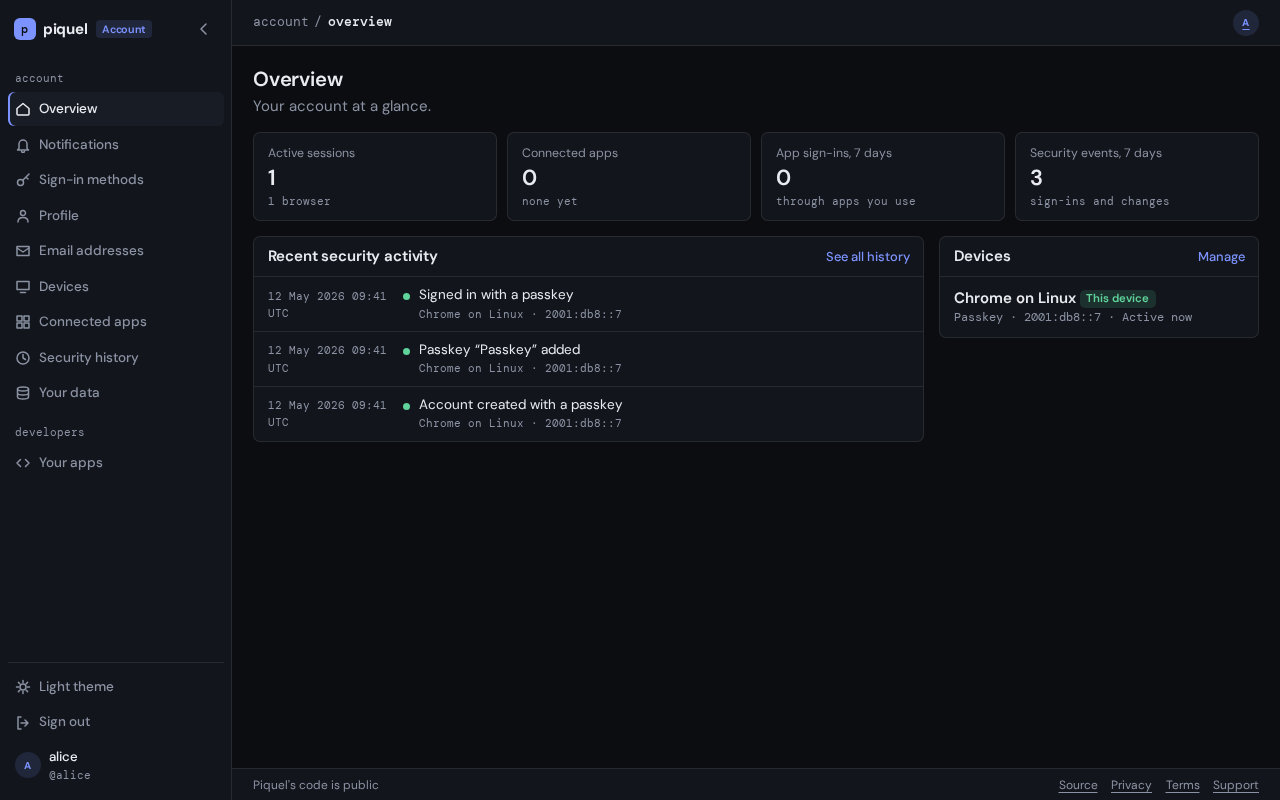
Links
- Link to another page with its path relative to the current page. From a
page in
docs/user/apps/, for example, the OpenID Connect reference is[claims](../reference/oidc.md#authentication-claims). These links work both on GitHub and in the book. - Link to a repository file outside
docs/with its GitHub URL onmain, such ashttps://github.com/sourceorigin-dev/sourceorigin/blob/main/infra/piqueld.toml(treeinstead ofblobfor a directory). A relative path would break in the book. The link check resolves these URLs against your checkout, so the file must exist on your branch, and fails links to any other branch or commit. - Code comments name a page by its path from the repository root, such as
docs/dev/architecture/sdk.md. Update them when you move a page. - A heading’s anchor is its text in lower case, with spaces replaced by hyphens and punctuation removed. Renaming a heading breaks the links to it; the link check finds them.
Building and checking
just install-tools installs mdBook and lychee, at the versions CI uses.
just docs serve   # serves the book on localhost:3000, rebuilding on every change
just docs         # builds the book into target/book and checks it
just docs fails on any mdBook warning, then checks with
lychee every link and heading anchor in the built
book and in the repository’s other Markdown files, such as README.md. It
works offline, so it doesn’t check links to other websites; CI would otherwise
fail whenever one of them is down.
The docs CI job runs just docs on every pull request, because a change
anywhere in the repository can break a link to it.
Every deployment publishes the book of its own commit: production at
https://docs.sourceorigin.dev, staging at docs.staging.sourceorigin.dev, and just preview
at the docs-<slug>.dev.sourceorigin.dev it prints. See
documentation.
Overview
This page is the map of SourceOrigin: the processes that run it, what each crate owns, and which page to read next. Start here before changing anything that crosses a crate or a process.
Processes
 browsers ──HTTPS──┐               apps ──OIDC over HTTPS──┐
                   ▼                                       ▼
 ┌──────────────────────── piqueld gateway ─────────────────────────┐
 │ sourceorigin.dev    auth.sourceorigin.dev    admin.sourceorigin.dev*    docs.sourceorigin.dev│
 └─────┬───────────────┬─────────────────┬───────────────────┬──────┘
       ▼               ▼                 ▼                   ▼
   sourceorigin-web     auth-service:     auth-service:          docs
                  public listener   admin listener
                          └────────┬───────┘
                                   ├──▶ PostgreSQL
                                   ├──▶ apps' back-channel logout URIs
                                   └──▶ SMTP relay

 auth-service, sourceorigin-web ──OTLP──▶ collector ──▶ Prometheus, Tempo, Loki ──▶ Grafana

 * a private route: reachable on the tailnet only
auth-service(apps/auth-service) is one executable.serveruns a public listener (AUTH_PUBLIC_LISTENER) for auth.sourceorigin.dev and, when the dashboard is configured, an admin listener (AUTH_ADMIN_LISTENER) for admin.sourceorigin.dev, which only a private route reaches. Each listener has its own router and security layer (AuthConfig::routerandAuthConfig::admin_routerinsrc/lib.rs). Both stop together: when one ends,Command::listeninsrc/cli/serve.rsstops the other, then background jobs get a grace period to finish. The same executable is the operator CLI: migrations, invitations, administrators, keys and every admin operation.sourceorigin-web(apps/web) is sourceorigin.dev’s own server: the homepage and SourceOrigin’s policies, and a redirect of every other path to auth. It relies on auth only to sign people in, and never shares its database, keys or process.- PostgreSQL holds all of auth’s state. Auth needs no separate cache, RPC service, event bus or key-management service, so it runs as several replicas (running several replicas).
- piqueld deploys everything from
infra/piqueld.toml. Its gateway terminates HTTPS, answers thewwwredirect itself, and overwritesX-Forwarded-For, which auth trusts only from the gateway’s ranges (deploying). - The telemetry stack (
infra/telemetry.toml) receives OTLP from auth and sourceorigin-web and stores traces, metrics and logs (telemetry, telemetry stack). - Apps sign in through standard OIDC, with any OIDC library or the SDKs (SDK design). Auth calls them back only through the delivery queue: back-channel logout tokens, and email to account holders through an SMTP relay.
Auth renders every page itself, sign-in included, and the account settings at
/settings; sourceorigin.dev redirects there every path it doesn’t serve.
Surfaces sets out what each host serves.
Repository
| Location | Responsibility |
|---|---|
apps/auth-service | The auth authority: browser ceremonies, social sign-in, OIDC, the server-rendered pages, the settings API, the admin dashboard and the CLI. assets/passkey.js runs the WebAuthn ceremonies and the form hooks that start them, and assets/picture.js lets the picture form choose its crop |
apps/web | sourceorigin-web, sourceorigin.dev’s own web server, with SourceOrigin’s policies in assets/policies/ |
packages/auth | @sourceorigin/auth, the TypeScript SDK, not yet published: its . entry point (discovery, token validation, typed scopes, challenges, the JWKS cache and the login client), ./server (server-side login over Request and Response) and ./browser (a public client, with passkey sign-in on the app’s page). It has no runtime dependencies, and src/protocol.ts is generated from sourceorigin_common::protocol |
tests/sdk-vectors | Generated cases every SDK must pass; see SDK design |
tests/browser | Playwright tests, and the documentation’s screenshots |
infra/ | Dockerfiles and the piqueld manifests |
Inside auth-service, each HTTP feature is a module whose XApplication serves
its routes, and src/routes.rs declares every path. Pages live in src/web, grouped by area:
auth, the sign-in flows on auth.sourceorigin.dev (signing in and up, consent, logout,
the recovery pages and the admin dashboard’s handoff), settings, developers,
and admin, the admin dashboard, whose views are in crates/ui/src/admin.
src/admin is not a page module: it holds AdminService and the operator rules
that the dashboard and the CLI share. Rust conventions
explains how applications, routes and services fit together.
Crates
| Crate | Owns |
|---|---|
sourceorigin-common (crates/common) | Shared types: IDs, handles, vocabularies, domain events, notifications, and under protocol the wire types auth and the SDKs share. Its server-only parts sit behind the admin, config, email and events features, so the Rust SDK compiles none of them |
sourceorigin-crypto (crates/crypto) | Every cryptographic primitive: secrets, digests, HMAC, PKCE, RS256 signing and key sets, AES-256-GCM sealing, Ed25519 signed notes and SCRAM verifiers |
sourceorigin-repository (crates/database) | The only crate that runs SQL: connections, migrations, repositories, transactions, events and the delivery queue’s storage |
sourceorigin-telemetry (crates/telemetry) | Logs, traces and metrics, and the HTTP layer every router uses |
sourceorigin-ui (crates/ui) | The Topcoat components of auth’s pages and the admin dashboard, which know nothing of the database or HTTP |
sourceorigin-auth (crates/auth-sdk) | The Rust SDK, which depends only on sourceorigin-common |
Rust conventions describes each crate in full.
Shared types go in sourceorigin-common. Add a crate only for an independently
auditable primitive, or, as sourceorigin-ui, to compile slow view code beside the
database crate instead of after it.
sourceorigin-common’s optional sqlx feature, enabled only by the database crate,
lets its IDs and vocabularies decode from columns. Auth-service owns
authentication policy: frontends never receive database credentials or provider
secrets. The permanent WebAuthn RP ID is the auth hostname, never a wildcard over
sourceorigin.dev subdomains.
Tooling
Every task runs through just: see getting started and
testing. Prettier and type-aware ESLint cover all web code from
the root configuration, as rustfmt and Clippy cover Rust; just fmt, just lint
and just check run both. tsc checks the pages’ scripts’ JSDoc types as
strictly as TypeScript’s. The TypeScript SDK is the one package that builds
JavaScript, and the pnpm workspace’s only member besides the root; auth’s
executable embeds its stylesheet and scripts and builds none.
Read next
- Request lifecycle: what happens to a request in auth, from the listener to the response.
- Sessions: browser sessions, their confirmation and their end.
- Authorization flow: OIDC inside auth.
- Keys: signing keys, token digest keys and the audit key.
- Surfaces, PostgreSQL boundary and the delivery queue, then the feature pages: notifications, email addresses and account deletion.
- Telemetry and SDK design.
Request lifecycle
This page follows one HTTP request through auth-service, from the listener to the response. Read it before adding a route, so the route gets the right origin, CSRF, rate and cache policy without code of its own.
TCP listener (axum::serve, peer address attached)
 └─ HttpTelemetry::trace            span, access log, duration, X-Trace-Id
     └─ HttpSecurity::protect       30 s deadline around everything below
         ├─ host check              admin listener only
         ├─ origin check            Origin header against the endpoint's class
         ├─ preflight               OPTIONS answered here
         ├─ browser proof           same-origin forms, CSRF header
         ├─ rate limit              budget per category and client IP
         ├─ DefaultBodyLimit        64 KiB
         └─ router → extractors → handler → service → DatabaseTransaction
         decorate                   Cache-Control, isolation and CORS headers
Listeners and routers
Command::serve (apps/auth-service/src/cli/serve.rs) binds the public listener
and, when the dashboard is configured, the admin listener. Each serves its router
with into_make_service_with_connect_info::<SocketAddr>(), so every request
carries its TCP peer’s address.
The public router is AuthConfig::router (src/lib.rs). It merges every
feature’s XApplication::routes(): the health probes, passkeys, federation,
history, notifications, audit checkpoints, account settings, email, pictures, the
server-rendered pages and OIDC. Paths it doesn’t match fall back to the embedded
assets (EmbeddedAssets::serve). Every path is a constant in src/routes.rs,
which the routers, the discovery document and the security layer all read, so
they cannot disagree.
The admin router is AuthConfig::admin_router: only the dashboard’s pages
(AdminApplication in src/web/admin), under a security layer of its own.
Both routers are wrapped the same way, outermost first: HttpTelemetry, then
HttpSecurity::protect, then the 64 KiB DefaultBodyLimit. The layers run after
routing, so they know the route template a request matched (MatchedPath).
Telemetry
HttpTelemetry (crates/telemetry/src/http) wraps everything, so a request the
security layer throttles or refuses is still traced. Each request gets a root
span named after its method and route template, an access log line and a
duration measurement. A 5xx response marks the span failed and carries its trace
ID in X-Trace-Id. The admin listener labels all of it
sourceorigin.listener = "admin", and the health probes log at debug level only.
Telemetry covers the rest.
The security layer
HttpSecurity::protect (src/security/http.rs) runs every check and the handler
under one 30-second deadline; a request past it answers 504. Each listener has
its own HttpSecurity: HttpSecurity::new for the public one, whose own origin is
auth’s, and HttpSecurity::admin for the dashboard’s.
Endpoint classes
On the public listener, Endpoint::classify (src/security/endpoint.rs) sorts the
matched route template into one class, which the origin, CSRF and rate rules all
read:
| Class | Routes | Allowed origins | Rate category |
|---|---|---|---|
OAuthBackChannel | token, revocation, PAR | auth, enabled public clients’ redirect origins | token |
UserInfo | userinfo | auth, enabled public clients’ redirect origins | userinfo |
Discovery | discovery, JWKS, /.well-known/webauthn | any | none |
Checkpoints | audit checkpoints | any | audit |
Picture | /pictures/{id} | any | picture |
Health | /health/live, /health/ready | auth | none |
Authorize | /oauth/authorize | auth | login |
Logout | /oidc/logout | auth | login |
RelatedLogin | /webauthn/related/* | approved related origins | login |
Account | /account/… JSON APIs | auth | account |
Page | every route in routes::page::ALL, and / | auth | page |
Other | passkey ceremonies, providers’ callbacks, the rest | auth | login |
Every request on the admin listener is Dashboard, with its own dashboard
budget, and only the dashboard’s origin is allowed. A route that should differ
from Other must be listed in classify.
Host
The admin listener first refuses, with 421, a request whose Host header, or
HTTP/2 authority, is not the dashboard’s host, so a misrouted ingress or a
rebound DNS name reaches nothing.
Origin
When a request carries an Origin header, allowed_origin decides whether that
origin is allowed on the endpoint. An allowed origin gets CORS headers on the
response. One that is not gets none, and the browser-proof rule below decides
whether the request is refused. Auth’s own origin is always allowed. Discovery, checkpoints
and pictures take any origin. The back channel and userinfo also take the
redirect origins of enabled public clients, and related sign-in the approved
origins of trusted clients: both are looked up in the database on each request,
so a registration change applies at once on every replica.
Preflights and browser proof
An OPTIONS request is answered 204 if its origin is allowed, and 403
otherwise. Then check_browser applies the CSRF rule of the endpoint’s class:
- Protocol endpoints (
OAuthBackChannel,UserInfo,Authorize,Logout) are exempt: their handlers check client credentials, bearer tokens or their own hints. - Pages and the dashboard take any navigation, but a form only from their own
origin’s pages, by
BrowserRequest::is_same_origin(sourceorigin_common::protocol::same_origin):Sec-Fetch-Site: same-originwhen the browser sends it, otherwise anOriginequal to the site’s. A plain form cannot send a custom header, and sendsOrigin: nullunderReferrer-Policy: no-referrer, so the CSRF header would not work there. - Every other route, the account APIs and ceremonies included, refuses an
origin that is not allowed, and a mutation (any method but
GETandHEAD) without an allowedOriginor without thex-sourceorigin-csrfheader. The passkey script sends the header; a cross-site form cannot.
Rate limit
A matched route with a rate category spends one request of its client’s budget:
AUTH_REQUESTS_PER_MINUTE (120 by default) per category and client IP, in a fixed
one-minute window, counted in PostgreSQL (SecurityRepository::allow_request)
under a SHA-256 of <category>:<ip>, so every replica shares it. Categories are
independent: an app’s userinfo calls never block its code exchanges, and browsing
auth’s pages never blocks a passkey ceremony. An exhausted budget answers 429
with Retry-After: 60 and counts sourceorigin.auth.throttled{category}. Discovery and
health probes spend nothing, and an unmatched path has no route, so it spends
nothing either.
The client IP is the TCP peer’s, unless the peer is in AUTH_TRUSTED_PROXIES, or
by default piqueld’s PIQUELD_INGRESS_PROXIES: then it must have sent exactly one
X-Forwarded-For header holding one IP address, which the gateway overwrites.
Anything else answers 400 (HttpSecurity::client_ip).
A rate-limited route then gets a RequestContext in its extensions: the client
IP and the coarse browser family of its User-Agent, never the raw header.
Handlers attribute their events to it.
Handlers
Handlers take their inputs as extractors, which reject a request before the handler runs:
RequestContext(src/security/context.rs): where the request came from. A handler on a route without a rate category has none, and fails with500.OptionalSession,SessionandConfirmed<MAX_AGE>(src/security/session.rs): the browser’s session, required, or required with a recent passkey confirmation. Resolving one records its activity. See sessions.Owner,ConfirmedOwnerandConfirmedSubject(src/account/subject.rs): the account’s owner, acting through their session cookie, for settings operations.
Pages are different. WebApplication::routes (src/web/mod.rs) mounts one
Topcoat router on each page’s route and its trailing-slash twin, answering GET
with the page and POST with its form’s result. The security layer has already
classified them as Page, so Topcoat’s own origin policy is off.
A handler resolves who acts, then calls a service in-process: AccountService,
OidcApplication, AdminService and the like. There is no internal API: the
pages, the JSON routes and the CLI call the same operations. A change opens a
DatabaseTransaction, locks what it changes, records its domain events with
tx.record in the same transaction, and commits. A cookie is set on the response
only after the commit. The PostgreSQL boundary describes the
transactions, locks and events.
Errors
Each kind of route renders its errors its own way, and none sends an internal cause to the client:
- JSON routes answer
ApiError(src/security/mod.rs):{"error": message, "code": …}, wherecodeis anErrorCodea script can act on, such asstep_up_required. Failures of the security layer (HttpSecurityError), sessions and the database map into it. An internal failure is logged once, with its whole cause chain (ApiError::log_error), and answers500with a generic message; a replica whose signing keys are stale answers503, since another may serve the request. - OIDC endpoints answer
OAuthError(src/oidc/error.rs): an OAuth error JSON body, or, once the redirect URI is verified, a redirect to the client witherror,stateandiss. Its consent and logout pages show what the code means. - Pages answer a
Failure(src/web/mod.rs), which renders the page explaining it at its status. An internal failure is logged and shows a server error with its trace ID, since a browser never showsX-Trace-Id.
Responses
On the way out, HttpSecurity::decorate sets the headers of every response,
errors and preflights included:
Cache-Control, always replacing the handler’s. A handler marks a response cacheable only by wrapping it inCached(CacheClass, …), and the class holds only for a200that sets no cookie; anything else isno-store, no-transform. Caching lists the classes and what uses them.- Isolation:
X-Content-Type-Options: nosniff,Referrer-Policy: no-referrer,X-Frame-Options: DENYandStrict-Transport-Security: max-age=31536000. - CORS, once the origin check allowed the request’s origin:
*for public documents, or the exact origin withVary: Originand the methods and headers its class takes, which may then readX-Trace-Id.
Pages add their own Content-Security-Policy when they render
(WebApplication::render_document): the stylesheet, the passkey and picture
scripts, auth’s own images and the blob: of a picture being chosen, and a
form-action naming auth and the origins the form may redirect to.
Sessions
This page explains how auth keeps a browser signed in: the session row and its cookie, how a sign-in creates or re-authenticates one, how a passkey confirms it, and how it ends. Read it before changing anything that signs a browser in or out, or checks how it signed in.
The code is in apps/auth-service/src/security/session.rs (Session and its
extractors), src/sessions (listing and signing out, for the settings and the
CLI) and crates/database/src/repositories/sessions.rs (SessionRepository).
The session and its cookie
A session is one row of sessions: its account, the methods that authenticated
it, when it signed in (authenticated_at), when a passkey last confirmed it
(passkey_confirmed_at) and with which passkey (passkey_id), its absolute
expiry, and the coarse browser family and IP address it was last seen from.
The browser holds a random secret in the __Host-sourceorigin_session cookie:
host-only, Path=/, Secure, HttpOnly, SameSite=Lax, for 30 days
(BrowserCookie in src/security/cookie.rs). Only the secret’s SHA-256 digest is
stored, in browser_session_secrets. A cookie that is malformed, or sent twice,
counts as absent, so an injected cookie can never shadow the browser’s own.
Session::optional finds the session by the cookie’s digest, if it is
unrevoked, unexpired and its account active. The extractors (OptionalSession,
Session, Confirmed) and authorization requests resolve it with
Session::resolve, which also records its activity: last_seen_at and its IP
are written at most once every five minutes (LAST_SEEN_INTERVAL), so reads
rarely become writes.
Signing in
Every sign-in calls Session::sign_in inside the transaction of the operation
that proved who the browser is, with the Credential it proved it with:
| Credential | From | Confirms the session |
|---|---|---|
Passkey | a passkey assertion (src/passkey), or restoring an account scheduled for deletion | yes |
Probation | the passkey of a recovery still in probation | no |
Federation | a GitHub or Google sign-in (src/federation) | no |
sign_in first locks the account, which must be active, so a sign-in and a
disablement serialize. Then it reads the browser’s current session:
- None, or another account’s: it revokes that session
(
RevocationReason::AccountSwitched) and creates a new one, which expires 30 days later. A passkey credential confirms it at once, so an action right after signing in asks for nothing more. - This account’s: it re-authenticates that session instead (see below), so
the session ID, which tokens carry as
sid, stays the same.
Either way it records SignedIn and returns a new secret. The caller sets the
cookie only after its transaction commits.
Two sign-ins differ:
- A recovery link signs in with
Session::sign_in_anew, which always revokes the browser’s session and creates a new one, so an existing session can neither make it fail nor carry over. - A passkey sign-in on an app’s own page (
src/passkey/related.rs) creates a session withSession::create_inline, which has no browser secret and so no cookie: only the tokens the app gets from it use it. It is listed and signed out like any other.
Re-authenticating and confirming
Session::reauthenticate records a new authentication of an existing session.
What it may do depends on the credential:
- A passkey confirms the session:
passkey_confirmed_atbecomes now, the passkey is recorded, andpasskeyjoins its methods. - A provider, or a recovery’s passkey in probation, renews
authenticated_at, but only while no passkey has confirmed the session, since either would lower itsacr. Otherwise it is refused, withpasskey_required.
Every re-authentication replaces the browser secret, so the cookie from before stops working, and a copy of it never gains the new authentication.
A settings change that needs a fresh confirmation runs the confirmation ceremony
at /account/passkeys/confirm/start and /finish (src/passkey/confirmation.rs).
The ceremony is bound to the session that started it, and its finish
re-authenticates that session with the passkey and records PasskeyConfirmed. A
recovery’s passkey in probation never confirms.
Authentication claims
SessionAuthentication::from(&StoredSession) derives how a session
authenticated, as tokens report it:
acrisphronce a passkey confirmed the session, andurn:sourceorigin:acr:socialbefore.auth_timeis the last passkey confirmation, or else the sign-in.amris the union of its methods’ values:pop,mfaanduserfor a passkey,fedfor a provider.
The age counts from the confirmation itself, so using a confirmation never extends it. Token issuance, authorization requirements and auth’s own step-up checks all read this one type. An authorization code copies it when it is issued, and a refresh family copies it from its code, so a grant keeps reporting the authentication it started with (authorization flow). The OIDC reference lists the claims as apps see them: authentication claims.
Confirmed<MAX_AGE> extracts a session whose confirmation is at most MAX_AGE
seconds old, five minutes by default (CONFIRMATION_MAX_AGE), checked with
StepUpRequirement::passkey_within, the rule bearer-protected resources apply.
Otherwise it answers 403 with step_up_required, and the page confirms, then
retries. The operation checks the confirmation again under the account lock
(Owner::lock_confirmed), so a session revoked meanwhile cannot finish it.
Expiry and revocation
A session expires 30 days after it was created. Re-authenticating never extends it, and neither do the refresh tokens issued from it, which expire with it. Expiry is passive: the lookups ignore an expired session, and nothing is recorded or sent.
Ending a session early has one path: DatabaseTransaction::revoke_sessions. It
revokes the account’s sessions in a SessionScope (one, every other one, or all),
revokes the refresh families issued from them, and records one SessionRevoked
per session with its RevocationReason. The repository method underneath is
private to the database crate, so no revocation can skip the event. Its callers:
Session::revoke, attributed to the request’s own session: signing out, and the account switch of a sign-in.AccountService’s session operations (src/sessions), which sign one session or every other one out from the settings, the admin dashboard andauth-service account <user> sessions. They need a session but no passkey confirmation: a user who suspects a stolen cookie must be able to act at once.- Changes that end the account’s other sessions: removing a passkey
(
src/passkey/settings.rs), unlinking an identity (src/federation/identities.rs) and reporting a history entry as not the owner’s (src/history). Undoing a recovery (src/recovery) ends every session. Session::end_all, for an account disabled, scheduled for deletion, purged or recovered, and forAdminService::revoke_user_sessions, which the dashboard andauth-service session revoke-allrun: every session, then every refresh grant of the account, those of sessions that already expired included.
Signing out (AccountService::sign_out) ends the browser’s session and clears
its cookie. RP-initiated logout signs out the same way, recording the client
that asked (logout).
Back-channel logout
Recording SessionRevoked queues the logout tokens of the session’s apps, in
the same transaction. A trigger records each client that redeemed a code from the
session in oidc_session_clients, and the backchannel_logout channel creates
one delivery per such client that registered a back-channel logout URI. The
delivery workers sign and post each token outside the request, retrying for up
to an hour until the app accepts it. So every app of a revoked session is sent a
logout token, and no app of an expired one is.
The delivery queue describes the channel, and back-channel logout what an app receives.
The admin dashboard’s session
The admin dashboard, on its own origin, keeps a session of its own that hangs off
an auth session (DashboardSignIn in src/admin/sign_in.rs):
- Auth’s handoff page hands a session signed in with a passkey, of an account
that holds administrator rights, to the dashboard with a code that works once,
for 60 seconds, bound to the dashboard’s state cookie
(
__Host-sourceorigin_dashboard_state). - Redeeming the code creates a
dashboard_sessionsrow naming the auth session, and the__Host-sourceorigin_dashboardcookie on the dashboard’s origin, whose digest alone is stored. - Every request finds the dashboard session only while its auth session is
active, and checks again that the account holds administrator rights and that
the auth session’s
acrisphr.
So signing out of auth, revoking the auth session or replacing it ends the dashboard’s too, while signing out of the dashboard ends only its own. The dashboard keeps its own confirmation time, set only by a passkey proof made for it, and a change needs that confirmation from the last five minutes; the auth session’s confirmation never counts. admin.sourceorigin.dev describes the handoff and confirmation from the administrator’s side.
Authorization flow
This page explains how auth runs OpenID Connect inside: what it stores at each
step of an authorization, how codes become tokens, and how refresh tokens,
revocation, userinfo and logout work. Read it before changing anything under
apps/auth-service/src/oidc. For the protocol as apps see it, read the
OpenID Connect reference instead.
| Module | Holds |
|---|---|
oidc/mod.rs | OidcApplication, its routes, the discovery document, client authentication and opaque tokens |
oidc/authorize/ | Authorization requests, pushed requests, the sign-in requirements and the consent decision |
oidc/inline.rs | Completing a pushed request from a passkey sign-in on an app’s own page |
oidc/policy.rs | ClientPolicy, the check of the client’s current registration |
oidc/token.rs | The token, revocation and userinfo endpoints |
oidc/logout.rs | RP-initiated logout |
web/auth/ | The sign-in, consent and logout pages the flow sends the browser to |
app ──/oauth/par──▶ pending request (60 s) ──request_uri──┐
browser ──/oauth/authorize──▶ pending request (10 min) ◀──┘ claimed once
        │ session falls short?  ──▶ /login ─┐
        │ consent needed?       ──▶ /authorize (consent page)
        ▼                                    │ /oauth/authorize/resume
     code (2 min) ──redirect──▶ app ◀───────┘
app ──/oauth/token──▶ access + ID token (5 min), refresh family
Opaque tokens
Pending requests, codes and refresh tokens are opaque tokens, written
<prefix>_<id>.<secret> (OpaqueToken). The prefix, par_v1, pac_v1 or
prt_v1, binds a token to one purpose, so a code never passes as a refresh
token. The ID names the row. Only an HMAC of the secret is stored, under the
current token digest key, with that key’s fingerprint; a lookup accepts the
digest under every configured key, so a change of key breaks nothing
(token digest keys).
Pending authorizations
/oauth/authorize (OidcApplication::authorize) takes a request by query or
form post. It finds the client, which must be enabled, and matches
redirect_uri exactly against its registration. Until then an error answers as
OAuth error JSON; from then on, every error goes back to the client’s redirect
URI, always with state and iss (ClientRedirect).
AuthorizationParameters::validate checks the rest the same way for browser and
pushed requests: response_type=code, an S256 PKCE challenge, scopes and
audience the client allows, prompt, max_age, acr_values, and an
id_token_hint that auth signed for this client, which names the only account
that may answer. The request is stored in authorization_requests for ten
minutes, with its first known acr_values entry as its target acr. The
browser carries its opaque token, the transaction, from then on.
A client registered to push its requests is refused here.
Pushed requests
/oauth/par (push_authorization) authenticates the client as the token
endpoint does, validates the parameters the same way, and stores the request
for 60 seconds, answering request_uri with the token after
urn:ietf:params:oauth:request_uri:. Errors are JSON, since no browser is
involved.
The browser then brings request_uri and client_id to /oauth/authorize,
which ignores every other parameter. Claiming it (claim) works once, only for
that client: it gives the request a new secret and ten more minutes, and records
when it was claimed as when it started, so prompt=login and max_age count
from there.
Sign-in and consent
continue_authorization decides where the browser goes. Every step that reads a
pending request first checks it against the client’s registration as it is now
(ClientPolicy), so a client disabled, suspended or changed meanwhile leads the
browser nowhere it no longer allows.
- Does the session meet the request?
session_satisfieschecks the hinted account, a sign-in after the request started forprompt=loginormax_age=0, and the targetacrand a positivemax_ageas aStepUpRequirement, the rule resources apply. The session’sacrandauth_timecome fromSessionAuthentication. - If not, the browser goes to
/login?transaction=…, with the targetacr, so the page offers only the methods that reach it. Once signed in, the sign-in page continues the authorization in-process, or a provider’s callback resumes it at/oauth/authorize/resume. Withprompt=none, the client getslogin_requiredinstead. A passkey that signed in for this request but still falls short, as a recovered passkey in probation does, ends it withunmet_authentication_requirements, so the browser does not loop. - A recovery that can be undone. A sign-in made for the request, to an account with a recovery that can still be undone, first asks on the sign-in page whether it was the owner’s.
- Consent. A trusted client, or one the account already consented to for
these scopes and audience, skips the consent page unless
prompt=consentasks for it. Otherwise the browser goes to/authorize?transaction=…, or the client getsconsent_requiredforprompt=none.
decide (authorize/consent.rs) consumes the pending request, whether the
consent page posted the decision or consent was implicit. An approval locks the
account and the session first, so a consent never commits after its session
ended, then share-locks the client (ClientPolicy::share) and checks its policy
again. An explicit approval saves the consent, per account, client, audience and
scopes, and records ConsentGranted. A denial redirects with access_denied.
Codes
An approval issues an authorization code (issue_code), stored in
authorization_codes for two minutes. It is bound to the client, the redirect
URI, the PKCE challenge, the nonce, the scopes and audience, and the session, and
it copies the session’s SessionAuthentication as it is then.
On an app’s own page
A trusted client may complete a pushed request with a passkey sign-in on its own
page, from an approved related origin (passkey sign-in on your own
pages). The ceremony claims the request
(claim_inline) and, once the passkey signed in, consumes it and issues its code
(complete_inline), which goes back to the page as JSON with state and iss.
The client must still be trusted and the origin approved. A request that needs
auth’s own pages answers interaction_required instead, and the app sends the
browser to auth: one with prompt=consent or prompt=none, a sign-in that falls
short of it, or an account with a recovery that can still be undone.
The token endpoint
/oauth/token (token.rs) first authenticates the client
(authenticate_client). A public client sends its ID alone. A confidential one
sends HTTP Basic credentials, compared in constant time with the digests of
every active secret, so the previous secrets work during a rotation’s grace
period.
Exchanging a code
exchange_code runs in one transaction:
- It locks the code’s account, then the code (
lock_code), and checks that the form redeems it: the same client, the sameredirect_uri, and acode_verifiermatching its PKCE challenge. A failed check expires the code and recordsCodeRedemptionFailed, so a code is tried once. - It consumes the code. A code redeemed before is a replay: the refresh
families issued from it are revoked and
CodeReplayedis recorded, before the request is rejected. The browser session stays signed in, since a leaked code exposes the client’s callback, not the session cookie. - It locks the session, which must still be active, share-locks the client and checks its policy, and, for an untrusted client, reads the consent again, so a consent withdrawn since the code was issued fails the exchange.
- It signs the tokens, with the claims the scopes release, and records
GrantIssued.
Tokens are signed with the current key set (keys). The access token
(at+jwt) is for the request’s audience; an ID token is issued when the scopes
include openid, with the request’s nonce. Both last five minutes
(ACCESS_TOKEN_SECONDS) and report the code’s authentication, not the
session’s current one. sourceorigin.auth.tokens.issued{grant_type, token_type} counts
them once the transaction commits.
Refresh families
A refresh token is issued only when the client allows refresh and the scopes
include offline_access. The exchange creates a refresh family
(refresh_token_families): one grant, tied to its session, to the code it came
from and to the code’s authentication. Its tokens expire with the session.
redeem_refresh (crates/database/src/repositories/tokens) locks the token’s
account, session, family and client, in that order, and keeps the locks until
the new tokens commit, so a refresh waits for a logout or a disablement and then
fails on it. What it does depends on the client’s kind:
- A public client’s token rotates: it is consumed, and the response carries
its replacement in the same family. Presenting a consumed token is a replay:
the family is revoked and
GrantRevokedrecordsrefresh_replay, so neither the thief nor the client refreshes again. - A confidential client keeps its token, which is useless without the client’s secret, so its refresh writes nothing.
A family whose client no longer allows refresh, its audience or its scopes is
revoked on its next use (policy_rejected). A refresh may narrow the scopes,
never add any. The new tokens keep reporting the family’s original
authentication (OIDC Core §12.2).
A family ends with its session: revoking a session revokes its families in the same transaction (sessions), and removing an app’s access, deleting a client or disabling an account revokes theirs.
Revocation and userinfo
/oauth/revoke (RFC 7009) authenticates the client, revokes the family of the
refresh token it sends if that token is its own, and records GrantRevoked
(client_revoked). It answers 200 whatever the token, so it reveals nothing.
Access tokens cannot be revoked; they expire within five minutes.
/oidc/userinfo verifies a bearer access token against the current key set and
issuer, requires the openid scope, and answers the profile claims the token
itself carries, released by its scopes. It reads nothing from the database.
Logout
RP-initiated logout takes two requests:
/oidc/logout(start_logout) validates the request: anid_token_hintauth signed, which may be expired and signed by a retired key, aclient_idmatching the hint’s audience, and apost_logout_redirect_uriregistered exactly for that client. It then sends the browser to auth’s/logoutpage with the same parameters.- The page asks the user to confirm. Its form validates the parameters again and
signs the browser out (
end_session), recordingRelyingPartyLogoutwith the client that asked, orLogoutwhen none is named. The browser goes on to the redirect URI withstate, or to sign-in.
Signing out revokes the session, which tells every app that received tokens from it (back-channel logout).
Discovery
OidcApplication::metadata builds the discovery document once at startup, from
the ALL lists of the enums the endpoints parse into, so nothing is advertised
that is not handled. It is served at /.well-known/openid-configuration and
/.well-known/oauth-authorization-server, and JWKS at /.well-known/jwks.json
from the current key set; all three are cacheable for an hour.
Keys
This page explains the keys auth holds and what each one protects: the signing keys, which live in PostgreSQL and rotate by themselves, the token digest keys and what derives from them, and the audit key. The procedures for rotating, revoking and changing them are in signing keys.
| Key | Where it lives | Protects | Changes |
|---|---|---|---|
| Signing keys | signing_keys, sealed under the key-encryption key | ID, access and logout tokens | rotate every 90 days by themselves |
| Key-encryption key | AUTH_KEY_ENCRYPTION_KEY | the signing keys’ private keys at rest | cannot be changed yet |
| Token digest keys | AUTH_TOKEN_DIGEST_KEY, and AUTH_TOKEN_DIGEST_KEY_ACCEPTED during a change | stored opaque tokens, and email verification, recovery and unsubscribe links | by hand, in two deploys |
| Audit key | AUTH_AUDIT_KEY_PROVIDER | the audit chain’s checkpoints | by hand |
Every replica must run with the same keys. The keys are read in
apps/auth-service/src/config/keys.rs; the cryptography is in sourceorigin-crypto.
Signing keys
Auth signs tokens with RS256 keys. apps/auth-service/src/keys holds two types:
KeyStoreis the keys in the database: it lists them, makes every change to them, and seals and opens their private keys. Thekeyscommands use it without the HTTP service.SigningKeysis the key set one replica signs and verifies with: asourceorigin_crypto::KeySetshared by every clone, which a reload replaces for all of them at once. A request keeps the set it started with.
Storage
Each row of signing_keys holds a key ID of 22 random base64url characters, its
type, its state, its public key as a JWK, and its private key in DER, sealed with
AES-256-GCM under the key-encryption key (KeyEncryptionKey). A sealed value is
the nonce, the ciphertext and the tag, and its associated data is the key’s ID
and type, so a sealed key moved to another row fails to open. Opening a key also
checks that the private key is the half of the public key stored with it.
The database never sees a private key in the clear. Retiring a key erases its private key; only its public key stays, to verify hints.
States and rotation
next ──24 h──▶ active ──90 days──▶ retiring ──65 min──▶ retired ──30 days──▶ deleted
 published      signs, published    published             verifies hints only
The table allows one active and one next key per key type.
Signing keys says why each state lasts as long
as it does.
Change::advance takes the step rotation needs now, if any:
- With no key at all, a key is generated and signs at once: the first start.
- Once the active key is 90 days old, a
nextkey is generated. - Once
nexthas been published for 24 hours, it is promoted: it signs, and the active key becomesretiring. Promotion first opensnextand checks its public key, so a key that cannot sign is refused, logged, and the active key keeps signing. retiringkeys becomeretired, andretiredones are deleted, once their window passed.
KeyStore::start runs a step on startup, waiting for any change in progress, then
loads the key set. After that, KeyStore::run, a job on every replica, tries a
step each minute, then reloads the key set. A step runs in a transaction that
holds signing_keys().try_lock(), a transaction-level advisory lock, so one
replica at a time takes it and the others skip it; the keys commands wait for
the same lock (signing_keys().lock()). Before any change, KeyStore::check
makes sure this key-encryption key opens the stored active key, so a replica or
command with the wrong key never stores keys nobody can open.
Changes an operator makes, from auth-service keys or the dashboard’s Signing
keys page, record SigningKeyChanged. Rotation by the service itself only logs
signing key changed.
Reload and readiness
KeyStore::key_set builds a replica’s key set from the stored keys: the active
key signs, next and retiring keys are published in JWKS and verify, and
retired keys verify id_token_hints only, which may be expired. A next or
retiring key that cannot be opened is left out and logged; an active key that
cannot be opened fails the reload.
A failed reload keeps the current set in use, while it is fresh enough:
- After five minutes without a reload,
/health/readyfails (SigningKeys::ready), so traffic moves to replicas that can reload. - After fifteen minutes,
SigningKeys::currentreturnsStaleKeys, so every endpoint that signs or verifies answers503. A replica never trusts a revoked key for longer than that.
The key set signs and verifies for OidcApplication (tokens, JWKS, userinfo and
hints) and for BackchannelLogoutSender, which signs each logout token when it
sends it.
Token digest keys
Opaque tokens are stored as HMAC digests, never as themselves: pending
authorizations, authorization codes and refresh tokens
(opaque tokens). TokenDigestKeys holds the current key,
which makes every new digest, and, during a change, an accepted one, which only
checks digests. A presented token is looked up by its digest under each.
TokenDigestKey::derive derives four keys from the configured bytes, each with
HMAC-SHA256 under a context of its own, so none can stand in for another:
- The token digest key itself. Its fingerprint, the first 8 bytes of its
SHA-256 in base64url, is stored with each digest, which
keys digest-usagecounts. - The email verification key (
VerificationKeysinsrc/emails). - The recovery link key (
RecoveryLinksinsrc/recovery). - The unsubscribe link key (
UnsubscribeLinksinsrc/notifications).
All three link keys are LinkKeys. A verification or recovery link’s token is
an HMAC of the ID of what it acts on, an address or a recovery, under the
current link key. Auth stores only the token’s SHA-256 digest, and the email
sender derives the token again when it sends the link, so the token is never
stored, not even in the delivery. During a change of
token digest key, the sender rebuilds a queued link under whichever configured
key derives its stored digest, and a link already sent keeps working, since it
is checked against that digest.
An unsubscribe link’s token is the HMAC of the account’s ID under the unsubscribe link key. It is stored nowhere: auth checks a link by deriving the token again under the current key and the accepted one. So it never expires, and stops working only once neither configured key derives it. Holding one only turns that account’s announcements’ email off (see email preferences).
Other secrets need no key: session cookies, the browser binding of passkey ceremonies, dashboard handoff codes and restore offers are random, and stored as plain SHA-256 digests.
The audit key
The audit chain’s checkpoints are signed notes, with an Ed25519 key of their own
(AuditConfig), so it rotates independently of the signing keys. The variable
holds its 32-byte seed in hex, and the key is named <auth host>/audit. The
sealer job signs a checkpoint with it; the database never sees it. Its public
key is committed as docs/dev/security/audit-key.pub, which
auth-service keys audit prints.
The audit key and
rotating the audit key
explain the rest.
Auth, account and admin surfaces
This page sets out what each of SourceOrigin’s three hosts serves, and how administrators act on accounts without signing in as their owners. Parts not built yet are marked (planned).
| Host | Serves | Used by |
|---|---|---|
auth.sourceorigin.dev | OIDC/OAuth endpoints, ceremony pages, account settings, the developer console and the JSON APIs; security center (planned) | every application and user |
sourceorigin.dev | Its own web server: the homepage and SourceOrigin’s policies, and a redirect to auth.sourceorigin.dev that keeps every other path; public profiles (planned) | visitors, old links and bookmarks |
admin.sourceorigin.dev | The admin dashboard, which auth serves on a listener of its own | administrators |
auth.sourceorigin.dev
The auth executable owns everything that authenticates someone or issues a
credential: discovery, JWKS, authorization, token, userinfo, logout, and the
pages a ceremony needs (login, signup, consent, passkey confirmation, account
recovery at /recover and /recover/undo, device verification (planned)). It
also serves the account settings at /settings, an overview first, then the
inbox at /settings/notifications, the sign-in methods at /settings/sign-in and
the other pages on the paths
sourceorigin.dev used, and redirects its root there, and the developer console, where
accounts register their own OIDC clients, at /developers. The admin dashboard is the same
executable too, on another listener and host (see admin.sourceorigin.dev below).
The account API is routes in the same executable. It is small next to the pages that use it, and keeping it there keeps one binary, one database owner and one policy layer per listener. Auth keeps its state in PostgreSQL, so it runs as several replicas (see running several replicas). Every page it serves, sign-in, consent, logout, account recovery, the settings and the developer console, is server-rendered in the executable, with plain forms, and never cached. Their scripts are the passkey script, which runs the passkey ceremonies their forms need and keeps a form from posting twice, and the picture script, which lets the picture form choose its crop.
Passkeys are bound to the auth.sourceorigin.dev RP ID, so passkey ceremonies always
run on auth. A settings change that needs a recent passkey confirmation asks for
it on its page before the form posts. Users never unlock settings explicitly.
sourceorigin.dev
sourceorigin.dev is its own product, served by its own web server, apps/web. It relies
on auth only to sign people in: it links auth’s pages and never shares auth’s
database, keys or process. Today it serves the homepage, which says what SourceOrigin’s
sign-in is and links each surface, the privacy policy at /privacy and the terms
of service at /terms. They are static, with no session, form or script, and the
only pages search engines may index. Auth links the policies there
(AUTH_WEB_ORIGIN): every auth page’s footer does, the dashboard’s included, and
so does the registration form, which agrees to them. OIDC discovery advertises
them as op_policy_uri and op_tos_uri, which the SDK reads with the rest of the
metadata.
Every other path redirects to the same one on auth.sourceorigin.dev, with a temporary
307 keeping the path and query; browsers keep the fragment, so links to
sourceorigin.dev/settings/… open the same page on auth. The security notices among
them never expire, so the redirect stays until
sourceorigin.dev serves pages of its own at those paths, such as public profiles
(planned).
admin.sourceorigin.dev
Auth serves the admin dashboard itself, on its admin listener
(AUTH_ADMIN_LISTENER), for the dashboard’s own origin (AUTH_ADMIN_ORIGIN). Only
a private route reaches that listener, so the dashboard is reachable only on the
tailnet. Its pages are server-rendered in apps/auth-service/src/web/admin,
render the views of sourceorigin_common::admin with sourceorigin-ui’s dashboard
components, and call AdminService in-process, as the CLI does, and
AccountService for an account’s settings (see below): there is no admin API.
The network path is a second wall, not the authorization.
The admin listener has a security layer of its own. It answers only requests that name the dashboard’s host, takes a form only from the dashboard’s own pages (the same-origin rule auth’s pages follow), spends a request budget of its own, and limits bodies to 512 KiB, which an announcement’s text and accounts need. Every page loads only the stylesheet and the dashboard’s own script, which its Content-Security-Policy names alone, and its forms post only to the dashboard, whose answer may go on to auth’s handoff page.
The dashboard is no OIDC client. An administrator signs in by a handoff from auth:
- A browser without a dashboard session, or whose change needs a confirmation, is
sent to auth’s handoff page,
/admin, with a state the dashboard keeps in a cookie of its own origin. - The handoff page needs a session signed in with a passkey, of an account that still holds administrator rights: anyone else is told they have no access, and a social sign-in signs in with a passkey first. It sends the browser back with a code that works once, for 60 seconds, bound to that session and to the state.
- The dashboard redeems the code in the browser holding the state, and starts a session of its own, storing only its cookie’s digest, with the auth session and its own passkey confirmation.
The dashboard’s session rests on the auth session: signing out of auth, revoking that session or replacing it ends it, and every request checks the administrator’s rights again. Signing out of the dashboard ends only its session. The admin dashboard’s session describes how it is stored.
A change needs the dashboard’s own passkey confirmation from the last five
minutes, which a confirmation for auth’s pages never gives. A page that changes
something sends the browser to the handoff page to confirm before showing its form:
there, a passkey proves the handoff in a ceremony started for it, and the
dashboard keeps that time as its confirmation. The auth session’s own
confirmation stays as it was. Once confirmed, a short change such as revoking a
session confirms in a dialog on the list page itself, which the browser opens
and closes with no script (popovertarget), posting to the change’s own page;
a dashboard not confirmed yet links that page instead, which confirms first.
The dashboard’s script spares the browser that trip: before following a link to a
page that confirms first, or posting a change once the confirmation is too old, it
asks for a passkey in a dialog on the page, then goes on to the change. Each page’s
frame says how long its confirmation lasts. The dialog runs the ceremony for auth’s
RP ID on the dashboard’s own origin, which auth’s /.well-known/webauthn lists as
a related origin (WebAuthn Level 3 §5.11), against the dashboard’s /confirm
routes. The proof is the handoff’s kind: started by the dashboard session’s auth
session, bound to the browser, signed for the dashboard’s origin, which the
handoff refuses, and kept as the dashboard’s confirmation only. Without the
script, or in a browser without related origins, the browser goes to the handoff
page and back as before.
Lists page by number, with their totals, as the CLI’s --page does.
Administrators also send announcements, such as a security incident or a change to the privacy policy, to every account or to chosen ones. An announcement starts as a draft with a page of its own, showing its email as it will be sent. Drafting, editing and discarding one need only what a read needs, since nobody else sees a draft: a confirmation that runs out while the text is written sends the browser to confirm and back to the saved draft, with nothing lost. Sending it needs the dashboard’s recent confirmation, like any change, and names the draft’s revision its page showed, so a draft changed meanwhile is checked again rather than sent unseen; its text never changes afterwards. Each recipient gets it as a notification in their inbox, and each with a primary verified address is emailed it, unless they turned announcements’ email off and it is not essential, which its sender chooses on the draft (see the delivery queue).
Administrators also follow alerts: conditions auth’s background jobs find that
need their attention, such as a broken audit chain. The dashboard’s Alerts
page lists the current ones, on which administrators post status updates until
each clears, and links those that cleared; auth-service alerts does the same
(see respond to an alert).
Raising an alert notifies every active administrator, in their inbox and by
email. While an alert has no update yet, the overview’s banner and the
sidebar’s dot point to the page.
Administrators manage the administrator list too, but never their own rights or
the last active administrator’s, and the dashboard never changes an administrator’s
account. Nothing, the CLI included, disables or deletes the last active
administrator’s account either. Every admin operation is also an auth-service CLI command; granting the
first administrator is one.
Changing an account on its owner’s behalf
Administrators change other users’ settings with the owner’s own operations,
never by signing in as them. Each setting an administrator may share with the
owner is an AccountService operation: a change takes a Subject, the account and
who acts on it, and a read a Viewer, the account and who reads it. The owner’s
settings pages and /account routes run them as the owner of the session cookie,
the only way to act as an owner. The auth-service account <user> …
command runs them as the operator at the terminal, and the dashboard’s display
name, sign-in methods, profile picture, email addresses, connected apps,
security history and notifications pages call them in-process as an
administrator, rendering the owner’s own settings sections without what adds a
way in, and asking for a reason with each change. All run the same safety
rules: for example, one active passkey always remains, whoever removes the
others.
The rule for what is shared: administrators may view, edit and remove, but never
add a way to sign in or to receive the account’s email, since that would let them
take the account over. The operations only the owner may run take an Owner,
which only the session cookie builds, or for a client the OwnedClient built from
one, so calling one for an administrator does not compile. Three owner-only
actions are authorized otherwise: verifying an address by its link’s token, so it
works signed out, turning announcements’ email off by an email’s unsubscribe
link, likewise, and confirming with a passkey by the session it confirms.
| Area | Shared | Owner only |
|---|---|---|
| Display name | change | |
| Passkeys | list, rename, remove | add, confirm |
| Profile picture | view, remove | set |
| Social identities | list, unlink | link |
| Email addresses | list, choose the primary among verified, remove | add, verify |
| Sessions | list, sign out one, sign out all | |
| Connected apps | list, remove an app’s access | |
| Security history | read | report an entry |
| Notifications | list, read, view email preferences | mark read or unread, change email preferences |
| Account data | download | |
| OIDC clients (the developer console) | all; administrators use AdminService’s |
Downloading the account’s data stays the owner’s although administrators may read most of it: the export copies every IP address and the whole history out of auth in one file, which only the owner’s recently confirmed session receives. Support never hands one over; an owner who lost every passkey is recovered first, and downloads it themselves.
When an administrator or operator acts:
- Every change to a shared setting needs their reason, renaming the handle included. It is stored with each event as personal data, and the owner sees it in their security history, next to “By a SourceOrigin administrator”.
- Events record the administrator or operator as their actor. Their reads are
recorded as a view of the account, as
user showis, once an hour per administrator session or operator. The owner’s history leaves views out: it shows changes, with their reasons, not reads. The dashboard’s event lists andaudit listleave them out too, unless “Show views” or--viewsasks for them, or the kind filter isaccount_viewed. - An administrator may not change another administrator’s account: it is refused before waiting for the account lock and again under it. A change checks the administrator’s rights, session and passkey confirmation once more before it commits. The CLI may change administrators’ accounts.
- A change that signs the owner out elsewhere, such as removing a passkey, signs out every session, since an administrator has none of the owner’s to keep.
Recovering an account
An owner who lost every passkey cannot add one: adding a way to sign in needs a
passkey confirmation. AdminService::recover_account helps without giving the
administrator a way in. It signs the account out everywhere, removes its
unverified addresses, and emails its current primary verified address a link
to /recover, which enrolls one passkey, once, within a day, then signs that
browser in with it. The link’s token alone authorizes it; only its digest is
stored, and the email’s delivery stores neither. Only an operator at the
terminal sees the link (user recover), which also reaches an owner without an
address. An administrator never sees it, so they may only start a recovery that
mails it, from the dashboard’s Recover page; one that also revokes every way in
(--revoke) prints its link, so it stays at the terminal.
For 15 days after the link is used, the recovery is in probation: its passkey
signs in like a social login and never confirms the session. Every change that
needs a confirmation refuses it, and so do the dashboard and relying parties
that ask for phr, so whoever used the link can use the account but add no way
into it. Undoing the recovery takes back its passkey, every session and refresh
grant, and every app consent. The owner undoes it with any other passkey on
/recover/undo, which the recovery’s emails link to, in a ceremony of its own
that needs no session and works on a disabled account
(/account/recovery/undo/start and /finish). Until it settles, nobody removes
a passkey but the recovery’s own, administrators and operators included, so
nothing takes that away. Support undoes it for an owner with no other passkey,
from the dashboard’s Undo recovery page or with user undo-recovery
(AdminService::undo_recovery). While a recovery can be undone, every settings
and developer console page, and a passkey sign-in that continues to an app, asks
“Was this you?” and links to the undo page.
user recover --revoke is for an account that was in someone else’s hands: it
also revokes every passkey the owner doesn’t vouch for, unlinks every identity
and withdraws every consent, and only prints the link. No account is recovered
while it holds administrator rights, and none is made an administrator while a
recovery of it can be undone. Account recovery
states the policy and support’s evidence policy.
Profile pictures
An account may have one profile picture, which apps receive as the picture
claim under the profile scope, in ID tokens, access tokens and UserInfo, and
which every avatar shows in place of the initials: the account’s sidebar and top
bar, and the dashboard’s account lists and pages. The SDKs read it as
SignedIn::picture() in Rust and user.picture in TypeScript, and the admin
views of accounts and administrators (sourceorigin_common::admin), which the dashboard
shows and the CLI prints as JSON, carry its ID. The owner sets it on the settings’ Profile tab, which
shows the account as apps do, with its handle, display name and picture, each
changed in a dialog the popover API opens with no script; the picture’s is a
multipart/form-data form. There the picture script shows the chosen image under
a circle, as apps show it, to drag and zoom; the form sends the square under the
circle in the image’s upright pixels (crop_x, crop_y, crop_size), and
without the script auth keeps the centred square. PUT /account/picture sets it
too, taking the square as ?x=…&y=…&size=…. Administrators
may view and remove it, with a reason, such as one that impersonates someone,
but never set one; their Profile tab links the dashboard’s own pages for the
name and the handle.
- Only auth’s own image. Auth decodes an upload of at most 10 MiB, a PNG, JPEG
or GIF recognized by its content, one at a time per replica. It refuses one
whose header declares more than 8192 pixels on a side or 24 megapixels, or
whose decoded image is over 96 MiB, before decoding it, and bounds what the
decoder allocates. It turns the image upright from its EXIF orientation, crops
it to the square the owner chose, or its centred square, before scaling it to
512 pixels, flattens transparency
onto white and encodes a JPEG of at most 128 KiB. The upload itself is never
stored, so no metadata, such as a photo’s location, survives. JPEG because
every consumer of
picturereads it, and theimagecrate’s WebP encoder is lossless only, several times larger. WebP uploads are refused until its decoder checks a frame’s size against the canvas it declares before decoding it. - Stored in PostgreSQL, in
profile_pictures, one row per account, which the account’s purge removes with it. At about 50 KiB a picture, auth needs no object store until pictures dominate the database. - Served at
/pictures/{id}, by the ID of its upload: a new picture gets a new ID and URL, and setting or removing one bumpsprofile_version. The image at a URL never changes, so it is cached as immutable, for a year, withAccess-Control-Allow-Origin: *. The path has no file extension, so the edge keeps no copy of its own: once replaced or removed, or once its account is disabled or scheduled for deletion, a picture’s URL answers404at once. Its requests have a rate budget of their own. A random ID rather than the content’s hash, since a hash would let anyone holding an image check whether an account uses it, and re-encoding leaves nothing to deduplicate. - Imported at a social signup. An account created with GitHub or Google
starts with the picture the provider reported: GitHub’s avatar, or Google’s
pictureclaim, asked for at 512 pixels. Only a URL on the provider’s own picture host is kept, with the signup’s pending evidence. Once the account is committed, auth fetches it once, off the signup’s request, with the client deliveries use, which reaches only public addresses and follows no redirect, asking only for the formats it reads, and encodes it as an upload. A picture that cannot be fetched or encoded is logged; the signup has already succeeded. Later sign-ins import nothing, so a removed picture stays removed.
Contracts
Third-party applications integrate only through open standards: OIDC, OAuth and their registration, discovery and token RFCs. The account API is first-party; it changes together with auth’s pages in this repository.
Recovering auth
Nothing auth runs on may require auth to log in: piqueld, server access, the tailnet, PostgreSQL, DNS and the tunnel. If auth or its frontends are down, the CLI, given database access, can still do every admin operation and repair accounts: see administration. Recovering an account whose owner lost every passkey follows account recovery, including support’s evidence policy.
PostgreSQL boundary
This page explains how auth uses PostgreSQL: the database crate’s boundary, its queries, locks and invariants, migrations and roles, and how domain events are stored. Read it before writing a query or a migration.
crates/database is the only crate that runs SQL. It exposes Database, validated
DatabaseConfig, typed repository handles, and DatabaseTransaction. Pools,
connections, rows and raw SQL remain private. Application modules choose policy;
repository methods enforce atomic persistence and return contextual errors.
sourceorigin-common supplies closed string enums, IDs, account status, authentication
methods, providers and domain events. Its sqlx feature,
enabled only here, lets IDs decode from UUID columns (rejecting anything but
UUIDv7) and vocabularies from TEXT columns. Cryptographic material
is generated and hashed in sourceorigin-crypto; the repository persists its digests.
Ceremony kinds and OIDC redirect kinds are typed storage vocabulary. Account and security changes are recorded as typed domain events; see
Domain events.
DatabaseConfig rejects zero pool bounds, ambiguous TLS/socket options and host
overrides with actionable DatabaseConnectionError variants. TCP requires
sslmode=verify-full or explicit sslmode=disable; local Unix sockets use an
absolute host path with localhost in the URL. Parser failures retain their
sources. Client registrations are written only from a ClientRegistration, whose
field types (ClientId, RedirectUri, ScopeName, bounded lists) reject invalid
values before any SQL runs.
Repositories and queries
Each repository has its own module under src/repositories/ (users, handles, emails,
sessions, events, audit, deliveries, passkeys, oidc, tokens, federation,
security, maintenance, administrators, deletions, pictures, announcements), holding its methods and the
records they take and return.
repositories/mod.rs holds only shared plumbing: the executor, the
repositories! macro that declares every handle and its accessors on Database,
DatabaseTransaction and ExclusiveConnection, the run! query macro and the
column types that queries decode into. run!(self, fetch_one, query) (or
execute, fetch_optional, fetch_all) dispatches to the pool or the bound
connection and converts SQLx errors once. Dropping an
unfinished DatabaseTransaction rolls it back.
Every query is a checked SQLx macro: query!, query_as! or query_scalar!.
The compiler checks its SQL, column names, nullability and bind types against the
schema recorded in .sqlx/. query_as! decodes straight into the public records,
with type overrides for typed columns, e.g. id AS "id: SessionId",
status AS "status: AccountStatus", scopes AS "scopes: JsonArray<String>"
(a JSONB array into a Vec) or profile_version AS "profile_version: Unsigned".
Binds pass the column’s own type, e.g. id.as_uuid() or kind.as_str(), so the
macro checks them too; JSONB binds use Json(&value) as _. A value its Rust type
rejects, like a non-v7 ID or JSON outside the record’s type, becomes
DatabaseError::InvalidStoredData with the column index SQLx reports and the
decoding error as its source. Uniqueness conflicts, writes a check refused
(DatabaseError::Refused) and deadline failures retain their sources too.
Only Database::provision runs unchecked SQL: DDL takes no bind parameters, so a
checked query renders its script (src/connection/runtime_role.sql) with
format, which quotes the values, and raw_sql runs it.
Queries only administration reads decode straight into its views from
sourceorigin_common::admin. Records that auth also uses elsewhere convert into those views
with From, leaving out what administrators never see, so no record repeats a view.
The cache in .sqlx/ is committed, and .cargo/config.toml sets
SQLX_OFFLINE=true, so builds, including image builds, never connect to a
database. After changing a query or migration, run just db prepare and commit
the cache. Stale query text fails the build; just db prepare-check, which
just db test and CI run after the database tests, runs
cargo sqlx prepare --check against the migrated schema to catch a migration
that breaks a cached query, and fails on a cached query the code no longer uses.
Repository tests live in <module>/tests.rs or an inline module for small pure
validation tests.
Locks and invariants
User, session and credential locks serialize security-sensitive changes. Acquire account locks before session and credential locks. Credentials are rechecked under lock before authentication updates; a ceremony snapshot cannot override newer counters or revocation.
Important invariants:
- Opaque browser tokens and invitation/OAuth lookup secrets are stored as digests.
- Ceremonies are browser-bound, expire and are consumed once, even for invalid authentication responses. Their serialized WebAuthn state contains challenges and stays server-side; do not log it.
- Account, initial credential, optional social identity, invitation redemption and initial session commit in one transaction.
- A session’s passkey confirmation time is rechecked inside the mutation transaction, under the session row lock, against the action’s maximum age. It belongs to one session and ends with it.
- Account locking protects the last-passkey guard from concurrent removals.
- A deleted client stays as a disabled tombstone (a check constraint keeps it
disabled), so its ID, which tokens carry as
aud, is never reused. Deleting it revokes its refresh families and removes its secrets and consents in the same statement. A suspended client is likewise always disabled. Registering a client for an account locks the account first, then counts its live clients and those it registered that day, deleted ones included, so concurrent registrations cannot exceed the quota, and tombstones stay bounded. Purging an account keeps its tombstones without their owner, but a check constraint refuses it while the account owns a live client: delete those first. - Refresh families are locked after their account and session, and before their client: a rotation locks its family, then share-locks the client, so a deletion locks the client’s families before the client. A family granted after that is skipped if another transaction holds it, since that is a revocation or a rotation that will find the client disabled. Every statement that locks several families (a deletion’s, a logout’s, an account-wide, an app removal’s or a code-replay revocation) locks them in ID order, so two never wait for each other’s families.
- Removing an app from an account’s settings, under the account lock, revokes the app’s refresh families of the account, then deletes its consents, as a client’s deletion orders them, then expires its outstanding codes. Code exchange locks the account before the code, as rotation does, so it finishes before a removal or finds its code expired, and rereads an untrusted client’s consent under that lock, so a code issued from a consent withdrawn meanwhile fails.
- Grants and revocations of administrator rights, and disabling an account, take
administrators().lock()first. Revoking, disabling and deleting askis_last_active, which takes the lock’s proof, so its answer stays true until they commit, and two of them never leave the instance without an active administrator. An administrator’s mutation that changes an account locks it first, as a grant does. Every admin mutation checks its caller after its last write, just before committing: it share-locks the caller’s rights, so a revocation waits for it, and reads their session and confirmation without locking either, so it joins no lock cycle. - An account scheduled for deletion has status
deletingand anaccount_deletionsrow; it keeps its verified emails until it is purged, so restoring it never collides. Scheduling and purging takeadministrators().lock()before the account lock, as grants and disabling do, so the last active administrator’s account cannot be deleted. Callers end its sessions and delete the clients it manages first.deletions().purgethen deletes the rows that reference the account without cascading, the announcements to chosen accounts it was the last recipient of, its clients’ related origins from the events about them, the account itself, then the personal data of the events it is the subject or actor of, in the same transaction. Its handles stay inhandleswithout an owner, so nobody claims them again. The personal data goes last: storing an event’s personal data key-share locks each account the event names (migration0022’s trigger), and only deleting the account conflicts with that lock. The account lock’sFOR NO KEY UPDATEdoes not, despite what that migration’s comment says. So the delete waits for every request that stored personal data while the account existed, and the next statement erases it; a later one waits for the purge, finds the account gone and stores none. - A deleted client keeps its row, so its ID is never reused, but a trigger erases its name, redirect URIs and back-channel logout URI, which may name a person or their domain: only its ID, settings that identify nobody and lifecycle dates stay. Its name becomes empty, which the history reads as no name. Operational copies of its URLs go with their own retention: pending authorization requests within minutes, codes about a day later, and logout deliveries after 7 days, or 30 if they failed.
- An account has at most one profile picture. Setting or removing it bumps the
account’s
profile_versionin the same statement, and its URL’s ID changes with every upload. Only an active account’s current picture is served. The row cascades with its account, so a purge by any release removes it. - Active provider subjects and active provider-per-account links are unique. Unlink marks the identity revoked and releases both constraints.
- Verified email ownership is unique across active accounts. Email is optional;
explicit provider linking never transfers ownership of another account’s email.
An unverified address keeps the digest of its verification token in
email_verification_secretsuntil it is verified, which deletes the row under the account’s lock, or until the token expires, when cleanup deletes the address with it. Verifying runs the ownership trigger, so an address another active account verified fails as a conflict. - A session’s
acr,amrandauth_timeare derived from its methods,authenticated_atandpasskey_confirmed_at(SessionAuthentication). Codes copy them when issued, and refresh families copy them from the code, so a grant keeps reporting its original authentication. - Authorization codes are single-use and bound to client, redirect and PKCE.
The exchange checks that binding with the code locked (
lock_code); a failed check expires the code at-infinityinstead of consuming it, so it can’t be tried again andoidc_session_clientsnever records its client. Refresh tokens remain bound to their client/session. A public client’s rotate transactionally and reuse revokes the family; a confidential client keeps its own, and its refresh writes nothing but still holds the rotation’s locks. - Each refresh family records the code it was redeemed from. Redeeming that code again with its secret, as the same client, revokes the family and records the replay; a wrong secret or client revokes nothing. The browser session stays signed in. Cleanup keeps a redeemed code for at least a day, and for as long as a family it produced is unrevoked and its session live, so a replay is detected while it could still revoke tokens.
Migrations
The schema starts with the initial migration, migrations/0001_initial.sql. The
prototype schema is disposable and the release requires a fresh database. Released
migrations are immutable; later schema changes go in new numbered files. Numbers
count up from 0001 without gaps or repeats, which a unit test enforces, so a
branch rebased past another migration must renumber its own. Run
migrations with just db migrate (auth-service migrate in deployed images); startup does not silently mutate the schema.
Functions pin their search_path (SET search_path = pg_catalog, public, pg_temp), which a session cannot override. Otherwise pg_temp comes first, and a
temporary table could shadow one they read. A test fails for any function without it.
Migrations expand, then contract. A deploy runs migrate first, and the previous
release keeps serving against the new schema until its replacement is healthy, so
every migration must keep the previous release working. Add tables, and columns
that are nullable or have a default. Drop or rename a column or table, or add a
constraint the previous release could violate, only in a later release, once no
deployed code uses the old shape. A migration that breaks this rule says why in
its own comments. Migrations take
LockKey::Migrations, waiting up to 30 minutes for another run, and provisioning
the runtime role takes another lock, so concurrent migrate runs take turns.
Background work
Every five minutes, one replica drains expired ephemeral state in bounded batches
through maintenance(), for up to one minute per pass. The same pass deletes event
personal data older than 90 days; the events themselves are kept indefinitely. It
also deletes finished deliveries: succeeded ones after 7 days, failed or cancelled
ones after 30. Deleting a failed ordered delivery cancels the ones behind it.
One pass that runs out of its minute is no problem, since the next picks up
what it leaves, so only the third in a row on one replica raises the
cleanup_behind alert. The passes after it only mark it seen, so it is raised
once; if another replica clears it meanwhile, the streak starts over. A pass
that deletes everything due clears it. Likewise, the third pass in a row that
fails raises cleanup_failing, and a pass that works clears it.
Jobs like cleanup that must run on one replica at a time call
Database::try_exclusive(LockKey), which takes a
session-level advisory lock on a dedicated connection outside the pool. The lock
ends with that connection, even when the job is cancelled or the process dies, so
it needs no lease or expiry, and a lock holder never returns to the pool. Give each
job its own LockKey value and never reuse one. LockKey::SigningKeys is instead
taken per transaction, by signing_keys().lock() or try_lock(): it serializes
every change to signing_keys, so rotation runs on one replica at a time and never
races a keys command.
The account purge job (LockKey::AccountPurge) also runs every five minutes,
purging up to 100 due accounts, each in its own transaction. A failure is recorded
on the account_deletions row, with its attempts, error and next attempt, which
waits 5 minutes, doubling after each failure up to a day. Due accounts are read in
the order they became due, past their grace period and their next attempt, so
accounts that keep failing never hold back the others. After each run the job sets
sourceorigin.auth.account_purge.failing, the accounts that failed 3 times in a row,
and raises the purges_failing alert while there are any, clearing it once there
are none.
The purge’s queries use indexes, including the actor’s user ID in
domain_events, so its cost does not grow with everyone’s history.
The audit verifier (LockKey::AuditVerification) checks every ten minutes, and
verifies the whole chain once the newest recorded verification is six hours old
(see audit-history.md). Its lock is not the
sealer’s, and its read-only snapshot holds no transaction ID, so it never holds
sealing back.
Tests
Tests that use TEST_DATABASE_URL are explicitly
marked ignored by the ordinary unit test runner; other crates’ tests read stored state
through helpers behind the test-util feature. just db test runs them in a
throwaway PostgreSQL cluster, or against an explicit, disposable TEST_DATABASE_URL.
Time limits
Every connection auth opens, as either role, starts with these limits, set as
connection options by DatabaseConfig (Limit::DEFAULTS in
src/connection/limits.rs), so one stuck statement, lock wait or forgotten
transaction cannot hold connections and locks forever:
| Setting | Default | When it passes |
|---|---|---|
statement_timeout | 15 s | The statement is cancelled: DatabaseError::Cancelled (57014). |
lock_timeout | 5 s | The lock wait fails: DatabaseError::LockUnavailable (55P03). |
idle_in_transaction_session_timeout | 30 s | PostgreSQL ends the session, rolling its transaction back. |
transaction_timeout | off | Never: connection options override a limit the role set for itself, which would cut a seal batch or a verification short. |
The idle limit matters beyond the session itself: event consumers and the audit
sealer wait for every older transaction to end (see Consumers), so a
forgotten one would stop them. Never hold a transaction open across network calls
or prompts. A person’s own psql session gets none of these limits.
Work that legitimately takes longer raises only the limit it needs, explicitly,
with Limit::set, never the default:
- Migrations (
Database::run_migrations) run on a dedicated connection. Their statements may run for 30 minutes. They first wait forLockKey::Migrationswith no lock limit, so only that statement limit bounds the wait, then restore the 5 s lock limit before any DDL, so a migration stuck behind a long transaction fails, and can be rerun, rather than queue every request behind its lock. - Audit prune (
DatabaseTransaction::prune_audit_chain): 30 minutes per statement, for its transaction, since it may delete years of history. - The signing key lock (
signing_keys().lock()) waits with no lock limit, only the statement limit, then restores the lock limit: its holder may be generating an RSA key, and a replica starting meanwhile must not fail.
Connections opened outside the pool, for migrations, provisioning and exclusive jobs, connect within the pool’s acquire timeout, since no statement limit bounds connecting.
Everything else fits the defaults: cleanup, the audit sealer and audit verification work in batches of at most 1,000 rows (100 for events, whose largest batch would otherwise not fit in memory), and an account export reads one account’s rows.
Roles
Deployments use two roles, so a SQL-level compromise of auth reaches only rows.
The schema owner, PostgreSQL’s superuser, only runs migrate. Everything else,
including serve, connects as a restricted runtime role, sourceorigin_auth. When migrate has an owner connection
(AUTH_DATABASE_OWNER_URL), it then calls Database::provision, which creates
the runtime role or resets its attributes and password, and grants it:
CONNECTon the database andUSAGEon the schema, but notTEMPORARY, which provisioning also revokes fromPUBLIC;SELECT, INSERT, UPDATE, DELETEon every table, except:domain_events:SELECT,INSERTon the columns auth writes, andUPDATEonchain_position,chain_hashandchain_formatonly, so an event’s transaction, time, sequence and chain columns keep their defaults, and history cannot be rewritten (see Audit chain). A migration that adds a column auth writes adds it to the script;audit_checkpoints:SELECT, INSERT;audit_anchor:SELECT;event_personal_data:SELECT, DELETE,INSERTon every column butcreated_at, so retention counts from the insert, andUPDATEondetailsonly. It can be erased but not rewritten: a trigger refuses an insert for an event of another transaction, and an update that does anything but remove values fromdetails, as a purge does with its clients’ related origins;event_consumers:SELECT, INSERT, UPDATE;_sqlx_migrations: nothing.
Grants are reset on every run, so they cover tables that new migrations add. A
migration that drops a listed table, or a new table that needs an exception,
updates the script in the same change. Narrowing a grant on an existing table is a
contract step: the previous release keeps running as the same role during a
deploy, so revoke only once no deployed release needs the privilege.
Provisioning refuses a role that is the owner or a superuser, a member of
another role, whose privileges it would keep, or the owner of anything but large
objects and default privileges, which any role may create, and a role granted a
server parameter, directly or through PUBLIC. It resets the role’s settings,
such as a session_replication_role that would skip every trigger, and its
privileges on the database, schema and sequences, so only these grants remain.
It sets the password as a SCRAM-SHA-256 verifier (ScramVerifier), so the server
and its logs never see the password itself, even in a statement that fails.
The role cannot change the schema, disable triggers, change
session_replication_role, create temporary tables or run programs on the
server. It still takes the advisory locks try_exclusive uses.
Trigger functions run as the role that fires them, except a trigger that reads or
writes a table its own migration creates: the runtime role is granted that table
only after the migrations, while the previous release already fires the trigger.
That function runs as its owner (SECURITY DEFINER), like the one migration
0013 uses to record redeemed codes in oidc_session_clients, or those
migration 0019 uses to hold account recoveries’ rules for every release, and
only its owner may execute it. A role that could create temporary tables and
types could otherwise attach the function to a table of its own and have it run
that type’s cast as the owner. The runtime role no longer can, but a test still
fails for any such function others may execute.
Domain events
sourceorigin_common::events defines DomainEvent, one variant per account or security
change, and Actor, the one type every feature uses to say who caused it: a user,
an administrator, an operator at the CLI ($USER and host name), a client, a
background job, or an anonymous browser. Handlers record an event with
tx.record(&context, subject, event) in the transaction that makes the change, so a
rolled-back change leaves no event. record also creates the outbound deliveries
the event causes, in the same transaction; see the delivery queue. Failed sign-ins change nothing, so they record
theirs in a short transaction of their own. Sessions end early only through
DatabaseTransaction::revoke_sessions, which revokes them with their refresh
families and records one SessionRevoked per session, whose fan-out queues the
back-channel logout tokens of the clients that received tokens from it
(oidc_session_clients, which a trigger fills whenever any release redeems a
code). The repository method underneath is private to the crate,
so no revocation can skip the event. Refreshes are too frequent to be
events. Imported holds the rows of security_audit_log, the log events replaced,
verbatim; only migrations write it, and its fields are private, so it can only be
read back. repositories/events/ stores events: the personal data split below,
read_after and acknowledge.
Variants hold only typed IDs, enums, scopes, timestamps and counts, so a secret,
token, WebAuthn state or raw header cannot end up in one. Anything that identifies
a person outside auth is wrapped in Personal<T>, which any sourceorigin-common type
can use; storage decides how to keep it apart. Adding a variant is a
compile-time change that every match must handle.
Event readers tolerate events they do not know, so adding a variant is safe during a
rolling deploy or a rollback, when the previous release reads what the next one
wrote. Reads return StoredEvent.event as a RecordedEvent: Known(DomainEvent),
or Unknown { kind, version, data } for a kind this release does not know or a
known kind in a payload version it does not write. Each reader decides
what to do with it: the security history hides it and refuses to report it, and
the admin events API lists it with its kind, version and data. record takes a
DomainEvent, so a release never writes an unknown event, and delivery fan-out,
which runs in record, only ever sees known ones. A payload of a known kind and
version that does not decode is still DatabaseError::InvalidStoredData, so a
change an older release could not decode, such as a new variant of an enum inside a
payload or a renamed field, must be written with a new version of that kind only.
DomainEvent::version decides it per event: every kind starts at
DomainEvent::FIRST_VERSION, and only the events that use the change get the next
version, so an older release still reads the others. SessionRevoked with
RevocationReason::UserRevoked is version 2, and every other SessionRevoked is
still version 1. A release reads an event as known only if it decodes to an event
whose version() is the stored one, so a version it does not write reads as
unknown. Adding a field is not one, since older releases ignore fields they do not
know, but the field must be an Option or #[serde(default)], so that the new
release still reads the rows already stored.
Closed vocabularies stored in other columns, such as AccountStatus and the
JobName of an Actor::System, have no such tolerance: a release fails to decode
a value it does not know. Add the value in one release that never writes it, and
start writing it in a later one, so the release a deploy or rollback runs beside
always reads it.
Personal data
domain_eventsholds only non-identifying content: kind, versioned payload, actor, subject, client and session IDs, and timestamps. Operator attribution (os_user,host) is accountability data and stays there too. This is the content the audit chain covers; see Audit chain.event_personal_data, one row per event, holds the client IP, the user agent family and everyPersonalpayload value, keyed by its JSON pointer. The family’s browser is inuser_agent_family, the one value releases before migration0010read there, and its platform inplatform; older rows have no platform and read it asother. On write the repository moves eachPersonalvalue there and leaves"$erased"in the payload; on read it merges them back. Once the row is gone, they and the request origin read asPersonal::Erased. Deleting it never breaks the event.- The cleanup pass deletes personal data after 90 days. Account purge deletes it earlier for every event whose subject or actor is the purged account, and erases the related origins of the clients it owned, whoever’s events hold them.
- A client’s related origin, in
related_origin_approved,related_origin_removedand an inlinesigned_in, may be a person’s own domain, so it isPersonaltoo, in those kinds’ second payload version. Events of the first version hold it in the payload, which the audit chain covers, so it stays there until the history is pruned; they read asRecordedOrigin::Sealed. subject_user_idhas no foreign key: history outlives the account. Subject and actor UUIDs are pseudonymous, not anonymous: applications hold the samesub.
Consumers
events().read_after(consumer, limit) returns the events after a consumer’s cursor,
and acknowledge(consumer, cursor) moves it, in the transaction that applies the
consumer’s effects. A sequence number alone is not a safe cursor: a transaction can
take sequence 10 and commit after another one took 11, and a reader that saw 11
would skip 10. Consumers therefore read in (txid, sequence) order, and only events
of transactions older than every running one (txid < pg_snapshot_xmin(...)), which
have all finished. The rule is written once, in the in_safe_order! query macro of
repositories/mod.rs, which read_after and the audit sealer’s audit().unsealed
both build on. A long-running transaction holds back every consumer until it ends,
so keep transactions short; the idle limit (see Time limits) ends
one that is forgotten. history_for_user lists an account’s events,
newest first, in the same (txid, sequence) order, so sealed history is listed in
chain order.
Sessions
Sessions explains sessions as a whole; this section covers their
storage. DatabaseTransaction::revoke_sessions is the only way a session ends
early.
SessionScope names one session, every other session or all of them, and the
query always filters on user_id, so no scope reaches another account’s session.
It skips expired sessions, which are already over, so the count it returns is what
the account’s session list showed.
It revokes the refresh token families issued from the revoked sessions in a
second statement of the same transaction, whose snapshot also sees a family a
concurrent code exchange committed while the first one waited, and returns the revoked IDs, so the caller records one
SessionRevoked per session.
A session records the coarse browser and platform it signed in with in
user_agent_family (firefox/linux), never the raw header, and the IP it signed
in from in created_ip and last_seen_ip. Session::resolve, which the session
extractors and authorization requests use, refreshes
last_seen_at and last_seen_ip with touch, at most once every
LAST_SEEN_INTERVAL (five minutes), so session reads rarely write. The IPs live
as long as the row: the cleanup pass deletes an expired session, and a revoked one
a day after revocation, once no refresh family or authorization code references
it.
The account API lists the caller’s active sessions (GET /account/sessions),
signs one other out (DELETE /account/sessions/{id}; 404 for an unknown or
foreign ID, 400 for the caller’s own) and signs every other out
(POST /account/sessions/revoke-others, answering the count). Both record
RevocationReason::UserRevoked. They need a session but no passkey confirmation:
signing out only removes access, and a user who suspects a stolen cookie must be
able to act at once.
Handles
handles holds every handle an account holds or held, and those of purged accounts,
whose user_id becomes NULL. A row is current until released_at is set, and a
partial unique index allows one current row per account. Its primary key and the
unique skeleton column, generated by handle_skeleton (which a test pins to
Handle::skeleton), keep handles and their look-alikes unique across all of them,
so a handle passes to another account only once delete_released frees it.
users.handle_changed_at drives the rename cooldown; reclaiming a released row
keeps its claimed_at.
StoredUser reads its handle through a join on the current row. The account
locks take FOR NO KEY UPDATE on the account alone, then read it in a new
statement, so a lock that waited for a rename reads the new handle.
users().insert creates the account and its handle in one statement.
DatabaseTransaction::rename_handle first reads the row sharing the handle’s
skeleton, and answers false when it is a look-alike or another account’s,
before releasing anything. Otherwise it releases the current row, then inserts the
new one, or reactivates the account’s own released row (ON CONFLICT … WHERE),
and bumps profile_version. A claim racing it is a unique violation; either way,
callers roll back and look the reason up with handles().holder. Two renames to
one handle conflict on its key: the second waits for the first and fails.
delete_released deletes a released row, the only way a handle returns to the
pool.
Audit chain
repositories/audit/ stores the tamper-evident chain that
audit-history.md describes. Events are inserted
unsealed, so recording never waits on the chain head. Auth’s sealer job, under
LockKey::AuditChain, reads them with audit().unsealed, in the consumers’ safe
order but tracked by chain_position IS NULL rather than a cursor, gives each its
chain_position, chain_hash and chain_format with seal, and stores signed checkpoints with
insert_checkpoint. The repository never hashes or signs: auth computes the hashes
from EventContent, whose serialization is the canonical event, so a tampered row
reads back and fails verification rather than failing to decode. seal also
stores the canonical event’s format in chain_format, which unsealed takes
from the sealer, and chain returns each event’s (txid, sequence) beside it,
for verification to check against chain order. newest_checkpoints reads
checkpoints newest first, for the sealer to find the newest that verifies.
The runtime role inserts events with only the columns auth writes, and a check
refuses one auth could not read back: a payload over 8 KiB or an actor over
1 KiB of JSON, a number beyond a double’s range, nesting 64 levels deep, or a text
column over 256 bytes. Parsed JSON takes up to about 100 times its text, so a
batch of 100 such events stays under about 95 MB. An account keeps at most 100
active passkeys, so a recovery listing them all fits; a 101st fails as
DatabaseError::Refused, and auth refuses to start registering it. It may update only
chain_position, chain_hash and chain_format of domain_events, may only
read and insert audit_checkpoints, and may only read audit_anchor. Triggers
also reject updates and deletes of sealed events, a seal at any position but the
one after a sealed event or the anchor, or outside a read committed transaction,
any change to audit_checkpoints, and a new checkpoint that is not of a sealed
event’s hash, is dated at an infinite time or more than a minute ahead, or has a
note over 1 KiB. A forged position or checkpoint time would otherwise stop
sealing or signing until the owner repaired it. SQL cannot check a checkpoint’s
signature: that is auth’s job. Only DatabaseTransaction::prune_audit_chain,
run as the schema owner, deletes sealed events: it sets sourceorigin.audit_prune for
its own transaction, then moves the anchor (audit_anchor) to the checkpoint it
pruned through. The anchor only moves forward, so of two concurrent prunes, the
one that would move it back fails. Personal data is not covered, so retention
keeps deleting event_personal_data freely. Migration 0006’s comment says
nothing deletes events; pruning does. deliveries.event_id has no foreign key,
so a delivery may name an event already pruned.
Verification tests need history no other test shares: Database::isolated (behind
test-util) migrates a schema of its own, and audit().tamper applies the
changes an attacker could make, with the triggers disabled. The guards migration
0035 adds look tables up in the schema they were migrated into, so they guard
that schema’s chain too.
Security history
The account API serves each user their own history (GET /account/history): the
events whose subject is the caller, read with list filtered on that subject, so
the query itself excludes other accounts. DomainEvent::history_entry decides
what a user sees. It names every variant, under
#[deny(clippy::wildcard_enum_match_arm)], so a new event cannot be added without
that decision. Ceremonies, rejected attempts, token bookkeeping and invitations
are hidden; admin and CLI changes show with the kind of actor, never the operator.
An administrator’s views of the account are hidden too: a read may be a misclick
or a confidential inquiry, so the owner sees changes, each with its reason, and
only the audit keeps the views.
POST /account/history/{event_id}/report reports an entry the user caused as not
theirs. One transaction records CompromiseReported, ends the account’s other
sessions with RevocationReason::CompromiseReported and revokes every refresh
family. The answer names the action that undoes the entry, such as removing the
passkey it added, which still needs a passkey confirmation.
Notifications
Notifications explains the inbox as a whole.
DomainEvent::notification decides which events tell someone something,
naming every variant as history_entry does. record writes that notification
to the inbox (notifications) of each account its audience
(Notification::audience) names, in the event’s transaction, so a committed
event has its notifications and a rolled-back one has none. The audience is the
event’s subject, or for a raised alert every active administrator, whose rights
and accounts stay key-share locked until the event commits, so a purge waits for
their notifications and emails and deletes them with the account. A subject
purged while a request was in flight gets none. A notification stores the
serialized Notification and no personal data, and event_id is no foreign key:
it renders the same once its event’s personal data is erased or the event is
pruned. Pages order by (created_at, id), since notifications written in one
transaction share now(). A kind a newer release wrote reads as unknown, as
events’ kinds do, and the inbox skips it. Purging an account deletes its
notifications by cascade.
Alerts
An alert is a condition that needs an administrator’s attention, such as a
broken audit chain. Unlike a notification, it concerns no account. Auth’s
Alerts says, in a transaction, that a condition holds (raise) or no longer
does (clear), and records AlertRaised and AlertCleared events beside the
change. alerts keeps at most one current alert of each kind, the one not
cleared yet, under a unique index on its kind. alerts().current takes
LockKey::Alerts for the transaction, so whatever changes alerts next waits,
even while none is current. Raising what the current alert already says
only marks it seen again (seen_at). Raising anything else clears it first.
Administrators post updates on a current alert (alert_updates): a status and
the administrator or operator as its author, an event’s actor. acknowledge
locks the alert, if it is still current, and acknowledges it (acknowledged_at)
on its first update. The update is recorded as AlertUpdated, and its row names
that event (event_id), whose reason holds the update’s optional note: the
note is personal data, deleted with the event’s after 90 days or when its
author’s account is purged. An acknowledged alert stays current, so finding the
same condition again raises nothing until the condition changes or clears.
The payload holds no personal data. Like an event’s, it is stored with its
version (Alert::version): a new kind, or a new variant inside one, gets the
next version, and a kind or version a release does not write reads as an alert
it cannot show. The events that carry an alert take its version.
Recording a verification of the audit chain raises audit_chain_broken when it
found the chain broken, and clears it when it found the chain intact. A
verification with keys given with --key, such as another environment’s,
changes neither.
The sealer raises checkpoint_refused when it refuses to sign a checkpoint over
events that no longer match, and clears it once they match again. The account
purge raises purges_failing while accounts keep failing to be purged, and
cleanup raises cleanup_behind once its passes keep running out of time, and
cleanup_failing once they keep failing. The verifier raises
verification_failing once its runs keep failing, and a recorded verification,
other than one with --key, clears it. Cleanup and the verifier count runs in a
row with Streak, on each replica: a streak raises its alert once, and starts
over when it finds the alert cleared.
Outbound delivery queue
This page explains how auth sends messages to other systems without slowing a request: the queue’s guarantees, the life of a delivery, its channels, and how to add one.
Auth sends messages to other systems through a PostgreSQL queue. Three channels exist: back-channel logout tokens, email and announcements (see Channels). Other kinds, such as audit witness checkpoints, would join them as channels of their own. Request handlers never send them inline. A slow or unreachable receiver must not slow a login, and a message must survive a restart.
The repository owns the queue (crates/database/src/repositories/deliveries/).
Auth-service owns sending: the workers, the retry policy and the HTTP client
(apps/auth-service/src/deliveries/). Operators list, retry and cancel
deliveries with auth-service deliveries or on the admin dashboard’s Deliveries
page.
Guarantees
- Created with the event.
DatabaseTransaction::recordwrites the event and every delivery it causes in the same transaction as the change. A committed change has all its deliveries; a rolled-back one has none. - Self-contained. A delivery copies everything a send needs when it is
created: the destination, and facts about the recipient such as
client_id,subandsid. Purging an account, deleting its sessions or changing a client afterwards does not change or lose a pending delivery. Email and announcements are the exception, on purpose: see Email and Announcements. - At least once, with possible duplicates. A worker that stops after sending
but before recording the outcome lets its lease expire, and another worker sends
the delivery again. Every attempt carries the same delivery ID, which receivers
use to deduplicate: it is the
jtiof logout tokens, and the source of an email’sMessage-ID. Auth-service’sdeliveries/tests.rskills a replica mid-send, and stalls another past its lease, to check this end to end. - Ordered per key. Deliveries that share an ordering key are sent one at a
time, in the order their transactions committed, whatever the replicas’ clocks
say. A failed one holds back the rest until an operator retries or cancels it,
which is recorded as
delivery_retriedordelivery_cancelled(cancelling one can hold back a notice to a user), or for 30 days, after which cleanup abandons the key: the failure is deleted and the deliveries behind it are cancelled, never sent out of order. A cancelled one holds back the rest until its last attempt’s lease expires. Deliveries without a key are unordered. - Never secret. Payloads are stored as they are, so they never hold a
plaintext secret.
last_errorholds a status code or an error kind, never a response body.
Life of a delivery
recordcalls each registered channel’sChannel::deliveries, which inserts rows with statuspending. An ordered delivery takes the next ordinal of its key fromdelivery_orderings, which locks the key until commit.- Every replica runs two workers per channel. A worker claims the longest-due
delivery with
FOR UPDATE SKIP LOCKED, sets a fresh claim token and a 60 second lease, and commits. Idle workers poll every second. - It sends outside any transaction, with a 10 second timeout. A delivery that
waited past its channel’s
MAX_AGE, counted from its creation or from an operator’s last retry, fails without being sent. - It records the outcome only if its claim token still holds the delivery. If
another worker claimed it after the lease expired, or an operator cancelled
it, the outcome is discarded and logged as a lost lease.
- Success:
succeeded. - Retryable error: back to
pending. The next attempt waits a random time up to a bound that starts at 10 seconds and doubles to an hour, or longer if the receiver’sRetry-Afterasks. A shorterRetry-Afternever skips the backoff, so a receiver cannot make workers retry it constantly. - Permanent error, or a retry later than the channel’s
MAX_AGEafter creation:failed.
- Success:
- The cleanup job deletes
succeededdeliveries after 7 days andfailedorcancelledones after 30. A failed ordered delivery is abandoned instead, in a cleanup transaction covering up to 1,000 keys. For each key, cleanup locks the failure and the key’s ordering row, cancels every delivery waiting behind it, and deletes it. An operator retry or cancel waits for that transaction and then finds the failure gone, and a key whose next delivery is still being inserted is skipped.
Outbound HTTP
Destinations come from client registrations, which third parties can supply.
OutboundClient keeps them from reaching this network:
- HTTPS only.
- Redirects are refused, never followed. A 3xx fails the delivery.
- The host is resolved once, and refused if any address is in a range that is not globally reachable: loopback, private, link-local, unique-local, shared, local-use NAT64, multicast, reserved and the like. An IPv4-mapped, NAT64 or 6to4 address is also checked as the IPv4 address it reaches. The connection goes to the checked addresses. IP literals get the same check, and proxies are never used, since a proxy would resolve the name itself.
- 5 seconds to connect, 10 in total. Only the first 64 KiB of a response body are read.
HTTP 408, 429 and 5xx, timeouts, connection and DNS failures are retryable. Other statuses, refused destinations and redirects fail at once.
The email channel (deliveries/email/ in auth-service, deliveries/email.rs in
the database crate) sends account holders transactional messages over SMTP. A
delivery stores the account’s ID as its recipient and a typed EmailMessage as
its payload. A verification link stores only the address’s ID: the sender reads
the address, and the account’s handle the message names, when it sends, so a link
to an address removed, replaced or verified meanwhile, or of an account no longer
active, is not sent, and the delivery succeeds without a send. A recovery’s
link stores the recovery’s ID and the primary address’s, and is not sent once the
link was used, cancelled or expired, or the account was disabled.
Every notification an event gives (DomainEvent::notification) is emailed
too: record hands the notifications it just wrote, each with its account, to
the channels, and the email channel queues one EmailMessage::Notification
per address of that account that Notification::addressees names, each once.
A recovery that secured the account or added a passkey (AccountSecured,
Recovered) goes to every verified address, so a compromised one cannot hide
it; a replaced or removed address’s to that address, so whoever reads it hears
of it; any other to the primary verified address, and an account without one
gets no email. The message copies the address and the notification, read in the
event’s transaction, so removing the address right after cannot cancel it, and
says what the inbox says. It links the notification’s page. A recovery’s also
links its undo page while a passkey can still undo it, and an alert’s links the
dashboard’s Alerts tab while auth serves one. The copied addresses are the
channel’s only personal data, deleted with the delivery. The destination
column names the account and the address’s ID, for operators.
A link’s token is never stored, not even in the payload: it is an HMAC of the
address’s ID, or the recovery’s, under a key derived from the token digest key.
Settings store a verification token’s SHA-256 digest when the address is added,
and a recovery stores its own when it starts; the sender derives the token again.
During a change of token digest key, it rebuilds either link under whichever
configured key derives the stored digest, so a link sent after the change still
works; if no configured key does, the delivery fails.
Every attempt therefore sends the same content and link, with the Message-ID
<delivery ID@sender's domain>. If the connection breaks after the
relay accepted a message, the delivery is retried and the mail may arrive twice;
mail clients that deduplicate on Message-ID hide the copy.
A permanent (5xx) SMTP reply fails the delivery. Temporary (4xx) replies, a
rejected login (530, 534, 535), timeouts, and connection or TLS failures
retry, for up to 24 hours, as long as a link works: a login fails on the relay’s
key, not the message, so sending resumes once the key is fixed. The error recorded is the reply code, never its text, which can quote
the recipient. Without AUTH_SMTP_URL, the workers still run and drop every
delivery, so none waits forever.
Templates live in apps/auth-service/templates/email/ and are checked at
compile time: each EmailMessage, and each announcement’s email, becomes a
Content variant, which both the plain-text and the HTML template must match.
Announcements
The announcement channel (deliveries/announcement.rs in the database crate,
AnnouncementSender beside EmailSender in auth-service) emails the
announcements administrators send. It is a channel of its own, with workers of
its own, so an announcement to every account never holds back a verification or
recovery link on the email channel; it shares the relay, templates and
Message-ID scheme with it.
Sending an announcement writes a notification of kind announcement, with its
subject and text, to each recipient’s inbox, from the recipients it locked, and
records AnnouncementSent, whose fan-out creates one unordered delivery per
recipient with a primary verified address, leaving out, unless the announcement
is essential, those who turned announcements’ email off
(email preferences). These emails go out
here, never on the email channel, and link the inbox; one that is not
essential also carries the recipient’s one-click unsubscribe link, in its body
and its List-Unsubscribe headers. A delivery stores only the account’s ID
as its recipient and the announcement’s ID as its payload, and its destination
names both. The sender reads the account’s primary verified address and the text
when it sends, so an address changed meanwhile gets it, and an account with none
left, no longer a recipient, or that turned announcements’ email off since,
unless it is essential, is skipped: the delivery succeeds without a send. The text of a sent announcement never changes, so every attempt sends the
same message. MAX_AGE is three days, as an announcement stays worth reading
through a long relay outage or a slow send to every account. A purge deletes the
account’s announcement deliveries, which would find no recipient left.
Operations
auth-service deliveries list [--status failed] [--channel email] [--limit 100]
auth-service deliveries retry <id>    # a failed, or cancelled unordered, delivery
auth-service deliveries cancel <id>   # a pending or failed delivery
just auth deliveries … runs them with the caller’s configuration. Retrying a
delivery makes it due now and restarts its channel’s MAX_AGE. Cancelling an
ordered delivery is final, since the deliveries after it may already be sent. Cancelling an attempt in progress
cannot stop it from reaching the receiver, but its outcome is discarded, and the
deliveries ordered after it wait for its lease to expire.
Metrics
Labelled by channel, and the attempt counter also by a closed outcome, never
by destination, client or user. The Auth
overview dashboard charts them in its Deliveries row.
| Metric | Kind | Meaning |
|---|---|---|
sourceorigin.auth.deliveries.attempts{channel, outcome} | Counter | Attempts by outcome, counted where the worker records it: succeeded, retried, failed, or lease_lost when its claim token no longer held the delivery and the outcome was discarded |
sourceorigin.auth.deliveries.pending{channel} | Gauge | Deliveries waiting for an attempt, or being attempted |
sourceorigin.auth.deliveries.oldest_pending_age{channel} | Gauge, seconds | Time since the oldest pending delivery was created, or last retried by an operator |
An attempt whose outcome could not be recorded, because the database failed, is
logged and not counted; its lease expires and it is attempted again. Every
replica counts each channel’s pending deliveries every 30 seconds, through
deliveries_due_idx, and reports the same queue-wide numbers, so dashboards
take their maximum rather than their sum. A failed count drops the channel’s
gauges until the next one succeeds.
Channels
backchannel_logout: OIDC Back-Channel Logout 1.0 tokens. Every early end of a session goes throughDatabaseTransaction::revoke_sessions, which records oneSessionRevokedper session. Its fan-out creates one unordered delivery per client that received tokens from the session (oidc_session_clients, which a trigger fills whenever any release redeems a code) and registered a back-channel logout URI. The recipient copies the client ID,subandsid.BackchannelLogoutSendersigns a token per attempt, withiatthe attempt’s time andexptwo minutes later, and posts it as thelogout_tokenform field.jtiis the delivery ID.MAX_AGEis one hour.email: messages to account holders, sent over SMTP; see Email.announcement: announcements’ emails to their recipients, sent over SMTP; see Announcements.
To add a channel, see adding a delivery channel.
Notifications
This page explains how auth tells an account’s owner what happened to their account, and administrators what happened to the service: where notifications come from, how they are stored and emailed, and who reads and marks them. Read it before adding an event that should notify someone, or changing the inbox.
Where notifications come from
A notification comes from a domain event, except an announcement: sending one
writes each recipient’s notification directly, since no event about the account
does. Every other notification comes from a domain event.
DomainEvent::notification(&actor) (crates/common/src/notifications) decides
which events tell someone something, and what. It names every variant under
#[deny(clippy::wildcard_enum_match_arm)], so a new event does not compile until
someone decides whether anyone is told. Notification::audience says whose
inbox it goes to: the event’s subject, or for a raised alert, which concerns the
service rather than one account, every active administrator. Some depend on who
acted: a display name, handle or picture changed by the owner tells them nothing,
but one changed by an administrator or operator does.
Notification is a closed enum, serialized with a kind tag. A variant holds
only IDs, enums, flags and timestamps, never a secret, an address or a Personal
value, so a notification renders from itself alone. There are two exceptions.
Announcement holds the subject and text administrators wrote. A targeted
announcement’s text may name its recipients, so it goes with them: purging an
account deletes its notifications, and the announcement once its last
recipient is purged. AlertRaised holds the alert’s subject and text, which
name no account, rather than the Alert, so an older release’s inbox never
meets an alert it cannot decode. Today the variants are a replaced primary
address, a removed address, a recovery that secured the account, enrolled a
passkey or was undone, an account disabled, enabled, scheduled for deletion or restored,
support changing the handle or display name or removing the picture,
administrators’ announcements,
and, in administrators’ inboxes, each
alert when it is raised,
titled Alert: and the alert’s subject. An alert’s notification has no
security history entry, since its event concerns no account.
Storage
DatabaseTransaction::record (crates/database/src/transaction.rs) writes the
event, then, when the event gives a notification, writes it to the inbox of each
account of its audience, then fans the event out to the delivery channels, all
in the event’s transaction. So a committed event has its notifications and
their emails, and a rolled-back one has neither. For a raised alert, it reads
the active administrators and key-share locks their rights and accounts until
the event commits, so a purge of one waits, then deletes its notification and
email with the account.
Each notification is a row of notifications (NotificationRepository):
| Column | Holds |
|---|---|
id | the notification’s ID, which its page’s path names |
user_id | the account, whose purge deletes its notifications by cascade |
event_id | the event it came from; no foreign key, so it outlives the event’s pruning |
payload | the serialized Notification |
created_at | when it was written |
read_at | when the owner read it, or none while unread |
An account purged while a request was in flight gets no notification. Notifications in the PostgreSQL page covers the ordering of pages and the indexes.
Every notification is also emailed, except an announcement whose recipient
turned announcements’ email off (see email preferences).
Notifications about the account itself can’t be turned off, and neither can an
alert’s. The email channel
(crates/database/src/repositories/deliveries/email.rs) receives the
notifications record just wrote, each with its account, and queues one
EmailMessage::Notification per address of that account that
Notification::addressees names, each once:
Verified: every verified address, forAccountSecuredandRecovered, so one compromised mailbox cannot hide a recovery. An undone recovery (RecoveryUndone) goes to the primary address, like the rest.Affected: the address the event replaced or removed, so whoever reads that mailbox hears of it.Primary: the primary verified address, for every other notification, an alert’s included. An account without one gets no email.
An announcement’s email goes out on the announcement channel instead, which
has workers of its own and links the inbox (see
announcements).
The delivery copies the address and the notification when they are written, so
removing the address right after cannot cancel it. The email links the
notification’s page, and, while a passkey can still undo a recovery, the undo
page. An alert’s email, and its page in the inbox, link the dashboard’s Alerts
tab while auth serves a dashboard (Notification::links_alerts).
The delivery queue describes how it is sent.
Email preferences
Notifications about the account itself are always emailed, so no switch can
hide one from its owner. The categories whose email the owner may turn off are
EmailCategory’s variants, today only announcements, on by default.
notification_preferences stores a row only once the owner chooses, and
NotificationRepository::preferences fills in the default for the others. An
announcement that is not essential is emailed only to recipients whose
Announcements email is on, both when its deliveries are queued and when each is
sent; an essential one goes to every recipient with a primary verified address
(see the delivery queue).
The owner turns a category on or off in the inbox’s Email preferences
dialog, which a change reopens, or with
PUT /account/notifications/preferences and a body such as
{"category": "announcements", "email": false}; their session is enough. A
change records NotificationPreferenceChanged, which the security history
shows, and a choice that changes nothing records nothing.
GET /account/notifications/preferences lists every category. Administrators
see them, read-only, on the account’s Notifications page of the dashboard, and
operators with account <user> notifications preferences: an operator turning
email off could hide a notice from the owner. The data export includes them.
An announcement’s email that is not essential carries an unsubscribe link,
/unsubscribe?account=<id>&token=<token>, in its body and in the
List-Unsubscribe header, with List-Unsubscribe-Post: List-Unsubscribe=One-Click
(RFC 8058), so mail clients offer it in one click. They do so only when the
relay’s DKIM signature covers both headers, which the relay must be set up to
sign. The token is the HMAC of the account’s ID under a key derived from the
token digest key, so it is stored nowhere and never expires; holding it only
turns that account’s announcements’ email off. Opening the link shows a page
asking first, so a mail scanner that follows links changes nothing. A POST to
it, from that page or a mail client, turns the email off as the owner without a
session, and the security layer accepts it from any origin: the link is its
credential.
Reading and marking
Reading and marking are split by who may do them:
- Reads are shared settings operations on
AccountService(apps/auth-service/src/notifications), which take aViewer: the owner, an administrator on the dashboard, or an operator withauth-service account <user> notifications list|show. Reading never marks anything, so an administrator’s look does not change what the owner sees. A notification’s own read also returns its event’s security history entry, while the history keeps it. - Marking read or unread is the owner’s alone, and takes an
Owner, so no administrator can call it. The routes areNotificationApplication’s:POST /account/notifications/{id}/read,…/{id}/unreadand/account/notifications/readfor all.GET /account/notifications,…/{id}and…/unreadread without marking.
The settings page of one notification (src/web/settings/notifications.rs)
marks it read when opened with GET and a Sec-Fetch-Site of same-origin or
none, so a link from another site cannot dismiss a notification unseen; a
browser that sends no fetch metadata marks nothing.
The owner’s data export includes the inbox, with when each was read (account deletion). Notifications is the owner’s guide.
Guarantees
- A notification commits with its event, or not at all.
- It holds no personal data, so it reads the same once its event’s personal data is erased, or the event pruned.
- A kind a newer release wrote reads as unknown, and the inbox skips it, so a rollback never breaks the inbox. Never rename a released kind.
Adding a notification
- Add the variant to
Notification(crates/common/src/notifications), with itssubject, itsbody, itsaudienceand itsaddressees. The inbox, the dashboard and the email all show the subject and the body, so none needs a view of its own. - Return it from
DomainEvent::notificationfor the events that give it.
Email addresses
This page explains how auth stores an account’s email addresses, verifies them,
keeps verified ownership unique, and sends mail. Read it before changing
anything under apps/auth-service/src/emails or the email delivery channel.
Data model
| Table | Holds |
|---|---|
user_emails | an account’s addresses, each normalized, with when it was verified and whether it is primary |
email_verification_secrets | the SHA-256 digest of an unverified address’s link token, and when it expires |
active_verified_email_ownership | one row per verified address of an active account, naming that account |
Addresses are compared as NormalizedEmail (sourceorigin_common::email), whose rules
email normalization sets out.
The schema holds the invariants itself:
- One primary verified address per account, by a unique partial index. The
OIDC
emailclaim reports that address, and an account without one has noemailclaim. - A verified address belongs to one active account. Triggers on
user_emailsand on account status keepactive_verified_email_ownershipin step, and verifying an address another active account verified fails as a unique violation. Disabling an account releases its addresses, and enabling it again fails if another account claimed one meanwhile. An account scheduled for deletion keeps its verified addresses, so nobody claims them before it is restored or purged. - An unverified address waits for its link. Verifying it deletes its secret, under the account’s lock. Once the link expires, the cleanup job deletes the address with its secret.
Operations
The operations are on AccountService (src/emails/mod.rs). Adding and
verifying are owner-only, through EmailApplication’s routes; listing, choosing
the primary and removing are shared settings that administrators and operators
also run, with the same notices
(changing an account on its owner’s behalf).
- Add (
add_email) takes anOwnerwhose passkey confirmation is checked under the account lock. It inserts the address unverified, recordsEmailAdded, stores the digest of its link token for 24 hours (VERIFICATION_LIFETIME) and queues its link, in one transaction. Adding an address that is already waiting replaces it, which sends a new link. An address another account verified can be added, so adding reveals nothing about other accounts; only verification finds out. An account holds at most 10 addresses. - Verify (
verify_email) takes the link’s token, not a session: holding it proves control of the mailbox. A browser signed in to another account is refused, since it would confirm the address for an account that is not its own. It recordsEmailVerified, andPrimaryEmailChangedwhen the address becomes the account’s first primary. The settings page verifies only when its button is pressed, since mail scanners follow links. - Choose the primary (
make_primary_email) and remove (remove_email) need the owner’s recent passkey confirmation, or an administrator’s own and their reason. A removal is recorded before the row is deleted, so theemailchannel still reads the address and copies it into the notice of its removal. The primary address can only be removed once no other verified address could replace it. - Import (
EmailApplication::import), during a GitHub or Google sign-up or link, adds the provider’s address to an account that has no verified one. It arrives verified and primary only when the provider hosts the mailbox (email_authoritative: Gmail, or the account’s Google Workspace domain), and otherwise unverified, with a link, since it may have changed owners. An address another account verified, one too many, or one whose link can’t be sent now is skipped: signing in matters more.
Limits
Every verification email counts against three hourly budgets, in the transaction
that queues it, so a refused or failed addition counts nothing (EmailApplication::limit):
| Budget | Per hour |
|---|---|
| the account | 5 |
| the client IP | 10 |
the mailbox, whatever the case and + tag of its address | 3 |
They share the rate-limit table of the request budgets, under keys of their own.
Links
A verification link opens /settings/emails/verify#token=…. Its token is never
stored, not even in the delivery that sends it: it is an HMAC of the address’s
ID under the verification key (VerificationKeys), derived from the token
digest key. Settings store only its SHA-256 digest when the address is added,
and the email sender derives the token again when it sends the link
(token digest keys).
Sending
Auth sends email only through the delivery queue, never from a request. A verification link’s delivery stores the address’s ID, not the address: the sender reads it when it sends, so a link to an address removed, replaced or verified meanwhile, or of an account no longer active, is not sent. Notices about addresses are notifications, emailed to the address they concern.
Messages are transactional security notices: no tracking, no remote images, and
links only to auth’s pages. Without AUTH_SMTP_URL, adding an address is refused,
an import skips its address, and the delivery workers drop what is queued. Any
SMTP provider works, as long as it does not depend on SourceOrigin’s own sign-in;
email describes the deployments’ relay and its DNS
records. For development, just auth mailpit runs a local Mailpit: set
AUTH_SMTP_URL=smtp://localhost:1025 and read the mail at
http://localhost:8025.
Data export and account deletion
This page explains how auth exports an account’s data and deletes the account:
the states an account goes through, the code that moves it between them, and what
each step guarantees. Read it before changing apps/auth-service/src/deletion,
the purge job, or anything that stores data about an account, which the export
and the purge must then cover.
Lifecycle
          schedule (owner, administrator, operator)
 active ─────────────────────────────────────────▶ deleting ──30 days──▶ purged
   ▲                                                  │
   └──── restore (a passkey sign-in, or support) ─────┘
 any status ──── user delete --immediately (operator) ──────────────▶ purged
deletingis an account status. Itsaccount_deletionsrow holds when it was requested, when it may be purged (purge_after, 30 days later:GRACE_PERIOD_DAYS), a pending restore offer, and the purge’s failures. A trigger deletes the row whenever the account leavesdeleting, however it leaves.- Purged means gone: the account row and every row that identifies its person. What stays is pseudonymous: events, without their personal data, handles, without an owner, and the tombstones of the clients it registered.
The code
Deletions (src/deletion/mod.rs) holds every step, in the caller’s
transaction, each recorded as made in one EventContext. Three callers use it:
| Caller | Runs |
|---|---|
AccountService (src/deletion) | the owner’s export, deletion and restore |
AdminService (src/admin/service/accounts.rs) | scheduling, restoring and, from the CLI only, purging at once, each with a reason |
AccountPurge (src/jobs/mod.rs) | the purge of accounts past their grace period |
Every caller first takes Deletions::lock: the administrator list’s lock, then
the account’s, the order grants take them in. It refuses the last active
administrator’s account, so the instance always keeps one. An administrator may
not schedule another administrator’s deletion; the CLI may.
Scheduling
Deletions::schedule, in one transaction:
- sets the status to
deletingand inserts theaccount_deletionsrow; - cancels any recovery whose link was not used, as disabling does;
- records
AccountDeletionScheduled, which notifies the owner (notifications); - ends every session and refresh grant (
Session::end_all), which queues the back-channel logout tokens of their apps (sessions).
From then on, the account cannot sign in or authorize, since sessions and
sign-ins need an active account. The owner’s own deletion
(AccountService::delete_account) needs a passkey confirmation from the last
five minutes, checked under the account lock, and the account’s handle typed
again. Its response clears the session cookie.
Restoring
A passkey sign-in to an account scheduled for deletion signs nothing in
(passkey/login.rs). Deletions::offer_restore stores the digest of a
single-use token, valid five minutes, with the passkey that signed in, and the
browser keeps the token in the __Host-sourceorigin_restore cookie. A recovery’s
passkey in probation gets no offer.
AccountService::restore reads the offer again under the account lock, so it
restores at most once, sets the account back to active, records
AccountRestored, and signs the browser in with the offer’s passkey, as its
sign-in would have. A stolen session cannot restore anything: only a passkey
sign-in in the last five minutes makes an offer. The account kept its verified
addresses while deleting, so restoring never collides with another account.
Administrators and operators restore with AdminService::restore_user, from the
account’s dashboard page or auth-service user restore.
Purging
The account-purge job runs every five minutes, on one replica at a time
(LockKey::AccountPurge). Each run reads up to 100 due accounts, in the order
they became due, and purges each in a transaction of its own. Under the lock, it
checks again that the account is still deleting and due, since it may have
been restored meanwhile.
Deletions::purge, in one transaction:
- ends every session and refresh grant;
- deletes every client the account registered, leaving a tombstone with only its ID, settings and dates, so the ID is never reused;
- deletes the account with its emails, passkeys, identities, sessions, grants,
consents, email and announcement deliveries, picture and notifications, and
the announcements to chosen accounts it was the last recipient of, which may
concern it, then erases the
personal data of every event it is the subject or actor of
(
DeletionRepository::purge); - records
AccountPurged, once the account is gone, so the purge’s own request data is not stored.
The purge erases event personal data last, on purpose: a request that stored some while the account existed holds a lock the account’s deletion waits for, so the erasure sees it too, and a later one finds the account gone and stores none. The PostgreSQL boundary explains the locks and lists the rows.
A purge that fails is recorded on its account_deletions row and retried after
5 minutes, then twice as long after each failure, up to a day, so an account
that keeps failing never holds back the others. The account’s dashboard page and
user show give its failures and last error, and the
sourceorigin.auth.account_purge.failing gauge counts the accounts that failed 3
times in a row. While any do, the purge raises the purges_failing alert (see
respond to an alert).
AdminService::purge_user purges at once, in any status, from the CLI only
(user delete --immediately), since it cannot be undone.
Export
AccountService::export builds the owner’s download, one JSON document
(AccountExport in src/deletion/export, "format": "sourceorigin.account-export",
versioned). It needs the owner’s passkey confirmation from the last five minutes,
checked under the account lock, where AccountExported is recorded before
anything is read. The document is then read from one snapshot
(Database::begin_snapshot), so its parts agree with each other.
It holds every record auth keeps about the account, and no secret, digest or key material: passkeys show their label, dates and backup state only. Only the owner may download it, never an administrator, since it carries every IP address and the whole history out of auth. It includes the inbox, with when each notification was read, and which categories of notifications are emailed. Like every response, it is never cached.
A table that stores data about an account must be added to the export, and to
DeletionRepository::purge unless its rows cascade with the account.
Limits
Apps are not told to erase their own records of a purged account: that comes with #66 and #97. They hear of the deletion only through back-channel logout, when its sessions end.
Telemetry
This page explains the telemetry auth-service and sourceorigin-web produce, how to add more, and what never goes in it.
Both services log to stderr. When OTEL_EXPORTER_OTLP_ENDPOINT is set, they
also export traces, metrics and logs over OTLP/HTTP, to the sourceorigin-observability
application in production (see the telemetry stack).
sourceorigin-telemetry (crates/telemetry) does both. A feature gets most of its
telemetry for free and adds the rest in one line.
What every feature gets
- A trace per request, job run and delivery attempt.
HttpTelemetrywraps auth’s public and admin routers and sourceorigin-web’s, outside every layer that can refuse a request (request lifecycle). Each request gets one root span, named after its method and route template (POST /oauth/token). Every log line inside the span carries the trace ID, on stderr and in exported logs. Exclusive jobs get one root span per run, and delivery workers one per attempt. Incomingtraceparentheaders are ignored: a public caller must not choose the trace IDs that events keep. - An access log line with status and duration. Health probes log at debug level only.
- A span per query.
run!wraps every query in a trace in adb.queryspan with its parameterized SQL (db.query.text), never its bind values. Queries outside a trace, such as an idle delivery worker’s poll every second or a command-line run’s, are not traced: each would be a trace of its own. - Events in telemetry. Every event recorded with
DatabaseTransaction::recordstores the current trace ID indomain_events.trace_id, and once its transaction commits it is logged asevent recorded(with its ID, kind, kind of actor, subject and, when one acted from the admin dashboard, administrator) and counted insourceorigin.auth.events{kind}. The audit history and telemetry therefore point at each other: the admin dashboard shows each event’s trace ID, and the trace shows each event its request recorded. A rolled-back transaction counts nothing. Telemetry is best effort, though: a request cancelled while itsCOMMITis in flight can commit an event that is never logged or counted. The stored history is the audit record. - Failures. A 5xx response marks its span failed and returns the trace ID in
X-Trace-Id, which CORS exposes to public clients’ origins. JSON error bodies do not repeat it. A page answering a server error, on auth or the admin dashboard, shows the same trace ID as a reference to quote in a report, since a browser never shows the header; no other page shows one.tracing::error!events with anerrorfield, such asApiError::log_error’s, also mark their span. Every request of an administrator the dashboard or auth’s handoff page refuses is logged asadmin dashboard request refused, with itsadmin.failurereason. - One series per process. Each process gets a new UUID as its
service.instance.id, so replicas and command-line runs never write to the same metric series. The admin dashboard’s requests carrysourceorigin.listener = "admin", which tells them apart from the public listener’s.
Adding telemetry
A log line or span: the tracing macros. Auth’s own targets
(auth_service, sourceorigin_repository) are traced and logged at info; use
debug! for detail nobody needs in production.
A count derived from an event: add an arm to Committed::publish in
crates/database/src/telemetry.rs. Counting there, after the commit, never
counts a change that rolled back. Prometheus estimates counts over a range, so a
dashboard that needs exact counts of rare events, such as Admin activity,
counts their event recorded lines in Loki instead.
Any other metric: a static instrument next to the code it measures:
#![allow(unused)]
fn main() {
/// Requests refused because their client's budget was exhausted, by category.
static THROTTLED: Counter<[Label; 1]> = Counter::new(
    "sourceorigin.auth.throttled",
    "{request}",
    "Requests refused by rate limits, by rate category.",
);

THROTTLED.add(1, &[("category", category.as_str())]);
}Counter, Histogram and Gauge take their labels as Labels: a type per
instrument, such as [Label; N] or a struct. A label value is a
&'static str, so a user, client, session ID or IP address cannot become one.
That keeps metrics free of personal data and their cardinality bounded. Name
instruments after the semantic conventions
where one exists, and sourceorigin.auth.* otherwise. Units follow UCUM: s, or
{thing} for counts.
An outbound HTTP call: request.send_traced() instead of send(). It
records the method, host and status only. SendTraced lives in sourceorigin-common
so the Rust SDK sends its requests, such as Google’s signing-key fetches through
KeyCache, the same way.
What never goes in telemetry
Everything a span, log line or label holds is exported. Never record a secret
(cookie, code, token, ceremony state, invitation, client secret), a query string,
a request header, a client IP or a user agent. Events keep IPs and user agents
under their own retention rules. User IDs are pseudonymous, so they are allowed
on spans and log lines. The collector also deletes url.query, url.full,
client.address and http.*.header.* attributes, as a second line of defense.
passkey::tests::telemetry::telemetry_exports_no_secret_of_a_sign_in_and_code_exchange
runs a passkey sign-in and a code exchange through the production layers, with
Telemetry::capture, and fails if any of their secrets is exported. Extend it
when a flow handles a new kind of secret.
Configuration
Only the standard variables, read by Telemetry::init:
| Variable | Meaning |
|---|---|
OTEL_EXPORTER_OTLP_ENDPOINT | OTLP/HTTP base URL, e.g. http://collector.sourceorigin-observability:4318; unset or empty exports nothing |
OTEL_SDK_DISABLED | true keeps telemetry on stderr only |
OTEL_SERVICE_NAME | Overrides the default, auth-service or sourceorigin-web |
OTEL_RESOURCE_ATTRIBUTES | e.g. deployment.environment.name=staging, which dashboards filter on |
OTEL_TRACES_SAMPLER, OTEL_TRACES_SAMPLER_ARG | Sampling; every trace is kept by default |
OTEL_EXPORTER_OTLP_TIMEOUT | Bound on each export request, in milliseconds; 10000 by default. The per-signal variants are not supported |
RUST_LOG | What is logged; spans keep the service’s default filter |
Export goes through the workspace’s reqwest, on the service’s tokio runtime,
in protobuf. A gRPC OTEL_EXPORTER_OTLP_PROTOCOL fails at startup. Shutdown
flushes pending telemetry after the listeners stop.
Locally
just infra telemetry   # Grafana, with both dashboards, at http://localhost:3000
OTEL_EXPORTER_OTLP_ENDPOINT=http://localhost:4318 \
OTEL_RESOURCE_ATTRIBUTES=deployment.environment.name=local just auth serve
SDK design
This page sets out how SourceOrigin’s SDKs behave, from discovery to sessions, so that every SDK accepts and rejects the same things.
Applications integrate with auth.sourceorigin.dev through its Rust SDK, sourceorigin-auth, its
TypeScript SDK, @sourceorigin/auth, or any OpenID Connect library. Both SDKs follow this
document and pass the shared vectors in
tests/sdk-vectors; an SDK in another language
would do the same, so every SDK accepts and rejects the same tokens and challenges.
The Rust SDK is the reference implementation, and the TypeScript SDK mirrors its
behavior and names.
| Path | Package | Published | Role |
|---|---|---|---|
crates/common | sourceorigin-common | yes | Shared types; with no features, the IDs and wire types shared by auth and the Rust SDK |
crates/auth-sdk | sourceorigin-auth | yes | Rust SDK; the axum feature adds the axum integration |
packages/auth | @sourceorigin/auth | not yet | TypeScript SDK, ESM only, with no runtime dependencies: fetch and WebCrypto, so it runs in browsers, Node, Bun and Workers; @sourceorigin/auth/server is its server-side login over standard Request and Response, and @sourceorigin/auth/browser its public client for apps without a server, passkey sign-in on the app’s page included |
tests/sdk-vectors | none | no | Shared test vectors |
Wire types
The wire format is defined by types in sourceorigin_common::protocol, not by prose.
The Rust SDK re-exports them by name as sourceorigin_auth::protocol, so that list is
its contract:
claims:AccessTokenClaims,IdTokenClaims,LogoutTokenClaims,UserInfo, and the parts they share (AuthenticationClaims,ProfileClaims,Audience,Actor,Confirmation,Amr,Acr).metadata::ServerMetadata, the discovery document.step_up::StepUpRequirement, what an operation needs from the user’s authentication.jwt:typvalues, claim names, andJwkandJwkSet.oauth: grant, response and scope vocabulary,Scopes,ErrorCodeandErrorResponse.challenge::BearerChallenge, theWWW-Authenticatevalue.sdk: the error codes below.
Auth issues tokens and documents by serializing these types, and the Rust SDK
deserializes them, so the two cannot disagree. An SDK in another language mirrors
them and is held to them by the vectors. The TypeScript SDK’s mirror is generated:
sourceorigin-common’s tests write packages/auth/src/protocol.ts from these types with
ts-rs, vocabularies as unions of their spellings, and just test fails while it is
stale (just sdk-types rewrites it).
Configuration
An SDK is configured with an issuer URL. Everything else comes from discovery at
/.well-known/openid-configuration, and the returned issuer must equal the
configured one exactly: no normalization, so a trailing slash is a mismatch. The
issuer must advertise S256 in code_challenge_methods_supported, and every
endpoint must use https; a document breaking either is refused. Advertised values an SDK does not know are dropped from their
lists rather than failing discovery, so auth can add capabilities without breaking
older SDKs.
- A client adds its
client_id, its credentials (none for a public client, a secret for a confidential one) and itsredirect_uri. - A resource adds its identifier, which is the
audit accepts, and the scopes it understands.
The SDK takes an injectable clock, so tests and the vectors can pin time, and an
injectable HTTP client: a reqwest client builder in Rust, a fetch in TypeScript.
The SDK’s transport policy holds whatever the client does: every request goes to an
https URL, a redirect is an error and is never followed, since a 307 or 308 would
resend a code or token elsewhere, and a request that takes over 10 seconds, from
connecting to its last body byte, fails. The Rust SDK sets this policy on the
client it builds. The TypeScript SDK checks the URL itself, asks fetch not to
follow redirects and refuses any it gets, and holds its own deadline, which does
not wait on fetch to honour its abort signal and cancels a body it stops reading.
Only an injected fetch that follows redirects despite redirect: 'manual' can
resend a request; the SDK still refuses the answer it reached.
Token validation
Checks run in this order, and the first failure is reported. Each failure is an
invalid_token error with the reason in parentheses.
- The token is a compact JWS of three base64url segments, at most 16 KiB, with a
JSON header (
malformed). - The header has no
crit: the SDK understands no JWS extensions, so a critical one must be refused (RFC 7515 §4.1.11) (unsupported_critical_header). typisat+jwtfor access tokens (RFC 9068),JWTfor ID tokens orlogout+jwtfor logout tokens, as auth issues them, compared case-insensitively with or without theapplication/prefix (wrong_type).algis both advertised by the issuer and in the SDK’s allowlist. The allowlist isRS256today;noneand HMAC algorithms are never accepted (unsupported_algorithm).kidnames a known key, after at most one refetch (unknown_key).- The key can verify: an RSA key’s modulus is 2048 to 8192 bits, not counting
leading zero bytes, and its exponent is 65537, the only one every runtime the
SDKs support imports (Cloudflare Workers accepts just 3, 17 and 65537). Any
other key is the key set’s fault, a
keyserror (unusable_key), not the token’s. Then the signature verifies (bad_signature). - The claims parse as the shared claim type, so required claims are present and
well typed (
invalid_claims). A logout token’seventsmust hold the back-channel logout event with an object value, and it must have nononce, not evennull, so an ID token never passes as one. issequals the issuer exactly (issuer_mismatch).audcontains the expected value: the resource for access tokens, the client for ID and logout tokens. An ID or logout token’saudmust name no other client, since the SDK trusts no other audience (OIDC Core §3.1.3.7) (wrong_audience).- Time, with a 30-second leeway, matching auth’s own
iatskew:
- expired when
now >= exp + 30(expired); - not yet valid when
nbf > now + 30, for both token types (not_yet_valid); - issued in the future when
iat > now + 30(issued_in_future).
- ID tokens only:
nonceequals the pending login’s (nonce_mismatch);azp, when present, is this client (wrong_authorized_party);- when the login sent
max_age,auth_timemust be present andnow <= auth_time + max_age + 30(authentication_too_old).
- Logout tokens only (OIDC Back-Channel Logout 1.0 §2.6):
exp - iatis at most 10 minutes (lifetime_too_long); auth signs each delivery attempt for two minutes;suborsidis present (invalid_claims).
Scope and step-up requirements are checked after validation, and fail with their own categories.
A validated token is proof that every check passed, so an SDK builds one only by
validating, and each SDK’s compiler enforces it. In Rust, AccessToken and
IdToken have private fields and no public constructor, scope markers are types
with no values, and whether a token holds a scope set is always the SDK’s check,
since applications cannot implement it. In TypeScript, their constructors are
private, their builders internal, each token type carries a brand only the SDK can
name, and the classes are exported as types only, so no object made by hand types as
one, nor does a token of another kind. A token’s proven scopes exist only in its
type. Neither SDK deserializes a token: a
session keeps only the ID token’s claims.
Signing keys
The SDK caches the issuer’s key set:
- On an unknown
kid, refetch once, then fail withunknown_keyif the key is still missing. - Fetch at most once every 30 seconds, whatever the reason. A token with another
unknown
kidinside that window fails without a request, so unknown key IDs cannot be used to flood the issuer. - Keys stay fresh for the response’s
Cache-Control: max-age, quoted or not, bounded to between 30 seconds and 24 hours, or for one hour when there is none.no-storeorno-cachekeeps them only the 30 seconds. - A failed refresh keeps the last good set, and still counts as a fetch.
- Keys of an unknown
kty, keys whoseuseis notsig, and keys whosekey_opsdoes not listverifyare skipped (RFC 7517 §4.3, §5). A set where two keys share akidis rejected as a whole, and the previous set stays in use. - An RSA key whose modulus is under 2048 or over 8192 bits, or whose exponent is
not 65537, verifies nothing: its tokens fail with
unusable_key, so a resource server answers 503 and a callback 502, as for any key set the issuer got wrong. Leading zero bytes innorechange nothing.
This handles signing key rotation: auth publishes the new key before it signs with
it, so tokens from both keys verify during the overlap. Both SDKs’ key caches work
with any https JWKS URL, so auth also uses the Rust one for Google.
A key cache can also hold a fixed set, parsed by the rules above, for pinned keys,
offline verification and tests (KeyCache::fixed(KeySet::parse(..)) in Rust,
KeyCache.fixed(KeySet.parse(..)) in TypeScript). It is never fetched, so a kid
it lacks fails with unknown_key.
Scopes
Scopes are space-separated strings on the wire (RFC 6749 §3.3), and each token is
printable ASCII without spaces, " or \. Each SDK types them, so a misspelled
scope does not compile: the Rust SDK declares an application’s scopes once with a
macro, so a required scope is a type, and the TypeScript SDK with defineScopes,
whose names become a union that AccessToken.require accepts. A scope list built
from separate values checks each one, so one value never holds two scopes.
Errors
Every SDK error has a category and, for most categories, a reason. Every SDK exposes
the same values, listed in sourceorigin_common::protocol::sdk.
| Category | Meaning | Reasons |
|---|---|---|
discovery | Metadata could not be used | issuer_mismatch, invalid_document, pkce_unsupported |
keys | The key set could not be used | invalid_document, duplicate_key_id, unusable_key |
invalid_token | A token failed validation | see Token validation and Login |
insufficient_scope | A valid token lacks a required scope | none |
insufficient_user_authentication | A valid token’s authentication is too weak or too old | none |
callback | An authorization response failed before the code exchange | state_mismatch, issuer_mismatch, missing_issuer, missing_code |
oauth | An auth endpoint answered with an OAuth error | none; the OAuth error is kept |
network | Auth could not be reached, or answered outside its protocol | none |
On a resource server, each error maps to one WWW-Authenticate: Bearer challenge
(RFC 6750 §3, RFC 9470 §3):
| Situation | Status | Challenge |
|---|---|---|
| No token | 401 | no error; scope and resource_metadata when known |
invalid_token | 401 | error="invalid_token" |
insufficient_scope | 403 | error="insufficient_scope" with every required scope |
insufficient_user_authentication | 401 | error="insufficient_user_authentication" with acr_values and max_age |
A malformed Authorization header | 400 | error="invalid_request" |
The Rust SDK’s axum extractors report the request rows themselves. The TypeScript
SDK’s AuthError reports them with two codes outside the shared categories,
missing_token and invalid_request, and every row with toResponse().
The parameters are always written in the order error, error_description,
scope, acr_values, max_age, resource_metadata, with every value quoted, so
every SDK produces identical headers. error_description is printable ASCII without
" or \ (RFC 6750 §3), which also keeps it from breaking the header. Parsers
follow the RFC 9110 §11 grammar: any parameter order, token or quoted values, and
other challenges in the same header, including token68 ones. A header that breaks
the grammar, or a Bearer challenge with an invalid parameter, holds no challenge.
resource_metadata is added once resources publish protected resource metadata
(RFC 9728).
Login
Login uses the authorization code flow with S256 PKCE, state and nonce:
authorizereturns the authorization URL and a pending login holding the PKCE verifier,state,nonce, the expected issuer, the redirect URI and any step-up requirement it asks for withacr_valuesandmax_age. Whenever discovery advertisespushed_authorization_request_endpoint, the SDK pushes the request there (RFC 9126), authenticated as at the token endpoint, and the URL carries onlyclient_idand the returnedrequest_uri; otherwise the URL carries the request. So a client auth requires to push still signs in. A push auth refuses is anoautherror, and one that cannot reach auth anetworkerror. The pending login is kept until the callback, and auth redeems a code once, so a callback completes at most once.- The callback is checked before the code goes anywhere:
stateequals the pending login’s (state_mismatch).- RFC 9207 §2.4: when the response carries
iss, it must equal the issuer (issuer_mismatch). When it carries none but the metadata advertisesauthorization_response_iss_parameter_supported, it is rejected (missing_issuer). This applies to error responses too. - An
errorparameter becomes anoautherror. - Otherwise
codemust be present (missing_code).
- The code is exchanged with the verifier and redirect URI, and the ID token is
validated against the pending login’s
nonceandmax_age. It must also meet the login’s step-up requirement (insufficient_user_authentication), so a step-up login that falls short fails instead of being asked for again. A login that sent the signed-in user’s ID token asid_token_hintfails unless the new ID token names the samesub(invalid_token,subject_mismatch).
A sign-in stays tied to its user and its authentication afterwards too (OIDC Core
§12.2, §5.3.2). A refresh that returns an ID token validates it as the sign-in’s,
without nonce or max_age, then requires it to carry the sign-in over: the same
sub (subject_mismatch), the same auth_time and acr, and no nonce but the
sign-in’s (authentication_changed). UserInfo must name the ID token’s sub
(subject_mismatch). Both SDKs check these, taking the sign-in’s ID token claims
in refresh and userinfo.
A callback that fails on the issuer’s side, with a network or keys error, is
not the browser’s fault: server-side login answers it with 502, and any other
failure with 400.
The SDK never sends the audience parameter auth accepts today; auth then uses the
client’s default resource. They will send resource (RFC 8707) once auth supports
it.
Browser apps with no server are public clients and keep tokens in the page’s memory
only. Only the pending login crosses a redirect, in sessionStorage, and its
callback deletes it. After a reload they authorize again with prompt=none; once
that comes back without a session, or a callback finds no login waiting, the page
load does not try again, so a user signed out at auth does not loop. A restore
after a failed step-up keeps the step-up’s one retry spent for the minute after its
return.
Sessions
Server-side apps keep each session in the browser, sealed, as the Rust SDK’s axum
login routes and @sourceorigin/auth/server do. The app stores nothing and implements
nothing: it holds a 32-byte cookie key, the same on every replica.
- Cookies. Each name carries the client ID, so apps sharing a host keep their
own:
__Host-sourceorigin-<client_id>-session,-step-up, and-login-<state>for each pending login’s slot. All areSecure,HttpOnly,SameSite=Laxand host-only. - Sealing. AES-256-GCM, under a key HKDF-SHA256 derives from the cookie key with
no salt and the
infosourceorigin-auth session v1for sessions, orsourceorigin-auth pending login v1for pending logins. The associated data is the client ID and the cookie name, joined by NUL, so a value opens only as the cookie it was sealed as, for its own client. A sealed value is the base64url of the 12-byte random nonce, the ciphertext and the tag. A cookie that does not open is never trusted: a session cookie is cleared, and any other is left alone. - The session. Its JSON is
claims, the validated claims of the sign-in’s ID token or of the latest refresh’s (not the token itself, which would not fit),access_token,expires_at,scopes,refresh_tokenandends_at, with times in Unix seconds.tests/sdk-vectors/sessionspins it, so a cookie one SDK seals opens in the other. A session is over onceends_atpasses, 12 hours after sign-in by default, whatever the cookie’sMax-Age, which a copied cookie escapes, even when it comes while a refresh runs; refreshes keep it. A refresh replacesclaimswith the new ID token’s, so a changed name or picture shows. The cookie’s name and value must fit in 4096 bytes, or browsers drop it, so a sign-in whose session would not fit fails, and a refresh whose session would not fit serves its request and leaves the cookie as it was, for the next request to refresh again. A typical session takes some 2.5 KB; a long profile, many scopes, or access tokens that copy the profile (#279) make it larger. - Refresh. The login routes take only confidential clients, whose refresh
tokens auth does not rotate, and every login requests
offline_access, which the client’s registration must allow. A request whose access token expires within 30 seconds refreshes it, and its response sets the new cookie withCache-Control: no-store: the axum layer adds it, and in TypeScriptlogin.respond(request, response)does, which an app that forgets pays for only with another refresh. There is no lease: concurrent requests may each refresh, and each gets valid tokens.invalid_grantends the session and clears its cookie. Any other failure, or no answer within 20 seconds, spends nothing: the session goes on while its access token is valid, and once that expired the request gets 503 and the cookie stays for the next request to try again, so a session auth ended never outlives its access token, even while auth is unreachable. A refreshed ID token that breaks the checks above, naming another user or changing the sign-in, ends the session. The session keeps the latest ID token’s claims, and when one comes without anonce, the sign-in’s, which the next refresh is checked against. A sign-in that brings no refresh token ends with its access token. - Pending logins. Each waits in one of three cookie slots,
-login-0to-login-2, chosen by the first byte of itsstate’s SHA-256, with its own expiry 10 minutes out. A login that lands in a taken slot replaces the one there, so two tabs signing in at once usually both complete. A callback reads and drops only the slot holding itsstate. Fixed slots bound the cookies even when responses to logins started at once cannot see each other’s: each is at most 1000 bytes, so 3000 together. Areturn_totoo long for its slot returns home instead, or to/if home is too long too. - Step-up marker. The
-step-upcookie names the page a step-up returns to by the base64url of its SHA-256, for a minute. - Header size. Common proxies refuse a
Cookieheader over 8 KiB. The session, pending logins and marker take at most some 7.2 KB of it, so an app’s own cookies on the host share the rest. - Logout.
POST <mount>/logoutrevokes the session’s refresh token at auth (RFC 7009), clears the cookies, and redirects to RP-initiated logout withclient_id, since there is no ID token to send asid_token_hint. If auth cannot revoke it, the answer is 502 and the cookie stays, for the user to try again: clearing it would leave any copy refreshing. A sign-in revokes the refresh token of the session it replaces once its code is redeemed and its user checked, before setting the new session, and answers 502, keeping that session, when it cannot; the code is spent then, so the new grant is revoked too, and the user starts again. A revocation that takes over five seconds counts as failed, whatever the HTTP client’s own timeout, so a hanging auth never holds a sign-in or logout open. - Redirects. Without a session, or when a page asks to step up, only a browser
navigating to a page with
GET(Sec-Fetch-Mode: navigate) is redirected through login. Any other request gets 401, a client sending no fetch metadata included, since afetchfollowing a redirect to auth would fail its CORS check. The redirect returns to the path the browser asked for, the prefix of a nested axum router included; a TypeScriptRequestalways carries its full URL.
So an app cannot end a session by itself. Clearing the cookie ends it in one browser; a copy lives on until auth revokes the grant, through the app’s logout or a new sign-in, the user’s own logout at auth, removal of the app, or the account being disabled or deleted, and then ends at its next refresh, within an access token’s 5 minutes. Nothing orders the cookies responses set, either: a response still in flight when the user signs out or in again can set the previous session back, which then also ends with its access token. An app that needs sessions to end sooner handles back-channel logout.
Changing the cookie key signs every user out of the app, but ends no grant at auth.
Whoever holds a leaked key can open captured cookies and read their refresh tokens,
which stay valid until auth’s session ends and do not rotate, so only the
client secret then stands between them and new tokens. So after a leak, change the
key and rotate the client secret with no grace period too: just auth client rotate-secret <id> --grace 0, or “at once” on the app’s Secrets tab in the
developer console.
SameSite=Lax keeps the session cookie off other sites’ posts, but not off a
sibling site’s under the same domain: any *.sourceorigin.dev page could post to an app as
its signed-in user. So logout, and every request that is not GET, HEAD, OPTIONS
or TRACE to a handler reading the session, are accepted only from the app’s own
pages: Sec-Fetch-Site: same-origin when the browser sends it, and otherwise an
Origin equal to the app’s, which null never is. Anything else gets 403 before
the session is read, with or without a cookie, so handlers need no CSRF token. A form
on a page with Referrer-Policy: no-referrer sends Origin: null with
Sec-Fetch-Site: same-origin, so it is accepted. Safe methods must not change
anything. An endpoint that other origins call with the cookie, such as a sibling
site’s fetch with credentials under CORS, opts out explicitly (CrossOrigin in
axum, session(request, { crossOrigin: true }) in TypeScript, where session()
otherwise answers with the 403 response to send) and guards against cross-site
request forgery itself.
Back-channel logout
When auth ends a session, it posts a logout token (OIDC Back-Channel Logout 1.0) to
each client that received tokens from it, as an application/x-www-form-urlencoded
logout_token field. The SDKs keep no sessions, and a server-side app’s sessions
end at their next refresh anyway. An app that must end them sooner gives its login
routes a handler (LoginRoutes::on_backchannel_logout in axum, backchannelLogout
in TypeScript), which mounts POST <mount>/backchannel-logout; the client
registers it as its back-channel logout URI. Without a handler there is no route.
The signed token is the authentication, so there is no origin check. The route
validates the token as above and passes it to the handler, which records what it
names where every replica sees it, so the app refuses those sessions itself: those
with the token’s sid (auth’s session ID), or without one, every session of its
sub (the user) signed in before the token’s iat. A record can go a session
lifetime after its token. Auth delivers again until it gets a 200, so a handler
must be idempotent and return only once its record is durable. The route answers
200 once the handler succeeds, 400 with {"error":"invalid_request"} for an invalid
token, 503 when signing keys cannot be fetched and 500 when the handler fails, so
auth retries. Every answer has Cache-Control: no-store.
Step-up
What an operation needs from the user’s authentication is a
step_up::StepUpRequirement: an acr to meet, a maximum age of auth_time, or
both. Auth checks its own account APIs and authorization requests with the same
type’s check, and the SDK checks tokens with it too:
acrclasses are ordered:phrmeets every class, andurn:sourceorigin:acr:socialmeets only itself. A token withoutacr, or with one the SDK does not know, meets noacrrequirement.- Gate on
acr, never onamr.amrlists the methods a session used, not the assurance it reached: a recovered passkey signs in withamrpop mfa userbut reportsacrurn:sourceorigin:acr:socialuntil its recovery settles (see account recovery). max_ageneedsauth_time, and holds whilenow - 30 <= auth_time + max_age, with the same leeway as the other time checks.
Auth itself applies no leeway, and at its authorize endpoint max_age=0 means a
sign-in after the request, like prompt=login. So a token up to 30 seconds past a
max_age still passes an SDK, while auth asks for a new sign-in; the leeway only
absorbs clock skew between auth and the resource.
A resource whose requirement is not met answers with
insufficient_user_authentication, the requirement’s acr_values and max_age
(RFC 9470). A challenge names at most one class. A client parses the challenge back
into a requirement, taking the first acr_values entry it knows, as auth does, and
runs authorization again with those values.
A client retries at most once per user action. It signs the user in again with the
challenge’s values and returns to the same page. The sign-in must be the same
user’s: a client holding the user’s ID token sends it as id_token_hint, so auth
signs in that account only. A server-side client, whose session keeps only the ID
token’s claims, records the user’s sub in the pending login instead, and fails
the return, keeping the session unrevoked, when the new sign-in names another
account than that or than the session it would replace, as after switching
accounts in another tab. Either way, the refused sign-in’s grant is revoked, so it
does not live on at auth unused. It checks this before revoking the session it replaces,
so it redeems the code first. If the resource still refuses on
that return, the client reports the error instead of redirecting again. A server-side
client recognizes the return by a short-lived marker, so a much later return counts
as a new action; a browser client by the session the return created, for a minute. The login check above also means a step-up sign-in never completes
below its requirement.
Forward compatibility
Claims auth does not issue yet already have a shape, so applications can be written against them now:
act(Actor), nested for delegation chains (RFC 8693 §4.1).cnf.jkt(Confirmation), forDPoP-bound tokens (RFC 9449).
acr (Acr) and amr (Amr) are closed vocabularies, separate from auth’s stored
AuthenticationMethod, so new values need a new SDK version to be read. Until then
they do not fail the token: an amr value the SDK does not know is dropped, and an
unknown acr reads as none, which meets no requirement. Discovery lists drop unknown
values the same way.
OAuth error codes and Bearer error codes are open instead, since their registries
keep growing: a code a parser does not know becomes an “other” variant holding the
string, so it still yields the rest of the error body or challenge.
Test vectors
tests/sdk-vectors holds one JSON file per case: inputs, a fixed now, and either
the parsed value or the expected error code. The generator,
crates/common/tests/sdk_vectors.rs, builds them from fixed test keys and the
shared claim types and signs them with auth’s signer. just sdk-vectors rewrites
them, and just test, and so just validate, fails when they are stale. Every
SDK’s test suite runs every case.
Security boundaries
This page maps where trust changes in SourceOrigin: who can send what to auth, what auth checks at each crossing, and where in the code that check lives. Read it before you change a listener, a role, a secret or an outbound call. The threat model builds on it, and security properties lists the guarantees in detail.
The zones
 Internet                                      Tailnet
 ─────────────────────────────────             ──────────────────────────────
 browsers, relying parties                     administrators, operators
        │                                              │
        ▼                                              ▼
 Cloudflare Tunnel or the gateway (TLS)        private route admin.sourceorigin.dev
        │                                              │
 ═══════╪══ piqueld application network ═══════════════╪═══════════════════
        ▼                                              ▼
 ┌──────────────────────────────── auth-service ──────────────────────────┐
 │ public listener :8080                     admin listener :8081         │
 │ OIDC, sign-in pages, settings, console    admin dashboard              │
 │                                                                        │
 │ secrets mounted from piqueld: key-encryption key, token digest keys,   │
 │ the old signing-key PEM, audit key, SMTP and provider secrets, runtime │
 │ role password                                                          │
 └──────┬─────────────┬──────────────┬──────────────┬─────────────┬───────┘
        │ sourceorigin_auth │ HTTPS        │ HTTPS        │ SMTP, TLS   │ OTLP
        ▼             ▼              ▼              ▼             ▼
   PostgreSQL    GitHub,        logout URIs,   Resend relay   telemetry
   (owner role:  Google         pictures:                     collector
    migrate)                    public only

 auth-service CLI ──▶ PostgreSQL directly: database access is the root of trust
sourceorigin-web and the documentation also sit behind the public routes, but hold
no state and no secret: sourceorigin.dev links to auth and never shares its database,
keys or process (surfaces).
The internet and the public listener
What crosses: every browser request to auth.sourceorigin.dev and every relying
party’s call to the OIDC endpoints. TLS ends at the Cloudflare Tunnel or the
gateway; auth listens on plain HTTP on the application’s private network
(AUTH_PUBLIC_LISTENER, infra/piqueld.toml). Staging and previews are private
routes, so only the tailnet reaches them
(deploying).
What is checked, by HttpSecurity in
apps/auth-service/src/security/http.rs, before any route runs:
- The client’s address. Only a peer in
AUTH_TRUSTED_PROXIES, or piqueld’sPIQUELD_INGRESS_PROXIES, may name the client inX-Forwarded-For, and a missing or repeated header from one fails closed (client_ip). - The request budget. Each route belongs to a rate category
(
apps/auth-service/src/security/endpoint.rs), counted per client IP in PostgreSQL. Only health probes and discovery are uncounted. - The browser’s origin. A JSON mutation needs an allowed
Originand thex-sourceorigin-csrfheader. A form posted to a page must come from auth’s own pages (check_browser). Protocol endpoints skip this and check their own credentials: client authentication, PKCE, codes and tokens. - Size and time. Bodies are limited to 64 KiB, except a profile picture’s
upload, and each request to 30 seconds (
MAX_REQUEST_BODY_BYTESinapps/auth-service/src/lib.rs,REQUEST_TIMEOUT). - Caching. Auth sets every
Cache-Controlitself, and anything not marked cacheable isno-store(caching).
Behind those checks, the session cookie (__Host-sourceorigin_session) identifies the
account. Auth stores only its SHA-256 digest
(apps/auth-service/src/security/session.rs). Sensitive changes also need a
passkey confirmation from the last five minutes
(properties).
The tailnet and the admin listener
What crosses: administrators’ requests to the admin dashboard. Its route is
private in every environment, so only the tailnet reaches it
(infra/piqueld.toml, route admin).
What is checked: the network path is a second wall, not the authorization
(admin.sourceorigin.dev). The admin
listener refuses any request that does not name the dashboard’s host
(Listener::Admin in security/http.rs), takes forms only from the dashboard’s
own pages, and spends a budget of its own. An administrator signs in by a
handoff from an auth session that signed in with a passkey, and every change
needs the dashboard’s own passkey confirmation from the last five minutes. Only
DashboardSignIn builds an AdminSession
(apps/auth-service/src/admin/operator.rs), so no other code acts as an
administrator.
Administrators may view and remove on an account’s behalf, but never add a way to sign in or to receive the account’s email (changing an account).
Auth and PostgreSQL
What crosses: every query auth makes, over TCP on the application’s private
network, with SCRAM password authentication
(database). Only crates/database runs
SQL.
Two roles hold different rights (roles):
| Role | Who connects as it | What it may do |
|---|---|---|
sourceorigin, the schema owner | the migrate job, and audit prune | Everything: it is PostgreSQL’s superuser. It changes the schema and provisions the runtime role. |
sourceorigin_auth, the runtime role | serve and every other command | Read and write rows. It inserts only the columns auth writes, so an event’s time, transaction, position and chain columns keep their defaults on insert and it can’t backdate them; sealing sets the chain columns once, in order, which triggers check, and verification checks their hashes. It may not rewrite sealed audit events or checkpoints, move the audit anchor, change the schema, disable triggers or run programs on the server. |
Database::provision grants the runtime role its rights on every migrate, from
crates/database/src/connection/runtime_role.sql. Triggers in the migrations
hold the rules a way into an account depends on, for every writer
(database backstops).
What it protects: a SQL-level compromise of auth reaches rows, not history. It cannot rewrite or delete sealed events (audit history). It can still do anything rows allow, such as insert a session or a passkey, so the runtime role’s password is as sensitive as the accounts themselves.
Secrets and keys
piqueld mounts each secret into the auth containers as a file
(infra/piqueld.toml), and auth reads it through an env:// or file://
reference at startup (apps/auth-service/src/config). No secret goes to a
frontend or into the image.
| Secret | Where it comes from | What it protects | Who can read it |
|---|---|---|---|
Key-encryption key, AUTH_KEY_ENCRYPTION_KEY | Generated by piqueld | Seals the signing keys stored in PostgreSQL with AES-256-GCM, so a database dump holds no usable private key | Auth’s containers |
| Signing keys | Generated by auth, stored sealed in signing_keys | Sign ID, access and logout tokens (signing keys) | Auth, with the key-encryption key |
Token digest keys, AUTH_TOKEN_DIGEST_KEY and _ACCEPTED | Generated by piqueld | Refresh tokens, codes and pending logins are stored as HMAC digests under them; email verification, recovery and unsubscribe link tokens derive from them (config/keys.rs) | Auth’s containers |
The signing-key secret | Generated by piqueld, an RSA-3072 private key in PEM | The signing-key-import job imported it as the first database signing key, primary; it is also the accepted token digest key, AUTH_TOKEN_DIGEST_KEY_ACCEPTED. Until it is removed, as its comment in infra/piqueld.toml says, once keys digest-usage lists only current, whoever reads it holds that signing key | Auth’s containers, at /run/secrets/signing-key |
Audit key, AUTH_AUDIT_KEY_PROVIDER | Stored by hand for staging and production, generated for previews | Signs audit checkpoints; its verifier keys are compiled in from audit-key.pub (the audit key) | Auth’s containers |
| Client secrets | Generated by auth, or supplied by client apply | Authenticate confidential clients; auth stores only their SHA-256 digest (ClientSecret in crates/crypto/src/lib.rs) | The client’s owner, once |
| GitHub and Google client secrets | Stored by hand (sign-in providers) | Auth’s OAuth apps at the providers | Auth’s containers |
Resend SMTP key, AUTH_SMTP_PASSWORD | Stored by hand (email) | Sending as the environment’s domain only | Auth’s containers |
| Database passwords | Generated by piqueld | The schema owner’s goes to PostgreSQL and the migrate job only; the runtime role’s to auth | As stated |
Session cookies, ceremony state and other browser secrets are random, and stored only as digests where auth looks them up (properties).
The operator CLI
What crosses: auth-service commands, run in an auth container through
piquelctl app exec, or locally. Administrative commands need only the
database, so they work while auth is down
(administration).
What is checked: nothing beyond the database’s own authentication. The CLI
connects as the runtime role and runs the same AdminService and
AccountService operations as the dashboard, with the same safety rules, but
needs no passkey: whoever can run it is trusted. It records its changes as
Actor::Cli, with $USER and the host name (Operator::terminal in
apps/auth-service/src/admin/operator.rs). The keys commands also need the
key-encryption key, and user recover the token digest key.
Database access is therefore the root of trust. Nothing SourceOrigin runs on may require auth to sign in (recovering auth), and support’s evidence policy is what stands between an operator and a request to recover an account.
Relying parties
What crosses: authorization requests, code exchanges, refreshes, UserInfo calls and logout. Out go ID and access tokens, signed with RS256, and back-channel logout tokens.
What is checked (apps/auth-service/src/oidc):
- Redirect URIs must match a registered one exactly, and every client uses S256
PKCE (
oidc/authorize/parameters.rs). A confidential client also authenticates with its secret. - A code is tried once, and every step re-reads the client’s registration (codes, tokens and consent).
- Only the claims a client asked for, and the user consented to, are released. Apps registered in the developer console are never trusted, so they ask for consent unless the user already gave it for the scopes asked, and their scopes are limited (OIDC clients).
- Browsers may call the token, revocation and UserInfo endpoints only from an enabled public client’s redirect origins. Related-origin passkey sign-in is open only to the origins an administrator approved for a trusted client (passkey sign-in).
Access tokens last five minutes. Once issued, a token is the relying party’s to protect; ending the session doesn’t recall it.
GitHub and Google
What crosses: the browser’s redirect to the provider and back, then auth’s
own calls to exchange the code and read the identity
(apps/auth-service/src/federation).
What is checked: the flow is bound to the browser that started it by a
cookie, and the code exchange uses PKCE. Google’s ID token is checked for its
signature against Google’s keys, its issuer, an audience of auth’s client alone
and the flow’s nonce (federation/providers/google.rs). From GitHub, auth reads
the numeric account ID and, if shared, the verified primary email
(federation/providers/github.rs).
A provider’s email suggests linking but never grants access, and a social sign-in never counts as a passkey confirmation (properties). Whoever controls a linked provider account can therefore sign in, but can add no way in.
Outbound deliveries
What crosses: back-channel logout tokens to the URIs clients register, the profile picture a social signup imports, and email (delivery queue).
What is checked:
- HTTP. Destinations come from client registrations, which any account can
supply.
OutboundClient(apps/auth-service/src/deliveries/outbound.rs) sends only over HTTPS, to hosts that resolve only to public addresses, connects to the addresses it checked, uses no proxy, follows no redirect, and reads at most 64 KiB of the answer (outbound HTTP). - Email. Auth sends through the SMTP relay over TLS. Only a loopback relay
may be reached without it (
config/email.rs). A delivery stores no link token: the sender derives it again when it sends.
Payloads never hold a plaintext secret, and a delivery’s error keeps a status code or kind, never the receiver’s answer.
Telemetry
What crosses: traces, metrics and logs, over OTLP/HTTP to the telemetry
application’s collector, inside piqueld (OTEL_EXPORTER_OTLP_ENDPOINT).
What is checked: nothing secret may be recorded: no cookie, code, token,
ceremony state, invitation or client secret, no query string, request header,
client IP or user agent. Metric labels are &'static str, so no user or IP can
become one. The collector deletes query, address and header attributes as a
second line of defense (infra/telemetry/collector.yaml), and a test fails if
a sign-in or code exchange exports a secret
(what never goes in telemetry).
User IDs are pseudonymous and may appear.
Threat model
This page says what Origin Auth protects, from whom, and which risks it accepts. Use it to judge whether a change weakens a defense, or needs one of its own. It builds on the security boundaries; the security properties and the pages after them hold the details.
Assets
| Asset | Why it matters | Where it lives |
|---|---|---|
| Accounts and their passkeys | A passkey is the strongest way in, and the only one that confirms sensitive changes | users, passkey_credentials; the private keys stay on the owner’s authenticators |
| Sessions | A session signs its browser in for up to 30 days | sessions, with only the cookie’s digest, in browser_session_secrets |
| Tokens | Codes, refresh tokens and ID and access tokens let apps act as the user | Codes and refresh tokens as HMAC digests; issued tokens at the apps |
| Signing keys | Whoever holds one can mint any token apps accept | signing_keys, sealed under the key-encryption key |
| Personal data | Email addresses, IP addresses, devices, profile pictures, the apps an account uses | PostgreSQL; IPs and devices in event_personal_data, deleted after 90 days |
| The audit history | The record of every change, which owners, support and the chain rely on | domain_events, sealed into a hash chain with signed checkpoints |
Actors
- An anonymous attacker on the internet. They can reach the public listener and any public page, but hold no account, or only one of their own.
- An account holder, acting on their own account. They may try to reach other accounts, or exceed what their account may do.
- A malicious or compromised app. Any account can register an app in the developer console, and an app receives tokens, claims and consent.
- An administrator, signed in to the dashboard on the tailnet with a passkey, or someone who took over an administrator’s account.
- An operator, or anyone with database access or a shell in an auth container. They hold the root of trust.
- Someone with a stolen passkey or mailbox: a phone, a synced-passkey account, or an email account that is the owner’s but in someone else’s hands.
Threats and mitigations
At the public listener
| Threat | Mitigation |
|---|---|
| Guessing or phishing a credential | There are no passwords. Passkeys require user verification and are bound to auth’s RP ID, so a phishing site cannot use them (properties). |
| Cross-site requests | Cookies are host-only, Secure and HttpOnly. JSON mutations need an allowed origin and the CSRF header, and page forms must come from auth’s own pages (check_browser in apps/auth-service/src/security/http.rs). |
| Taking over a flow started elsewhere | WebAuthn ceremonies, provider redirects and pending social signups are bound to the browser that started them by a cookie (properties). |
| Brute force and floods from one source | Per-IP budgets per category, in PostgreSQL; never per account, so naming an account cannot lock its owner out (handles). |
| Learning who has an account | Accepted: handles are public, and handle sign-in says whether one has an active account (handles). |
| Look-alike handles | Signup and renames refuse a handle that reads like a reserved or held one (handles). |
| Claiming another person’s email | Email is a verified contact, never an identifier, and a verified address belongs to one active account at most (email normalization, database). |
Against an account
| Threat | Mitigation |
|---|---|
| A session stolen or left signed in | Every way into an account needs a passkey confirmation from the last five minutes, which a social sign-in never gives. Sessions end after 30 days, and the owner signs others out from the settings. |
| A linked GitHub or Google account taken over | A social sign-in can use the account, but cannot add a way in, and never replaces an established account’s passkeys (properties). |
| A stolen passkey | It grants everything, as it would the owner. Support confirms the owner under the evidence policy, then recovers with --revoke, keeping only the passkeys the owner vouches for (stolen older passkeys). |
| A stolen mailbox | Email signs nobody in. A recovery link sent there gives only a probation sign-in, which adds no way in, and every verified address and the owner’s next passkey sign-in hear of it (account recovery). |
| Talking support into a recovery | The evidence policy, the 15-day probation, and the owner’s undo with an older passkey, which nobody can take away mid-recovery (account recovery). |
From apps
| Threat | Mitigation |
|---|---|
| A code or token used by another app, or sent elsewhere | Exact redirect URIs, S256 PKCE for every client, codes tried once, and tokens bound to their audience (OIDC). |
| An app impersonating another, or SourceOrigin | Console apps are never trusted, so the consent page shows unless the user already consented to the scopes asked, naming the host it returns to and labelling the app unverified with its owner’s handle. prompt=consent forces it. Their names may not contain a well-known brand (OIDC clients). |
| An app keeping access | The owner, an administrator or an operator removes an app’s access, which ends its refresh grants and outstanding codes. A public client’s refresh token rotates, and replaying a spent one revokes the grant. |
| A logout URI aimed at the internal network | Deliveries go only over HTTPS to public addresses, and never follow a redirect (outbound HTTP). |
| Registering apps in bulk | An account may hold 10 apps and register 20 a day (OIDC clients). |
From administrators
| Threat | Mitigation |
|---|---|
| Taking over an account | Administrators view, edit and remove, but never add a way in or an address; the types make it a compile error (changing an account). A recovery an administrator starts is only mailed, never shown to them. |
| Acting without a trace | Every change is recorded with the administrator as its actor, and reads as views. Changes to an account’s settings on its owner’s behalf, and most actions on the account, need a reason, most of which the owner sees in their history; granting or revoking rights, enabling an account and signing its sessions out from the account’s dashboard page or with session revoke and session revoke-all need none. |
| One administrator against another | An administrator may not change another administrator’s account, nor their own rights or the last active administrator’s. |
| A stolen session reaching the dashboard | The dashboard needs a passkey sign-in, a confirmation of its own for every change, a request naming its host, and the tailnet (admin.sourceorigin.dev). |
With database access
| Threat | Mitigation |
|---|---|
| Rewriting or deleting history | The runtime role cannot change sealed events or checkpoints. Through the schema owner, changes break the hash chain or the signed checkpoints, and audit verify names the first position that no longer matches (audit history). Auth’s own verification, at least every six hours, raises an alert that notifies every administrator. |
| Reading secrets from a dump | Signing keys are sealed under a key the database never holds. Cookies, client secrets, codes, refresh tokens and emailed links’ tokens are stored only as digests (boundaries). |
| A bug in auth bypassing a way-in rule | Database triggers hold the recovery rules a way in depends on, for every writer (database backstops). |
Beyond these, database access is trusted: it can bind any passkey to any account (NIST SP 800-63B-4).
Accepted risks and limits
- Operators are trusted. Whoever holds database access, or a shell in an
auth container, can do anything. The CLI records its changes with
$USERand the host name, which the operator’s own environment supplies. - Truncation and new events go unseen. Someone with the schema owner’s rights can delete the newest events with their checkpoints, and the runtime role can insert events that seal like genuine ones. No external witness exists yet, so only checkpoint copies kept elsewhere reveal a truncation (limits). Personal data is outside the chain.
- Recovery departs from NIST. The operator path relies on support’s judgment, not two recovery factors. Self-service recovery and dedicated recovery rate limits are not built (limits).
- Issued tokens outlive their session. An access token stays valid up to five minutes after its session ends. After a signing key is revoked, apps that cached the key set accept it for up to an hour (a compromised signing key).
- Undo doesn’t reach inside apps. What a recovery’s link holder did in an app
that doesn’t ask for
phrstays done (undoing a recovery). - Handles are not private. Anyone can check whether a handle has an account, add failed sign-ins to its history, and, with its old credential IDs, find it after a rename (handles).
- Synced passkeys are accepted. An account is then as safe as the passkey provider’s account that syncs it.
- Rate limits are per IP. They slow one source, not an attacker with many addresses.
- An approved related origin is trusted. Its page runs passkey sign-in for its client, without auth’s pages; an administrator approves each origin, for trusted clients only (passkey sign-in).
- An administrator’s account is an administrator. Someone who took one over, with its passkey, can do what that administrator can, granting other administrators included, until another administrator or an operator revokes it.
Out of scope
- The infrastructure auth runs on: piqueld and its host, the tailnet, the Cloudflare Tunnel and DNS. Whoever controls them controls the secrets and the database.
- The user’s device, browser and authenticator, and the security of GitHub, Google, the passkey providers and email providers.
- How apps protect the tokens and sessions they receive; the SDKs only validate what auth issues (SDK design).
- Volumetric denial of service beyond the per-IP budgets.
Security properties
This page lists the guarantees auth makes about passkeys, handles, sessions and browser flows, and the limits it enforces. Security boundaries maps where they are checked, and the threat model says what they defend against. The pages after this one explain the larger designs in detail.
- Passkeys require user verification and prefer resident credentials. Synced passkeys and security keys are accepted. On Android, signup and adding a passkey offer an explicit Google Password Manager option for devices with Google services, never chosen automatically; a standard passkey or security key stays the default. Authentication supports the browser account picker and a handle fallback.
- Every account page tells the browser’s password manager, by the WebAuthn Signal API, the account’s current handle and display name, and the credential ID of every passkey that still signs in: the passkeys sign-in itself checks. Where the browser supports it, its passkeys then show a new handle, and one removed in the settings disappears from it instead of failing at sign-in. A security key keeps its copy, which only fails.
- An account’s handle is its public identifier and login name, released as
preferred_username: 3–32 characters of[a-z0-9-], without a leading, trailing or double hyphen, so it is a valid DNS label. Signup trims and lowercases it, and refuses reserved names (infrastructure labels such asauthandwww, RFC 2142 mailboxes, sourceorigin.dev routes, the brand, and the handles administrators reserve) and names that look like one: hyphens are dropped, and0,1ori,5,rnandvvread aso,l,s,mandw. Every handle and look-alike stays unique, current or not: a handle is not reassigned to another account unless an operator releases it, though its former owner may take it back. Handles are not secret: handle sign-in says when no active account has one, and signup names the look-alike that blocks one (see handles). The Profile settings change the handle, which needs a passkey confirmation like other sensitive changes and is refused within 30 days of the last change, saying when it may change again. They change the display name too, which grants nothing, so it needs only ordinary login and no cooldown (PATCH /account/profilewith{"display_name": …}). Either bumps the profile version, so relying parties refreshpreferred_usernameorname. - An account’s profile picture, set on the Profile settings tab, is released as
picturewith theprofilescope: a 512-pixel square JPEG auth encodes from the upload, keeping none of its metadata, at a URL whose image never changes. A social signup starts with the provider’s picture (see profile pictures). - Social-first signup remains pending until its first passkey is committed. Only a registration that names the pending identity shown on the signup page attaches it; plain registration ignores it. A social login can never replace an established account’s passkeys.
- Sensitive changes (changing the handle, adding or removing a passkey, linking or unlinking a provider,
adding, removing or changing the primary email address, and registering an OIDC
client or changing one in any way: its settings, enabling or disabling it,
rotating its secret or deleting it) need a passkey confirmation of the current
browser session from the last five minutes. A passkey sign-in counts; social
sign-in never does. The age counts from the confirmation and is never extended
by use, and it never applies to another session. Adding a passkey checks it
when the ceremony starts, so a confirmation that lapses while the authenticator
runs, which may take the ceremony’s five minutes, does not discard the new
passkey. Without one, a page asks for the passkey before it posts the change,
and again if the change is refused; the API answers
403with"code": "step_up_required"andmax_age. Reads, renaming a passkey, changing the display name and setting the profile picture need only ordinary login. - Matching verified email suggests linking; it never grants account access. Linking requires possession of the provider account and the target account’s passkey confirmation. Explicit linking, started from settings, permits different/missing provider email and is bound to the session that started it.
- One Google and one GitHub identity may be linked. Unlinking releases the provider identity so another account can link it; account data and credentials never move. Settings keep listing identities of disabled providers so they can be unlinked.
- An account keeps at most 100 active passkeys (
PasskeyRepository::LIMIT): a database trigger enforces it, and enrollment refuses the 101st before the authenticator creates it. The last passkey cannot be removed. Removing a passkey/provider revokes other central sessions. An owner who lost every passkey is recovered with a link to auth’s/recoverthat enrolls one new passkey; for 15 days after, it confirms no change, and another passkey of the account can undo the recovery on/recover/undo(see recovering an account). - Sessions last at most 30 days. Access tokens last five minutes. Refresh tokens stop when their central session expires or is revoked; a public client’s rotate and detect reuse. Ending a session tells the clients that registered a back-channel logout URI, which end their own sessions; already issued access tokens stay valid until they expire.
- Browser state and opaque secrets are random, and hashed where lookup is needed.
Browser flows are bound, by a cookie, to the browser that started them: WebAuthn
ceremonies, a social sign-in’s provider redirect, a pending social signup or
link, the offer to restore an account, and a sign-in to the admin dashboard.
A pending authorization is not: its
token travels in the sign-in and consent URLs, as the authorization request it
continues does, and only a session that meets the request’s requirements
finishes it. Auth cookies are host-only, Secure and HttpOnly.
Mutations require an exact allowed origin and CSRF header; OIDC back-channel
endpoints instead validate their protocol credentials. A form posted to one of
auth’s server-rendered pages must come from auth’s own pages:
Sec-Fetch-Site: same-origin, or the auth origin when the browser sends noSec-Fetch-Site. The one exception is/unsubscribe, which mail clients post to from anywhere (RFC 8058): its link’s token is its credential, and it only turns one account’s announcements’ email off. - Request throttling and expiring-state cleanup use PostgreSQL. Throttling uses separate login, token, userinfo, account and page budgets per client IP, and covers every API route except health probes and discovery.
By default it uses the direct peer IP; only peers in
AUTH_TRUSTED_PROXIESmay supply a single overwrittenX-Forwarded-For. Configure this when terminating TLS at a reverse proxy so users do not share the proxy’s budget. Untrusted headers are ignored; missing/ambiguous headers from a trusted proxy fail closed. Security events are retained; the IP addresses, browser families and provider subjects recorded with them are deleted after 90 days. Readiness checks PostgreSQL and that the signing keys were reloaded in the last 5 minutes; startup validates configured signing/provider secrets. Request and provider calls have bounded timeouts.
Account recovery
Recovery binds a new passkey to an existing account: the same UserId and the
same sub. It never moves data or changes identity. SourceOrigin has one recovery
path today, run by support: an operator at the terminal, or an administrator
from the dashboard. This document states its policy as built, as testable
invariants, each naming the test that pins it. Self-service recovery is
designed in #85 but not
built; limits lists what is missing.
Recovery is the weakest link of a passkey-first system. Phishing-resistant passkeys mean little if someone can talk their way around them, so the most important part of this document is Support’s evidence policy.
Lockout and takeover are both failures. Where they conflict, this path prefers lockout that support can fix over takeover that nobody can.
The idea: a recovered passkey is weaker until it settles
Whoever uses a recovery link may not be the owner. Instead of letting them act
as a fully confirmed owner and then trying to take back everything they did,
a recovery’s passkey signs in like a social login until the recovery
settles: it never gives a passkey confirmation. Every way into an account
already needs one: adding or removing a passkey, linking an identity, changing
addresses or the primary, managing owned clients, and signing in to the admin
dashboard. So do
relying parties that ask for phr. Whoever used the link can therefore use the
account, but can add no way into it. Undoing the recovery has a short, fixed list
to take back: its passkey, every session and refresh grant, and every app
consent. No list of what changed, and no timestamp comparisons.
A feature added later inherits this by needing a confirmation (P2). Nothing recovery-specific has to remember it.
The code is apps/auth-service/src/recovery (links, the probation passkey,
undo), AdminService::recover_account, recent_recoveries and undo_recovery
(apps/auth-service/src/admin/service.rs), the passkey routes
(apps/auth-service/src/passkey), the pages /recover and /recover/undo
(apps/auth-service/src/web/auth/recovery, with their views in
crates/ui/src/recovery/mod.rs), migration 0019_account_recoveries, the CLI’s
user recover and user undo-recovery, and the dashboard’s Recover and Undo
recovery pages (apps/auth-service/src/web/admin/users.rs). Tests named below
live in apps/auth-service/src/recovery/tests/ unless another file is given;
crates/database/tests/recoveries.rs is shortened to db:.
States
StoredRecovery::state is the only place auth computes where a recovery
stands, against the database’s clock read with the row
(db: a_recovery_state_follows_its_link_and_probation):
| State | Meaning |
|---|---|
Open | Its link works: not used or cancelled, and not expired (24 hours, LINK_LIFETIME). |
Probation | Its link was used less than 15 days ago (PROBATION), and it was not undone. |
Settled | Its probation ended. Its passkey is an ordinary passkey. |
Ended | It expired unused, or was cancelled or undone. |
A recovery that is Open or in Probation can still be undone. An account has
at most one (S2, S4). The migration’s undoable_recovery is the one SQL copy of
that condition, which the database backstops share.
Starting a recovery
An operator at the terminal starts one with auth-service user recover <user> --reason "…". An administrator starts one from the dashboard’s Recover page,
which lists the account’s recent recoveries first, as the command does; its
link is only mailed, so --revoke stays at the terminal.
-
S1. Only an active account is recovered (
what_a_start_replaces_and_refuses). -
S2. Starting is refused while a recovery of the account is in probation. Support finds out who used it, and undoes it first if needed (U5). An unused link, expired or not, is cancelled by the new start: nobody got in with it (
what_a_start_replaces_and_refuses). -
S3. Starting ends every session and refresh grant, and removes the account’s unverified addresses with their verification links. Verifying needs only its link’s token and can make an address primary, so a link mailed before the recovery must not change the account during it. It records
RecoveryStartedwith the reason (a_link_enrolls_one_passkey_that_signs_in_without_confirming). -
S4. At most one unused link per account, enforced by a partial unique index (
db: one_open_recovery_per_account). -
S5.
user recover --revoke [--keep <passkey-id>…]is for an account that was in someone else’s hands: a stolen phone, or a hijacked synced-passkey account. Under the account lock, before the recovery exists, it:- revokes every passkey not kept, the last one included;
- unlinks every social identity;
- withdraws every consent.
Only a kept passkey (the owner’s, by support’s evidence) or the link can sign in after it. A kept passkey that isn’t an active one of the account fails the whole start. The link is only printed, never mailed, and every verified address is told at once. The notice links to the undo page while a kept passkey can cancel the recovery, and says to contact support otherwise.
RecoveryStartedrecords what was revoked and kept (revoke_takes_back_every_way_in_but_the_kept_passkeys,support_undoes_and_takes_the_last_passkey). -
S6. Before starting,
user recoverand the dashboard’s Recover page list the account’s recoveries of the last 15 days with where each stands, those undone included, so support sees a repeated attempt (AdminService::recent_recoveries:support_undoes_and_takes_the_last_passkeyandrecoveries_are_started_and_undone_from_the_dashboard; the CLI’s printout itself is untested). The dashboard names each recovery’s passkey by ID and enrollment time (P3); its row has no name to show, though the rendering is untested. Reading them records that an operator viewed the account.
Administrators
- A1. An account with a recovery that can still be undone is never an
administrator. Starting refuses an administrator: support revokes the rights
first (
admin revoke; to recover the last administrator, grant another one first). Granting rights, from the dashboard or the CLI, is refused while a recovery can be undone, with no override. Granted during a probation, they would go live for whoever used the link once it settles (what_a_start_replaces_and_refuses,admin::tests::administrators::no_grant_while_a_recovery_can_be_undone,db: no_grant_while_a_recovery_can_be_undone).
The link
- L1. The link is
{auth origin}/recover#token=…, with the token in the fragment so it never reaches a server log. The token is an HMAC of the recovery’s ID under a key derived from the token digest key. Only its SHA-256 digest is stored, and the email’s delivery stores neither, by type:EmailMessage::RecoveryLinkhas no token field. The token alone authorizes the link. Its page never reads the token onGET, since mail scanners open links: its form posts the token from the fragment, and the page reads it in-process (AccountService::open_recovery), answering with the account, the link’s deadline and what the probation restricts before any passkey is made. That page carries the token only in its ceremony form’s attribute, so the form’s own post never sends it again, and reloads byGET.POST /recovery/startand/finishenroll the passkey; besides the page’s own form post, which names the account, no route checks a token without starting the ceremony (web::auth::recovery::tests::recovery_links_enroll_a_passkey_from_their_form). - L2. It is mailed only to the primary verified address the account has when
the recovery starts,
and printed to the operator at the terminal, which also reaches an owner
without one. An administrator never sees it, so they may only start a
recovery that mails it (
a_link_enrolls_one_passkey_that_signs_in_without_confirming,what_a_start_replaces_and_refuses), which needs email enabled:AdminService::recover_accountrefuses one while it is disabled, before anything changes (no_recovery_starts_while_email_is_disabled). During a probation, the primary changes only through a confirmed session (an older passkey), an operator, or the verification of an address added during it, which only a confirmed session can add. None of these is the link holder choosing an address of their own. - L3. The link enrolls one passkey, once, within 24 hours. It stops working
when used, cancelled (by a newer recovery, by disabling the account, or by an
undo), or expired. Expiry is checked against the clock under the account
lock, so a finish that waits for the lock past the deadline fails. Two
ceremonies started from one link enroll one passkey: the second finish fails
and leaves the recovery bound to the first
(
a_link_enrolls_one_passkey_that_signs_in_without_confirming,a_link_enrolls_once_however_many_ceremonies_started,what_a_start_replaces_and_refuses,db: a_link_that_expires_while_finishing_does_not_complete). - L4. A change of token digest key never breaks a sent link: a link is
checked against its stored digest, not re-derived. The sender rebuilds it
under whichever configured key derives the stored digest, and fails the
delivery rather than mail a dead link
(
deliveries::email::tests::a_recovery_link_is_sent_while_it_works).
Completion and notices
- C1. Finishing the link’s ceremony, under the account lock and only while
the link works, stores the passkey, starts the probation (
completed_at,settles_at), recordsRecoveryCompleted, and signs the browser in with a new session. Whatever session the browser had, of this account or another, is revoked rather than renewed. The session is a probation sign-in: no passkey confirmation,acrSocial (a_link_enrolls_one_passkey_that_signs_in_without_confirming,a_probation_passkey_signs_in_anew_and_never_confirms). - C2. Every verified address is told that a recovery added a passkey, for
how many days it can be undone, with a link to its undo page
(
/recover/undo#recovery=…), and that support can undo it. The link email carries the undo page too, so an owner who still has a passkey can cancel (a_link_enrolls_one_passkey_that_signs_in_without_confirming,deliveries::email::tests::a_recovery_link_is_sent_while_it_works). - C3.
GET /account/recoverydescribes the undoable recovery to any session, and auth’s pages read, in-process, a projection of it that carries no passkey names; the signed-out undo page reads that projection by the recovery’s ID, on a disabled account too (pages_read_an_undoable_recovery_by_session_or_id). Every settings and developer console page asks “Your account was recovered on … Was this you?” (“SourceOrigin support started a recovery of your account on …” while its link is unused), and its “No” links to the undo page. “Yes, it was me” hides the question in that browser only, for that session and stage, and until a passkey first confirms the session: a “Yes” while the link is unused still asks once it is used, and one given in the link’s own session still asks the owner once their older passkey signs in to it. In probation, a notice no answer hides says that untilsettles_atits passkey confirms nothing, and, with no passkey from before, that only support can undo it; the passkey list says which passkeys can’t be removed meanwhile. The question shows without scripts too, and the passkey script hides it once answered. Every sign-in that continues to an app asks the same question before going on, whichever way it signed in: a passkey or a link on the sign-in page, a provider, or a restore all go on through the pending authorization (OidcApplication::continue_authorization), which sends a session that signed in for it to the sign-in page’s question. Only that page’s form answers it, naming the recovery, so no link skips it and no answer about another recovery counts. The answer is not kept: the account’s pages still ask. A browser that signed in before the authorization started is not asked. Typing the consent page’s address by hand skips the question, which only the browser that started the authorization can do, since it alone holds the authorization’s token: an owner skipping their own question, or a link holder, who gains nothing by skipping it. A sign-in on an application’s own page (related origins) cannot ask, so it answers the applicationinteraction_required, which sends the user to auth’s pages. An owner with an older passkey learns of it by signing in, even when the notice only reached a hijacked mailbox (web::auth::recovery::tests::settings_show_the_recovery,web::auth::recovery::tests::every_sign_in_for_an_app_asks_about_a_recovery,passkey::tests::related_pages::a_probation_passkey_signs_in_on_auths_pages_only).
Probation
-
P1.
update_credentialaccepts every passkey assertion under the account lock. It returnsCredential::Probationfor the passkey of a recovery in probation, which only a recovery in probation can build (ProbationPasskey). Every consumer handles it:- a new session gets no passkey confirmation:
acrSocial,amrstill says a passkey; - in a browser already signed in to the account, it renews an unconfirmed
session without confirming it and records the passkey, and refuses with
passkey_requiredto downgrade a confirmed one, saying to sign out first; - the confirmation ceremony answers
403 recovery_probation {settles_at}.
No step-up gate accepts it: no confirmed account change (
step_up_required), no sign-in to the admin dashboard, no relying party that asks forphr. Aftersettles_at, the same passkey confirms as usual (a_link_enrolls_one_passkey_that_signs_in_without_confirming,a_probation_passkey_signs_in_anew_and_never_confirms). The database backs it for every writer (B1). - a new session gets no passkey confirmation:
-
P2. Every feature must keep this: anything that adds a way into an account, grants something that outlives a session, or ends the owner’s ability to undo (a future account deletion, for example) needs a passkey confirmation. App consents are the one exception, and undo withdraws all of them (U2). Restoring an account scheduled for deletion takes back a deletion that only a confirmed session or support could make, so a recovery’s passkey in probation is offered no restore: signing in to such an account with it is refused, and only another of its passkeys (U1), or support, restores it (
a_probation_passkey_neither_exports_deletes_nor_restores_the_account). -
P3. What a probation session can still do, which undo does not revert because none of it is a way in: rename passkeys (no page shows the recovery’s passkey by its name: the passkey list and the history call it “the recovery’s passkey”, the list and the undo page give its ID and enrollment time, and the list offers no rename for it; the admin dashboard’s account page lists every passkey by ID and enrollment time only:
web::admin::tests::an_accounts_page_names_no_passkey), sign sessions out, report a sign-in as not theirs, verify an address added during the probation, and sign in to apps that don’t ask forphr, approving their consent. -
P4. A relying party that asks for
phrdoesn’t loop a probation user through sign-in. Once such a passkey signed in during the request, authorize answers the clientunmet_authentication_requirements(OpenID Connect Unmet Authentication Requirements 1.0). A social sign-in, which a passkey could still step up, goes to sign in as before (oidc::tests::step_up::a_probation_sign_in_short_of_the_target_answers_the_client).Acr::select’s documentation says an account may not reach every class. -
P5. Probation lasts 15 days. A session lasts up to 30, so the session the link signed in can outlive it: it stays unconfirmed until the recovery’s passkey confirms it again, once the recovery settled. Codes and refresh grants keep the
acrthey were issued with, so only an authorization after settling reportsphr.
Undoing a recovery
The owner undoes a recovery on its undo page, /recover/undo#recovery=…, with a
passkey ceremony of its own: POST /account/recovery/undo/start {recovery_id},
then /finish. The page works signed out: its form posts the recovery’s ID from
the fragment, and the page that answers says what undoing takes back (U2), or,
for an unused link, that cancelling it also takes back what the link did if it
is used first (U3). With no passkey from before the recovery, it offers no
ceremony and says only support can undo it (U5). Without a fragment, a
signed-in browser is offered its own account’s recovery, naming the account.
Once undone, the page says so whatever the stage was, on the settings only of a
browser the finish says it signed in (U4), and otherwise on the page itself, as
on a disabled account (U4a)
(web::auth::recovery::tests::the_undo_page_cancels_or_undoes_by_id).
- U1. Any active passkey of the account but the recovery’s own may undo it:
the start challenges every other one, and the finish refuses the recovery’s
own again under the lock. During a probation only a confirmed session (an
older passkey) can enroll a passkey, and operators never do, so every other
passkey belongs to someone who held the account before the recovery. A passkey
enrolled during the probation that way may undo too. The undo takes a
VerifiedRecoveryUndo, which only consuming the undo ceremony and verifying its assertion under the account lock builds. It binds the account, the recovery the ceremony named and the passkey, so an undo started for a recovery that a newer one replaced undoes nothing (only_another_passkey_undoes_a_recovery,undoing_an_unused_link_only_cancels_it). - U1a. Nothing takes away the owner’s undo mid-recovery. While a
recovery can be undone, no passkey but its own is removed, by anyone: not a
probation session (P1), not a session an older passkey confirmed, not an
operator or administrator. Otherwise a link holder could ask support to
“remove my stolen phone’s passkey”, one by one. For a stolen older passkey
mid-recovery, support undoes the recovery and starts again with
--revoke(nothing_removes_an_older_passkey_mid_recovery; the database backs it, B3). - U2. Undoing a recovery in probation, in one transaction under the account
lock, removes its passkey, revokes every refresh grant, withdraws every
consent and ends every session, each change recorded, then
RecoveryUndone. That is the whole list: P1 left nothing else that lets anyone back in. The owner gives each app its consent again at their next sign-in to it (undo_takes_back_the_passkey_sessions_grants_and_consents). The grants go before the consents, the order a client’s deletion locks them in, so the two never deadlock;--revokewithdraws consents the same way (an_undo_and_a_client_deletion_never_deadlock). - U3. Undoing a recovery whose link was not used only cancels the link:
nobody got in with it (
undoing_an_unused_link_only_cancels_it). - U4. The undo needs no session, so signing the owner out cannot stop it. It
signs the undoing browser in with a normal session and answers
200 {signed_in: true}. It answers404 nothing_to_undofor a recovery that is not the account’s undoable one, a settled one included (undo_takes_back_the_passkey_sessions_grants_and_consents,only_another_passkey_undoes_a_recovery). - U4a. The undo works on a disabled account, so asking support to “lock
my account” cannot outlast it. It signs nobody in (
200 {signed_in: false}), and the account stays disabled. This is the one place a disabled account’s passkey is accepted: the undo’s own entry point getsAccepted::Disabled, which carries no credential to sign in with, while sign-in and confirmation still refuse a disabled account. A disable written by a release older than this one doesn’t change that (the_owner_undoes_a_disabled_accounts_recovery,passkey::tests::validation::only_an_undo_accepts_a_disabled_accounts_passkey). Disabling still cancels an unused link (what_a_start_replaces_and_refuses). - U5. Support undoes for an owner with no passkey left from before it, or
whose account is disabled:
auth-service user undo-recovery <user> --reason "…", or the dashboard’s Undo recovery page. It is the same U2 or U3, recorded with the reason, and it removes the recovery’s passkey even if it is the last one; support then starts another recovery. Undoing a--revokerecovery restores nothing it revoked (support_undoes_and_takes_the_last_passkey). - U6. A consent, code exchange or refresh that waited for the account lock
while an undo ran doesn’t survive it: each re-reads its session under the lock
(
oidc::tests::authorization::a_consent_whose_session_ended_while_waiting_is_not_saved,oidc::tests::tokens::a_refresh_that_waits_for_an_undo_or_disablement_issues_nothing, and the code exchange’s own session check). A refresh holds the lock until it commits, even a confidential client’s, which writes nothing (db: a_kept_token_writes_nothing_and_holds_its_locks_until_commit).
What undo doesn’t reach: what the link holder did inside apps that don’t ask for
phr (app data, accounts of their own inside an app, app sessions of clients
without back-channel logout); access tokens already issued, which live up to 5
minutes; a linked social identity whose provider account is also hijacked, which
support unlinks (the owner can’t during a probation); and the P3 edits.
Stolen older passkeys
- X1. A recovery doesn’t defend against a passkey from before it: whoever
holds one can sign in and do anything without any recovery, so letting them
undo gives them nothing new. When an older passkey may be in someone else’s
hands, support confirms the owner under the evidence policy and starts the
recovery with
--revoke, keeping only the passkeys the owner vouches for (S5). Only then does it remove the addresses the owner doesn’t recognize, and review owned clients, before handing the link over: done first, that would warn the thief, who would still hold a way in.
Database backstops
The rules above live in Rust, which gives the typed answer and the right error.
Three triggers in migration 0019 hold the ones a way in depends on for every
writer, including a replica of the previous release during a deploy, a release
rolled back below this one (migrations aren’t reverted), and any future code
path. Each runs as its owner (SECURITY DEFINER, search_path ending in
pg_temp, executable by its owner only), because the previous release fires it
before the runtime role is granted account_recoveries. Each test below runs
as a role with no grant on that table.
- B1.
sessions_no_probation_confirmationclears a session’s passkey confirmation when the passkey it names is a probation passkey, or when it names none while the account is in probation. An older passkey still confirms (db: a_probation_passkey_never_confirms_a_session). - B2.
administrators_no_grant_mid_recoveryrefuses a grant while a recovery can be undone (db: no_grant_while_a_recovery_can_be_undone). - B3.
passkeys_kept_mid_recoveryrefuses revoking any passkey but the recovery’s own while it can be undone (db: only_the_recoverys_own_passkey_is_revoked_mid_recovery).
Their functions pin search_path with pg_temp last, so a temporary table
cannot shadow account_recoveries
(crates/database/src/connection/tests.rs: functions_pin_their_search_path).
Locking and time
- K1. Start, completion, undo, every passkey assertion and every confirmed change take the account’s row lock first, so they serialize. This holds by construction; no test races them all.
- K2. No rule compares two rows’ timestamps. The undo compares passkey
identity; the probation decision reads one recovery row when the passkey
asserts. Only a link’s expiry and
settles_atread the clock, each against one row, andsettles_atis stored, computed fromPROBATION, so SQL never repeats the constant.
Deploys and rollbacks
- A rollback to this release’s predecessor keeps every way-in property and the owner’s ability to undo: the backstops hold, and the predecessor already needs a confirmation for every owned-client change and re-reads a consent’s session under the lock (the prerequisite PR). Never roll back below that predecessor while a recovery can be undone.
- What a rollback loses is availability: the recovery pages, P4 and the typed
errors, until the release is back. This release’s CLI still runs
user undo-recoveryagainst the same schema. - Start recoveries only once a rollout is over. A replica of the previous release
can’t decode the new recovery emails, and marks them failed; resend them with
auth-service deliveries retry <id>.
Threat model
The operator path, against the threats #85 lists.
| Threat | What the operator path does |
|---|---|
| Remote phishing | Only support starts recoveries. A link phished out of the owner gives a probation sign-in: it can use the account and apps, but can’t keep a way in (P1, P2). Undo takes back its passkey, sessions, refresh grants and consents (U2). |
| Channel takeover | The link goes to the primary (L2), so a hijacked mailbox gets it; the evidence policy never relies on that mailbox alone. The link holder can’t change addresses, add a way in or redirect the next link (P1, L2). Every verified address hears of it (C2), and so does the owner the next time they sign in with an older passkey (C3). A social identity is never a recovery method. |
| Social engineering of the operator | The main way to attack this design. A plain recovery gets the attacker a probation sign-in at most, which the owner’s older passkey undoes (U1) or support does (U5), and support can’t be talked into removing older passkeys meanwhile (U1a), nor into outlasting the undo by disabling the account (U4a). A --revoke recovery takes the owner’s own undo away, so it needs a higher bar of evidence, and it notifies every verified address at once, so a kept passkey can cancel it (S5). A second recovery needs the first undone (S2), the listing shows earlier attempts (S6), and administrators are never recovered or made mid-recovery (A1). |
| Stolen older passkey | It grants everything with or without a recovery (X1). Support recovers with --revoke (S5). |
| Insider or database access | Database access is the root of trust (see NIST): an operator can do anything. CLI changes record Actor::Cli with $USER and the host, and the reason; the owner sees that an operator acted, and the audit history makes the record tamper-evident. |
| Close-proximity attacker | As for a mailbox: a probation sign-in, notices to every address, the sign-in prompt, and undo by an older passkey. |
| Harassment | Only support starts recoveries, and each mails one link to one address. Dedicated recovery rate limits (#86) are not built yet. |
| Lockout | The path exists for it. With only the recovered passkey, the owner can’t change security settings or add a second passkey for 15 days; if they lose the recovered passkey meanwhile, support undoes the recovery and starts another (U5, S2). |
Design choices
- Immediate recovery with a 15-day probation, not a waiting period. A wait adds no evidence; it only gives the owner time to object. The operator path serves an owner who is locked out now, so it signs them in at once. For 15 days, the owner can undo it with a passkey from before it, which is stronger than noticing an email.
- The restriction lives on the credential. The recovered passkey never
confirms, so it reports
acrSocial and every confirmation gate refuses it, the admin dashboard and relying parties included. This needs no newacrvalue, which older releases and SDKs would not know. - A fixed undo. Undoing takes back the recovered passkey, sessions, refresh families and consents: the probation leaves nothing else to take back. A consent is withdrawn whatever its age, which needs no record of when it was given.
- No account is recovered while it holds administrator rights, and none becomes an administrator mid-recovery.
- The recovered passkey is recorded on the recovery
(
account_recoveries.passkey_id) and in itsRecoveryCompletedevent, and the link lives 24 hours from its start.
NIST SP 800-63B-4
Passkeys with user verification make Origin Accounts AAL2. NIST’s recovery rules at AAL2 (§4.2.2.2) require two recovery codes obtained by different methods, one code plus a bound single-factor authenticator, or repeated identity proofing.
The operator path meets none of them. It is a documented departure: its only
code is the issued link, to one address, and SourceOrigin does no identity proofing, so
the second piece of evidence is support’s judgment under the evidence policy,
outside the system. Database access is the root of trust: whoever holds it can
bind any passkey to any account, recovery or not. The compensating controls are
the probation (P1), which also keeps the assurance claim honest: a recovered
passkey reports acr Social, not phr, until it settles. Then the notice to
every verified address (C2), the 15-day undo by a pre-existing authenticator
(U1), the rule that nothing takes that undo away (U1a, U4a), the reason recorded
for the owner (S3), and the administrator rules (A1).
Support’s evidence policy
For the user to review. Support recovers and undoes recoveries, at the terminal or from the dashboard, only on evidence. No single item below is enough on its own, and the items under “Never counts as evidence” must not count at all, alone or together.
Write every reason without the evidence. Every reason an operator or administrator records with a recovery, an undo or a cleanup shows in the account’s history, which whoever used the link can read. Say what was asked and that the evidence policy was followed; keep the evidence itself (channels, questions, answers) in support’s own record.
Before recovering, at the terminal or from the dashboard:
- Read the account and its history:
auth-service user show <user>, thenauth-service account <user> history, or the account’s page on the dashboard and its events, which show each change and sign-in with its device and IP. Look for signs the account is already compromised: identities linked, addresses added or a primary change recently, sign-ins from new devices. The link goes to the current primary verified address. If the primary changed recently, establish the owner through older channels and restore the older primary first withauth-service account <user> emails primary <id> --reason "…", or use--revoke, which only prints the link. - Read the recoveries
user recoveror the Recover page lists. If one is in probation, find out who used it before anything else; starting another is refused until it is undone or settles. If it was not the requester, undo it, withuser undo-recoveryor the Undo recovery page, under the rules below. A recovery undone recently by its owner means someone asked before: treat a new request with suspicion. - Confirm the request through a second channel that existed before it, and that is not the address the link will go to: another verified address on the account, an organization contact known beforehand, or a reply to a message the account sent long before.
- Ask for what only the owner should know, and check it against the history: roughly when the account was created, its passkeys’ names, the apps it signed in to, where it usually signs in from. Treat this as supporting evidence: someone close to the owner may know it.
- Prefer the email to the printed link. Print the link to the requester only when the recovery has no address to mail, and only through the channel confirmed in 3, never through the channel the request came from.
Before user recover --revoke, which takes the owner’s own undo away:
- Hold it to a higher bar: two independent channels that existed before the request, never a channel the account lists now.
- Keep every passkey the owner vouches for with
--keep, so they can still undo it. Revoke only what may be in someone else’s hands. - Run it before any cleanup, then remove the addresses the owner does not recognize and review owned clients, and only then hand the link over through the confirmed channel.
Before user undo-recovery, on a claim that a recovery was not the owner’s:
- Establish the owner through evidence from before the recovery: channels and history that predate its start.
- A request coming through the recovery’s passkey is a request from whoever used the link. Anything added during its probation postdates the recovery, so it is no evidence for the first rule; a passkey added then can undo the recovery itself (U1).
Before disabling an account that has a recovery in probation, at its user’s
request: treat it like an undo request, and prefer user undo-recovery.
Disabling does not stop the owner’s undo (U4a).
Never counts as evidence, alone or together:
- A request from the account’s own email address, or a reply to it: it may be the compromised channel, and the link goes there.
- A request from a social identity linked to the account, or a message on that provider: social accounts are taken over often.
- Knowledge of the username, display name, email address or anything public.
- Urgency, distress, authority or threats, or a claim to be staff.
Mid-recovery, nobody may remove an older passkey (U1a). A request to remove
“my stolen phone’s passkey” during a recovery may come from whoever used the
link. If the owner is confirmed, undo the recovery and start again with
--revoke.
Limits
Not built yet, from #85:
- Self-service recovery: a saved recovery key plus an issued email code, the
NIST-compliant path, with its pages. It would create the same
account_recoveriesrow with other evidence, and get the same probation. - Passkey backup-state warnings and prompts for a second passkey, in settings and the security center: prevention first.
- Dedicated rate limits on recovery endpoints (#86); only the general per-IP request budget covers them today.
Tamper-evident audit history
Auth records every account and security change as a domain event (see
the database crate). Anyone
who can write to the database could otherwise edit, insert or delete events
without a trace. To prevent that, sealed events form a hash chain, and auth signs
checkpoints of the chain with a key the database never sees. Editing, inserting,
reordering or deleting a sealed event breaks the chain, and auth-service audit verify names the first position that no longer matches.
The design follows piqueld’s audit chain, with signed checkpoints added. It borrows checkpoints from RFC 9162 (Certificate Transparency 2.0), and uses RFC 8785 canonical JSON, C2SP signed notes and Ed25519.
How it works
Sealing
Events are recorded unsealed, so a sign-in never waits on the chain. Every five seconds, one replica’s sealer job seals the events recorded since its last run, under a PostgreSQL advisory lock. Sealing gives each event a position, from 1, and a chain hash:
chain_hash = SHA-256(previous chain_hash || SHA-256(canonical event))
The first event chains from 32 zero bytes, or, after pruning, from the anchor.
The canonical event is the RFC 8785 (JCS) form of the event’s row: position,
id, kind, version, occurred_at (RFC 3339 in UTC, with microseconds),
actor, subject, client, session, trace_id and payload, as stored.
Each sealed event records the format of its canonical event in chain_format,
so a later format can add a field without breaking the hashes of events sealed
before it. Format 1, the original, has no format field. Format 2 adds only
"format": 2, and every later format names itself the same way. Auth seals
format 2 and verifies both. A format is sealed only once the release before
verifies it, so a rolling deploy or a rollback by one release reads every
event. Once format 2 is sealed, roll back no further than #369, the first
release that reads it: an older one reports those events changed and stops
signing. Verification refuses a format it does not know, rather than report the
chain broken.
The sealer works in the order event consumers use, (txid, sequence), and only
on events whose transaction, and every older one, has finished. No event can
therefore appear later before one already sealed. A long-running transaction
delays sealing for as long as it runs. Histories list events in the same order,
newest first, so sealed history is listed in chain order: the chain does not
cover txid and sequence, but verification checks that they agree with it.
Auth runs as a restricted database role. It may insert events, but not choose their transaction, time, sequence or chain columns, which keep their defaults, nor store one auth could not read back, such as one over 8 KiB, which would stop every sealing pass. It may update only their chain position, hash and format, which triggers allow only while they are unset, and only at the position right after a sealed event or the anchor. It may add checkpoints but not change them, and a trigger refuses one that is not of a sealed event’s hash, is dated at an infinite time or more than a minute ahead, or has a note over 1 KiB. It may not move the anchor. So a compromise of auth alone cannot rewrite, delete, reorder or backdate sealed history, nor stop sealing or signing with a forged position, an unreadable event or a checkpoint time. The schema owner can, by dropping the triggers; the chain is what detects that. The database cannot check a hash or a checkpoint’s signature, so that role can still seal an event wrongly, or add a checkpoint with a forged signature; see Limits.
Personal data is not covered
IP addresses, browser families and every Personal payload value live in
event_personal_data, which the chain never hashes. The stored payload holds
"$erased" in their place, and reads fill only those slots back in. Retention,
after 90 days, and account purges delete those rows without touching the chain.
The trade-off is that personal data is not tamper-evident. Auth’s role can still
erase it, but not rewrite it: it records personal data only with its event, in
the same transaction, which a trigger checks, and an update may only remove
values.
What a sealed event holds therefore cannot be erased without breaking the chain.
Apps’ related origins were held there until they became personal data: events
recorded before then keep them, in payload version 1, until the history is
pruned through them. Subject and actor IDs stay, as pseudonymous IDs, and so do
an operator’s os_user and host, which are accountability data.
Checkpoints
Every five minutes, if new events were sealed, the sealer signs a checkpoint of the head in the C2SP signed-note format. It checks whether one is due after every batch of 100 events, so a backlog of full batches never postpones it, and after one fails, such as over a broken chain, it waits five minutes before trying again:
auth.sourceorigin.dev/audit
position 48211
head 3q2+7w…
time 2026-10-13T12:00:00Z

— auth.sourceorigin.dev/audit <base64 key ID and Ed25519 signature>
head is the base64 chain hash at position. The note is stored in
audit_checkpoints, and checkpoints are never pruned.
The sealer builds each checkpoint on the newest one that verifies against the
environment’s audit keys, and its own, or on the anchor if it is newer: it
recomputes the chain from there, checking each event’s hash and order. The
database cannot check signatures, so someone with auth’s database role but not
the key could add a checkpoint that does not verify. The sealer logs every such
newer checkpoint as an error, counts it in
sourceorigin.auth.audit.untrusted_checkpoints each time it passes over it, and
recomputes nothing while one holds the head’s position. It cannot postpone
signing past the next sealed event, after which the next checkpoint follows it.
audit verify keeps reporting it. The sealer and /audit/checkpoints/latest
look past at most 1,000 of them, as many as removing a key that signed for a
few days leaves, so they never make a read costly. Past that, the sealer
recomputes from the anchor and signs above them, and the endpoint finds no
checkpoint until it has.
The audit key
Checkpoints are signed with a dedicated Ed25519 key. It is separate from the OIDC
signing key, so each can be rotated on its own. AUTH_AUDIT_KEY_PROVIDER is an
env:// or file:// reference to its 32-byte seed, written as 64 hex
characters. Auth ignores one trailing newline, and refuses to start with
anything else.
The key is named after the auth host, e.g. auth.sourceorigin.dev/audit. Production
and staging each have their own, kept in piqueld’s secret store as
audit-key-production-2 and audit-key-staging-2, and their verifier keys are
committed to audit-key.pub, one key per line. Every build
compiles that file in, so a compromised server cannot swap the key that audit verify trusts. audit verify and audit prune trust only the key named after
AUTH_PUBLIC_BASE_URL’s host, so staging’s key cannot vouch for production’s
checkpoints. Previews get a fresh key that piqueld generates, the audit-key
secret, which is never committed. auth-service keys audit prints the verifier
key of the configured audit key.
Publication
Checkpoints are public and cacheable for a minute. They hold only positions and hashes:
GET /audit/checkpoints/latest: the signed note of the newest checkpoint that verifies, as the sealer checks them, astext/plain. A newer one that does not is never served as the latest. Each replica checks signatures again only when another checkpoint is stored at or above the oldest one its last search read, whatever its position: stored checkpoints never change, so nothing else can change the answer.GET /audit/checkpoints?after=<position>: up to 100 checkpoints after a position, oldest first, as JSON{position, hash, time, note}, every stored one, for readers to verify. A position past 2^63 − 1 is refused with400.
Anyone can keep copies and later check that the history still extends them.
Verifying
$ auth-service audit verify
Chain: intact
Events checked: 1834
Checkpoints checked: 12
Unsealed: 0
Pruned through: 1203 9kD0…
Newest: 3037 b3Fx…
Latest checkpoint: 3000 q1Hc…
Keys: committed
Verification needs only the database, so it works from a bare recovery shell
(just auth audit verify locally). It reads one consistent snapshot, then:
- Checks every checkpoint’s signature against the committed keys, and that its note matches the position, head and time stored beside it.
- Recomputes the chain from the anchor, and compares each event with its
stored hash and each checkpoint with the recomputed head. Each event must
also come after the previous one in the order it was recorded in,
(txid, sequence), which histories list it in. - Fails if a sealed event remains at or before the anchor, which pruning would have deleted, or if a checkpoint is past the last sealed event.
It stops at the first position that does not match, prints why, and exits non-zero. The change may also be a removal or insertion just before that position.
| Problem | Meaning |
|---|---|
missing_event | No sealed event has the position: one was deleted, or later events renumbered |
event_before_anchor | A sealed event remains at or before the anchor: the anchor was moved to hide it |
event_changed | The event’s content or position does not match its stored hash |
out_of_order | The event’s recorded order does not come after the previous event’s: its txid or sequence was changed to reorder history, auth’s database role sealed it out of order, or the database was restored from a logical dump |
checkpoint_mismatch | The recomputed chain differs from the signed checkpoint: an earlier event changed and the stored hashes were recomputed to hide it |
checkpoint_signature | No committed key signed the checkpoint |
checkpoint_malformed | The note does not match the position, head or time stored beside it |
checkpoint_beyond_chain | A checkpoint was signed past the last sealed event: newer events were deleted |
--key <file> checks against other verifier keys instead, e.g. a preview’s, which
each preview generates on its own:
auth-service keys audit > preview-key.pub
auth-service audit verify --key preview-key.pub
--output json prints the same result as JSON. Run from a trusted build, the
CLI is the authoritative check: a compromised server could answer anything.
Every verification is recorded as an audit_chain_verified event, with who
made it and what it found. Auth also verifies the chain on its own: every ten
minutes one replica checks the newest recorded verification, other than one
made with --key, and once that is six hours old, whoever made it, verifies the
whole chain with the dashboard’s keys (below) and records it as the
audit_verification job. After each check, that
replica’s sourceorigin.auth.audit.broken gauge says whether the newest recorded
verification found the chain broken (1) or intact (0), leaving out those made
with --key, as the alert does. A replica that has not checked lately reports
nothing, so an absent gauge does not mean intact. A verification that
finds the chain broken raises the audit_chain_broken alert, which the
dashboard’s Alerts tab and auth-service alerts list show,
and the next one that finds it intact clears it. One with keys given with
--key changes neither. When the verifier itself fails three runs in a row on
one replica, finding the chain neither broken nor intact, it raises the
verification_failing alert once, and the next recorded verification, other
than one with --key, clears it. The admin dashboard’s Audit tab shows the
newest one and when it was made, beside the chain as stored,
so loading it costs the same however long the history. It recomputes nothing
until an administrator presses Verify now, which runs the same
AdminService operation as the CLI, within
the dashboard’s 30-second request deadline, so on a very long unpruned history
use the CLI. It checks against the environment’s committed key, or, on a
preview, which commits none, against the server’s own key, and says so. Someone
with auth’s database role can record a verification that says the chain is
intact, as they can any event, so the tab tells you what the last check found,
not that the chain is intact now: verify again before relying on it. The newest
is the one recorded last by the clock, so after the server’s clock steps back the
tab can show an older one until the next verification.
To detect truncation, also compare the published checkpoints with copies kept elsewhere; see Limits.
Pruning
Without pruning, history is kept indefinitely. To prune:
auth-service audit prune --through <checkpoint position>
This deletes every event up to that checkpoint, with their personal data, and
makes the checkpoint the anchor that the remaining chain extends. It refuses a
position where no checkpoint was signed, one at or before the current anchor,
and any chain that does not verify through that position. Checkpoints are kept,
so the pruned history stays signed, and the prune itself is recorded as an
audit_history_pruned event with the operator.
Auth’s own role may not delete events, so pruning connects as the schema owner:
set AUTH_DATABASE_OWNER_URL and AUTH_DATABASE_OWNER_PASSWORD, as for
migrate. Without them, audit prune refuses before verifying anything. In a
deployed environment, only the migrate job gets the owner’s credentials, by
design, and piqueld runs jobs only before a rollout, so pruning there is not
supported yet: it needs a one-off job with those credentials. Until then, history
is kept. The dashboard therefore never prunes. Its Audit tab lists the
checkpoints after the anchor, says by the same rules, against the newest recorded
verification, whether the chain may be pruned through each, and shows the command
that would. The command verifies again first.
Rotating the audit key
- Generate a seed with
openssl rand -hex 32 > seed, and store it under a new name, e.g.piquelctl app secret sourceorigin set audit-key-production-3 --file seed --environments production --no-previews. - Print its verifier key with your local configuration, overriding the key and
host:
AUTH_AUDIT_KEY_PROVIDER=file://$PWD/seed AUTH_PUBLIC_BASE_URL=https://auth.sourceorigin.dev just auth keys audit. Then deleteseed. - In one change, add that line to
audit-key.pub, keeping the old key, and point the environment’saudit_keyvariable ininfra/piqueld.tomlat the new secret. Checkpoints signed by either key then verify.
Removing a key from the file makes the checkpoints it signed fail verification, so keep every key that signed a checkpoint still in the database.
Limits
- Rewriting. Someone with the schema owner’s rights and the audit key can rewrite history and sign it again. Only checkpoint copies kept outside the server reveal this.
- Truncation. Someone with the schema owner’s rights can delete the newest events along with the checkpoints that cover them. The remaining chain still verifies. Only a checkpoint copy kept elsewhere shows the deletion. Events newer than the last copy can disappear without a trace.
- Recent edits. Events are covered by a signature only once a checkpoint
signs them: up to five minutes after they are sealed. Until then, someone with
the schema owner’s rights can edit them and recompute their hashes, and the
next checkpoint signs the edited history. Before signing, the sealer
recomputes the events since the latest checkpoint, so edits that leave the
stored hashes as they were, and recent deletions, are refused instead. A
refusal raises the
checkpoint_refusedalert, which clears once the sealer finds the events matching again. - Open sessions. Rotating the runtime role’s password does not end the
sessions already open with it, and one of them could set the role’s password
and settings again. So after a compromise, as the schema owner, first stop
the role logging in (
ALTER ROLE sourceorigin_auth NOLOGIN), then end its sessions (SELECT pg_terminate_backend(pid) FROM pg_stat_activity WHERE usename = 'sourceorigin_auth'), then deploy with a newdatabase-runtime-password, whosemigratesets it, logs the role in again and resets its settings. Auth cannot reach the database in between. Until then, the old sessions can still take the sealer’s lock or hold a transaction open, which stops sealing. - Wrong seals. Auth’s database role seals events, so someone with it can seal
the next event with a wrong hash, or out of order.
audit verifyreports it, and the sealer refuses to sign on top of it, until the schema owner repairs the chain. Sealing itself goes on. - Forged checkpoints. Someone with auth’s database role but not the audit
key can add a checkpoint of a real sealed position and hash with a forged
signature.
audit verifyreports it ascheckpoint_signature, and the chain cannot be pruned through it, until the schema owner removes it. The sealer passes over it, but one that holds the newest position delays the next checkpoint until a new event is sealed. That role can seal events itself, so someone who keeps sealing one and adding a checkpoint at the new head can keep postponing signing while their access lasts; the sealer logs and counts each one. - Moving the database. The order check, and the order histories list
events in, rely on transaction IDs only ever increasing. A logical dump
restored into a new cluster starts them again from low values, so the first
event sealed after it would read as
out_of_orderand stop signing. Move the database withpg_upgradeor a physical copy, which keep them. - New events. Someone with auth’s database role can insert events, which are then sealed and signed like genuine ones. They are dated when inserted, so they cannot pass for older ones, and ordered by the transaction inserting them, which may have started earlier.
- Pruning look-alikes. Someone with the schema owner’s rights can delete
history up to a checkpoint and move the anchor, which looks like a prune
without its
audit_history_prunedevent. Compare the anchor with the recorded prunes. - Retired keys. Every key of an environment in
audit-key.pubverifies its new checkpoints too. Remove a key that may be compromised, accepting that the checkpoints it signed then fail verification. - Personal data. It is not covered by the chain (see above).
- Unsealed events. Events are covered only once sealed: within seconds, unless a long-running transaction holds sealing back.
External witness: not implemented yet
The design calls for sending every checkpoint, through the
delivery queue, to an append-only log that
neither an attacker nor the operator can rewrite, with audit verify --witness
comparing against it. That would turn truncation detection from “if someone kept
a copy” into “always, beyond the publication delay”. It is deferred to a later
change. Sigstore’s Rekor was the candidate, but Rekor v2 has no search and
does not accept the Ed25519 audit key, and Rekor v1 is in maintenance mode, with
a deprecated, best-effort search. Until a witness exists, keep copies of
/audit/checkpoints/latest somewhere the server cannot change, such as a
scheduled job’s log, and compare them with audit verify from time to time.
Handles are public
A handle names an account in public. It is the account’s login name, relying
parties receive it as preferred_username, and published profiles will live at
sourceorigin.dev/@handle (#101).
Auth doesn’t hide which handles have an account:
- Handle sign-in refuses a handle without an active account at once: “No active
account has this handle.” (
start_logininapps/auth-service/src/passkey/mod.rs). - Signup and renames say why a handle can’t be taken, naming the look-alike
that blocks it (
Handles::claimableinapps/auth-service/src/handles/mod.rs).
This was decided in #255.
Why handles aren’t hidden
- Uniqueness gives handles away. Signup has to refuse a handle that’s taken, and so do renames. Anyone who can sign up, or who holds an account, can therefore check any handle. A vaguer refusal would only stop naming the look-alike; it would still say the typed handle is unavailable. Production requires invitations, which limits signup to people with one, but open signup would extend this to everyone.
- Handles are already published: to relying parties, and in profiles once #101 ships.
- Decoys would hide little. Answering handle sign-in for an unknown handle with stable fake credentials, derived from a server key, gives them fixed shapes, so accounts with other passkeys stand out. A disabled account would visibly switch to decoys, and every change of the key changes them, so anyone comparing responses from before and after learns which handles exist (#181).
What a handle reveals
| Who | Learns |
|---|---|
| Anyone, through handle sign-in | Whether the handle belongs to an account that can sign in with a passkey by handle: one that is active, or scheduled for deletion, and has an unrevoked passkey. If so, that account’s credential IDs too, which WebAuthn lists for the browser: how many passkeys it has and, from their lengths, often which provider holds them. |
| Anyone admitted to signup, and every account holder through a rename | Whether the handle, or a look-alike, is held or was held, and which look-alike. |
| Relying parties the user signs in to | The handle, as preferred_username. |
| Anyone, once a profile is published (#101) | The profile. #101 has an unpublished profile answer 404 like an unknown handle, so it reveals nothing beyond what sign-in does. |
The account picker (signing in without a handle) reveals nothing: the authenticator names the account.
Threat model
Knowing that a handle has an account gives an attacker little:
- Nothing to guess. Sign-in needs a passkey. A handle doesn’t help forge one, and passkeys resist phishing.
- No lockout. Rate limits count requests per client IP, never per account
(
apps/auth-service/src/security/mod.rs), so naming an account can’t lock its owner out. - Not evidence. Support’s evidence policy never counts knowing a handle (account recovery).
- Credential IDs were never hidden. Handle sign-in lists a real account’s credential IDs with or without decoys. They only work for auth’s RP ID, and are useless without the passkey’s private key.
The cost is privacy: anyone can check whether a person, by the username they use elsewhere, has an Origin Account. For the sign-in of SourceOrigin’s own apps, that is accepted.
Limits
- Anyone can add failed sign-ins to an account’s history. Handle sign-in
binds its ceremony to the account, so a failed assertion, even from a passkey
that was never registered, is recorded against it as
SignInFailed. The owner’s history hides these, but support reads them in the account’s events. Per-IP rate limits slow a single source, but nothing bounds the failures across sources. The failures change nothing: they are noise, not progress. - Credential IDs link a handle across renames. Anyone who recorded an account’s credential IDs before a rename can find its new handle by trying candidates. #297 decides what to do about it.
Email normalization
SourceOrigin normalizes an email by NFC-normalizing its local and domain components
and lowercasing the domain only. The local part is otherwise preserved exactly:
SourceOrigin does not strip + suffixes, remove dots, or apply provider-specific
equivalence. Email is an optional verified contact attribute, never an account
identifier; UserId is the downstream identity reference. The policy is
sourceorigin_common::email::NormalizedEmail.
Only the hourly limit on verification emails to one address folds further: it
counts an address by its mailbox(), the local part lowercased and without its
+ tag, so case and tag variants of one mailbox share a budget. That fold never
decides equality or ownership.
Adding a page or route to auth
This guide adds a server-rendered page to auth.sourceorigin.dev, such as a settings tab, or a JSON route of the account API. Rust conventions describes how pages and routes work; this page is the order you change them in.
The examples add a hypothetical Recovery codes tab to the settings. The admin dashboard’s pages follow adding an administrative operation instead: they are routes of the admin listener, not auth’s pages.
What you’ll have at the end
- A page at its own path, which shows itself on
GETand makes its form’s change onPOST, under auth’s security layer: its request budget, its Content-Security-Policy and the rule that only auth’s own pages post forms to it. - Its strings, forms and queries in
sourceorigin-ui, so a field’s name is written once. - A change that needs a recent passkey asks for one before the form posts.
- Tests through the whole service, and in a real browser.
Before you start
- The operation the page runs exists as a service method, such as an
AccountServiceoperation. A page only finds who acts, calls the service and renders. To add a setting, follow adding an account setting, which comes back here for the page. - Decide which kind of page it is:
- An account page, a settings tab or a developer console page, for a
signed-in owner. It implements
AccountPage, which serves every account page the same way. - A page of its own, such as the sign-in or recovery pages, for a browser that may be signed out. It has its own handlers.
- An account page, a settings tab or a developer console page, for a
signed-in owner. It implements
1. Name its path
Add the path to routes::page in apps/auth-service/src/routes.rs: under
page::settings for a settings tab, page::developers for a console page, or
directly in page for a page of its own. Then add it to page::ALL, whose
length grows by one:
#![allow(unused)]
fn main() {
/// Recovery codes.
pub(crate) const CODES: &str = "/settings/codes";
}
The security layer classifies a request as a page by the route template it
matched, against page::ALL (Endpoint::classify in
apps/auth-service/src/security/endpoint.rs). A path missing from it is
Endpoint::Other: it spends the sign-in budget instead of the page budget, and
gets the API’s browser rules instead of a page’s.
2. Describe what its forms send
In sourceorigin-ui (crates/ui/src/<area>/), beside the page’s component, declare:
-
its change, an internally tagged enum that names itself in the hidden
actionfield, with fields that deserialize from text:#![allow(unused)] fn main() { #[derive(Clone, Debug, Serialize, Deserialize)] #[serde(tag = "action", rename_all = "snake_case")] pub enum CodesChange { /// Replaces the account's codes. Regenerate, } } -
its query, the rows a link opens, a
Defaultstruct that implementsQuery, asConnectedAppsStatedoes; -
its notice, a variant of
Noticeincrates/ui/src/form.rs, with its sentence inNotice::message, which the page says once after a change.
List the change and the query in the fields! block of crates/ui/src/form.rs,
so forms and links can send them, and export them from crates/ui/src/lib.rs.
3. Render it
Write the page as a #[component] in the same module. It takes plain rows and
URLs, never the service’s types, and builds each form with change_form.
A settings page’s component takes an Audience, so the admin dashboard can
render the same section for an administrator:
#![allow(unused)]
fn main() {
change_form(
    action: page,
    change: CodesChange::Regenerate,
    label: "Regenerate",
    confirm: audience.confirms(),
)
}
Every string the page shows is in sourceorigin-ui. A new settings tab also adds a
Tab variant, with its label, in crates/ui/src/settings/mod.rs.
4. Write its handler
An account page implements AccountPage (apps/auth-service/src/web/account.rs)
in its own module, such as apps/auth-service/src/web/settings/codes.rs. Model
it on ConnectedApps in web/settings/connected.rs:
SECTION,PATHandTITLE, and theChangeandRowtypes of step 2;reopened: the row a refused change shows open again, with what was typed;apply: makes the change as theOwner, through the service, and answersApplied::Done(Notice::…), or anotherAppliedto go elsewhere or reveal a secret;render: reads throughreader.viewer(), orreader.owner()for what only the owner may read, and answers withweb.settings_page(...), orweb.console_page(...)for a console page.
Then export it from web/settings/mod.rs (or web/developers/mod.rs), add
Self::entry::<settings::Codes>() to WebApplication::pages in
apps/auth-service/src/web/mod.rs, whose length grows by one, and for a new
tab, its entry in TABS.
A page of its own has two handlers in an impl WebApplication block, under
apps/auth-service/src/web/auth/: one for GET, taking &Cx, and one for
POST, taking &Cx and the Body, each returning Result<Response, Failure>.
Add them to WebApplication::pages with page!, and its title to Title in
crates/ui/src/layout/html.rs:
#![allow(unused)]
fn main() {
page!(
    RECOVER_UNDO,
    Title::UndoRecovery.as_str(),
    Self::undo_recovery,
    Self::undo_recovery_change,
),
}
It renders with self.render(cx, status, title, targets, view), in the narrow
shell of a signed-out page. targets are the URLs its forms may redirect to,
which the page’s form-action must name.
A handler never sets a flow or session cookie itself, and never sends messages to other systems; see Rust conventions.
5. Ask for a passkey confirmation
A change that needs a recent passkey checks it in its service operation, under
the account lock, with Owner::lock_confirmed or Subject::lock_confirmed.
The page only asks for it first:
- the component passes
confirm: audience.confirms()tochange_form, which marks the formdata-passkey-confirmwhile the session has no recent confirmation, so the passkey script confirms before it posts; - a change posted anyway fails with
step_up_required, andWebApplication::submitrenders the page again with the row open, asking once more.
6. Leave caching alone
Every response is Cache-Control: no-store, no-transform unless its handler
wraps it in Cached(CacheClass::Immutable, …) or Cached(CacheClass::Public { … }, …)
(apps/auth-service/src/security/http.rs). Pages are never cached: they show
the account and its secrets. Only content that never changes at its URL, such as
a profile picture, is Immutable, and only credential-free data the same for
every caller is Public. A response that sets a cookie, or isn’t a 200, stays
no-store whatever its handler asks.
Adding a JSON route
The account API’s routes are axum routes, not pages:
- Name the path in its feature’s module of
routes.rs, under/account/, whichEndpoint::classifygives the account API’s budget and same-origin rule. A path anywhere else isEndpoint::Otherunless you classify it. - Add the handler to its feature’s
XApplication, whoseroutes(self)mounts it. A shared setting is an arm ofAccountApplication::routeinstead (see adding an account setting). A new application is merged inAuthConfig::router(apps/auth-service/src/lib.rs). - Extract who acts:
Viewerfor a read,Subjectfor a shared change,Ownerfor the owner’s alone, orConfirmedOwnerandConfirmedSubjectwhen the change needs a recent passkey: they answerstep_up_requiredbefore the path or body is read. - Return the feature’s error. Its
FromintoApiError, in itserror.rs, sets the status and the message.
Test it
Test the page through the whole service, in tests.rs beside its module, such as
apps/auth-service/src/web/settings/tests.rs. Replicas::new() builds two
replicas on one database, Browser::new_account signs a browser up, and
browser.visit and browser.post show the page and post its change:
#![allow(unused)]
fn main() {
let removed = browser.post(&replicas, settings::APPS, &remove).await;
assert_eq!(redirect(&removed), settings::APPS);
assert_eq!(cookie(&removed, BrowserCookie::Notice).0, "app_removed");
}
These tests need a database, so they are #[ignore = "requires TEST_DATABASE_URL"]
and run with just db test.
Then check the page in Chromium, with the real binary and a virtual
authenticator: add a test to the spec of its area in tests/browser/, such as
settings.spec.ts, and update the spec’s top comment if it now covers more.
Run just web test-browser against running servers, as the
browser tests’ README
sets them up. To see the page yourself, deploy the checkout with just preview.
Document it
- Describe the task the page does in the user guide, through each surface that can do it, as changing the documentation says.
- If the guide shows the page, add a spec to
tests/browser/screenshots/and runjust docs screenshots: screenshots are generated, never taken by hand. - A page on a new path is part of auth’s surface: add it to auth, account and admin surfaces.
- Give the feature to every surface it applies to: the CLI, the dashboard and the SDKs (every surface gets the feature).
Adding a database migration
This guide adds a change to auth’s PostgreSQL schema: a table, a column, a constraint or a trigger. The rules a migration follows are in PostgreSQL boundary; this page is the order you apply them in.
What you’ll have at the end
- A numbered SQL file in
crates/database/migrations, whichauth-service migrateapplies before a deploy’s new release starts. - A schema the previous release keeps working against while it still serves.
- The runtime role’s grants covering the change.
- Checked queries over it, with the committed query cache regenerated.
Before you start
You need PostgreSQL 18’s server binaries and sqlx-cli for the database recipes:
just install-tools installs sqlx-cli. Every recipe below runs against a scratch
cluster it creates and deletes, so you need no database of your own.
Read the paragraphs on migrations in
PostgreSQL boundary first. The rule that shapes
every migration: a deploy runs migrate, then the previous release keeps
serving against the new schema until the new one is healthy, so every migration
must keep that release working.
1. Number it
Create crates/database/migrations/<NNNN>_<name>.sql, numbered one after the
latest migration on main, such as 0035_recovery_codes.sql. Numbers count up
from 0001 with no gap or repeat, which migration_versions_are_unique_and_contiguous
checks. If another branch merges a migration first, rebase and renumber yours.
Never edit a migration once it is on main: a later change is a new file.
2. Say what it does, and why
Open the file with SQL comments that say what the migration changes, why, and why the previous release keeps working:
-- The profile picture URL a provider reported with its evidence, so a social
-- signup can import it once the account exists. Nullable: the previous release
-- inserts evidence without one, and its signups import nothing.
ALTER TABLE pending_federation
    ADD COLUMN picture_url TEXT CHECK (char_length(picture_url) <= 2048);
The comments are the migration’s documentation; nothing else describes it.
3. Expand now, contract later
Migrations expand, then contract, as PostgreSQL boundary sets out: this migration adds what the new release needs, such as a table, or a column that is nullable or has a default. What removes the old shape, or adds a constraint the previous release could violate, waits for a later release, once no deployed code uses the old shape.
A migration may break the rule only when the previous release cannot be harmed,
and then says why in its own comments. 0034_notification_emails.sql cancels
the deliveries an older kind of message left, since there are no real users yet:
-- Those still waiting to be sent, or failed, are cancelled rather than
-- translated: there are no real users yet, and a notice that late is stale.
A value of a closed vocabulary, such as a new CHECK value read into a
str_enum!, is added in a release that never writes it, and written from a later
one: see domain events.
4. Write functions and triggers safely
- Pin every function’s
search_path:SET search_path = pg_catalog, public, pg_temp. A test fails for any function without it. - A trigger function runs as the role that fires it, unless it reads or writes a
table its own migration creates: the runtime role is granted that table only
after the migrations, while the previous release already fires the trigger.
Make that function
SECURITY DEFINER, and revokeEXECUTEfrom everyone but its owner. A test fails for one others may execute.
See roles for why.
5. Check the runtime role’s grants
Auth serves as sourceorigin_auth, a role with row privileges only. migrate,
connected as the schema owner, grants it SELECT, INSERT, UPDATE, DELETE on every table after the migrations,
so a new table needs nothing. A table that needs less, such as append-only
history, gets its exception in
crates/database/src/connection/runtime_role.sql, in the same change, and so
does a migration that drops a table listed there. Narrowing a grant on an
existing table is a contract step.
6. Let the account’s data go with it
A table that holds rows about an account must lose them when the account is
purged. Reference users(id) with ON DELETE CASCADE, as profile_pictures
and notifications do, or delete the rows in deletions().purge. If the rows
are the account’s data, the owner’s export includes them: see
adding an account setting.
7. Query it
Write the queries in the repository of the table, under
crates/database/src/repositories/, with SQLx’s checked macros, as
PostgreSQL boundary describes. A new repository
joins the repositories! block of repositories/mod.rs. SQL never leaves the
database crate.
Then regenerate the query cache and commit it with the migration:
just db prepare
Builds compile against the cache, never a database, so a query whose text changed fails to build until you run it.
Test it
just db test
It migrates a scratch cluster, runs the database tests, which ordinary runs
skip, then just db prepare-check, which fails when a migration breaks a cached
query or the cache holds a query the code no longer uses.
A migration that changes existing rows gets a test of its own: it migrates a
schema up to the migration before it, writes rows in the old shape, applies the
migration and checks the result, as
the_migration_refuses_usernames_that_are_not_handles does in
crates/database/src/repositories/handles/tests.rs. It finds the migration by its
name, so renumbering needs no change.
To look at the migrated schema yourself:
just db scratch -- psql
Document it
The migration documents itself, in its comments. Update PostgreSQL boundary only when the change adds or changes a rule there, such as an invariant, a lock order or a grant in roles.
Adding an administrative operation
This guide adds an operation administrators run, such as reserving a handle, on
every surface: the auth-service CLI and the admin dashboard, through one
AdminService method. The examples follow ReserveHandle, which reserves a
handle for a reason.
The operation’s own logic lives once, in AdminService. The CLI and the
dashboard are thin adapters that say which Operator acts, so the operation
checks its operator itself and both surfaces run the same rules.
What you’ll have at the end
- An
AdminOperationvariant, which the CLI and the dashboard must both handle: a match and a test fail until they do. - An
AdminServicemethod that authorizes its operator and records what it changed as a domain event, in the audit history. - A CLI command, which a test checks runs the operation.
- A dashboard page, or a documented reason why only the CLI runs it.
- The owner told, when the operation changes their account.
Before you start
- Decide whether the operation reads or changes. A read records nothing, unless it shows an account’s personal data, which records a view. A change records an event. One the owner should understand takes a reason, which their history shows, as disabling an account does.
- If the operation changes a setting the owner also changes, it is an account setting instead: follow adding an account setting.
- New tables or columns come first: adding a migration.
1. Name the operation
Add a variant, with its doc comment, to AdminOperation in
apps/auth-service/src/admin/operation.rs:
#![allow(unused)]
fn main() {
/// Reserve a handle, so nobody takes it until an administrator gives it.
ReserveHandle,
}
The next steps fill in what this breaks:
- the build, until the dashboard maps the operation in
AdminApplication::page; - the tests’ build, until
AdminOperation::invocationandAdminOperation::readname it; - the test
every_operation_has_its_command, until a CLI command runs it.
2. Write the service method
Add the method to AdminService, in the module of its area under
apps/auth-service/src/admin/service/, such as accounts.rs. It takes the
Operator first, and checks it itself:
- A read calls
operator.authorize_read(&self.database)before it reads anything, and returns views fromsourceorigin_common::admin, which the dashboard renders and the CLI prints as JSON:Self::viewsconverts stored records into them. A read of an account’s personal data records a view withoperator.record_view, asview_userdoes. - A change runs in one transaction. On an account, it locks the account with
operator.lock(&mut tx, user_id)first, which refuses another administrator’s account unless the CLI acts. It ends withSelf::finish(tx, operator, subject, events), which checks the operator again after the last write, records the events and commits.
#![allow(unused)]
fn main() {
pub(crate) async fn reserve_handle(
    &self,
    operator: &Operator,
    handle: Handle,
    reason: Reason,
) -> Result<(), AdminError> {
    let context = Self::context(operator, reason);
    let mut tx = self.database.begin().await?;
    // ...the change...
    tx.record(&context, None, DomainEvent::HandleReserved { handle })
        .await?;
    Self::finish(tx, operator, None, vec![]).await
}
}
Self::context(operator, reason) attributes an event to the operator with their
Reason, which is stored as personal data. An event without a reason goes in
finish’s list instead.
A refusal is an AdminError variant in apps/auth-service/src/admin/error.rs:
its message says what to fix, its reason() names it, and its arm in
From<AdminError> for ApiError sets its status.
3. Record its event
Add the event to DomainEvent in crates/common/src/events/mod.rs. It holds
only typed IDs, enums and timestamps; anything that identifies a person is
Personal<T>. The compiler then asks for its arms:
DomainEvent::kind, the name it is stored under, which never changes, andclient_idandsession_id, the IDs stored in columns of their own;DomainEvent::history_entry(crates/common/src/events/history.rs): whether the owner sees it in their security history. An entry also needs itsHistoryEntryvariant and its text incrates/ui/src/settings/timeline.rs;DomainEvent::notification: whether the owner is told. See adding a notification;- the dashboard’s event list, in
crates/ui/src/admin/events.rs.
Events join the tamper-evident audit history with no change of yours. Before changing an event that already shipped, read domain events: older releases must still read what a newer one writes.
4. Add the CLI command
Add a variant to the command enum of its area in apps/auth-service/src/cli/,
such as HandleCommand in handle.rs. Its doc comments are what --help
prints, and the command reference:
#![allow(unused)]
fn main() {
/// Reserve a handle: signup and the settings refuse it and its look-alikes until
/// an administrator gives it with `rename --allow-reserved`, or `unreserve`s it.
Reserve {
    /// The handle.
    #[arg(value_parser = Handle::parse)]
    handle: Handle,
    /// Who or what it is kept for: 1 to 500 characters.
    #[arg(long)]
    reason: Reason,
},
}
Then:
- Run it in the enum’s
run, through theConsole’sserviceandoperator. An account is named byUserRefand resolved withconsole.user. - Name its operation in
Administration::operation, inapps/auth-service/src/cli/mod.rs:HandleCommand::Reserve { .. } => Op::ReserveHandle. - If it cuts off access, as disabling an account does, flatten a
Confirminto it: the command then asks on a terminal, and needs--yeswithout one.
A new group of commands is a variant of Administration, with its arm in
Administration::dispatch.
5. Add the dashboard page
Add the page to the module of its tab in apps/auth-service/src/web/admin/, such
as handles.rs. A change’s page shows its form on GET and makes the change on
POST. In outline:
#![allow(unused)]
fn main() {
/// `/handles/reserve`: reserves a handle, saying who or what it is kept for.
#[route([GET, POST] "/handles/reserve")]
pub(super) async fn reserve(cx: &Cx, form: Option<Form<Reservation>>) -> Result<Response> {
    let admin = App::admin(cx).await?;
    App::confirm(cx, admin)?;
    let service = &App::of(cx).service;
    let back = href!(check).resolve(cx);
    let refused = App::submit(cx, form, back.clone(), |input: Reservation| async move {
        // Parse the form, then call the service as `admin.operator`.
    })
    .await?;
    // Render `sourceorigin_ui::dashboard_change(change: Change::ReserveHandle, ...)`.
}
}App::adminfinds the administrator, or sends the browser to sign in.App::confirmrequires the dashboard’s own recent passkey confirmation, or sends the browser to confirm and back.App::submitmakes the change, goes back tobackonce it is made, and otherwise returns the refusal, which the form shows with what was typed.
The page’s words are a Change variant in crates/ui/src/admin/mod.rs: its
title, description, button, label, whether it takes something away, and the
reason it asks for. Link the page from the list it belongs to, as the handles
page links its changes with an Action.
Map the operation to its page in AdminApplication::page
(apps/auth-service/src/web/admin/mod.rs): Op::ReserveHandle => &handles::reserve.
The router mounts every page it maps, under the paths of
routes::dashboard::PREFIXES; a page under a new top-level path adds it there.
An operation that only the CLI may run maps to None, with the reason next to its
arm, as PurgeUser and PruneAuditChain have:
#![allow(unused)]
fn main() {
// Pruning needs the schema owner, which auth never holds: the audit page
// shows the command instead.
| Op::PruneAuditChain => return None,
}
6. Tell the owner
If the operation changes an account, its event’s
DomainEvent::notification arm decides whether the owner is told, in their
inbox and by email. Support’s changes usually tell them: see
adding a notification.
Test it
- Test the service method in
apps/auth-service/src/admin/tests/, in the file of its area: what it changes, the event it records, and what it refuses. - Say whether the operation reads, in
AdminOperation::read(admin/tests/reads.rs). A read runs there as an administrator who may no longer read, and must be refused before it reads; a change returnsNone. - Give the operation a command line in
AdminOperation::invocation(apps/auth-service/src/cli/tests.rs).every_operation_has_its_commandparses it and checks that it names the operation. - Test the dashboard page in
apps/auth-service/src/web/admin/tests.rs, and in a browser intests/browser/admin.spec.ts, if it does more than the pages tested already.
just test -p auth-service
just db test -E 'test(admin)'
Document it
- Run
just docs reference, which adds the command to the command reference. - Show the task in administration, on the CLI and on the dashboard, or say why the dashboard can’t do it.
- If the operation changes what administrators may do to an account, update auth, account and admin surfaces.
- If the owner sees it, in their history or their inbox, say so in the user guide.
The CLI is the most complete surface: the surfaces rule lets an operation stay CLI-only only with its documented reason.
Adding an account setting
This guide adds a setting that an account’s owner changes, and that support may
change on their behalf, such as the display name or the profile picture. One
AccountService operation serves every surface: the owner’s settings page and
account API, the admin dashboard and the auth-service account command.
What you’ll have at the end
- An
AccountOperationvariant, which the owner’s account API must serve and the CLI must run: a match and a test fail until they do. - An
AccountServicemethod that runs the same rules whoever acts, and records the change, with an administrator’s reason, in the account’s history. - The setting on the owner’s settings page, on the account’s dashboard page and
in the
accountcommand. - The setting in the account’s data export, and the owner told when support changes it.
Before you start
Decide who may do what, by the rule in changing an account on its owner’s behalf: administrators may view, edit and remove, but never add a way to sign in or to receive the account’s email.
- What both may do joins
AccountOperation, and its method takes aViewerto read or aSubjectto change. - What only the owner may do, such as adding a passkey, takes an
Owner, which only the session cookie builds. It is noAccountOperation, so the CLI and the dashboard have nothing to add: give it a route of its feature’s application, as setting the profile picture has inPictureApplication.
New tables or columns come first: adding a migration.
1. Name the operation
Add a variant, with its doc comment, to AccountOperation in
apps/auth-service/src/account/mod.rs:
#![allow(unused)]
fn main() {
/// Remove the account's profile picture.
RemovePicture,
}
The next steps fill in what this breaks:
- the build, until the account API serves it in
AccountApplication::route; - the tests’ build, until
AccountOperation::invocationandAccountOperation::readname it; - the test
every_operation_has_its_command, until anaccountcommand runs it.
2. Write the service method
Write the method in an impl AccountService block of the setting’s module, such
as apps/auth-service/src/pictures/mod.rs:
- A read takes
&Viewerand callsviewer.authorize(&self.database)first. For an administrator, that checks their rights and records a view of the account. - A change takes
&Subject. It locks the account withsubject.lock(&mut tx), orsubject.lock_confirmed(&mut tx)when the owner must have confirmed with a passkey recently, records its event withsubject.context(), and ends withsubject.commit(tx), which checks an administrator once more:
#![allow(unused)]
fn main() {
pub(crate) async fn remove_picture(&self, subject: &Subject) -> Result<(), AccountError> {
    let mut tx = self.database.begin().await?;
    subject.lock(&mut tx).await?;
    if !tx.pictures().remove(subject.user()).await? {
        return Err(PictureError::Missing.into());
    }
    tx.record(
        &subject.context(),
        Some(subject.user()),
        DomainEvent::PictureRemoved {},
    )
    .await?;
    subject.commit(tx).await
}
}
A Subject of an administrator carries their reason, and subject.context()
attaches it to the event. A change that signs the owner out elsewhere ends
subject.others(), every session but the owner’s own, or every one when an
administrator acts, for subject.revocation().
Its refusals are the module’s error, such as PictureError, with its own From
into ApiError, which sets each refusal’s status and message. A new module’s
error joins AccountError (apps/auth-service/src/account/error.rs) as a
#[from] variant, with its arm in From<AccountError> for ApiError.
3. Serve it on the account API
Give it a path under /account/ in apps/auth-service/src/routes.rs, then its
arm in AccountApplication::route, and its handler in impl AccountApplication:
#![allow(unused)]
fn main() {
Op::RemovePicture => (pictures::OWN, delete(Self::remove_picture)),
}
The handler extracts Viewer, Subject, or ConfirmedSubject for a change that
needs a recent passkey, which then answers step_up_required before reading the
path or body. Methods on one path merge, here and with the owner-only methods of
the same path.
4. Add it to the settings page
The owner’s settings page calls the same method: its AccountPage::apply passes
Subject::from(owner), and its render reads through reader.viewer(). Add the
change to the page’s change type and its component in sourceorigin-ui, following
adding a page. The component takes an Audience, so it renders the
owner’s form or the administrator’s, which asks for a reason.
5. Add the CLI command
In apps/auth-service/src/cli/account.rs, add a command to the setting’s
subcommand enum, such as Picture, or a new Setting variant for a new setting:
#![allow(unused)]
fn main() {
/// Remove the picture, such as one that impersonates someone.
Remove {
    /// Why.
    #[command(flatten)]
    change: Change,
},
}
Then:
- Name its operation in
AccountCommand::operation:Picture::Remove { .. } => Op::RemovePicture. - Run it in
AccountCommand::run: a change aschange.on(id, console), the operator’sSubjectwith the--reasontheChangeflattens, and a read asread(), printed withoutput.print. - If it cuts off access, as removing a passkey does, flatten a
Confirminto it.
6. Add it to the dashboard
The account’s dashboard pages are in apps/auth-service/src/web/admin/settings.rs,
one per settings tab. Each renders the owner’s own sourceorigin-ui section with
Audience::Administrator, and posts the owner’s change with a reason:
#![allow(unused)]
fn main() {
let (admin, user) = App::settings(cx).await?;
let form = App::posted::<Administered<ConnectedAppChange>>(cx, body).await?;
let refused = App::submit(cx, form, App::here(cx), |posted| async move {
    let subject = App::subject(user, admin, posted.reason)?;
    // Call the service with `subject`, mapping its error with `Refusal::from`.
})
.await?;
}
Reads take App::viewer(user, admin), and the page ends with
App::settings_page. A new tab is mounted with .route(settings::…) in
AdminApplication::routes (web/admin/mod.rs), and linked from
App::settings_tab and from the account’s page in web/admin/users.rs.
7. Add it to the data export
The owner downloads everything auth stores about their account, as
AccountExport (apps/auth-service/src/deletion/export/mod.rs). If the setting
stores something new:
- Add a field to
AccountExport, with a doc comment saying what it holds. - Read it in
AccountExport::read, from the export’s transaction, so the export is one snapshot. - Raise
VERSION, and say what the version added in the struct’s doc comment.
The export never holds a secret, a digest or key material.
8. Record the event and tell the owner
The change records a DomainEvent, whose arms decide whether the owner sees it
in their security history and whether they are told. See
recording its event: the steps are the
same. A change the owner makes to their own account usually tells them nothing
they don’t know; one support makes does. DomainEvent::notification tells them
apart by its actor: see adding a notification.
Test it
- Test the method in the setting’s module, such as
apps/auth-service/src/pictures/tests.rs, as the owner and as an operator. - Say whether the operation reads, in
AccountOperation::read(apps/auth-service/src/account/tests.rs).every_settings_read_checks_its_administratorruns every read as an administrator who may no longer read. - Give it a command line in
AccountOperation::invocation(apps/auth-service/src/cli/tests.rs), whichevery_operation_has_its_commandparses. - Test the settings page and the dashboard page, in
apps/auth-service/src/web/settings/tests.rsandweb/admin/tests.rs. - If the export grew, add the new field to
serializes_every_category_in_its_documented_shape(deletion/export/tests.rs), which builds an export and checks each category’s name and shape.
just test -p auth-service
just db test -E 'test(account) | test(settings)'
Document it
- Run
just docs referencefor the new command’s reference. - Add the setting to the table in changing an account on its owner’s behalf, as shared or owner only.
- Describe it in the user guide, through the settings page, and for support, in administration.
- If it notifies the owner, add it to the list in notifications. If the export grew, say so in data export and account deletion.
Every surface gets the setting, as every surface gets the feature asks.
Adding a configuration variable
This guide adds an environment variable that auth-service or sourceorigin-web reads at startup. A variable is declared once, with the doc comment operators read: the configuration reference is generated from it, so the two can’t disagree.
What you’ll have at the end
- A variable read once, at startup, into a validated value: a missing or invalid one stops the service with an error naming it and saying how to fix it.
- Its entry in the configuration reference, with its default.
- Its value in every environment piqueld deploys.
Before you start
Find the section the variable belongs to. Each declares its variables beside the code that reads them:
| Section | File |
|---|---|
| auth-service itself: origins, listeners, rate limits | apps/auth-service/src/config/mod.rs |
| The database connections | apps/auth-service/src/config/database.rs |
| Keys | apps/auth-service/src/config/keys.rs |
| Sign-in providers | apps/auth-service/src/config/federation.rs |
apps/auth-service/src/config/email.rs | |
| sourceorigin-web | apps/web/src/main.rs |
OIDC clients and signing keys are not configuration: they live in the database.
1. Declare it
Add the variable to the section’s sourceorigin_common::variables! block
(crates/common/src/config/reference.rs defines the macro):
#![allow(unused)]
fn main() {
sourceorigin_common::variables! {
    /// The service's own variables, in the configuration reference's order.
    #[cfg(test)]
    pub(crate) const VARIABLES;

    // ...
    /// How many requests one client may make a minute in each rate category, such
    /// as pages, sign-in and tokens.
    const REQUESTS_PER_MINUTE = "AUTH_REQUESTS_PER_MINUTE", default DEFAULT_REQUESTS_PER_MINUTE;
}
/// [`REQUESTS_PER_MINUTE`] when none is configured: enough for a person, not
/// for a browser suite or a scraper.
const DEFAULT_REQUESTS_PER_MINUTE: &str = "120";
}
Each entry becomes a const of type Variable, and joins the section’s list,
VARIABLES, in order. Its doc comment is its entry in the reference, rendered as
Markdown outside rustdoc, so write it for operators, without intra-doc links:
what it does, its format, and whether it is required. A blank comment line starts
a new paragraph. default names the &str constant the code falls back to,
which the reference shows; leave it out when there is none.
Name it AUTH_… for auth-service and WEB_… for sourceorigin-web.
2. Read it
Read the variable in the section’s from_environment, through Variable’s
methods, and keep the validated value in the section’s configuration type, such
as AuthConfig, EmailConfig or sourceorigin-web’s Web:
| Method | Reads |
|---|---|
optional() / required() | text, absent or not |
flag(default) | exactly true or false |
parse() / parse_or(DEFAULT) / parse_optional() | any FromStr type, such as Origin or SocketAddr |
#![allow(unused)]
fn main() {
let budget: std::num::NonZeroU32 =
    REQUESTS_PER_MINUTE.parse_or(DEFAULT_REQUESTS_PER_MINUTE)?;
}
A secret is never set directly. Its variable holds a SecretReference, an
env://NAME or file:///path that resolve() reads. Its bytes stay redacted;
utf8() borrows them as text.
Reject a bad value with variable.invalid(reason), or variable.error(reason, source) to keep the parser’s error as its source. The reason says what the
operator must change and never repeats the value:
#![allow(unused)]
fn main() {
return Err(id.invalid("must contain 1 to 512 characters assigned by the provider"));
}
Downstream code takes the validated value, never the variable: only the configuration sections read the environment.
3. List a new section
A variable joins the list of its section’s block. A new block, for a new
section of auth-service, declares its own VARIABLES list and joins the sections
of configuration_reference_is_current, in apps/auth-service/src/config/tests.rs,
in the order the reference lists them. sourceorigin-web has one section, in
apps/web/src/main.rs.
4. Regenerate the reference
just docs reference
It rewrites docs/dev/operations/variables/auth-service.md or sourceorigin-web.md,
which the configuration page includes. just test fails while they are stale.
5. Set it in each environment
Set the variable in the service’s [spec.services.environment] in
infra/piqueld.toml.
A required variable must be set in the same pull request, or the next deploy
fails to start.
- A value that differs per environment is a variable of the manifest:
a default in
[spec.variables], overridden in an environment’s ownvariables, and used as${{ vars.<name> }}. - A secret is a
[[spec.secrets]]entry, which piqueld generates, or stored by hand withpiquelctl app secret, mounted with[[spec.services.secrets]]. The variable then points at the mount, such asfile:///run/secrets/<name>. See secrets.
Test it
Test the parsing, not the environment. Put the validation on the value, such as
AuditConfig::parse, so a test passes it a value and checks the result and the
error, which must name the variable:
just test -p auth-service config
To try it end to end, just preview deploys the checkout with the manifest’s
preview values.
Document it
The reference documents the variable. When it needs more than its entry, such as a procedure for choosing its value, add that to its feature’s operations page, such as email, and link the reference.
A variable that is removed is refused at startup rather than silently ignored,
so a deployment that still sets it fails loudly: list it as AuthConfig::from_environment
does AUTH_CLIENTS_FILE, with the reason it was removed.
Adding a notification
This guide adds a kind of notification: something SourceOrigin tells an account’s owner about their account, or administrators about the service, in their inbox and by email. Notifications describes what the owner sees; domain events how notifications are stored.
A notification comes from an event: when an event about an account is
recorded, DomainEvent::notification decides whether it tells the account’s
owner, and the event’s transaction writes the notification and queues its
emails. So adding one changes no page, route or job.
What you’ll have at the end
- A
Notificationkind, written to the inbox in the transaction of the event it comes from. - Its subject and body, which the inbox, the notification’s page and its email all show.
- Its email, sent to the addresses you chose.
Before you start
- Find the event the notification comes from. If the change records none yet, add one first: see recording its event.
- Decide who is told. Every notification is emailed, and none can be turned off, so notify only what the owner needs to know about their account. A change the owner made themselves usually tells them nothing new.
1. Add the kind
Add a variant to Notification in crates/common/src/notifications/mod.rs:
#![allow(unused)]
fn main() {
/// Support removed the account's profile picture.
PictureRemoved,
}
A notification is stored as it serializes, under its snake_case kind, such as
picture_removed, so never rename one once released. It holds only enums, flags
and timestamps, never an address, a secret or a Personal value: it must read
the same once its event’s personal data is erased. An older release skips a kind
it doesn’t know, so adding one is safe during a deploy.
2. Map the event to it
In DomainEvent::notification, in the same file, move the event out of the
return None list into an arm of its own. The method names every event, so a new
event cannot be added without deciding:
#![allow(unused)]
fn main() {
Self::PictureRemoved {} if by_support => Notification::PictureRemoved,
}
by_support is true when an administrator or an operator at the CLI acted. Guard
on it when only support’s change is news to the owner, and keep the owner’s own
case in the return None list, with a comment saying why.
3. Choose who receives it
Add its arm to Notification::audience, which says whose inbox it goes to:
Audience | Whose inbox |
|---|---|
Subject | the account the event is about |
Administrators | every active administrator, for an event about the service rather than one account, as a raised alert is |
Then add its arm to Notification::addressees, which says which of each
account’s addresses receive its email:
Addressees | Who receives the email |
|---|---|
Primary | the primary verified address. An account without one gets no email |
Affected | the address the event replaced or removed, so whoever reads that mailbox hears of it |
Verified | every verified address, so one compromised mailbox cannot hide it |
Most notifications go to Primary. Affected reaches an address only for
the events whose address the email channel reads, in the affected match of
crates/database/src/repositories/deliveries/email.rs: name yours there too.
Use Verified for what an attacker holding one mailbox would want to hide, as a
recovery’s notifications do.
A notification about the account itself is always emailed, and no preference
can turn it off. Only a kind that isn’t about the account, as an announcement
isn’t, may belong to an EmailCategory (crates/common/src/notifications),
whose email the owner turns off in their inbox’s Email preferences. Only
announcements are wired today. A new category needs more than its variant, with
its label and description, which settings and the dashboard show:
- a migration widening the
CHECKonnotification_preferences.category(0039_notification_preferences.sql), or saving the preference fails; - a check in the channel that sends its email, when the email is queued and
when it is sent, as the
announcements_emailedSQL function does for theannouncementchannel: theemailchannel checks no preference; - a decision about its unsubscribe link, which
AccountService::unsubscribe(apps/auth-service/src/notifications/preferences.rs) only handles for announcements.
See email preferences.
4. Write its texts
Add its arms to Notification::subject, one line, which is the inbox’s line and
the email’s subject, and Notification::body, what it says below:
#![allow(unused)]
fn main() {
Self::PictureRemoved => "SourceOrigin support removed your profile picture",
}
Write them for the owner: what happened to their account, what changes for them,
and what to do if they didn’t expect it. The body may use the notification’s own
fields, as DeletionScheduled formats its date. The email templates in
apps/auth-service/templates/email/ render the subject and body as they are, so
they need no change.
Test it
- In
crates/common/src/notifications/tests.rs, test which events notify and for whom, such asonly_support_renames_notify, and the kind’s stored form when it has fields, asnotifications_serialize_by_kinddoes. - If the email goes to
AffectedorVerifiedaddresses, add the kind tonotifications_are_emailed_to_the_addresses_their_kind_names, inapps/auth-service/src/deliveries/email/tests.rs, which checks that each address receives it once.
just test -p sourceorigin-common notifications
just db test -E 'test(notifications_are_emailed)'
Document it
- Add it to the list in notifications, which says what the inbox holds and who receives each email.
- If the user guide describes the change that causes it, say there that the owner is told.
The inbox, the dashboard’s notifications page, auth-service account <user> notifications, the data export and the email all show every kind, so no other
surface needs a change.
Limits
- Links. A notification’s email links its page in the inbox. Only two
kinds link to something else: a recovery’s notifications link the recovery’s
undo page, through the
recovery_idtheemailchannel finds for them and the notification page’sabout_recovery, and an alert’s links the dashboard’s Alerts tab, throughNotification::links_alerts. A new kind of link needs its email and its page both. - During a deploy. The previous release’s email workers may claim the email
of a kind they don’t know. They can’t decode it, so they mark the delivery
failed. An operator retries it with
auth-service deliveries retry <id>once the new release serves; see the delivery queue.
Adding a feature to the SDKs
This guide adds a feature to both SDKs, the Rust SDK sourceorigin-auth and the
TypeScript SDK @sourceorigin/auth, such as a claim apps can read. The SDKs share
their wire types with auth, and pass the same test vectors, so every SDK accepts
and rejects the same inputs. SDK design describes
what they do; this page is the order you change them in.
The examples follow the picture claim, which apps read as
SignedIn::picture() in Rust and user.picture in TypeScript.
What you’ll have at the end
- The wire type in
sourceorigin_common::protocol, which auth serializes and the Rust SDK reads, and its TypeScript declaration, generated from it. - The feature in both SDKs, under the same names and with the same behavior.
- Vectors in
tests/sdk-vectorsthat both SDKs pass. - The SDK design, and each SDK’s own documentation, saying how to use it.
Before you start
- The Rust SDK is the reference implementation. Write the feature there first; the TypeScript SDK mirrors its behavior and names.
- Check what the feature does to older SDKs, which apps keep running: a new claim must be optional, and a value a newer auth may add to a vocabulary must not fail them. See forward compatibility.
1. Define the wire type
Add the field or type to crates/common/src/protocol, in the module of its
document: claims, metadata, jwt, oauth, challenge, step_up or sdk.
Its doc comment is also its documentation in TypeScript:
#![allow(unused)]
fn main() {
/// URL of the profile picture, a square JPEG, with the profile scope. Absent
/// when the account has none. A new picture has a new URL, so the image at one
/// never changes and may be cached for good.
#[serde(default, skip_serializing_if = "Option::is_none")]
pub picture: Option<String>,
}- A struct the TypeScript SDK reads derives
ts_rs::TSundercfg(test), as the others in the module do. - A claim name is a
Claimvariant injwt.rs. - A closed vocabulary is a
str_enum!, which older SDKs cannot extend: a value they don’t know is dropped or reads as none. Useopen_str_enum!for values a newer peer may add, such as OAuth error codes. - A new failure is an
ErrorReason, and its category anErrorCategory, insdk.rs, which every SDK reports the same way.
2. Issue it from auth
Auth builds its tokens and documents from these types, never with json!, so
set the new field where auth fills in the struct. The profile claims are built
in apps/auth-service/src/oidc/token.rs, and Scopes::release, in
apps/auth-service/src/oidc/mod.rs, keeps each only under the scope that
releases it, so a new claim needs its scope’s arm there. Discovery advertises the
claims in SUPPORTED_CLAIMS, beside it. Auth and the Rust SDK then share one
definition.
3. Regenerate the TypeScript declarations
A new type joins generate() in crates/common/src/protocol/typescript.rs, in
the group of its module. A closed vocabulary joins closed!, an open one
open!, and an ID or a validated string builtin!. A new field of a type
already listed needs nothing there. Then:
just sdk-types
It rewrites packages/auth/src/protocol.ts. just test fails while it is
stale.
4. Add it to the Rust SDK
In crates/auth-sdk/src, read the new type where the SDK decodes its document,
and expose it under the name both SDKs will use, with a doc comment:
#![allow(unused)]
fn main() {
/// The URL of the user's profile picture, a square JPEG, when the `profile`
/// scope was granted and the account has one.
pub fn picture(&self) -> Option<&str> {
    self.claims().profile.picture.as_deref()
}
}
sourceorigin_auth::protocol re-exports the shared modules by name, in
crates/auth-sdk/src/lib.rs: that list is the SDK’s contract, so a new
protocol module joins it.
5. Add it to the TypeScript SDK
In packages/auth/src, mirror the Rust SDK:
- Decode the field where the SDK reads its document. The decoders read exactly
what the Rust types accept: the profile claims are in
claims.ts, aspicture: json.optional(json.string). - Add a new value of a closed vocabulary to its list in
vocabulary.ts. Each list is keyed by the generated union, sotscrefuses one that misses a value. - Expose it under the Rust SDK’s name, as the
picturegetter ofSignedIndoes inlogin.ts.
The SDK has no runtime dependencies and runs in browsers, Node, Bun and Workers:
use fetch and WebCrypto only.
6. Pin it with vectors
Add cases to the generator, crates/common/tests/sdk_vectors.rs, in the method of
their category, such as tokens or id_tokens. A case gives the inputs, a fixed
now, and either the parsed value or the expected error’s category and reason.
Then:
just sdk-vectors
It rewrites tests/sdk-vectors, which both SDKs’ tests read. A new category of
cases also needs its method called from sdk_vectors_are_current, its directory
in Vectors::finish, its row in the
vectors’ README,
and a runner in each SDK: crates/auth-sdk/src/tests.rs and
packages/auth/test/vectors.test.ts.
Test it
just test           # Rust, the vectors and the generated files included
just web test       # the TypeScript SDK, the vectors included
just web smoke      # the built TypeScript SDK in Node, Bun and workerd
Test what the vectors can’t show in each SDK’s own tests: the type tests in
packages/auth/test/types.ts, which tsc checks, and the compile-fail tests in
crates/auth-sdk/tests/ui, for misuse that must not compile.
tests/browser/sdk.spec.ts signs in through the TypeScript SDK against the real
binary; extend it when the feature changes the login flow.
Document it
- Describe the behavior in SDK design, the contract every SDK follows: its wire types, checks, order of checks and errors.
- Show how to use it in each SDK’s own documentation: the Rust SDK’s crate
documentation, in
crates/auth-sdk/src/lib.rs, and the TypeScript SDK’s README, which is also its page on npm. - If apps see something new, such as a claim, describe it in the user guide’s OpenID Connect reference, or the guide of the task it serves.
Both SDKs get every feature, as every surface gets the feature asks; the vectors are how they stay equal.
Adding a federation provider
This guide adds a sign-in provider, such as GitLab, next to GitHub and Google. The shared federation code already runs the flow: state, PKCE, browser binding, signup, linking and unlinking. A provider supplies only its protocol facts and the way it proves who the user is.
The examples add a hypothetical GitLab provider. Replace gitlab, GitLab and
GITLAB with your provider’s names.
What you’ll have at the end
- People can sign up and sign in with the provider, and link or unlink it in their settings.
- Administrators unlink it on the dashboard, and operators with
auth-service account <user> identities unlink gitlab, with no change of yours: both read the provider list. - The provider stays off in every environment until its client ID and secret are set.
Before you start
The shared code exchange, FederationApplication::exchange in
apps/auth-service/src/federation/providers/mod.rs, requires the provider to
support:
- the authorization code flow with PKCE
S256; - a client secret sent in the token request’s form body.
If the provider needs something else, change the shared exchange for every provider rather than adding a special case.
Then decide how the provider proves who the user is:
- OpenID Connect, as Google does: take the identity only from a signed ID
token. Verify its signature against the provider’s published keys, then its
issuer, exclusive audience, nonce and expiry. Cache the keys:
GoogleProtocolholds the Rust SDK’ssourceorigin_auth::KeyCache, which keeps them for the response’smax-age, refetches once when a token names an unknown key, and fetches at most once every 30 seconds. - OAuth only, as GitHub does: fetch the profile with the access token.
Either way, the subject is the provider’s stable account ID, never an email. Keep an email only if the provider says it is verified. Call it authoritative only if the provider hosts the mailbox, as Google does for Gmail addresses and its Workspace domains: another provider verified the address once, and it may have changed owners since, as a lapsed domain does. Signup and linking import an authoritative address as verified, and any other as unverified, with a verification email.
1. Name the provider
Add a variant to Provider in crates/common/src/lib.rs, and its display name
to Provider::name below it:
#![allow(unused)]
fn main() {
/// GitLab `OpenID` Connect identity.
GitLab = "gitlab",
}
The wire name is stored in the database and appears in URLs, such as the
callback’s /login/gitlab/callback, so never change it once released. Every
match on Provider now fails to compile: the errors list the places the next
steps fill in. The sign-in and sign-in methods pages list enabled providers by
Provider::name, so they need no change.
2. Allow it in the database
Three tables restrict provider_name with a CHECK constraint:
external_login_identities, federation_transactions and pending_federation.
Add a migration that widens all three, following
adding a migration. Widening a constraint is an expand step: the
previous release never writes the new value.
3. Declare its variables
In apps/auth-service/src/config/federation.rs, add two variables to the
sourceorigin_common::variables! block, then map them in ProviderConfig::variables:
#![allow(unused)]
fn main() {
sourceorigin_common::variables! {
    // ...
    /// The client ID of auth's GitLab OAuth app, as `AUTH_GITHUB_CLIENT_ID` is
    /// GitHub's.
    const GITLAB_CLIENT_ID = "AUTH_GITLAB_CLIENT_ID";
    /// Where to read the GitLab OAuth app's secret, as for
    /// `AUTH_GITHUB_CLIENT_SECRET`.
    const GITLAB_CLIENT_SECRET = "AUTH_GITLAB_CLIENT_SECRET";
}
}
#![allow(unused)]
fn main() {
Provider::GitLab => (GITLAB_CLIENT_ID, GITLAB_CLIENT_SECRET),
}ProviderConfig::from_environment already reads every provider’s pair: an empty
or unset client ID leaves the provider off, and a client ID requires the secret.
The doc comments are the variables’ entries in the configuration reference, so
write them for operators. See
adding a configuration variable.
4. Write the provider module
Create apps/auth-service/src/federation/providers/gitlab.rs. Model it on
google.rs for OpenID Connect, or on github.rs for OAuth. It holds everything
specific to the provider:
SCOPES: the scopes requested.impl ProviderEndpoints:pub(super) fn gitlab() -> Self, with the issuer stored beside each subject, the authorization and token URLs, the scopes and the identity strategy. A provider whose facts need a request, such as Google’s key cache, takes the client and may fail:fn google(client: &reqwest::Client) -> Result<Self, FederationConfigError>.GitLabProtocol: the back-channel URLs the identity step calls, such as the key set or the profile endpoint. They areStrings, so tests can point them at a local fixture.GitLabError: one variant per provider-specific check, each with a message that says what failed.impl FederationApplication:pub(super) async fn gitlab_identity(...), which turns the token response into aVerifiedIdentity.- Read every response through
Self::json. It enforces the size limit, and keeps the provider’s OAuth error when a request fails. - Build the result with
VerifiedIdentity::new(Provider::GitLab, subject, (email, authoritative), (name, fallback_name), picture). It refuses an empty or overlong subject, drops an invalid email or a picture off the provider’s host, and bounds the display name.authoritativeistrueonly for an address the provider hosts. A social signup importspictureas the account’s first picture.
- Read every response through
- Response types: private
Deserializestructs for the provider’s JSON.
5. Connect it in providers/mod.rs
In apps/auth-service/src/federation/providers/mod.rs:
- Declare
mod gitlab;andpub(super) use gitlab::GitLabProtocol;. - Add
GitLab(#[from] gitlab::GitLabError)toProviderError, and list it inProviderError::sign_in_failurewith the other evidence checks, which recordSignInFailure::InvalidCredential. - Add
Provider::GitLab => Ok(Self::gitlab())toProviderEndpoints::new. - Add a
GitLab(GitLabProtocol)variant toIdentityStrategy, then its arms:- in
IdentityStrategy::extend_authorization: an OpenID Connect provider sends the flow’snonce, asGoogleProtocol::extend_authorizationdoes; - in
FederationApplication::exchange: callgitlab_identity.
- in
- Add the
Provider::GitLabarm toProviderPicture::parse: the host its pictures are on, and how to ask for the stored size, if it can. Nothing else is ever fetched.
Test it
Add tests to apps/auth-service/src/federation/tests/protocols.rs, serving the
provider’s endpoints from a local mock, as the Google tests there do. Cover the
evidence the provider must reject, such as a wrong audience, a wrong nonce, an
expired token or a bad signature, not only the successful sign-in. TestApp
in tests/mod.rs points the GitHub fixture at a local server; its match on
IdentityStrategy needs the new variant’s arm too.
just test -p auth-service federation
just db test -E 'test(federation)'
The first runs the protocol tests; the second the sign-in, signup and linking flows, which need a database. See testing.
Enable it
-
Register an application with the provider in each environment that enables it, with that environment’s callback URL:
https://<auth origin>/login/gitlab/callback -
In
infra/piqueld.toml, addgitlab_client_id = ""andgitlab_secret = "no-provider-secret"to[spec.variables], setAUTH_GITLAB_CLIENT_IDandAUTH_GITLAB_CLIENT_SECRETin theauthservice’s environment, and mount the secret, as GitHub’s and Google’s are. -
Ship the provider before you enable it.
Provideris a closed vocabulary that older releases cannot read (see domain events), so set an environment’s client ID in a later deploy than the one that adds the variant: sign-in providers says how.
Document it
- Name the provider in the help of
account <user> identities unlink, the doc comment ofIdentities::Unlinkinapps/auth-service/src/cli/account.rs. Then runjust docs reference, which adds the two variables to the configuration reference and the help to the command reference. - Add the provider’s callback URL, scopes and registration steps to sign-in providers.
- Name the provider where the others are named: the user guide’s
introduction, and the privacy policy and terms
in
apps/web/assets/policies/, which say what each provider tells SourceOrigin.
The settings, the dashboard and the CLI list providers from Provider::ALL, so
every surface gets the provider without more work; see
every surface gets the feature.
Adding a delivery channel
This guide adds a channel to the outbound delivery queue: a kind of message auth sends to another system, such as an audit witness’s checkpoints. The queue already gives every channel its guarantees, retries, leases, ordering, metrics and operations; a channel supplies what it stores and how it sends. The delivery queue describes how the queue works.
The examples follow the back-channel logout channel:
crates/database/src/repositories/deliveries/backchannel.rs and
apps/auth-service/src/deliveries/backchannel.rs.
What you’ll have at the end
- Deliveries created in the transaction of the events that cause them, so a committed change has all its messages and a rolled-back one has none.
- Workers on every replica that send them, with retries and backoff, until the channel’s maximum age.
- The channel in
auth-service deliveriesand on the dashboard’s Deliveries page, which list, retry and cancel any channel’s deliveries, and in the delivery metrics, labelled by its name.
Before you start
Decide:
- What a send needs. A delivery copies it when it is created, so a send never reads rows that may have changed or gone since.
- Whether receivers need deliveries in order. An ordered delivery that fails holds back every later one with its key, so order only what must be.
- How a receiver recognizes a repeat. Delivery is at least once, so every attempt of a delivery carries the same delivery ID.
1. Define what it stores
In crates/database/src/repositories/deliveries/, add a module with a type that
implements Channel:
#![allow(unused)]
fn main() {
/// Logout tokens for the clients of revoked sessions.
pub struct BackchannelLogout;

impl Channel for BackchannelLogout {
    const NAME: &'static str = "backchannel_logout";
    type Recipient = LogoutRecipient; // client_id, sub, sid
    type Payload = ();

    /// One unordered delivery per client of a revoked session with a
    /// back-channel logout URI.
    async fn deliveries(
        event: &DomainEvent,
        _: Option<UserId>,
        _: Option<&Notified>,
        tx: &mut DatabaseTransaction<'_>,
    ) -> Result<Vec<NewDelivery<Self>>, DatabaseError> {
        let DomainEvent::SessionRevoked { session_id, .. } = event else {
            return Ok(Vec::new());
        };
        // Read the clients and their logout URIs through a repository method,
        // then make one `NewDelivery` per client.
    }
}
}NAMEis stored in every row, so never rename a released channel.Recipientholds the facts copied about the recipient, andPayloadthe message, both stored as JSON. Never store a plaintext secret in either.deliveriesreceives the event, its subject, and the notification it just gave the subject, if any, which theemailchannel sends. It runs inside the event’s transaction, so it sees the rows as the change left them.- Each
NewDeliverynames itsdestination, an endpoint URL or an address, and itsordering_key:Nonefor unordered deliveries, as both channels today have.
Declare the module in deliveries/mod.rs, and export the channel and its
recipient from the crate root, crates/database/src/lib.rs, beside
BackchannelLogout.
2. Register it
Add the channel to Registered in deliveries/mod.rs, a nested list that
DatabaseTransaction::record fans every event out to:
#![allow(unused)]
fn main() {
pub(crate) type Registered = (BackchannelLogout, (Email, (Announcement, (Witness, ()))));
}
A delivery that no event causes, such as a witness’s checkpoint, is inserted
with tx.deliveries().insert(None, delivery) instead, and its channel needs no
registration.
3. Send it
In apps/auth-service/src/deliveries/, add a type that implements Sender, with
type Channel set to the new channel:
MAX_AGEbounds how long a delivery keeps being retried, counted from its creation or an operator’s last retry.sendbuilds the message from the delivery, withdelivery.idas its identity, and fresh timestamps such as a token’siatandexp, and sends it over HTTP withOutboundClient, which reaches only public HTTPS addresses and follows no redirect.- It returns
DeliveryError::RetryableorDeliveryError::Permanent.OutboundClient::sendalready classifies statuses and transport failures.
4. Start its workers
In Jobs::start (apps/auth-service/src/jobs/mod.rs), start the channel’s
workers and its backlog count on every replica:
#![allow(unused)]
fn main() {
jobs.deliveries(WitnessSender::new(/* … */), database);
}
5. Handle duplicates
Decide how a receiver recognizes a repeated delivery, such as the jti of a
logout token or the Message-ID of an email, both made from the delivery ID,
and document it with the channel.
Test it
- In the database crate, test that the right events create the right deliveries, with their facts copied.
- In auth-service, test how
sendmaps the receiver’s answers to outcomes.
The queue itself is tested in deliveries/tests.rs of both crates, so a channel
tests only its own part.
just db test -E 'test(deliveries)'
Document it
Add the channel to Channels: what
causes its deliveries, what each copies, how it is sent, its MAX_AGE and how
receivers deduplicate. Operators manage it as they do every channel, so the
CLI, the dashboard and administration
need no change.
Deploying with piqueld
This page helps you run SourceOrigin’s deployments: set up its environments on a piqueld daemon, ship a change to staging and then to production, roll production back, and try a branch on a preview.
infra/piqueld.toml deploys SourceOrigin as one piqueld application, sourceorigin,
read from this repository. It runs four services in every environment:
| Service | What it serves |
|---|---|
auth | auth.sourceorigin.dev, with the account settings and the developer console, and the admin dashboard on a second listener |
web | sourceorigin.dev: the homepage and the policies (see sourceorigin.dev) |
docs | this book (see documentation) |
postgres | the environment’s database (see database) |
The environments and previews share the manifest. Its variables give each deployment its own hostnames:
| Deployment | Source | Web | Auth | Admin | Docs | Reachable from |
|---|---|---|---|---|---|---|
production | promoted from staging | sourceorigin.dev | auth.sourceorigin.dev | admin.sourceorigin.dev | docs.sourceorigin.dev | internet; admin from the tailnet |
staging | main, on every push | staging.sourceorigin.dev | auth.staging.sourceorigin.dev | admin.staging.sourceorigin.dev | docs.staging.sourceorigin.dev | tailnet |
| previews | a branch or a local worktree | <slug>.dev.sourceorigin.dev | auth-<slug>.dev.sourceorigin.dev | admin-<slug>.dev.sourceorigin.dev | docs-<slug>.dev.sourceorigin.dev | tailnet |
A second application, sourceorigin-observability (infra/telemetry.toml), stores and shows
staging’s and production’s traces, metrics and logs: see
the telemetry stack.
Before you start
piquelctl, signed in to the daemon, withapps:deployonsourceorigin,apps:execto run commands in its containers, andsecrets:writeto change its secrets.- A piqueld daemon with in-container HTTP probes, local previews and
manifest-declared environments, configured with:
- managed ingress, with the private apps node, and a DNS provider for
sourceorigin.dev. Private routes get DNS-01 certificates:*.dev.sourceorigin.devcovers every preview. ingress.webhook_hostname, for deploy-on-push.reconciliation.prepare_timeout_seconds = 1200, for cold Rust builds.
- managed ingress, with the private apps node, and a DNS provider for
- A DNS record for every hostname, either from the provider with
manage_records = trueor by hand:- the public hosts,
sourceorigin.dev,auth.sourceorigin.dev,docs.sourceorigin.devandwww.sourceorigin.dev, point at the server. Through the Cloudflare Tunnel, each is a proxied CNAME to the tunnel. On ports 80 and 443, each is an A record, and Caddy obtains its certificate over HTTP-01. admin.sourceorigin.dev,staging.sourceorigin.dev,*.staging.sourceorigin.dev,*.dev.sourceorigin.devandgrafana.sourceorigin.devpoint at the apps node’s tailnet addresses.
- the public hosts,
Set up the environments
The manifest declares both environments and where each deploys from: staging
follows pushes to main (sync = true), and production receives releases
promoted from staging (promote_from = "staging"). Saving the manifest creates
them, and every later push to main keeps them in line with it. Change them in
the manifest, never with piquelctl env create, env source or env sync.
To set them up on a new daemon, once the manifest is on main:
-
Save the manifest, which creates the application and its environments without deploying them:
piquelctl app apply --file infra/piqueld.toml -
Store the secrets piqueld can’t generate: the Resend keys, the sign-in providers’ client secrets and the audit keys. See stored secrets. A deployment that mounts a missing secret fails.
-
Deploy staging:
piquelctl --timeout 30m env deploy sourceorigin stagingpiqueld generates each environment’s other secrets on its first deployment.
-
Create the webhook’s secret, then print its payload URL:
piquelctl app repository webhook rotate sourceorigin # prints the secret once piquelctl app repository webhook show sourceorigin # prints the payload URL -
Add a webhook to this repository on GitHub, with that URL and secret, the
application/jsoncontent type and thepushevent. -
Grant staging its first administrator, as grant the first administrator describes with
--env staging.
Staging now follows main. Production waits for its first
promotion; once it runs, grant its first
administrator the same way.
Deploy staging
Merge to main. The push reaches piqueld through the webhook, and staging
builds and deploys that commit. Every deployment runs two jobs before its
rollout: migrate, which applies migrations, and signing-key-import (see
signing keys).
To follow it:
piquelctl env history sourceorigin staging                   # its deployments, newest first
piquelctl --timeout 30m env wait sourceorigin staging --ready routes
piquelctl env logs sourceorigin staging --service auth
env wait returns once the deployment succeeded and every route answers. To
deploy main again without a push, run
piquelctl --timeout 30m env deploy sourceorigin staging.
Promote to production
Production never builds: it runs the images staging built and ran, never
rebuilt. So nothing a build reads may differ between environments, and every
per-environment value is a runtime environment entry.
-
Test staging, from a device on the tailnet.
-
Note the ID of the deployment you tested, the newest one
piquelctl env history sourceorigin staginglists. -
Review what the promotion would change:
piquelctl env promote sourceorigin production --deployment <deployment-id> --plan -
Promote it:
piquelctl --timeout 30m env promote sourceorigin production --deployment <deployment-id> --yes
piqueld refuses the promotion unless staging’s current deployment succeeded and
every service runs healthy. With --deployment, it also refuses if staging
deployed again since, so it never promotes something you didn’t test.
Production renders the release with its own variables and its current secrets,
and runs its jobs before the rollout. Check it with piquelctl env history sourceorigin production, and piquelctl env url sourceorigin production, which says
whether each route is ready.
Roll back production
When a rollout fails, because a new container exits or fails its health check, production restores its last successful deployment on its own: piqueld rolls promoted environments back automatically. Staging doesn’t: it stays degraded until you deploy or restore it.
To return production to an earlier deployment yourself, such as when a release misbehaves without failing its health check:
-
List its deployments:
piquelctl env history sourceorigin production --limit 10 -
Restore the one to return to:
piquelctl env restore sourceorigin production <deployment-id>
A restore deploys the earlier deployment exactly as it ran, with its images, variables and secret versions. It runs no job, so the migrations applied since stay applied. Every migration keeps the release before it working, so restoring the previous deployment is safe unless a migration says otherwise in its own comments (see database). Before restoring further back, read the migrations added since.
Warning: a restore, and an automatic rollback, bring back the secret versions the earlier deployment used. After rotating a secret, restore only a deployment made since, or promote again instead.
piquelctl app releases sourceorigin lists the releases.
piquelctl env promote sourceorigin production --release <release-id> deploys an
earlier one, with production’s current secrets, and runs its migrate job.
That job fails when the database holds a migration the release doesn’t know,
which stops the deployment before its rollout, so production keeps running what
it ran. Once a migration has run since that release, restore a deployment
instead.
Pick up a changed secret in production
Production’s services read a secret’s new value at their next deployment.
Promoting staging would also ship whatever main built since, and is refused
while staging’s current deployment is unhealthy. To pick up the new value
without new code, deploy production’s own release again:
-
Find the release production runs: the newest deployment that succeeded in
piquelctl env history sourceorigin production --limit 10. -
Check what it would deploy, and that it can use every secret:
piquelctl --timeout 30m env promote sourceorigin production --release <release-id> --plan -
Deploy it:
piquelctl --timeout 30m env promote sourceorigin production --release <release-id>
It deploys the same images with production’s current secrets. Its migrate
job finds nothing to apply, since production already ran that release.
Previews
A preview is a disposable copy of SourceOrigin, with its own database and secrets, on tailnet URLs. To deploy the current worktree, uncommitted files included:
just preview          # prints its URLs once every route answers
just preview-delete   # deletes it and its database
just preview --slot <name> keeps several previews of one branch. A pushed
branch can also be previewed with piquelctl preview create sourceorigin --branch <branch>, which deploys again on every push. piquelctl preview prune sourceorigin --branch-gone deletes the previews whose branch is gone.
A preview’s database starts empty, and anyone may register without an
invitation. Previews send mail with the development key (see
email), have no GitHub or Google sign-in, keep their telemetry on
stderr, and sign audit checkpoints with a key they generate. The daemon’s
[previews] settings bound their number, CPU, memory and replicas.
Agents follow the
preview
and
test-change
skills. Their token needs previews:deploy and previews:delete on
sourceorigin, which cannot touch staging or production.
Running auth-service commands
Administration and every other operations page run
auth-service commands. In an environment, run them in an auth container:
piquelctl app exec sourceorigin auth --env production -- auth-service admin list
The command shares the container’s configuration and secrets, and piquelctl
exits with its exit code. A command that asks for confirmation needs a
terminal: add -t, or give the command --yes. For a preview, run
piquelctl preview exec sourceorigin <branch> auth -- auth-service ….
Documentation
The docs service serves this book, built by infra/docs.Dockerfile from the
deployment’s own commit, with
static-web-server. So production’s book always
describes the release production runs, and a preview’s shows a branch’s
documentation as it would be published. A missing page gets mdBook’s own
not-found page.
Routes and redirects
The www route redirects permanently (308) to the web host, keeping the path
and query: www.sourceorigin.dev/settings?x=1 goes to sourceorigin.dev/settings?x=1. The
gateway answers it itself. piqueld renders every route in every environment, so
staging and previews redirect their own www names too, which fall under the
existing wildcard records and certificates.
sourceorigin.dev’s web server redirects every path it doesn’t serve to auth: see sourceorigin.dev.
Database
Each environment and preview has its own PostgreSQL 18 volume. Auth connects
over TCP to postgres:5432 on the application’s private network, which ingress
and other environments cannot reach, so the URL opts into plaintext with
sslmode=disable. Connections require SCRAM password authentication.
Auth connects as sourceorigin_auth, a role with row access to the app tables only
(see roles). Only PostgreSQL itself and the
migrate job get the superuser sourceorigin’s password. Once PostgreSQL is healthy,
migrate applies migrations, then creates sourceorigin_auth or resets its
privileges and password.
An environment’s volume survives the environment’s deletion. A PostgreSQL major upgrade needs an explicit data migration.
Client addresses
Auth throttles each client separately. It trusts the client address that
ingress writes in X-Forwarded-For from the gateway ranges in
PIQUELD_INGRESS_PROXIES, which piqueld gives every service.
AUTH_TRUSTED_PROXIES replaces those ranges when set.
Caching
Auth sets every response’s Cache-Control itself, so the edge needs no rule.
Handlers mark a response cacheable with Cached
(apps/auth-service/src/security). Anything else, including every error and
every response that sets a cookie, is no-store. Every value also carries
no-transform, so Cloudflare never rewrites a body: its Email Address
Obfuscation would replace addresses with a link to a script the pages’
Content-Security-Policy blocks.
| Class | Cache-Control | Responses |
|---|---|---|
NoStore | no-store, no-transform | APIs, OAuth, server-rendered pages, errors, everything not below |
Immutable | public, max-age=31536000, immutable, no-transform | the pages’ content-hashed stylesheet and script, under /assets/, and profile pictures, under /pictures/, named by their upload |
Public | public, max-age=N, no-transform | discovery and JWKS, for an hour |
Every page is no-store, so a deploy never leaves a cached page pointing at a
stylesheet or script the new binary no longer serves. The Cloudflare Tunnel
caches the immutable files, as it does any static file type the origin lets it
store. Profile pictures have no file extension, so it keeps none of them, and a
removed picture stops being served at once. Public responses are the same for
everyone, with Access-Control-Allow-Origin: * and no credentials, as profile
pictures have. The stylesheet and script carry no CORS headers. Staging and
previews are private routes, which bypass Cloudflare.
sourceorigin.dev
The web service (apps/web, built by infra/web.Dockerfile) serves
sourceorigin.dev’s homepage at /, the privacy policy at /privacy and the terms of
service at /terms. Google’s OAuth branding links the policies, and so do
auth’s pages (AUTH_WEB_ORIGIN). It keeps no state, so it has no database or
secret, and any number of replicas can serve it.
Every other path redirects, temporarily (307) and with its query, to the same
path on auth. So links to sourceorigin.dev’s settings paths (/settings,
/settings/emails, /settings/emails/verify, /settings/sessions and
/settings/history) open auth’s page, and browsers keep a verification link’s
fragment (/settings/emails/verify#token=…). Notice emails link to
/settings/history and never expire: keep the redirect, and those paths on
auth, for as long as sourceorigin.dev serves nothing at them. A path ending in a slash
redirects to the page. Being temporary, the redirect leaves browsers nothing
cached once sourceorigin.dev serves pages of its own.
Cloudflare’s edge sets sourceorigin.dev’s Strict-Transport-Security, with the values
sourceorigin-web sends: max-age=31536000, without includeSubDomains or preload.
Secrets
This page helps you find the secrets SourceOrigin’s deployments use, store the ones piqueld can’t generate, and rotate any of them.
Every secret reaches a service as a file under /run/secrets/, and auth reads
it through a file:// reference (see configuration).
piqueld keeps two kinds:
- Generated secrets are declared in
infra/piqueld.toml([[spec.secrets]]). piqueld generates each one per environment and per preview, on the first deployment that mounts it, and never changes it unless you regenerate it. - Stored secrets are set by hand with
piquelctl app secret, for the environments that may mount them. Their values can’t be read back.
List the secrets
piquelctl env secret sourceorigin --env production list   # generated, with their versions
piquelctl app secret sourceorigin list                    # stored, with who may mount them
Neither prints a value.
Store a secret
Set a stored secret before the first deployment that mounts it, which fails without it. Each is mountable by the environments that use it only:
piquelctl app secret sourceorigin set resend-production --stdin --environments production --no-previews
--stdin asks for the value without echo on a terminal, and drops one trailing
newline. --file <path> reads it from a file instead.
Stored secrets lists each one’s access and where its value
comes from.
Rotate a stored secret
-
Get the new value from where the secret comes from, such as a new Resend key.
-
Set it again under the same name, with the same access:
piquelctl app secret sourceorigin set resend-production --stdin --environments production --no-previews -
Deploy the environments that mount it. Running services keep the old value until then. Deploy staging with
piquelctl --timeout 30m env deploy sourceorigin staging, and production by deploying its own release again. -
Revoke the old value where it came from, once the deployments succeeded.
Email and sign-in providers give the steps for their keys, and audit history for the audit keys, which change in a commit.
Rotate a generated secret
Check the secret’s row in generated secrets first: some must never be regenerated, and others need care.
-
Generate a new value:
piquelctl env secret sourceorigin --env production regenerate <name> -
Deploy the environment. Running services keep the old value until then.
Warning: a restore or a rollback deploys the secret versions the earlier deployment used, so it brings an old value back.
The database runtime password
database-runtime-password is sourceorigin_auth’s password. The next deployment’s
migrate job sets the new one before the rollout. From then until the new auth
replicas are healthy, the old replicas keep their open connections but can’t
open new ones.
If that deployment fails after migrate, auth goes down as its pool’s
connections expire, within 30 minutes. So rotate it during a deployment you
watch, and fix forward if it fails: a retry reuses the new secret.
Generated secrets
| Secret | Mounted by | What it is | Regenerating it |
|---|---|---|---|
database-password | postgres, the migrate job | the superuser sourceorigin’s password | never: the database keeps the password it stored when its volume was created, so the migrate job, which logs in with the new value, fails and every deployment after it stops. Regenerating makes a value nobody sees, so it can’t be set in PostgreSQL first either: there is no supported way to change this password yet |
database-runtime-password | auth | sourceorigin_auth’s password | takes effect on the next deployment: see the database runtime password |
key-encryption-key | auth | AUTH_KEY_ENCRYPTION_KEY, which seals the signing keys in the database | never: the stored signing keys would no longer open, and auth can’t change it |
token-digest-key | auth | AUTH_TOKEN_DIGEST_KEY | ends every refresh token and login in progress under it: change it in two deployments instead, as changing the token digest key describes |
signing-key | auth | the RSA key from before signing keys moved to the database, now AUTH_TOKEN_DIGEST_KEY_ACCEPTED, which the signing-key-import job imports into an empty key set | ends the refresh tokens still under it: leave it until keys digest-usage lists none, then remove it as its comment in the manifest says |
audit-key | auth, in previews | the seed that signs a preview’s audit checkpoints | makes the preview’s earlier checkpoints fail verification |
no-provider-secret | auth | the placeholder mounted for a sign-in provider that’s off | nothing: auth never reads it |
Each is 32 random bytes, as hex or unpadded base64url text, except
signing-key, a 3072-bit RSA key.
Stored secrets
| Secret | Mountable by | What it is |
|---|---|---|
resend-production | production | the Resend key production sends with: see email |
resend-dev | staging and previews | the Resend key for dev.sourceorigin.dev |
github-production, github-staging | that environment | its GitHub OAuth app’s client secret: see sign-in providers |
google-production, google-staging | that environment | its Google OAuth client’s secret |
audit-key-production-2, audit-key-staging-2 | that environment | the seed that signs its audit checkpoints, whose verifier key is committed: see audit history |
The manifest’s variables pick which stored secret each environment mounts:
smtp_secret, github_secret, google_secret and audit_key.
The telemetry stack has one generated secret of its own,
grafana-admin-password.
Signing keys are not secrets of the manifest: auth keeps them in its database and rotates them on its own (see signing keys).
Running several replicas
This page helps you change how many auth replicas an environment runs, and explains what keeps them consistent.
Auth keeps its state in PostgreSQL, so any number of replicas can serve one
environment. Two already overlap on every deployment: auth mounts no volume, so
piqueld starts the new replica, after the migrate job, before stopping the old
one. On one node, a second replica removes the restart gap after a crash, but
adds no capacity.
Change the number of replicas
-
Set
auth_replicasininfra/piqueld.toml. The default is 1. To change one environment only, set it in that environment’svariables:[spec.environments.production.variables] auth_replicas = 2 -
Merge the change to
main. Staging deploys it. -
Promote staging to apply it to production.
Change it in the file: sourceorigin reads its manifest from the repository.
What replicas share
- State. Sessions, ceremonies, federation state, rate-limit budgets and refresh-token rotation live in PostgreSQL. Database tests build two instances on one database, to check that sign-in, logout, budgets and refresh rotation span them.
- Configuration. Replicas must run with the same
AUTH_*settings, which the manifest gives them. They share thekey-encryption-key, which opens the signing keys in the database, and the token digest keys, from which refresh-token digests and email and recovery links derive. They sign audit checkpoints with the same key,AUTH_AUDIT_KEY_PROVIDER: the storedaudit-key-production-2oraudit-key-staging-2, or a preview’s generatedaudit-key. See secrets. - Clients. OIDC clients, and the public-client origins CORS allows, are read from the database on each request, so a client change reaches every replica at once.
What each replica keeps
Each replica caches only signing keys: Google’s, and auth’s own key set, which it reloads each minute. A signing key change reaches every replica within a minute (see signing keys).
Background jobs
Jobs run through one runner (apps/auth-service/src/jobs/mod.rs):
- Exclusive jobs hold a PostgreSQL advisory lock while they run, so one replica at a time runs each, and the others skip that run. They include expired-state cleanup and the purge of deleted accounts, every five minutes, audit sealing, every five seconds, and the audit chain’s verification, once none was recorded for six hours.
- Signing key rotation runs on every replica each minute, in a transaction
that takes a transaction-level advisory lock if it’s free, so one replica at a
time advances it. The
keyscommands wait for the same lock.
A run that fails or panics is logged, and retried at the next interval. On shutdown, once in-flight requests drain, running jobs get 10 seconds to finish, and cleanup stops after its current batch. Then they are cancelled, which closes their connection and releases their lock.
Jobs raise alerts for administrators when something keeps going wrong: see respond to an alert for each.
Migrations
During a deployment, the previous release keeps serving against the new schema until its replacement is healthy. So every migration keeps the previous release working: a column or table is dropped only in a later release, once no deployed code uses it (see database).
Configuration
This page helps you change how auth-service and sourceorigin-web are configured, in a deployed environment or on your machine, and lists every variable they read.
Both read their configuration from environment variables at startup, and refuse
to start when one is missing or invalid. A secret is never set directly: its
variable says where to read it, through env://NAME or
file:///absolute/path.
Change a setting in an environment
- Change
infra/piqueld.toml:- the
[spec.services.environment]table of theauthorwebservice, for a value every deployment shares; - or a variable, under
[spec.environments.<name>.variables]or[spec.previews.variables], for a value one deployment sets.
- the
- Merge the change to
main. Staging deploys it. - Promote staging to apply it to production.
A value that names a secret, such as AUTH_SMTP_PASSWORD, points at the file
piqueld mounts. To change the secret itself, see secrets.
Generate a key
For a local configuration, generate the key-encryption key or a token digest key:
just auth generate-secret /absolute/path/key-encryption-key
The recipe writes 32 random bytes as unpadded base64url text, with the OpenSSL
CLI, and refuses to overwrite a file. Generate an audit key with
openssl rand -hex 32 > /absolute/path/audit-key.
Keep the keys across restarts, and give every replica the same ones. piqueld generates its own for each environment (see secrets). To change the token digest key, follow changing the token digest key.
Run auth-service locally
Apply migrations, then serve:
just db migrate
just auth serve
Deployed images run the executable’s same migrate and serve subcommands.
auth-service
Service
AUTH_PUBLIC_BASE_URL: The exact origin auth serves, such ashttps://auth.sourceorigin.dev. It is the OpenID Connect issuer and the passkeys’ relying party, so it must use a domain name. Required.AUTH_PUBLIC_LISTENER: The address auth listens on, behind the HTTPS ingress. Default:127.0.0.1:8080.AUTH_WEB_ORIGIN: sourceorigin.dev’s origin. Every page links its privacy policy and terms, and discovery advertises them. Default:https://sourceorigin.dev.AUTH_ADMIN_LISTENER: The address the admin dashboard listens on, such as0.0.0.0:8081. Set it together withAUTH_ADMIN_ORIGIN; without them, auth serves no dashboard. Only a private route may reach this listener.AUTH_ADMIN_ORIGIN: The admin dashboard’s origin, such ashttps://admin.sourceorigin.dev. Set it together withAUTH_ADMIN_LISTENER.AUTH_INVITE_REQUIRED:falselets anyone sign up;true, the default, requires an invitation. It changes signing up only: existing accounts keep their access.AUTH_REQUESTS_PER_MINUTE: How many requests one client may make a minute in each rate category, such as pages, sign-in and tokens. Default:120.AUTH_TRUSTED_PROXIES: The proxies in front of auth, as comma-separated IP addresses or CIDR ranges. Each must overwriteX-Forwarded-Forwith the one client address, which auth then throttles on. A missing or ambiguous header from one of them is refused, and the header is ignored from any other peer. Unset, auth trustsPIQUELD_INGRESS_PROXIES, and without either it throttles on the direct peer’s address.PIQUELD_INGRESS_PROXIES: The gateway ranges piqueld gives every service, trusted whenAUTH_TRUSTED_PROXIESis unset.
Database
AUTH_DATABASE_URL: The PostgreSQL URL every command connects with. Over TCP it requiressslmode=verify-full, or an explicitsslmode=disableon a trusted private network. For a local Unix socket, uselocalhostas the host and the socket’s absolute directory as thehostparameter, such aspostgres://USER:PASSWORD@localhost/sourceorigin?host=/run/postgresql&sslmode=disable. Required.AUTH_DATABASE_PASSWORD: Where to read the database password, throughenv://NAMEorfile:///path, when the URL leaves it out.AUTH_DATABASE_OWNER_URL: The schema ownermigrateconnects as instead, in the same format asAUTH_DATABASE_URL, whichaudit pruneuses too.migratethen creates or resets the roleAUTH_DATABASE_URLnames, with theAUTH_DATABASE_PASSWORDpassword and only row access to auth’s tables. The owner must be a superuser.AUTH_DATABASE_OWNER_PASSWORD: Where to read the schema owner’s password, as forAUTH_DATABASE_PASSWORD.
Keys
AUTH_KEY_ENCRYPTION_KEY: Where to read the key that seals signing keys in the database: 32 bytes as unpadded base64url text, throughenv://NAMEorfile:///path. A trailing newline is ignored. Required. It can’t be changed yet: the stored signing keys would no longer open.AUTH_TOKEN_DIGEST_KEY: Where to read the key under which refresh tokens, authorization codes and pending logins are stored as HMAC digests. Its raw bytes are the key, at least 32 of them. Email verification, recovery and unsubscribe links derive from it too. Required. Replacing it at once ends every refresh token and every login in progress, so change it in two deploys.AUTH_TOKEN_DIGEST_KEY_ACCEPTED: Where to read another token digest key, accepted but never used for new digests: the next key before it becomes current, or the old one after.AUTH_AUDIT_KEY_PROVIDER: Where to read the key that signs audit checkpoints: a 32-byte Ed25519 seed as 64 hex characters. Required.
Sign-in providers
AUTH_GITHUB_CLIENT_ID: The client ID of auth’s GitHub OAuth app. Set, it turns GitHub sign-in on and requiresAUTH_GITHUB_CLIENT_SECRET; unset or empty, GitHub is off and its secret isn’t read.AUTH_GITHUB_CLIENT_SECRET: Where to read the GitHub OAuth app’s client secret, throughenv://NAMEorfile:///path. It is read and checked at startup: restart auth after changing it.AUTH_GOOGLE_CLIENT_ID: The client ID of auth’s Google OAuth client, asAUTH_GITHUB_CLIENT_IDis GitHub’s.AUTH_GOOGLE_CLIENT_SECRET: Where to read the Google OAuth client’s secret, as forAUTH_GITHUB_CLIENT_SECRET.
AUTH_SMTP_URL: The SMTP relay auth sends through:smtps://USER@HOST:465, with implicit TLS, orsmtp://USER@HOST:587, which requires STARTTLS. Only a loopback host, such as a local Mailpit, may be reached without TLS. Unset, email is off: adding an address is refused and queued messages are dropped.AUTH_SMTP_PASSWORD: Where to read the password of the URL’s user, throughenv://NAMEorfile:///path. Required when the URL names a user; never put it in the URL.AUTH_EMAIL_FROM: The sender of every message. Default:Origin Account <[email protected]>.
Telemetry
Both services read the standard OpenTelemetry variables, such as
OTEL_EXPORTER_OTLP_ENDPOINT and OTEL_RESOURCE_ATTRIBUTES, and RUST_LOG:
see telemetry.
sourceorigin-web
sourceorigin-web serves sourceorigin.dev: the homepage, the privacy policy at /privacy
and the terms of service at /terms. It keeps no state, and needs no database
or secret. It relies on auth only to sign people in: it links auth’s pages, and
redirects every other path, with its query, to the same one on auth (see
sourceorigin.dev). Its /health answers 204 for piqueld’s
probe, and its telemetry’s service.name is sourceorigin-web.
Service
WEB_AUTH_ORIGIN: Auth’s origin, such ashttps://auth.sourceorigin.dev. sourceorigin.dev links its pages and redirects every other path there. Required.WEB_LISTENER: The address sourceorigin-web listens on, behind piqueld’s gateway. Default:127.0.0.1:8080.
The policies are HTML in apps/web/assets/policies/. Keep them true to what the
code does: a change to what auth stores, keeps or shares changes them too.
Signing keys
This page helps you check, rotate and revoke the keys auth signs ID and access tokens with, and change the token digest key.
Auth keeps its RSA signing keys in PostgreSQL, each private key sealed with
AES-256-GCM under AUTH_KEY_ENCRYPTION_KEY. They rotate on their own, without a
deployment: a new key is published a day before it signs, and an old one stays
published while tokens it signed may still be in use (see
how keys rotate).
None of the keys commands needs the service running. In an environment, run
them with piquelctl app exec (see
running auth-service commands), and
locally with just auth keys …. The admin dashboard’s Signing keys page
lists, rotates and revokes keys too.
Check the signing keys
auth-service keys list
The command prints each key’s ID, type and state, and when it was created,
started signing, stopped signing and was retired, oldest first. One key is
active. Usually a next key waits too, and a retiring one follows a
rotation.
Rotate a key ahead of schedule
To replace the active key before its 90 days are up:
- At the terminal, run
auth-service keys rotate. It prints the new key’s ID. - On the dashboard, select Rotate on the Signing keys page, and confirm.
Either publishes a next key, which starts signing in 24 hours, so every
verifier has fetched it first. A key already waiting is kept.
Rotate at once
Only the terminal rotates at once:
auth-service keys rotate --now
The new key signs straight away. Verifiers with a cached key set reject its
tokens until they fetch keys again, which the SDKs do on an unknown kid, at
most every 30 seconds. Auth’s own replicas reload within a minute, so until then
a token from one may fail at another. Prefer the 24-hour rotation unless the
active key must stop signing now; for a compromised key, revoke it instead.
Revoke a key
Warning: revoking deletes the key at once, and can’t be undone.
- At the terminal, run
auth-service keys revoke <id>. - On the dashboard, select Revoke next to the key on the Signing keys page, and confirm.
When the revoked key was signing, the next and retiring keys go with it,
since their private keys were stored beside it, and a new key signs at once.
Every replica stops accepting the tokens it signed within a minute, or within
15 minutes if it can’t reload its keys (see
how replicas load keys). For a key that may be in
someone else’s hands, follow
a compromised signing key.
Replace a key that doesn’t open
A next key signs only once its private key opens and matches its public key,
which the promotion checks. Otherwise the active key keeps signing, and every
rotation attempt logs the failure.
- Find the key in
auth-service keys list, and the failure in auth’s logs. - Revoke it with
auth-service keys revoke <id>, so rotation can publish another.
Revoking works even when the active key can’t be opened, which is how to
recover a key set whose active key is broken: revoke the active key, and a new
one signs. Every other change first checks that its AUTH_KEY_ENCRYPTION_KEY
opens the active key. So run the command with the deployment’s own key: a key
sealed with one no replica can open makes the replicas unready, until you revoke
it again with the right one.
Import a key
auth-service keys import file:///path/key.pem
The command imports a PEM RSA key as the active key, named primary unless
--id names it, so tokens it signed keep verifying. It imports only into an
empty key set, and otherwise changes nothing. Every deployment runs it as the
signing-key-import job, with the signing-key secret. The dashboard never
imports, so the private key never passes through a browser.
Change the token digest key
Auth stores refresh tokens, authorization codes and pending logins as HMAC digests under the token digest key, and email verification, recovery and unsubscribe links derive from it (see configuration). Nothing rotates it. Change it by hand, rarely, in two deployments, so that during each rolling deployment, and after a rollback, every release accepts what the other issues:
- Set the new key as
AUTH_TOKEN_DIGEST_KEY_ACCEPTED, and deploy. - Swap them: the new key as
AUTH_TOKEN_DIGEST_KEY, and the old one asAUTH_TOKEN_DIGEST_KEY_ACCEPTED. Deploy. New digests use the new key. - Wait until
auth-service keys digest-usagelists onlycurrentkeys: about 30 days, since refresh tokens end with their session, and a redeemed code is kept while the grant it produced lives. - Remove
AUTH_TOKEN_DIGEST_KEY_ACCEPTED, and deploy. Removing it sooner ends the refresh tokens still under it. Announcements’ unsubscribe links made under the old key stop working then, whenever it is removed: their owners turn the email off in their settings instead.
In the manifest, each key is a generated secret mounted as a file, as
token-digest-key is. AUTH_TOKEN_DIGEST_KEY_ACCEPTED holds the signing-key
secret until no digest remains under it, so a change starts once that secret is
removed (see secrets).
For a key that leaked, replace it at once instead: see a leaked token digest key.
How keys rotate
| State | Signs | In JWKS | Its tokens verify | Lasts |
|---|---|---|---|---|
next | no | yes | yes | 24 hours, then it signs |
active | yes | yes | yes | 90 days, then a next key is published |
retiring | no | yes | yes | 65 minutes: the 5-minute token lifetime plus the JWKS cache lifetime |
retired | no | no | as id_token_hint only | 30 days, the longest session, then it is deleted with its public key |
JWKS is served with Cache-Control: public, max-age=3600, so a next key is
published long before any verifier needs it. A retired key’s private key is
erased, but logout and authorization still accept the expired ID tokens it
signed as hints. On first start with no keys, auth generates one that signs at
once.
One replica at a time takes each step, under a PostgreSQL advisory lock that the
keys commands take too (see background jobs).
How replicas load keys
Every replica reloads the key set each minute. A reload also checks the next
and retiring keys: one that fails to open is left out of JWKS, and logged.
A replica that can’t reload its keys keeps the set it has, but fails readiness
after 5 minutes. After 15 minutes it stops using them: endpoints that sign or
verify answer 503, so it never trusts a revoked key for longer than that.
Token digest usage
auth-service keys digest-usage counts the stored digests per kind of record
and per key, until cleanup deletes them. It names each key:
current:AUTH_TOKEN_DIGEST_KEY.accepted:AUTH_TOKEN_DIGEST_KEY_ACCEPTED.unrecorded: made before digests recorded their key’s fingerprint, under the old PEM signing key.unknown: neither configured key.
OIDC clients
This page helps you register the apps that sign in with Origin Auth, change them, rotate their secrets, and stop one that misbehaves.
Clients live in the database. A change applies to the next request on every replica, without a restart or a deployment, and is recorded as an event attributed to you. Manage them:
- At the terminal, with
auth-service client(just auth clientlocally; in an environment, see running auth-service commands). - On the admin dashboard, on the Clients page.
Accounts register clients for their own apps in the developer console, at
/developers on auth: see registering an app
and clients accounts register.
Register a client
At the terminal, a first-party app running in the browser:
auth-service client create blog --name Blog --trusted \
    --redirect-uri https://blog.sourceorigin.dev/callback --post-logout-uri https://blog.sourceorigin.dev/
An app with a server, which keeps a secret and may refresh tokens:
auth-service client create notes --name Notes --confidential --refresh \
    --redirect-uri https://notes.example/callback --scope openid --scope notes:read
For a confidential client, the command prints its secret once: store it in the app’s configuration straight away.
On the dashboard:
- Open Clients, and select Register a client.
- Fill in its Client ID, which never changes, and its settings.
- Select Register. The next page shows a confidential client’s secret, once.
Settings explains each option.
Change a client
auth-service client show notes     # its registration and its secrets' lifetimes, as JSON
auth-service client update blog --add-redirect-uri https://blog.sourceorigin.dev/auth/callback
auth-service client update notes --backchannel-logout-uri https://notes.example/auth/backchannel-logout
update changes only what you give it. On the dashboard, open the client’s
settings, change them, and select Save changes.
Rotate a client’s secret
-
Give the client a new secret:
auth-service client rotate-secret notes --grace 24hOn the dashboard, open the client and select Rotate the secret, choose how long Earlier secrets keep working, and select Rotate secret.
-
Store the new secret, printed once, in the app’s configuration, and deploy the app.
-
Check with
auth-service client show notesthat the earlier secrets end when you expect.
The app’s earlier secrets keep working for the grace period, 24 hours by
default and 30 days at most, so you can switch the app over without downtime.
--grace 0, or Stop them now, revokes them at once: for a secret that
leaked, see a leaked client secret.
Disable, suspend or delete a client
- Disable stops the client signing users in, exchanging codes and
refreshing tokens, at once.
client enableundoes it. - Suspend disables a client so that its owner can’t enable it again until
client unsuspend, which leaves it disabled. Use it for an account’s client that breaks the rules, such as one impersonating another app. Its owner sees that it was suspended. - Delete revokes the client’s refresh tokens and removes its secrets and
consents. Its ID stays reserved forever, since tokens carry it as
aud, and its name and URIs are erased.
Warning: deleting a client can’t be undone.
auth-service client disable notes
auth-service client suspend notes
auth-service client delete notes
Each asks for confirmation. On the dashboard, open the client and select Disable, Suspend or Delete.
Apply a client a deployment manages
For a client that a deployment registers itself, run client apply, with the
same options as create, from a deployment job:
auth-service client apply blog --name Blog --confidential \
    --redirect-uri https://blog.sourceorigin.dev/callback --secret file:///run/secrets/blog-client-secret
It registers the client, or updates what differs, and records nothing when
nothing does, so the job can run on every deployment. Its secret comes from the
deployment, through --secret file://<path> or env://<name>: 32 random bytes
in unpadded base64url, never printed. The client’s other secrets keep working
for --grace at most, 1 hour by default, while the deployment rolls out;
--grace 0 revokes them. Only the terminal applies clients, since only it takes
a secret.
No deployment of SourceOrigin needs a client: the admin dashboard signs administrators in itself (see the admin dashboard).
Approve an origin for passkey sign-in
A trusted client’s own pages may sign users in with their passkeys, without sending them to auth’s pages, from origins you approve:
auth-service client origin add blog https://blog.sourceorigin.dev
auth-service client origin list
auth-service client origin remove blog https://blog.sourceorigin.dev
The client must be trusted, with a redirect URI on the origin. Approved origins may span 5 domains at most, across every client, as browsers honour no more. On the dashboard, open the client and select Add approved origin under Passkey sign-in. See passkey sign-in on your own pages.
Settings
- Kind. Clients are public by default, and authenticate with PKCE alone
(
none). Confidential clients (--confidential) useclient_secret_basicwith a secret auth generates. Both require S256 PKCE. - Redirect URIs must match exactly. They use HTTPS, or HTTP on a loopback IP
for native apps, without credentials or a fragment. Write them as URL parsing
normalizes them:
https://app.example/, nothttps://APP.example. The origins of an enabled public client’s redirect URIs may call the token, revocation and userinfo endpoints from a browser. - Scopes default to
openid,profileandemail. - Refresh tokens (
--refresh) are issued when the client also requestsoffline_access. - Trusted (
--trusted) skips the consent screen. It is for first-party clients only. - Pushed requests (
--require-par) make the client push its authorization requests, so none of their parameters travel through the browser.update --no-require-parlifts it. - Back-channel logout (
--backchannel-logout-uri) is where auth posts a logout token when a session the client holds tokens from ends: see back-channel logout.
Secrets
create and rotate-secret print a secret once, and auth stores only its
SHA-256 digest. Secrets start with socs_, so secret scanners can recognize
them.
Clients accounts register
Auth generates the IDs of the clients accounts register in the developer
console, and limits their scopes to openid, profile, email and
offline_access. They are never trusted. Their names can’t contain SourceOrigin’s or
another well-known brand (RESERVED_BRANDS in sourceorigin_common::clients). An
account can have 10, and register 20 a day.
They never appear in other accounts’ consoles, while client list and the
dashboard show every client. Owners can disable, enable and delete their
clients, and rotate their secrets. Deleting a client, from either side, disables
it, revokes its refresh tokens and removes its secrets and consents.
Administration
This page helps you run SourceOrigin’s accounts: grant administrators, invite people, help an owner who lost their passkeys, act on an account that breaks the rules, send announcements, respond to alerts, and repair auth’s own state.
Two surfaces run the same code (AdminService in
apps/auth-service/src/admin, and AccountService in
apps/auth-service/src/account for an account’s settings):
- The admin dashboard, for administrators, at
admin.sourceorigin.dev, from the tailnet only. - The
auth-servicecommand line, for operators. It has a command for every administrative operation, and needs only the database, so it works while auth is down. In an environment, run it withpiquelctl app exec(see running auth-service commands), and locally withjust auth …. auth-service commands lists every command with its options.
Grant the first administrator
Only the command line grants the first administrator, once the environment is
deployed. In production (for staging, use --env staging and its own hosts):
-
Create an invitation, since signing up needs one:
piquelctl app exec sourceorigin auth --env production -- auth-service invite create -
Open the link it prints, and sign up with a passkey.
-
Grant the new account administrator rights:
piquelctl app exec sourceorigin auth --env production -- auth-service admin grant <handle> -
From a device on the tailnet, open
https://admin.sourceorigin.dev, and sign in with the passkey.
Grant further administrators on the dashboard’s Administrators page, with
Grant rights, or with admin grant. admin list lists them, oldest grant
first.
Sign in to the admin dashboard
- Open the dashboard. It sends the browser to auth’s
/adminpage. - Sign in with a passkey, if the browser isn’t already: a session signed in with GitHub or Google is asked for a passkey first.
- Auth sends the browser back to the dashboard, signed in.
A change also asks for a passkey, unless you gave one in the last five minutes. The dashboard’s session lasts as long as your auth session, so signing out of auth signs you out of the dashboard too. See how the dashboard signs administrators in.
Invite someone
Signing up needs an invitation in staging and production.
- On the dashboard, open Invitations, select Invite someone, choose how long it’s Valid for, and select Create link.
- At the terminal, run
auth-service invite create --expires-in 7d.
Either shows a single-use signup link once: send it to the person. It opens
/register with the invitation filled in, and a signup through GitHub or Google
asks for it on its own page. A link lasts seven days unless you choose another
time, in hours (24h) or days (7d).
Revoke an unused link with Revoke on the Invitations page, or
auth-service invite revoke <id>, with the ID invite list shows.
Find an account
auth-service user search ali     # by ID, or part of a handle, name or email
auth-service user show alice     # the account's profile, emails, passkeys, sessions and consents
Commands name an account by its handle, its ID, or a verified email of an active account. On the dashboard, search on Users, then open the account.
Reading an account is recorded as a view, once an hour per administrator or operator, since it shows personal data. Only the audit shows views, not the owner.
Disable or enable an account
auth-service user disable alice --reason "Spam"
auth-service user enable alice
Disabling ends the account’s sessions and refresh tokens, and it can’t sign in until you enable it. On the dashboard, open the account and select Disable or Enable. Nobody can disable the last active administrator’s account.
Change an account’s settings for its owner
When an owner asks for help, or an account breaks the rules, change its settings with the owner’s own operations, never by signing in as them:
auth-service account alice passkeys list
auth-service account alice notifications preferences  # which emails it receives; only its owner changes them
auth-service account alice name set "Alice B" --reason "Asked by email"
auth-service account alice passkeys revoke <passkey-id> --reason "Phone stolen"
auth-service account alice emails remove <email-id> --reason "Asked by email"
auth-service account alice apps remove <client-id> --reason "Impersonating app"
auth-service account alice picture remove --reason "Impersonates someone"
On the dashboard, open the account’s pages for its display name, sign-in methods, profile picture, email addresses, connected apps, security history and notifications.
Every change needs a reason, which the owner sees in their security history. You can view, change and remove, but never add a way to sign in or an address: see what is shared. The dashboard never changes an administrator’s account, while the command line may.
Recover an account
Recovery is for an owner who lost every passkey. It is the weakest point of a passkey-only account, so it follows support’s evidence policy every time.
-
Read the account and its history, looking for signs someone else already holds it, such as an identity linked or a primary address changed recently:
auth-service user show alice auth-service account alice history -
Confirm the request through a second channel that existed before it, as the evidence policy describes. Keep the evidence in support’s own record.
-
If the account holds administrator rights, revoke them first with
auth-service admin revoke alice. Grant another administrator first if it’s the last. -
Start the recovery:
auth-service user recover alice --reason "Lost every passkey"On the dashboard, open the account, select Recover, give the reason, and select Send the recovery link. Write what was asked, never the evidence: the reason shows in the account’s history.
-
The command first lists the account’s recent recoveries, then asks you to confirm. If one is in probation, it refuses: find out who used it, and undo it first.
-
Tell the owner to open the link sent to their primary verified address, within a day. The command also prints it, for an owner without an address: give it only through the channel you confirmed in step 2.
Recovering signs the account out everywhere, and removes its unverified
addresses. The link enrolls one passkey, once. For 15 days after, that passkey
signs in but confirms no change, and any other passkey of the account can undo
the recovery. admin grant refuses while the recovery can still be undone:
grant administrator rights again once it settles.
Recover an account someone else held
For an account that was in someone else’s hands, also take away every way in the owner doesn’t vouch for. The evidence policy holds this to a higher bar.
-
List the passkeys the owner still trusts with
auth-service account alice passkeys list. -
Recover with
--revoke, keeping those:auth-service user recover alice --reason "Phone stolen" --revoke --keep <passkey-id>It revokes every other passkey, unlinks every social identity, withdraws every consent, and tells every verified address. It only prints the link, so it runs at the terminal only.
-
Remove the addresses the owner doesn’t recognize, with
auth-service account alice emails remove, and review the clients the account owns. -
Hand the link over through the confirmed channel.
Undo a recovery
When a recovery wasn’t the owner’s, and the owner has no passkey from before it or the account is disabled:
-
Establish the owner through evidence from before the recovery started.
-
Undo it:
auth-service user undo-recovery alice --reason "Owner confirmed by phone"On the dashboard, open the account, select Undo recovery, and select Undo the recovery.
In probation, this removes the recovery’s passkey, even the last one, withdraws every consent, and ends every session and refresh grant. An unused link is cancelled. An owner who still has an older passkey undoes the recovery themselves, from the link in the recovery’s emails.
End sessions
auth-service session revoke <session-id>   # one session, as `user show` lists it
auth-service session revoke-all alice      # every session of the account
Each also ends the refresh tokens of the apps signed in through the session. On the dashboard, open the account and select Revoke next to a session, or Revoke all.
Delete or restore an account
auth-service user delete alice --reason "Asked by email"
auth-service user restore alice --reason "Changed their mind"
Deleting signs the account out and schedules its purge in 30 days, unless it is restored first; its owner can restore it by signing in with a passkey. On the dashboard, open the account and select Delete, or Restore.
Warning:
user delete --immediatelypurges the account now, and can’t be undone. Only the terminal offers it.
See data export and account deletion.
Send an announcement
An announcement tells accounts what they must know, such as a security incident or a change to the privacy policy: a subject and a plain text, to every account or to up to 1,000 chosen ones. Each recipient gets it as a notification in their inbox (see notifications), and by email at their primary verified address if they have one and receive announcements by email, which they may turn off. An essential announcement is emailed to every recipient with such an address, whatever their preference, and carries no unsubscribe link: mark one essential only for a security incident, or a change to the privacy policy or terms. It is not for support conversations, which happen elsewhere.
On the dashboard:
- Open Announcements and select New announcement.
- Write the Subject and Text. Choose Everyone, or These accounts: paste a list, one handle, verified email or account ID per line, or type into the search box and select Find, then Add beside each account. Finding and adding save nothing.
- Check Essential if every recipient must receive it by email.
- Select Save draft to check the email first, or Send to send it now. Saving a draft needs no passkey; sending asks for one.
Warning: sending can’t be taken back, and the text never changes afterwards.
From the command line:
auth-service announcement draft --subject "Security incident on 2 November" \
    --body-file incident.txt --everyone --essential  # or --to alice --to bob; prints the draft's ID
auth-service announcement show <id>               # its text, recipients, and once sent, its emails
auth-service announcement edit <id> --subject "…" --body-file - --to alice  # without --essential, it is not
auth-service announcement send <id> --revision <n>  # the revision `show` printed; asks first
auth-service announcement discard <id>            # a draft only
auth-service announcement list
A draft goes to nobody, and any administrator may change or discard it. Its page
shows the email exactly as it will be sent, whether it is essential, and how
many recipients its email reaches.
Sending sends only the revision that was saved or checked: a draft changed
meanwhile, by another administrator say, is refused, to be checked again. Once
sent, its page says how many recipients read it. One to everyone goes to every
account at that moment, disabled ones and ones being deleted included, since
SourceOrigin still holds their data. Sending records an announcement_sent event with
who sent it and to how many accounts. Its emails go out on a delivery channel of
their own, so sending one to every account holds back no verification or
recovery link (see
announcements).
Manage handles
auth-service handle rename old-name new-name --reason "…"
auth-service handle reserve jane --reason "For Jane, joining in May"
auth-service handle rename someone jane --allow-reserved --reason "Kept for this account"
auth-service handle unreserve jane
auth-service handle release old-name
- Rename gives an account a new handle without the 30-day cooldown of the
settings. It never takes a handle another account holds or held, or one that
looks like it (see handles are public). The owner
sees the reason, and apps receive the new
preferred_usernameonce they refresh the profile. - Reserve keeps a handle and its look-alikes from signup and the settings,
as the built-in names (
admin,support, …) are, until you give it withrename --allow-reserved, or unreserve it. An account already holding it keeps it. - Release frees a handle no account holds anymore, for cases like a trademark dispute: it is the only way one returns to the pool. To free a current handle, rename its account first.
handle reserved, handle released and handle check list the reserved
handles, the released ones, and the accounts whose handle is reserved. The
dashboard’s Handles page does all of this, and an account’s Change
handle page renames it.
Repair outbound deliveries
Messages for other systems, such as back-channel logout tokens and email, wait in a queue until a worker sends them.
-
List what failed:
auth-service deliveries list --status failed -
Fix the cause, such as an app’s logout endpoint or the Resend key.
-
Retry each delivery with
auth-service deliveries retry <id>, or give up on one withauth-service deliveries cancel <id>.
On the dashboard, the Deliveries page filters them, and offers Retry and Cancel delivery. A failed delivery with an ordering key holds back the ones after it until it is retried or cancelled. After 30 days, cleanup deletes it and cancels the ones behind it. See the delivery queue, and for email, mail not going out.
Check the audit history
auth-service audit list --user alice --kind session_revoked
auth-service audit list --user alice --views   # with administrators' views of the account
auth-service audit verify                      # recompute the tamper-evident chain
On the dashboard, the Events page lists events, and Show views adds the
views. The Audit page shows the last verification, and Verify now runs
another. Auth also verifies the chain on its own once no verification, other
than one with --key, has been recorded for six hours, so the page always shows
a recent one; audit verify and Verify now push the next automatic run
back. A verification that finds the chain broken, other than one with --key,
raises an alert (see
respond to an alert). See
audit history, which also explains pruning.
Respond to an alert
An alert tells administrators about a condition that needs their attention, such as a broken audit chain. It stays current while its condition holds, and clears on its own once the condition no longer does. If the condition changes, or clears and comes back, a new alert is raised.
When an alert is raised, every active administrator gets a notification in
their SourceOrigin inbox, emailed to their primary verified address. Its email can’t
be turned off. Both link the dashboard’s Alerts tab, unless auth serves no
dashboard. An alert raises no new notification while it stays current, so
follow it on the dashboard’s Alerts tab, or with auth-service alerts list.
Post updates on an alert to say where its handling stands: Investigating, Fixing or Monitoring, with an optional note such as who is on it. The first update acknowledges the alert: it stops counting as a warning, though it stays current while its condition holds.
While any alert has no update yet, the overview shows a banner counting them, the sidebar marks Alerts, and the status bar counts each one as a warning.
On the dashboard:
- Open Alerts. Each current alert shows what it says, its ID, when it was raised and last seen, and its updates, newest first.
- Select Post an update on the alert, choose its Status, and add a note if you want.
- Select Post an update in the dialog to post it.
- Select See previous alerts to read the alerts that cleared, with the updates posted on them.
At the terminal:
auth-service alerts list                 # the current alerts; --previous for those that cleared
auth-service alerts update <id> --status fixing --note "Restoring from backup"
A note is personal data, like a change’s reason: it is deleted after 90 days, or sooner if its author’s account is purged, and the update itself stays. See alerts for how they are stored.
Each alert says what to look at. Auth raises these:
| Alert | Raised when | Clears when |
|---|---|---|
| The audit chain is broken | a verification, other than one with --key, finds the chain broken | such a verification finds it intact |
| The audit chain’s checkpoints stopped | the sealer refuses to sign a checkpoint over events that no longer match | the sealer signs a checkpoint again |
| Accounts keep failing to be purged | accounts whose deletion is due failed to be purged 3 times in a row | no account has |
| Cleanup is falling behind | 3 cleanup passes in a row on one replica run out of time | a pass deletes everything due |
| The audit chain can’t be verified | 3 automatic verifications in a row on one replica fail, finding the chain neither broken nor intact | a verification, other than one with --key, is recorded |
| Cleanup keeps failing | 3 cleanup passes in a row on one replica fail | a pass works |
The command line
- Commands need only
AUTH_DATABASE_URL. Some need more configuration:invite createneedsAUTH_PUBLIC_BASE_URL, to build its link.user recoverneedsAUTH_PUBLIC_BASE_URLandAUTH_TOKEN_DIGEST_KEY, to derive its link.client origin addneedsAUTH_PUBLIC_BASE_URL, to tell auth’s own domain apart.audit verifyandaudit pruneneedAUTH_PUBLIC_BASE_URL, to pick the environment’s audit key.audit pruneconnects as the schema owner whenAUTH_DATABASE_OWNER_URLis set, since auth’s own role may not delete events.
- Commands that change a lot describe the change and ask for confirmation:
user disable,user delete,user recover,user undo-recovery,session revoke-all,admin revoke,client disable,client suspend,client delete,audit prune,announcement send, andaccount … passkeys revoke,identities unlinkandsessions revoke-all. Without a terminal, they refuse unless given--yes. --output jsonprints the views the dashboard shows, as defined insourceorigin_common::admin:user search(UserPage),user show(UserDetail),audit list(EventPage),client list,invite list,admin list,announcement list,announcement show(AnnouncementDetail),audit verify’s result, andalerts list(AlertDetail, fromsourceorigin_common::alerts).- Each change is recorded as an event with its operator:
$USERand the host name. - Failures print their causes and exit with 1. Usage errors exit with 2.
How the dashboard signs administrators in
Auth serves the dashboard on its admin listener (AUTH_ADMIN_LISTENER, port
8081 in every environment), for the dashboard’s own origin
(AUTH_ADMIN_ORIGIN). Only the private admin route reaches that port, while
auth’s health check stays on 8080. The dashboard’s pages call AdminService
in-process: there is no admin API.
The dashboard is no OIDC client, so it needs no client or secret. An
administrator signs in by a handoff from auth: auth’s /admin page needs a
session signed in with a passkey, of an account that still holds administrator
rights, and sends the browser back with a single-use code bound to that session
and to the dashboard’s state cookie. The dashboard stores its own session as a
digest in PostgreSQL, so it survives restarts and replicas.
- Every request checks the administrator’s rights again, so revoking their rights, or their auth session, takes effect at once.
- Changes need the dashboard’s own passkey confirmation from the last five minutes, which a confirmation for auth’s pages never gives.
- Administrators can’t grant or revoke their own rights, and nobody can revoke the last administrator’s. The dashboard never changes an administrator’s account: revoke their rights first.
- Every change is recorded as an event with its administrator.
See admin.sourceorigin.dev for the design.
auth-service commands
This page lists every auth-service command with its arguments and options. It
is generated from the same definitions as auth-service --help, so --help on
any command prints the same text. Administration shows the
commands at work, and deploying
how to run them in an environment.
Every command also accepts -h and --help.
auth-service
The Origin Auth service. Runs serve when no command is given.
auth-service [COMMAND]
Commands:
auth-service serve: Serve the authentication service.auth-service migrate: Apply database migrations. Connected as the schema owner, also create or reset the role other commands connect as.auth-service keys: Inspect, rotate, revoke and import signing keys, check token digest keys, and print the audit key’s verifier key. Every replica picks up a signing key change within a minute.auth-service user: Search, show, disable, reactivate and recover accounts.auth-service session: End an account’s sessions.auth-service invite: Create, list and revoke signup invitations.auth-service client: Register, inspect and change OIDC clients. Changes apply to the next request.auth-service audit: Page through, verify and prune the audit history.auth-service admin: Grant, revoke or list administrators.auth-service handle: Check accounts against the handle rules, and change their handles.auth-service deliveries: Inspect, retry and cancel outbound deliveries.auth-service announcement: Draft, send and read announcements to accounts, such as a security incident or a change to the privacy policy.auth-service alerts: List the alerts that need an administrator’s attention, and post updates on them.auth-service account: Read or change one account’s settings on its owner’s behalf.
auth-service serve
Serve the authentication service.
auth-service serve
auth-service migrate
Apply database migrations. Connected as the schema owner, also create or reset the role other commands connect as.
auth-service migrate
auth-service keys
Inspect, rotate, revoke and import signing keys, check token digest keys, and print the audit key’s verifier key. Every replica picks up a signing key change within a minute.
auth-service keys <COMMAND>
Commands:
auth-service keys list: List signing keys with their state and dates, oldest first.auth-service keys rotate: Publish a new signing key, which signs after 24 hours. Prints its ID.auth-service keys revoke: Delete a signing key at once, e.g. a compromised one. When it was the active key, thenextandretiringkeys go with it, since their private keys were stored alongside, and a new one signs at once. Verifiers that cached it keep accepting it until their cache expires, up to an hour.auth-service keys digest-usage: Count stored token digests per token digest key, to tell whenAUTH_TOKEN_DIGEST_KEY_ACCEPTEDcan be removed.auth-service keys import: Import the deployment’s PEM signing key as the active key, so tokens it signed keep verifying. Does nothing unless the key set is empty.auth-service keys audit: Print the verifier key of the audit keyAUTH_AUDIT_KEY_PROVIDERnames, forAUTH_PUBLIC_BASE_URL’s host, to commit to docs/dev/security/audit-key.pub.
auth-service keys list
List signing keys with their state and dates, oldest first.
auth-service keys list
auth-service keys rotate
Publish a new signing key, which signs after 24 hours. Prints its ID.
auth-service keys rotate [OPTIONS]
Options:
--now: Sign with it at once, skipping pre-publication: verifiers that cached the previous key set reject its tokens until they fetch keys again.
auth-service keys revoke
Delete a signing key at once, e.g. a compromised one. When it was the active key, the next and retiring keys go with it, since their private keys were stored alongside, and a new one signs at once. Verifiers that cached it keep accepting it until their cache expires, up to an hour.
auth-service keys revoke <ID>
Arguments:
<ID>: The key’s ID.
auth-service keys digest-usage
Count stored token digests per token digest key, to tell when AUTH_TOKEN_DIGEST_KEY_ACCEPTED can be removed.
auth-service keys digest-usage
auth-service keys import
Import the deployment’s PEM signing key as the active key, so tokens it signed keep verifying. Does nothing unless the key set is empty.
auth-service keys import [OPTIONS] <REFERENCE>
Arguments:
<REFERENCE>: The PEM key, atfile://PATHorenv://NAME.
Options:
--id <ID>: The key’s ID, as tokens it signed name it. Default:primary.
auth-service keys audit
Print the verifier key of the audit key AUTH_AUDIT_KEY_PROVIDER names, for AUTH_PUBLIC_BASE_URL’s host, to commit to docs/dev/security/audit-key.pub.
auth-service keys audit
auth-service user
Search, show, disable, reactivate and recover accounts.
auth-service user <COMMAND>
Commands:
auth-service user search: Search accounts by ID, or by part of a handle, display name or email, ignoring case. Lists 50 at a time, by handle.auth-service user show: Show an account’s profile, status, emails, passkeys, linked identities, sessions and consents. Recorded, since it shows personal data.auth-service user disable: Disable an account and end its sessions and refresh tokens. Never the last active administrator’s.auth-service user enable: Let a disabled account sign in again.auth-service user recover: Recover an account whose owner lost every passkey.auth-service user delete: Schedule an active account’s deletion: it can no longer sign in, its sessions end, and it is purged after 30 days unless restored first. Never the last active administrator’s.auth-service user undo-recovery: Undo an account’s recovery for its owner, once they are confirmed.auth-service user restore: Restore an account scheduled for deletion, so it can sign in again.
auth-service user search
Search accounts by ID, or by part of a handle, display name or email, ignoring case. Lists 50 at a time, by handle.
auth-service user search [OPTIONS] [QUERY]
Arguments:
[QUERY]: What to look for. Lists every account when empty.
Options:
--page <PAGE>: The page to list, counting from 1.--output <OUTPUT>: A table for people, or JSON for scripts. Default:table. Values:table(Tab-separated lines for people),json(The view the admin dashboard shows, as JSON, for scripts: its shape issourceorigin_common’s, as itsadminandalertsmodules define it).
auth-service user show
Show an account’s profile, status, emails, passkeys, linked identities, sessions and consents. Recorded, since it shows personal data.
auth-service user show [OPTIONS] <USER>
Arguments:
<USER>: The account: its handle, ID or verified email.
Options:
--output <OUTPUT>: A table for people, or JSON for scripts. Default:table. Values:table(Tab-separated lines for people),json(The view the admin dashboard shows, as JSON, for scripts: its shape issourceorigin_common’s, as itsadminandalertsmodules define it).
auth-service user disable
Disable an account and end its sessions and refresh tokens. Never the last active administrator’s.
auth-service user disable [OPTIONS] --reason <REASON> <USER>
Arguments:
<USER>: The account: its handle, ID or verified email.
Options:
--reason <REASON>: Why, kept with the event as personal data: 1 to 500 characters. Required.--yes: Do not ask for confirmation. Required when standard input is not a terminal.
auth-service user enable
Let a disabled account sign in again.
auth-service user enable <USER>
Arguments:
<USER>: The account: its handle, ID or verified email.
auth-service user recover
Recover an account whose owner lost every passkey.
First lists the account’s recoveries that started, ended or were used within a probation’s length. Refuses while one is in probation: find out who used it, and undo it with user undo-recovery first. An unused link is replaced. Refuses an administrator’s account: revoke its rights first. Ends the account’s sessions, removes its unverified addresses, and sends its primary verified address a link that enrolls one passkey, within a day; prints the link too, for when there is none. Through the probation that follows, that passkey signs in but confirms no change, and any older passkey can undo the recovery. Needs AUTH_PUBLIC_BASE_URL and the token digest key, which derives the link.
auth-service user recover [OPTIONS] --reason <REASON> <USER>
Arguments:
<USER>: The account: its handle, ID or verified email.
Options:
--reason <REASON>: Why, recorded with the recovery and shown to the owner, and to whoever uses the link, in the history: what was asked, never the evidence. 1 to 500 characters. Required.--revoke: The account was in someone else’s hands: also revoke every passkey not kept with--keep, the last included, unlink every social identity and withdraw every consent. The link is then only printed, and every verified address is told at once. Remove the addresses the owner does not recognize afterwards, before handing the link over.--keep <KEEP>: With--revoke, a passkey the owner vouches for, which stays and can still undo the recovery. Repeatable.--yes: Do not ask for confirmation. Required when standard input is not a terminal.
auth-service user delete
Schedule an active account’s deletion: it can no longer sign in, its sessions end, and it is purged after 30 days unless restored first. Never the last active administrator’s.
auth-service user delete [OPTIONS] --reason <REASON> <USER>
Arguments:
<USER>: The account: its handle, ID or verified email.
Options:
--reason <REASON>: Why, kept with the event as personal data: 1 to 500 characters. Required.--immediately: Purge the account now, in any status, without a grace period. This cannot be undone.--yes: Do not ask for confirmation. Required when standard input is not a terminal.
auth-service user undo-recovery
Undo an account’s recovery for its owner, once they are confirmed.
For an owner with no passkey left from before it, or whose account is disabled. In probation, removes its passkey, even the last, withdraws every consent, and ends every session and refresh grant; its link unused, cancels the link.
auth-service user undo-recovery [OPTIONS] --reason <REASON> <USER>
Arguments:
<USER>: The account: its handle, ID or verified email.
Options:
--reason <REASON>: Why, recorded with each change and shown to the owner in their history: 1 to 500 characters. Required.--yes: Do not ask for confirmation. Required when standard input is not a terminal.
auth-service user restore
Restore an account scheduled for deletion, so it can sign in again.
auth-service user restore --reason <REASON> <USER>
Arguments:
<USER>: The account: its handle, ID or verified email.
Options:
--reason <REASON>: Why, kept with the event as personal data: 1 to 500 characters. Required.
auth-service session
End an account’s sessions.
auth-service session <COMMAND>
Commands:
auth-service session revoke: End one session and its applications’ refresh tokens.auth-service session revoke-all: End every session of an account and its applications’ refresh tokens.
auth-service session revoke
End one session and its applications’ refresh tokens.
auth-service session revoke <SESSION>
Arguments:
<SESSION>: The session’s ID, asuser showlists it.
auth-service session revoke-all
End every session of an account and its applications’ refresh tokens.
auth-service session revoke-all [OPTIONS] <USER>
Arguments:
<USER>: The account: its handle, ID or verified email.
Options:
--yes: Do not ask for confirmation. Required when standard input is not a terminal.
auth-service invite
Create, list and revoke signup invitations.
auth-service invite <COMMAND>
Commands:
auth-service invite create: Print a single-use signup link. Only its digest is stored, so it is shown only this once.auth-service invite list: List invitations, newest first, without their links.auth-service invite revoke: Revoke an unredeemed invitation.
auth-service invite create
Print a single-use signup link. Only its digest is stored, so it is shown only this once.
auth-service invite create [OPTIONS]
Options:
--expires-in <EXPIRES_IN>: How long the link stays valid, e.g. 24h or 7d. Default:7d.
auth-service invite list
List invitations, newest first, without their links.
auth-service invite list [OPTIONS]
Options:
--output <OUTPUT>: A table for people, or JSON for scripts. Default:table. Values:table(Tab-separated lines for people),json(The view the admin dashboard shows, as JSON, for scripts: its shape issourceorigin_common’s, as itsadminandalertsmodules define it).
auth-service invite revoke
Revoke an unredeemed invitation.
auth-service invite revoke <ID>
Arguments:
<ID>: The invitation’s ID, asinvite listshows it.
auth-service client
Register, inspect and change OIDC clients. Changes apply to the next request.
auth-service client <COMMAND>
Commands:
auth-service client create: Register a client. A confidential client’s secret is printed once.auth-service client apply: Register a client, or update it to match, with the secret its deployment generated: for clients a deployment manages, from its deployment job. Records nothing when the client already matches.auth-service client list: List every client, deleted ones included.auth-service client show: Print a client’s registration and its secrets’ lifetimes as JSON.auth-service client update: Change a client’s registration; what is not given keeps its value.auth-service client disable: Stop a client from authorizing, exchanging codes and refreshing tokens.auth-service client delete: Delete a client: it stops working at once, its refresh tokens, secrets and consents go, and its ID can never be registered again.auth-service client enable: Let a disabled client work again.auth-service client suspend: Block a client: it is disabled, and its owner cannot enable it again untilunsuspend.auth-service client unsuspend: Lift a client’s suspension. It stays disabled until enabled.auth-service client rotate-secret: Print a new secret for a confidential client. Earlier secrets keep working during the grace period, while the client switches to the new one.auth-service client origin: Approve, remove or list the origins whose pages may sign users in with their passkeys, without sending them to auth’s pages.
auth-service client create
Register a client. A confidential client’s secret is printed once.
auth-service client create [OPTIONS] --name <NAME> --redirect-uri <REDIRECT_URIS> <ID>
Arguments:
<ID>: The client’s ID: 1 to 64 characters from A-Z, a-z, 0-9, ‘.’, ‘_’ and ‘-’.
Options:
--name <NAME>: The name consent screens show. Required.--redirect-uri <REDIRECT_URIS>: An authorization callback, matched exactly; repeat for several. Required.--post-logout-uri <POST_LOGOUT_URIS>: A page the browser may return to after logout; repeat for several.--scope <SCOPES>: A scope the client may request; repeat for several. Defaults to openid, profile and email.--confidential: The client runs on a server and authenticates with a secret.--refresh: The client may receive refresh tokens when it requestsoffline_access.--trusted: The client skips the consent screen. Only for first-party clients.--require-par: The client must push its authorization requests (RFC 9126), so none of their parameters travel through the browser.--backchannel-logout-uri <BACKCHANNEL_LOGOUT_URI>: Where auth posts a logout token when a session the client holds tokens from ends (OIDC Back-Channel Logout); HTTPS with a public address.
auth-service client apply
Register a client, or update it to match, with the secret its deployment generated: for clients a deployment manages, from its deployment job. Records nothing when the client already matches.
auth-service client apply [OPTIONS] --name <NAME> --redirect-uri <REDIRECT_URIS> <ID>
Arguments:
<ID>: The client’s ID: 1 to 64 characters from A-Z, a-z, 0-9, ‘.’, ‘_’ and ‘-’.
Options:
--name <NAME>: The name consent screens show. Required.--redirect-uri <REDIRECT_URIS>: An authorization callback, matched exactly; repeat for several. Required.--post-logout-uri <POST_LOGOUT_URIS>: A page the browser may return to after logout; repeat for several.--scope <SCOPES>: A scope the client may request; repeat for several. Defaults to openid, profile and email.--confidential: The client runs on a server and authenticates with a secret.--refresh: The client may receive refresh tokens when it requestsoffline_access.--trusted: The client skips the consent screen. Only for first-party clients.--require-par: The client must push its authorization requests (RFC 9126), so none of their parameters travel through the browser.--backchannel-logout-uri <BACKCHANNEL_LOGOUT_URI>: Where auth posts a logout token when a session the client holds tokens from ends (OIDC Back-Channel Logout); HTTPS with a public address.--secret <REFERENCE>: A confidential client’s secret, atfile://PATHorenv://NAME: 32 random bytes in unpadded base64url, generated by its deployment. Never printed.--grace <GRACE>: How long earlier secrets keep working once the secret changes, so the running deployment keeps signing in until it rolls out. Default:1h.
auth-service client list
List every client, deleted ones included.
auth-service client list [OPTIONS]
Options:
--output <OUTPUT>: A table for people, or JSON for scripts. Default:table. Values:table(Tab-separated lines for people),json(The view the admin dashboard shows, as JSON, for scripts: its shape issourceorigin_common’s, as itsadminandalertsmodules define it).
auth-service client show
Print a client’s registration and its secrets’ lifetimes as JSON.
auth-service client show <ID>
Arguments:
<ID>: The client’s ID.
auth-service client update
Change a client’s registration; what is not given keeps its value.
auth-service client update [OPTIONS] <ID>
Arguments:
<ID>: The client’s ID.
Options:
--name <NAME>: A new name for consent screens.--add-redirect-uri <ADD_REDIRECT_URIS>: An authorization callback to add; repeat for several.--remove-redirect-uri <REMOVE_REDIRECT_URIS>: An authorization callback to remove, exactly as registered; repeat for several.--add-post-logout-uri <ADD_POST_LOGOUT_URIS>: A post-logout page to add; repeat for several.--remove-post-logout-uri <REMOVE_POST_LOGOUT_URIS>: A post-logout page to remove, exactly as registered; repeat for several.--scope <SCOPES>: Replaces the scopes the client may request; repeat for several.--refresh: Allow refresh tokens.--no-refresh: Stop issuing refresh tokens; existing ones stop working.--trusted: Skip the consent screen.--untrusted: Show the consent screen again.--require-par: Require pushed authorization requests.--no-require-par: Accept authorization requests sent through the browser again.--backchannel-logout-uri <BACKCHANNEL_LOGOUT_URI>: Post logout tokens to this URI instead.--no-backchannel-logout-uri: Stop posting logout tokens to the client.
auth-service client disable
Stop a client from authorizing, exchanging codes and refreshing tokens.
auth-service client disable [OPTIONS] <ID>
Arguments:
<ID>: The client’s ID.
Options:
--yes: Do not ask for confirmation. Required when standard input is not a terminal.
auth-service client delete
Delete a client: it stops working at once, its refresh tokens, secrets and consents go, and its ID can never be registered again.
auth-service client delete [OPTIONS] <ID>
Arguments:
<ID>: The client’s ID.
Options:
--yes: Do not ask for confirmation. Required when standard input is not a terminal.
auth-service client enable
Let a disabled client work again.
auth-service client enable <ID>
Arguments:
<ID>: The client’s ID.
auth-service client suspend
Block a client: it is disabled, and its owner cannot enable it again until unsuspend.
auth-service client suspend [OPTIONS] <ID>
Arguments:
<ID>: The client’s ID.
Options:
--yes: Do not ask for confirmation. Required when standard input is not a terminal.
auth-service client unsuspend
Lift a client’s suspension. It stays disabled until enabled.
auth-service client unsuspend <ID>
Arguments:
<ID>: The client’s ID.
auth-service client rotate-secret
Print a new secret for a confidential client. Earlier secrets keep working during the grace period, while the client switches to the new one.
auth-service client rotate-secret [OPTIONS] <ID>
Arguments:
<ID>: The client’s ID.
Options:
--grace <GRACE>: How long earlier secrets keep working, e.g. 30m, 24h or 7d; 0 revokes them now. Default:24h.
auth-service client origin
Approve, remove or list the origins whose pages may sign users in with their passkeys, without sending them to auth’s pages.
auth-service client origin <COMMAND>
Commands:
auth-service client origin add: Approve an origin. The client must be trusted and have a redirect URI on it, and approved origins may span at most 5 domains, as browsers honour.auth-service client origin remove: Remove an origin: its pages stop signing users in.auth-service client origin list: List every approved origin.
auth-service client origin add
Approve an origin. The client must be trusted and have a redirect URI on it, and approved origins may span at most 5 domains, as browsers honour.
auth-service client origin add <ID> <ORIGIN>
Arguments:
<ID>: The client’s ID.<ORIGIN>: The origin, as browsers send it, e.g.https://notes.example.
auth-service client origin remove
Remove an origin: its pages stop signing users in.
auth-service client origin remove <ID> <ORIGIN>
Arguments:
<ID>: The client’s ID.<ORIGIN>: The origin, as approved.
auth-service client origin list
List every approved origin.
auth-service client origin list [OPTIONS]
Options:
--output <OUTPUT>: A table for people, or JSON for scripts. Default:table. Values:table(Tab-separated lines for people),json(The view the admin dashboard shows, as JSON, for scripts: its shape issourceorigin_common’s, as itsadminandalertsmodules define it).
auth-service audit
Page through, verify and prune the audit history.
auth-service audit <COMMAND>
Commands:
auth-service audit list: Page through recorded events, newest first.auth-service audit verify: Recompute the chain and check every checkpoint against it, and record what it found, which the dashboard’s Audit tab shows. Exits non-zero, naming the first position that does not match, when the chain is broken.auth-service audit prune: Delete the events through a checkpoint, once the chain verifies through it. The checkpoint becomes the anchor the remaining chain extends. Connects as the schema owner whenAUTH_DATABASE_OWNER_URLis set: auth’s own role may not delete events.
auth-service audit list
Page through recorded events, newest first.
auth-service audit list [OPTIONS]
Options:
--user <USER>: Only events concerning this account: its handle, ID or verified email.--kind <KIND>: Only events of this kind, e.g.session_revoked.--views: List administrators’ and operators’ views of accounts too, which are left out unless--kind account_viewedasks for them.--page <PAGE>: The page to list, counting from 1 at the newest events.--output <OUTPUT>: A table for people, or JSON for scripts. Default:table. Values:table(Tab-separated lines for people),json(The view the admin dashboard shows, as JSON, for scripts: its shape issourceorigin_common’s, as itsadminandalertsmodules define it).
auth-service audit verify
Recompute the chain and check every checkpoint against it, and record what it found, which the dashboard’s Audit tab shows. Exits non-zero, naming the first position that does not match, when the chain is broken.
auth-service audit verify [OPTIONS]
Options:
--key <KEY>: A file of verifier keys, one per line, to use instead of the keys committed to the repository forAUTH_PUBLIC_BASE_URL’s host, e.g. a preview’s, askeys auditprints it.--output <OUTPUT>: A table for people, or JSON for scripts. Default:table. Values:table(Tab-separated lines for people),json(The view the admin dashboard shows, as JSON, for scripts: its shape issourceorigin_common’s, as itsadminandalertsmodules define it).
auth-service audit prune
Delete the events through a checkpoint, once the chain verifies through it. The checkpoint becomes the anchor the remaining chain extends. Connects as the schema owner when AUTH_DATABASE_OWNER_URL is set: auth’s own role may not delete events.
auth-service audit prune [OPTIONS] --through <THROUGH>
Options:
--through <THROUGH>: The position of the checkpoint to prune through. Required.--key <KEY>: A file of verifier keys, one per line, to use instead of the keys committed to the repository forAUTH_PUBLIC_BASE_URL’s host, e.g. a preview’s, askeys auditprints it.--yes: Do not ask for confirmation. Required when standard input is not a terminal.
auth-service admin
Grant, revoke or list administrators.
auth-service admin <COMMAND>
Commands:
auth-service admin grant: Make an active account an administrator.auth-service admin revoke: Remove an account’s administrator rights. The last active administrator keeps theirs.auth-service admin list: List administrators, oldest grant first.
auth-service admin grant
Make an active account an administrator.
Refuses while a recovery of the account can still be undone: granted during its probation, the rights would go live for whoever used its link once it settles.
auth-service admin grant <USER>
Arguments:
<USER>: The account: its handle, ID or verified email.
auth-service admin revoke
Remove an account’s administrator rights. The last active administrator keeps theirs.
auth-service admin revoke [OPTIONS] <USER>
Arguments:
<USER>: The account: its handle, ID or verified email.
Options:
--yes: Do not ask for confirmation. Required when standard input is not a terminal.
auth-service admin list
List administrators, oldest grant first.
auth-service admin list [OPTIONS]
Options:
--output <OUTPUT>: A table for people, or JSON for scripts. Default:table. Values:table(Tab-separated lines for people),json(The view the admin dashboard shows, as JSON, for scripts: its shape issourceorigin_common’s, as itsadminandalertsmodules define it).
auth-service handle
Check accounts against the handle rules, and change their handles.
auth-service handle <COMMAND>
Commands:
auth-service handle check: List accounts whose handle is reserved.auth-service handle rename: Give an account a new handle, without the settings cooldown, and record the change.auth-service handle release: Delete a released handle, or a purged account’s last one, so anyone may claim it again, e.g. after a trademark dispute. An account’s current handle is never released: rename the account first.auth-service handle released: List released handles and purged accounts’ last ones, whichreleasefrees.auth-service handle reserved: List the handles administrators reserved, then the built-in reserved names.auth-service handle reserve: Reserve a handle: signup and the settings refuse it and its look-alikes until an administrator gives it withrename --allow-reserved, orunreserves it.auth-service handle unreserve: Remove a handle from the reserved list, so anyone may claim it again.
auth-service handle check
List accounts whose handle is reserved.
auth-service handle check
auth-service handle rename
Give an account a new handle, without the settings cooldown, and record the change.
auth-service handle rename [OPTIONS] --reason <REASON> <USER> <NEW>
Arguments:
<USER>: The account: its current handle, ID or verified email.<NEW>: Its new handle.
Options:
--reason <REASON>: Why, kept with the event as personal data: 1 to 500 characters. Required.--allow-reserved: Allow a reserved name, or one that looks like it.
auth-service handle release
Delete a released handle, or a purged account’s last one, so anyone may claim it again, e.g. after a trademark dispute. An account’s current handle is never released: rename the account first.
auth-service handle release <HANDLE>
Arguments:
<HANDLE>: The released handle.
auth-service handle released
List released handles and purged accounts’ last ones, which release frees.
auth-service handle released
auth-service handle reserved
List the handles administrators reserved, then the built-in reserved names.
auth-service handle reserved
auth-service handle reserve
Reserve a handle: signup and the settings refuse it and its look-alikes until an administrator gives it with rename --allow-reserved, or unreserves it.
auth-service handle reserve --reason <REASON> <HANDLE>
Arguments:
<HANDLE>: The handle.
Options:
--reason <REASON>: Who or what it is kept for: 1 to 500 characters. Required.
auth-service handle unreserve
Remove a handle from the reserved list, so anyone may claim it again.
auth-service handle unreserve <HANDLE>
Arguments:
<HANDLE>: The handle.
auth-service deliveries
Inspect, retry and cancel outbound deliveries.
auth-service deliveries <COMMAND>
Commands:
auth-service deliveries list: List deliveries, newest first.auth-service deliveries retry: Attempt a failed delivery, or a cancelled unordered one, again now.auth-service deliveries cancel: Cancel a pending or failed delivery, which unblocks the deliveries ordered after it.
auth-service deliveries list
List deliveries, newest first.
auth-service deliveries list [OPTIONS]
Options:
--status <STATUS>: Only deliveries with this status: pending, succeeded, failed or cancelled.--channel <CHANNEL>: Only deliveries on this channel.--limit <LIMIT>: The most deliveries to list. Default:100.
auth-service deliveries retry
Attempt a failed delivery, or a cancelled unordered one, again now.
auth-service deliveries retry <ID>
Arguments:
<ID>: The delivery’s ID.
auth-service deliveries cancel
Cancel a pending or failed delivery, which unblocks the deliveries ordered after it.
auth-service deliveries cancel <ID>
Arguments:
<ID>: The delivery’s ID.
auth-service announcement
Draft, send and read announcements to accounts, such as a security incident or a change to the privacy policy.
auth-service announcement <COMMAND>
Commands:
auth-service announcement list: List announcements, drafts and sent ones, newest first.auth-service announcement show: Show an announcement: its text, whom it goes to, how many of them its email reaches, and once sent, how its emails fared.auth-service announcement draft: Draft an announcement, and print its ID. Nothing is sent yet.auth-service announcement edit: Replace a draft’s subject, text and recipients.auth-service announcement discard: Delete a draft.auth-service announcement send: Send a draft: email it to each recipient with a primary verified address, and put it in every recipient’s inbox. It cannot be taken back.
auth-service announcement list
List announcements, drafts and sent ones, newest first.
auth-service announcement list [OPTIONS]
Options:
--output <OUTPUT>: A table for people, or JSON for scripts. Default:table. Values:table(Tab-separated lines for people),json(The view the admin dashboard shows, as JSON, for scripts: its shape issourceorigin_common’s, as itsadminandalertsmodules define it).
auth-service announcement show
Show an announcement: its text, whom it goes to, how many of them its email reaches, and once sent, how its emails fared.
auth-service announcement show [OPTIONS] <ID>
Arguments:
<ID>: The announcement’s ID, asannouncement listshows it.
Options:
--output <OUTPUT>: A table for people, or JSON for scripts. Default:table. Values:table(Tab-separated lines for people),json(The view the admin dashboard shows, as JSON, for scripts: its shape issourceorigin_common’s, as itsadminandalertsmodules define it).
auth-service announcement draft
Draft an announcement, and print its ID. Nothing is sent yet.
auth-service announcement draft [OPTIONS] --subject <SUBJECT> --body-file <BODY_FILE>
Options:
--subject <SUBJECT>: The email’s subject: one line of up to 150 characters. Required.--body-file <BODY_FILE>: The file holding the text, or-for standard input: up to 20,000 characters, paragraphs separated by blank lines. The email starts with “Hello,” and ends with “SourceOrigin”. Required.--everyone: Send it to every account, as of its sending.--to <TO>: Send it to this account, by handle, ID or verified email. Repeat for up to 1,000 accounts.--essential: Email it to every recipient with a primary verified address, even those who turned announcements’ email off: for a security incident, or a change to the privacy policy or terms. Without it, they only find it in their inbox.
auth-service announcement edit
Replace a draft’s subject, text and recipients.
auth-service announcement edit [OPTIONS] --subject <SUBJECT> --body-file <BODY_FILE> <ID>
Arguments:
<ID>: The draft’s ID.
Options:
--subject <SUBJECT>: The email’s subject: one line of up to 150 characters. Required.--body-file <BODY_FILE>: The file holding the text, or-for standard input: up to 20,000 characters, paragraphs separated by blank lines. The email starts with “Hello,” and ends with “SourceOrigin”. Required.--everyone: Send it to every account, as of its sending.--to <TO>: Send it to this account, by handle, ID or verified email. Repeat for up to 1,000 accounts.--essential: Email it to every recipient with a primary verified address, even those who turned announcements’ email off: for a security incident, or a change to the privacy policy or terms. Without it, they only find it in their inbox.
auth-service announcement discard
Delete a draft.
auth-service announcement discard <ID>
Arguments:
<ID>: The draft’s ID.
auth-service announcement send
Send a draft: email it to each recipient with a primary verified address, and put it in every recipient’s inbox. It cannot be taken back.
auth-service announcement send [OPTIONS] --revision <REVISION> <ID>
Arguments:
<ID>: The draft’s ID.
Options:
--revision <REVISION>: The revisionannouncement showprinted, which is sent only if the draft has not changed since. Required.--yes: Do not ask for confirmation. Required when standard input is not a terminal.
auth-service alerts
List the alerts that need an administrator’s attention, and post updates on them.
auth-service alerts <COMMAND>
Commands:
auth-service alerts list: List the current alerts, newest first, each with where its handling stands.auth-service alerts update: Post an update on a current alert, saying where its handling stands. The first acknowledges it: it stops counting as a warning, though it stays current while its condition holds. A new alert is raised if the condition changes, or clears and comes back.
auth-service alerts list
List the current alerts, newest first, each with where its handling stands.
auth-service alerts list [OPTIONS]
Options:
--previous: List the alerts that cleared instead, the most recently cleared first, at most 100.--output <OUTPUT>: A table for people, or JSON for scripts. Default:table. Values:table(Tab-separated lines for people),json(The view the admin dashboard shows, as JSON, for scripts: its shape issourceorigin_common’s, as itsadminandalertsmodules define it).
auth-service alerts update
Post an update on a current alert, saying where its handling stands. The first acknowledges it: it stops counting as a warning, though it stays current while its condition holds. A new alert is raised if the condition changes, or clears and comes back.
auth-service alerts update [OPTIONS] --status <STATUS> <ID>
Arguments:
<ID>: The alert’s ID.
Options:
--status <STATUS>: Where its handling stands: investigating, fixing or monitoring. Required.--note <NOTE>: What to add, such as who is on it: 1 to 500 characters.
auth-service account
Read or change one account’s settings on its owner’s behalf.
auth-service account <USER> <COMMAND>
Arguments:
<USER>: The account: its handle, ID or verified email.
Commands:
auth-service account name: Change the display name.auth-service account passkeys: List, rename or remove passkeys.auth-service account identities: List or unlink social sign-ins.auth-service account emails: List email addresses, choose the primary one, or remove one.auth-service account sessions: List sessions, or sign them out.auth-service account apps: List the apps that keep access, or remove one’s access.auth-service account picture: Show or remove the profile picture.auth-service account history: Page through the security history as the owner sees it, newest first.auth-service account notifications: Read the account’s notifications, as its inbox shows them. Reading one never marks it read.
auth-service account name
Change the display name.
auth-service account <USER> name <COMMAND>
Commands:
auth-service account name set: Change the display name, which applications receive asnameonce they refresh the profile.
auth-service account name set
Change the display name, which applications receive as name once they refresh the profile.
auth-service account <USER> name set --reason <REASON> <NAME>
Arguments:
<NAME>: The new name: at most 80 characters, not blank.
Options:
--reason <REASON>: Why: 1 to 500 characters, recorded with the change. The account’s owner sees it in their security history. Required.
auth-service account passkeys
List, rename or remove passkeys.
auth-service account <USER> passkeys <COMMAND>
Commands:
auth-service account passkeys list: List the active passkeys.auth-service account passkeys rename: Rename a passkey.auth-service account passkeys revoke: Remove a passkey and sign the account out everywhere. One passkey always remains.
auth-service account passkeys list
List the active passkeys.
auth-service account <USER> passkeys list [OPTIONS]
Options:
--output <OUTPUT>: A table for people, or JSON for scripts. Default:table. Values:table(Tab-separated lines for people),json(The view the admin dashboard shows, as JSON, for scripts: its shape issourceorigin_common’s, as itsadminandalertsmodules define it).
auth-service account passkeys rename
Rename a passkey.
auth-service account <USER> passkeys rename --reason <REASON> <PASSKEY> <NAME>
Arguments:
<PASSKEY>: The passkey’s ID, aslistshows it.<NAME>: The new name.
Options:
--reason <REASON>: Why: 1 to 500 characters, recorded with the change. The account’s owner sees it in their security history. Required.
auth-service account passkeys revoke
Remove a passkey and sign the account out everywhere. One passkey always remains.
auth-service account <USER> passkeys revoke [OPTIONS] --reason <REASON> <PASSKEY>
Arguments:
<PASSKEY>: The passkey’s ID, aslistshows it.
Options:
--reason <REASON>: Why: 1 to 500 characters, recorded with the change. The account’s owner sees it in their security history. Required.--yes: Do not ask for confirmation. Required when standard input is not a terminal.
auth-service account identities
List or unlink social sign-ins.
auth-service account <USER> identities <COMMAND>
Commands:
auth-service account identities list: List the linked providers.auth-service account identities unlink: Unlink a provider and sign the account out everywhere.
auth-service account identities list
List the linked providers.
auth-service account <USER> identities list [OPTIONS]
Options:
--output <OUTPUT>: A table for people, or JSON for scripts. Default:table. Values:table(Tab-separated lines for people),json(The view the admin dashboard shows, as JSON, for scripts: its shape issourceorigin_common’s, as itsadminandalertsmodules define it).
auth-service account identities unlink
Unlink a provider and sign the account out everywhere.
auth-service account <USER> identities unlink [OPTIONS] --reason <REASON> <PROVIDER>
Arguments:
<PROVIDER>: The provider:githuborgoogle.
Options:
--reason <REASON>: Why: 1 to 500 characters, recorded with the change. The account’s owner sees it in their security history. Required.--yes: Do not ask for confirmation. Required when standard input is not a terminal.
auth-service account emails
List email addresses, choose the primary one, or remove one.
auth-service account <USER> emails <COMMAND>
Commands:
auth-service account emails list: List the addresses, primary first.auth-service account emails primary: Make a verified address the primary one, which applications receive. The previous one is told.auth-service account emails remove: Remove an address, which is told if it was verified. The primary address goes last.
auth-service account emails list
List the addresses, primary first.
auth-service account <USER> emails list [OPTIONS]
Options:
--output <OUTPUT>: A table for people, or JSON for scripts. Default:table. Values:table(Tab-separated lines for people),json(The view the admin dashboard shows, as JSON, for scripts: its shape issourceorigin_common’s, as itsadminandalertsmodules define it).
auth-service account emails primary
Make a verified address the primary one, which applications receive. The previous one is told.
auth-service account <USER> emails primary --reason <REASON> <EMAIL>
Arguments:
<EMAIL>: The address’s ID, aslistshows it.
Options:
--reason <REASON>: Why: 1 to 500 characters, recorded with the change. The account’s owner sees it in their security history. Required.
auth-service account emails remove
Remove an address, which is told if it was verified. The primary address goes last.
auth-service account <USER> emails remove --reason <REASON> <EMAIL>
Arguments:
<EMAIL>: The address’s ID, aslistshows it.
Options:
--reason <REASON>: Why: 1 to 500 characters, recorded with the change. The account’s owner sees it in their security history. Required.
auth-service account sessions
List sessions, or sign them out.
auth-service account <USER> sessions <COMMAND>
Commands:
auth-service account sessions list: List the active sessions, most recently active first.auth-service account sessions revoke: Sign one session out, with its applications’ refresh tokens.auth-service account sessions revoke-all: Sign every session out, with their applications’ refresh tokens.
auth-service account sessions list
List the active sessions, most recently active first.
auth-service account <USER> sessions list [OPTIONS]
Options:
--output <OUTPUT>: A table for people, or JSON for scripts. Default:table. Values:table(Tab-separated lines for people),json(The view the admin dashboard shows, as JSON, for scripts: its shape issourceorigin_common’s, as itsadminandalertsmodules define it).
auth-service account sessions revoke
Sign one session out, with its applications’ refresh tokens.
auth-service account <USER> sessions revoke --reason <REASON> <SESSION>
Arguments:
<SESSION>: The session’s ID, aslistshows it.
Options:
--reason <REASON>: Why: 1 to 500 characters, recorded with the change. The account’s owner sees it in their security history. Required.
auth-service account sessions revoke-all
Sign every session out, with their applications’ refresh tokens.
auth-service account <USER> sessions revoke-all [OPTIONS] --reason <REASON>
Options:
--reason <REASON>: Why: 1 to 500 characters, recorded with the change. The account’s owner sees it in their security history. Required.--yes: Do not ask for confirmation. Required when standard input is not a terminal.
auth-service account apps
List the apps that keep access, or remove one’s access.
auth-service account <USER> apps <COMMAND>
Commands:
auth-service account apps list: List the apps, by name.auth-service account apps remove: Remove an app’s access: its refresh grants end and it asks for consent again. The account’s sessions stay signed in.
auth-service account apps list
List the apps, by name.
auth-service account <USER> apps list [OPTIONS]
Options:
--output <OUTPUT>: A table for people, or JSON for scripts. Default:table. Values:table(Tab-separated lines for people),json(The view the admin dashboard shows, as JSON, for scripts: its shape issourceorigin_common’s, as itsadminandalertsmodules define it).
auth-service account apps remove
Remove an app’s access: its refresh grants end and it asks for consent again. The account’s sessions stay signed in.
auth-service account <USER> apps remove --reason <REASON> <CLIENT>
Arguments:
<CLIENT>: The app’s client ID, aslistshows it.
Options:
--reason <REASON>: Why: 1 to 500 characters, recorded with the change. The account’s owner sees it in their security history. Required.
auth-service account picture
Show or remove the profile picture.
auth-service account <USER> picture <COMMAND>
Commands:
auth-service account picture show: Show the picture’s ID, path on auth and when it was uploaded.auth-service account picture remove: Remove the picture, such as one that impersonates someone.
auth-service account picture show
Show the picture’s ID, path on auth and when it was uploaded.
auth-service account <USER> picture show [OPTIONS]
Options:
--output <OUTPUT>: A table for people, or JSON for scripts. Default:table. Values:table(Tab-separated lines for people),json(The view the admin dashboard shows, as JSON, for scripts: its shape issourceorigin_common’s, as itsadminandalertsmodules define it).
auth-service account picture remove
Remove the picture, such as one that impersonates someone.
auth-service account <USER> picture remove --reason <REASON>
Options:
--reason <REASON>: Why: 1 to 500 characters, recorded with the change. The account’s owner sees it in their security history. Required.
auth-service account history
Page through the security history as the owner sees it, newest first.
auth-service account <USER> history [OPTIONS]
Options:
--before <BEFORE>: Continue with entries older than this one, the last one listed.--output <OUTPUT>: A table for people, or JSON for scripts. Default:table. Values:table(Tab-separated lines for people),json(The view the admin dashboard shows, as JSON, for scripts: its shape issourceorigin_common’s, as itsadminandalertsmodules define it).
auth-service account notifications
Read the account’s notifications, as its inbox shows them. Reading one never marks it read.
auth-service account <USER> notifications <COMMAND>
Commands:
auth-service account notifications list: List the notifications, newest first.auth-service account notifications show: Show one notification, with its security history entry while kept.auth-service account notifications preferences: Show which categories of notifications the account receives by email. Only the owner changes them, since turning one off could hide a notice from them.
auth-service account notifications list
List the notifications, newest first.
auth-service account <USER> notifications list [OPTIONS]
Options:
--before <BEFORE>: Continue with notifications older than this one, the last one listed.--output <OUTPUT>: A table for people, or JSON for scripts. Default:table. Values:table(Tab-separated lines for people),json(The view the admin dashboard shows, as JSON, for scripts: its shape issourceorigin_common’s, as itsadminandalertsmodules define it).
auth-service account notifications show
Show one notification, with its security history entry while kept.
auth-service account <USER> notifications show [OPTIONS] <NOTIFICATION>
Arguments:
<NOTIFICATION>: The notification, aslistshows it.
Options:
--output <OUTPUT>: A table for people, or JSON for scripts. Default:table. Values:table(Tab-separated lines for people),json(The view the admin dashboard shows, as JSON, for scripts: its shape issourceorigin_common’s, as itsadminandalertsmodules define it).
auth-service account notifications preferences
Show which categories of notifications the account receives by email. Only the owner changes them, since turning one off could hide a notice from them.
auth-service account <USER> notifications preferences [OPTIONS]
Options:
--output <OUTPUT>: A table for people, or JSON for scripts. Default:table. Values:table(Tab-separated lines for people),json(The view the admin dashboard shows, as JSON, for scripts: its shape issourceorigin_common’s, as itsadminandalertsmodules define it).
Sign-in providers
This page helps you turn GitHub and Google sign-in on or off in an environment, and rotate their client secrets.
GitHub and Google are optional ways to sign up and sign in. Each environment enables them with OAuth apps of its own, so a staging secret never signs anyone in to production. Previews have none: a provider only redirects back to the callback URLs registered with it, and a preview’s host is new each time. To add another provider, see adding a federation provider.
Enable a provider
-
Register an OAuth app for the environment, with its callback URL.
- GitHub: an OAuth app, not a GitHub App, of the
sourceorigin-devorganization, under Settings > Developer settings > OAuth Apps. Its homepage is the environment’s web origin. Generate a client secret. - Google: in a Google Cloud project, configure the Google Auth Platform:
branding, audience External, and data access
openid,emailandprofile. Then add an OAuth client of type Web application, with the callback URL as its only authorized redirect URI. Branding links tohttps://sourceorigin.dev,https://sourceorigin.dev/privacyandhttps://sourceorigin.dev/terms, on the authorized domainsourceorigin.dev, verified in Search Console. Until the app is published, only its test users can sign in. These scopes need no verification to publish.
- GitHub: an OAuth app, not a GitHub App, of the
-
Store the client secret, mountable by that environment only:
piquelctl app secret sourceorigin set github-production --stdin --environments production --no-previews -
In
infra/piqueld.toml, set the environment’s client ID variable,github_client_idorgoogle_client_id, and itsgithub_secretorgoogle_secretto the stored secret’s name. -
Merge the change. Staging uses it from the deployment that follows, and production from its next promotion.
-
Check that the environment’s sign-in page offers GitHub or Google under “or continue with”, and that it signs in.
Rotate a client secret
-
Create a second client secret with the provider, keeping the old one.
-
Store it under the same name, with the same access:
piquelctl app secret sourceorigin set github-production --stdin --environments production --no-previews -
Deploy the environment:
piquelctl --timeout 30m env deploy sourceorigin stagingfor staging, or production’s own release again for production. Auth reads and checks the secret at startup only. -
Sign in with the provider on the environment, to check the new secret works.
-
Delete the old secret with the provider.
Turn a provider off
- In
infra/piqueld.toml, remove the environment’s client ID variable, or set it to"", and set its secret variable back tono-provider-secret. - Merge the change, and promote it to production if it’s production’s.
Auth then ignores the provider’s secret, and its sign-in pages no longer offer the provider.
Environments
| Environment | Callback URLs | Client ID variables | Stored secrets |
|---|---|---|---|
| production | https://auth.sourceorigin.dev/login/github/callback, https://auth.sourceorigin.dev/login/google/callback | github_client_id, google_client_id | github-production, google-production |
| staging | https://auth.staging.sourceorigin.dev/login/github/callback, https://auth.staging.sourceorigin.dev/login/google/callback | github_client_id, google_client_id | github-staging, google-staging |
An empty client ID variable, the default, turns a provider off. The manifest
then mounts the generated no-provider-secret in its place, which auth never
reads.
GitHub asks for read:user user:email, and Google for openid email profile.
Never put a provider’s secret, or a confidential client’s, in frontend
configuration.
This page helps you keep auth’s mail going out: set up a sending domain, rotate the Resend keys, and follow a message end to end. When mail stops, see mail not going out.
Auth sends through Resend’s SMTP relay in every
environment, over implicit TLS (smtps://[email protected]:465), so a
preview sends exactly like production. Environments differ only in their sender
and key, which the email_from and smtp_secret variables set:
| Environment | Sender | Stored secret |
|---|---|---|
| production | [email protected] | resend-production |
| staging, previews | [email protected] | resend-dev |
Each key is a Resend API key with sending access only, restricted to its
domain. So a key leaked from a preview can’t send as sourceorigin.dev, and test mail
never spends production’s sender reputation. Resend doesn’t sign in through
SourceOrigin, so auth can still email people while it is broken.
Set up a sending domain
-
Add the domain to Resend:
sourceorigin.devfor production,dev.sourceorigin.devfor staging and previews. -
Create the domain’s DNS records, and wait for Resend to verify them.
-
Create an API key with sending access, restricted to the domain.
-
Store it before the first deployment that mounts it, which fails without it:
piquelctl app secret sourceorigin set resend-production --stdin --environments production --no-previews
piquelctl app secret sourceorigin set resend-dev --stdin --environments staging --previews
Rotate a Resend key
- In Resend, create a new API key with sending access, restricted to the same domain. Keep the old key for now.
- Store it under the same name, with the same access, as in set up a sending domain.
- Deploy the environments that mount it. For
resend-production, deploy production’s own release again (see pick up a changed secret). Forresend-dev, runpiquelctl --timeout 30m env deploy sourceorigin staging; each preview uses the new key from its next deployment. - Check that mail goes out: the newest deliveries in
auth-service deliveries list --channel emailaresucceeded, and Resend’s dashboard lists the messages. - Delete the old key in Resend.
A preview still running the old key fails to send once it is deleted, until the preview deploys again. Its messages wait and retry for 24 hours (see delivery and retries).
Follow a message from a preview
- Add an address at a Resend receiving domain,
*.resend.appor one of ours with an MX record, to an account on the preview. - Open the message in Resend’s dashboard, and follow its link as a user would.
[email protected], [email protected] and [email protected] produce
those outcomes on purpose.
DNS records
Both sending domains need three kinds of DNS records, which Resend lists for each, or providers file the mail as spam:
- SPF: a TXT record on the domain listing the provider, such as
v=spf1 include:<provider's SPF domain> -all. Keep a single SPF record: merge the provider’sinclude:into an existing one. - DKIM: the TXT or CNAME records the provider gives for its selector, such
as
<selector>._domainkey.sourceorigin.dev, so it signs the mail for the domain. - DMARC: a TXT record at
_dmarc.sourceorigin.dev, starting withv=DMARC1; p=quarantine; rua=mailto:<reports address>. Move top=rejectonce the reports show only aligned mail. SPF and DKIM must align with theFromdomain.
Delivery and retries
Auth queues every message as a delivery, which a worker sends (see the delivery queue).
- A permanent (5xx) SMTP reply fails the delivery.
- A temporary (4xx) reply, a rejected login (
530,534,535), a timeout, or a connection or TLS failure is retried, for up to 24 hours. So mail queued while the Resend key was wrong goes out once auth runs with the right one. - A delivery’s recorded error is the SMTP reply code, never its text, which can quote the recipient.
auth-service deliveries list --channel email --status failed lists what didn’t
go out, and the Auth overview dashboard’s Deliveries row charts the queue
(see telemetry).
Telemetry stack
This page helps you watch staging and production: sign in to Grafana, look up a failed request by its trace ID, and follow what administrators do.
infra/telemetry.toml is the sourceorigin-observability application. Its one environment,
production, follows main, and serves both of sourceorigin’s environments, which
dashboards tell apart. Grafana, at grafana.sourceorigin.dev, is reachable from the
tailnet only, and never signs in through auth: it is needed most when auth is
down.
Sign in to Grafana
-
Print the
adminpassword piqueld generated:piquelctl app exec sourceorigin-observability grafana -- cat /run/secrets/grafana-admin-password -
From a device on the tailnet, open
https://grafana.sourceorigin.dev, and sign in asadminwith that password. -
Open Dashboards, then the SourceOrigin folder, and choose the environment at the top of a dashboard.
Grafana stores that password on its first start, so regenerating the secret changes nothing: change the password in Grafana instead.
Look up a failed request
A trace ID names one request. You find it:
- below a server error on auth’s pages and the admin dashboard, as the reference a user’s report quotes;
- in the
X-Trace-Idheader of an API response; - next to an event, on the admin dashboard’s Events page.
To look it up:
- In Grafana, open Explore, and choose the Tempo data source.
- Paste the trace ID as the query, and run it.
- Read the trace’s spans, then open its log lines from the trace, which link to Loki.
A log line in Loki links back to its trace the same way. Traces are kept 14 days, and logs 30.
Watch administrator activity
The Admin activity dashboard shows what administrators and operators did, to notice a stolen administrator session or a compromised server:
- Open Admin activity, and choose the environment and the time range.
- Read its first row, At a glance: Administrator changes, Refused sign-ins, the dashboard requests refused for a sign-in or rights its own pages never lack, Refused on administrators, the changes refused because they targeted an administrator, Operator actions, the command line’s changes, Accounts disabled and Accounts viewed. Work you know of should explain each.
- For anything that isn’t, read Actions by administrator and Administrative events below, and open their traces.
Its counts come from log lines, which, like all telemetry, are best effort: a
request cancelled while its commit is in flight can record an event that is
never logged (see telemetry). The stored
history, on the admin dashboard’s Events page or through
auth-service audit list, is the audit record. If something looks wrong, see
a stolen administrator session.
Set up the stack
Once, after infra/telemetry.toml is on main:
-
Save the manifest and deploy it:
piquelctl --timeout 30m app apply --file infra/telemetry.toml --deploy --yes -
Create its webhook’s secret, and print its payload URL:
piquelctl app repository webhook rotate sourceorigin-observability # prints the secret once piquelctl app repository webhook show sourceorigin-observability # prints the payload URL -
Add that webhook to this repository, as for sourceorigin.
Telemetry never blocks a deployment of sourceorigin. Until the collector is deployed and linked, export fails, the services log a warning on stderr, and serve normally.
Run the dashboards locally
just infra telemetry
This runs Grafana’s all-in-one OpenTelemetry backend, with both dashboards, at
http://localhost:3000. Point a local auth at it: see
telemetry.
Services
| Service | Image | Role |
|---|---|---|
collector | otel/opentelemetry-collector-contrib | OTLP/HTTP on port 4318, with a memory limit and batching. It deletes query strings, request headers and client addresses that reach it anyway |
prometheus | prom/prometheus | Metrics, received over OTLP, kept 30 days |
tempo | grafana/tempo | Traces, kept 14 days |
loki | grafana/loki | Logs, received over OTLP, kept 30 days |
grafana | grafana/grafana | Dashboards at grafana.sourceorigin.dev |
Their configuration is in infra/telemetry/, mounted as piqueld files.
Dashboards
Grafana provisions the three data sources, linked so a log line opens its trace and a trace its logs, and two dashboards in the SourceOrigin folder:
- Auth overview: traffic, errors and latency by route, sign-ins, registrations, tokens, refresh revocations, throttling, events by kind, the database pool, cleanup, the delivery queue, logs and traces. Its Deliveries row charts pending deliveries, the oldest one’s age and attempts by outcome, per channel (see the delivery queue).
- Admin activity: what administrators and operators did, as watch administrator activity describes.
How applications connect
sourceorigin imports the collector ([[spec.imports]] in infra/piqueld.toml),
so its staging and production reach it as collector.sourceorigin-observability. Their auth
and web services set:
| Variable | Value |
|---|---|
OTEL_EXPORTER_OTLP_ENDPOINT | http://collector.sourceorigin-observability:4318, from the otlp_endpoint variable; empty in previews, which keep telemetry on stderr |
OTEL_RESOURCE_ATTRIBUTES | deployment.environment.name=${{ env.name }}, so dashboards tell staging and production apart |
Every other OTEL_* variable keeps its default: see
telemetry.
Incidents
This page helps you respond when something goes wrong in staging or production: a key or secret leaks, an administrator account is in the wrong hands, auth goes down, or mail stops going out. Each runbook says how you notice, what to do in order, and how to check that it’s over.
Run every auth-service command below in the affected environment, with
piquelctl app exec -t sourceorigin auth --env production -- auth-service … (see
running auth-service commands).
-t gives the command a terminal: most commands below ask you to confirm what
they will change, and refuse without one. The
command line needs only the database, so it works while auth’s pages and the
admin dashboard don’t.
Warning: after rotating a secret, never restore a deployment made before the rotation: a restore, like an automatic rollback, brings back the secret versions it ran with. Watch the deployment that rotates it, and fix forward if it fails.
A compromised signing key
How you notice
A signing key’s private key opens only with both the database and the
key-encryption key (AUTH_KEY_ENCRYPTION_KEY). Treat every stored key as
compromised when both may have leaked: a copy of the database and the
key-encryption-key secret together, or a host that runs auth.
One key has a copy outside the database: the signing-key secret holds the
private key of primary, the key it was imported as, in plaintext PEM. If that
secret leaks, primary is compromised on its own: revoke it if keys list
still lists it. Revoking deletes its row, not the secret, which also stays the
accepted token digest key, so follow a leaked token digest key
too.
What to do
-
If whoever holds them may still read the database or the host, close that access first. The key-encryption key can’t be changed: it seals every key auth generates, including the one that replaces the revoked key. So someone who holds it and reads the database again can open the new key too.
-
Find the key to revoke: the one in state
active, orprimarywhen only thesigning-keysecret leaked:auth-service keys list -
Revoke it:
auth-service keys revoke <id>On the dashboard, select Revoke next to it on the Signing keys page. When the revoked key was
active, thenextandretiringkeys go with it, since their private keys were stored beside it, and a new key signs at once. Revoking any other key removes only that key. A retired key is never in the key set auth publishes, so after revoking a retiredprimary, skip steps 4 and 5. -
Wait 15 minutes after the revocation. Each replica serves its own copy of the key set and reloads it each minute, and one that can’t reload stops serving within 15 minutes, so only then has every replica dropped the revoked keys.
https://auth.sourceorigin.dev/.well-known/jwks.jsonno longer listing them shows only that the replica that answered has. -
Then restart the first-party resource servers, which drops the keys they cached. Restarting sooner could cache the revoked keys again from a replica that still serves them. The SDKs keep a known key until their cache expires, so other verifiers may accept the revoked keys for up to an hour from this point.
Every access and ID token the revoked keys signed stops working at auth,
including as an id_token_hint. Refresh tokens don’t depend on signing keys, so
apps refresh and receive tokens signed by the new key.
Check that it’s over
auth-service keys listlists none of the revoked keys, and a newactivekey if you revoked the active one.https://auth.sourceorigin.dev/.well-known/jwks.jsonno longer lists their IDs.- An hour after step 5, verifiers that respect
Cache-Controlhave dropped them. Until then, whoever holds a revoked key can mint tokens that third parties accept, with anyexp, so token lifetimes don’t shorten this window. Verifiers that ignoreCache-Controlmay accept them longer.
Signing keys explains revocation and reloads.
A leaked client secret
How you notice
A secret starting with socs_ appears where it shouldn’t: in a repository, a
log, a ticket or a message. Secret scanners recognize the prefix. The app’s
owner may report it too.
With the secret, someone can authenticate as the app at the token endpoint, with a code or a refresh token the app was given.
What to do
-
Find the client the secret belongs to, with the app’s owner, or in
auth-service client list. -
Revoke every earlier secret at once, and get a new one:
auth-service client rotate-secret <client-id> --grace 0On the dashboard, open the client, select Rotate the secret, choose Stop them now for Earlier secrets keep working, and select Rotate secret. For an account’s client, its owner can do the same on its Secrets tab in the developer console.
The app can’t sign anyone in until it has the new secret.
-
Give the app the new secret, printed once, and deploy it. For a client a deployment registers with
client apply, regenerate the deployment’s secret instead: its nextclient applywould register the leaked value again. -
If more than the secret leaked, such as the app’s server with the refresh tokens it holds, also stop the client until the server is clean:
auth-service client disable <client-id>stops it from authorizing and refreshing tokens at once. Deleting the client revokes its refresh tokens for good (see OIDC clients).
Check that it’s over
auth-service client show <client-id>lists the new secret without an end, and every earlier one ending at the rotation.- The app signs users in again.
A leaked token digest key
How you notice
The token-digest-key secret, AUTH_TOKEN_DIGEST_KEY, appears outside the
environment: in a backup, a log, or on a compromised host.
Auth stores refresh tokens, authorization codes and pending logins as HMAC digests under this key, and email verification, recovery and unsubscribe links derive from it. With the key and the ID of an address, a recovery or an account, someone can rebuild the link auth sent for it. An unsubscribe link only turns that account’s announcements’ email off, but it never expires.
What to do
The usual change takes two deployments and keeps the old key accepted for about 30 days (see changing the token digest key). For a leaked key, replace it at once instead:
-
Generate a new key:
piquelctl env secret sourceorigin --env production regenerate token-digest-keyIf the
signing-keysecret leaked with it, regenerate it too: it is the accepted key,AUTH_TOKEN_DIGEST_KEY_ACCEPTED. It is also the RSA key imported asprimary, so ifauth-service keys liststill listsprimary, in any state, revoke it as a compromised signing key describes. -
Deploy production’s own release again, as pick up a changed secret describes. For staging, run
piquelctl --timeout 30m env deploy sourceorigin staging.Every refresh token, code and login in progress under the old key ends, so apps sign their users in again. During the rollout, each release refuses what the other issued.
-
Deal with the recoveries started in the last day, which
auth-service audit list --kind recovery_startedlists. For each account, runauth-service user undo-recovery <user> --reason "…"without--yes: it prints the account’s recent recoveries with where each stands, then asks to confirm what it will do.- If the recovery says link not used, and the prompt says it will cancel
its unused link, confirm. Start a new recovery with
auth-service user recoveronce the new key is deployed: the new link derives from it. - If the link was used since the leak, the passkey it enrolled may be the attacker’s. Don’t confirm: undoing removes that passkey and every session, which locks the account holder out if the passkey was theirs. Ask the holder, through a channel support already trusts, whether they used it, and undo it only if they didn’t.
- If the recovery says link not used, and the prompt says it will cancel
its unused link, confirm. Start a new recovery with
Links already sent are checked against the digest stored when they were made, so they keep working until they expire, within 24 hours. That includes the links that confirm an email address: for that day, someone with the old key could confirm an address an account added but hasn’t confirmed yet. Unsubscribe links are checked by deriving them again, so those built from the old key stop working once the new key replaces it.
Check that it’s over
auth-service keys digest-usagecounts new digests undercurrent, and the old ones asunknownuntil cleanup deletes them.- 24 hours have passed since the deployment, so every link derived from the old key has expired.
A stolen administrator session or a compromised administrator account
How you notice
- The Admin activity dashboard shows changes nobody you know made: rights granted, accounts disabled or viewed, refused sign-ins.
- An owner asks about a change “By a SourceOrigin administrator” in their security history that they never asked for.
- An administrator finds an entry in their own security history that isn’t
theirs, and reports it, which signs out their other sessions.
auth-service audit list --kind compromise_reportedlists these reports. auth-service admin listlists an administrator nobody granted.- An alert says The audit chain is broken or The audit chain’s checkpoints stopped: someone changed the history (see respond to an alert).
What to do
Act at the terminal: the dashboard never changes an administrator’s account, while the command line may.
-
Revoke the account’s rights, which ends its dashboard access on its next request:
auth-service admin revoke <handle>If it holds the last rights, first grant them to an account you trust with
auth-service admin grant <handle>. -
End its sessions, which ends its dashboard session with them:
auth-service session revoke-all <handle> -
If the account’s passkey may be in someone else’s hands, not just a session, stop it signing in while you find out:
auth-service user disable <handle> --reason "Compromised administrator account"Then return the account to its owner, following the evidence policy: enable it, since a recovery needs an active account, and recover it with
--revoke(see recover an account someone else held). -
Find what it did: Actions by administrator and Administrative events on the Admin activity dashboard, the dashboard’s Events page, and
auth-service audit list, such as--kind administrator_granted. -
Undo each change: revoke the rights it granted, enable the accounts it disabled, lift the suspensions it made, and undo the recoveries it started with
auth-service user undo-recovery. -
Verify that the history you relied on is intact, from a trusted build:
auth-service audit verify
A change made at the terminal records its operator’s $USER and host name. One
that nobody made points at a compromised host: treat the secrets on it as
leaked, starting with the runbooks above.
Check that it’s over
auth-service admin listlists only the administrators you expect.auth-service account <handle> sessions listlists no session you don’t recognize.- The Admin activity dashboard shows only work you know of.
auth-service audit verifyreports the chain intact.
Auth is down
How you notice
- auth.sourceorigin.dev answers errors, or nothing, and users report it.
https://auth.sourceorigin.dev/health/readydoesn’t answer204. It checks the database and that the replica’s signing keys were reloaded recently.piquelctl env show sourceorigin productionreports a service unhealthy.- The Auth overview dashboard’s Server errors rise. Grafana keeps working, since it never signs in through auth (see sign in to Grafana).
What to do
-
See what piqueld sees:
piquelctl env history sourceorigin production piquelctl env logs sourceorigin production --service auth --since-seconds 900 -
If a deployment caused it, return to the previous one. When its rollout failed, production already restored the last successful deployment on its own. Otherwise, restore it: see roll back production.
-
Read Grafana’s Auth overview: Server errors, Database connections and Logs.
-
If the replicas aren’t ready because of the database, read
piquelctl env logs sourceorigin production --service postgres. -
If they aren’t ready because of their signing keys, the logs say which key failed. A replica that can’t reload its keys fails readiness after 5 minutes, and answers
503where it signs or verifies after 15. A key that won’t open is removed withauth-service keys revoke <id>, which works even when the active key can’t be opened (see replace a key that doesn’t open).
Meanwhile, every administrative operation runs at the terminal: the command
line is the break-glass path when the dashboard or auth’s pages are
unreachable. piquelctl app exec needs a running auth container: if none
runs, restore a deployment first. Nothing auth runs on needs auth to sign in: piqueld, the servers, the
tailnet, PostgreSQL, DNS, the tunnel, Grafana and Resend (see
recovering auth).
Check that it’s over
piquelctl --timeout 10m env wait sourceorigin production --ready routesreturns: the deployment runs healthy, and every route answers. It waits for the deployment that was newest when it started, so if that one failed and production rolled back, checkpiquelctl env history sourceorigin productionandpiquelctl env url sourceorigin productioninstead.https://auth.sourceorigin.dev/health/readyanswers204.- Server errors on the Auth overview dashboard are back to their usual level.
Mail not going out
How you notice
- Users don’t receive verification, recovery or notice emails.
- On the Auth overview dashboard’s Deliveries row, the
emailchannel’s Pending deliveries grow, its Oldest pending delivery gets older, and Delivery attempts show retries or failures.
What to do
-
List what is waiting and what failed:
auth-service deliveries list --channel email --status pending
auth-service deliveries list --channel email --status failed
Each delivery’s last error is the SMTP reply code.
-
Fix the cause the code points at:
535,530or534: Resend rejected the key. Store a working one, as rotate a Resend key describes. Rejected logins retry for 24 hours, so mail queued meanwhile goes out once auth runs with the new key.- Another
5xx: Resend refused the message for good, and the delivery failed. Check the sending domain’s status and its DNS records in Resend’s dashboard. - A timeout, or a connection or TLS failure: auth can’t reach Resend. Check Resend’s status, and auth’s logs.
-
Once the cause is fixed, retry the failed deliveries still worth sending:
auth-service deliveries retry <id>A retry makes the delivery due now, and gives it another 24 hours. On the dashboard’s Deliveries page, select Retry.
Mail that arrives but lands in spam points at the DNS records, not the queue.
Check that it’s over
- The
emailchannel’s Pending deliveries are back to their usual level. - New deliveries in
auth-service deliveries list --channel emailaresucceeded, and Resend’s dashboard lists the messages as delivered.